Free trial
The homepage offers the extension free with no sign-up, taking about 10 seconds to install. It does not describe a time-limited trial.
Learn moreBrowser extension that sharpens rough prompts inside the chat box
Own Prompt Sloth Write Better AI Prompts? Verify ownership to get a dofollow link
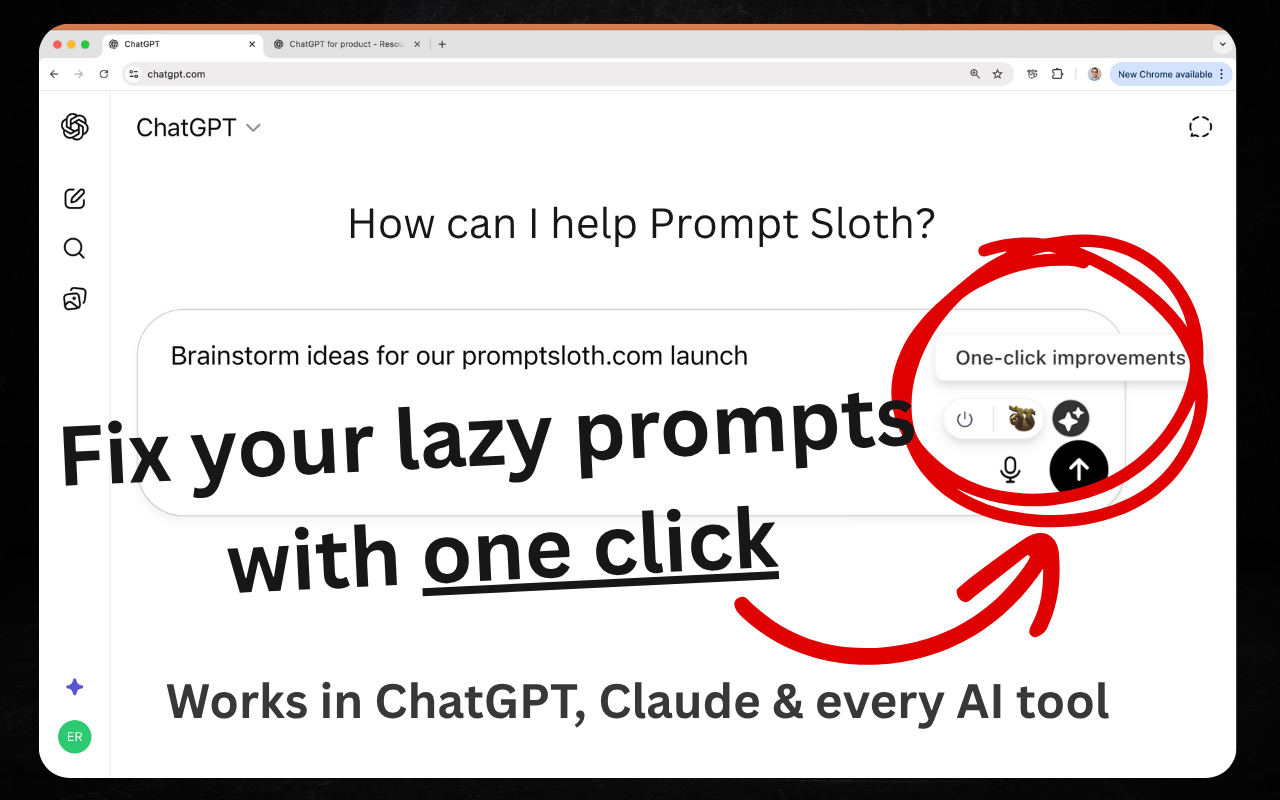
Prompt Sloth Write Better AI Prompts is a ChatGPT overlay tool. Prompt Sloth is a free Chrome extension that adds an improve button inside ChatGPT, Claude, Gemini and 20+ other AI tools. It turns rough drafts into structured prompts and offers a // shortcut to a library of 2,000+ templates.
Prompt Sloth is a Chrome extension that rewrites rough, dictated or half-finished drafts into structured prompts without leaving the page. An improve button sits inside the text box of the AI tool already open, so a short one-liner can be expanded in place instead of being copied into a separate prompt writer and pasted back. The rewrite is meant to keep the user's intent and facts intact while filling in what is usually missing: a role for the model, background context, constraints and the desired output format. The site frames this as a measurable matter rather than a cosmetic one, citing academic research showing that wording and formatting changes can shift model accuracy considerably. The aim is work that can be sent with little further editing. A second feature handles reusable prompts. Typing // in a text box opens a library of more than 2,000 templates covering items such as proposals, follow-ups, briefs and reports. Users can also save their own versions that carry their scope language and client terminology, and these sync across devices. A desktop app is also advertised on a separate page, which matters because a reviewer noted the extension does not help in desktop applications. The tool lists more than 20 supported destinations, including ChatGPT, Claude, Gemini, Perplexity, Grok, DeepSeek, Cursor, Bolt, Lovable, Replit, Notion and Midjourney. That breadth makes it relevant to people who move between chat assistants, coding tools and image generators and want one consistent way to tighten their requests. The Chrome Web Store shows a 4.8 rating and over 10,000 users, and installation is described as free and requiring no sign-up. Among alternatives, Prompt Sloth sits closer to a lightweight in-page enhancer than to a full prompt management workspace or a prompt marketplace. Its strengths are speed and placement. Its limits, based on user feedback, include occasionally repetitive output and a free tier that some users find thin on quick actions, with upgrade details that could be clearer.
The homepage offers the extension free with no sign-up, taking about 10 seconds to install. It does not describe a time-limited trial.
Learn moreThe extension is described as free to add with no sign-up. A reviewer mentions a free tier and an upgrade path, but the homepage lists no prices or plan limits.
Learn moreWorks inside ChatGPT, Claude, Gemini, Perplexity, Grok, DeepSeek, Bolt, Lovable, Manus, Cursor, Meta AI, Notion, Replit, Midjourney, Base44 and v0, plus others.
One-click prompt improvement inside the chat box, adding role, context, constraints and format. A // shortcut opens 2,000+ templates, with custom saved prompts synced across devices. Works with 20+ AI tools.
 AI Angels400+ customizable AI girlfriends for NSFW chat, voice calls, and roleplay
 Candy AIExperience the future of companionship with AI friends who chat, role-play, and connect with you on a human level.
 ourdream.aiA vast AI roleplay platform with millions of characters for chat, images, video and voiceAI Angels400+ customizable AI girlfriends for NSFW chat, voice calls, and roleplayCandy AIExperience the future of companionship with AI friends who chat, role-play, and connect with you on a human level.ourdream.aiA vast AI roleplay platform with millions of characters for chat, images, video and voice