Pricing
Generation is credit-based: the interface shows 15 credits per run. Plan prices and credit packs are not stated in the homepage content.
Learn moreChange the camera angle of any image without reshooting

Promptsref is an image editing tool. AI Change Angle is a Promptsref web tool that regenerates an uploaded image from a new camera view using rotation, tilt and distance controls, aimed at artists, sellers and video creators who want extra angles without reshooting.
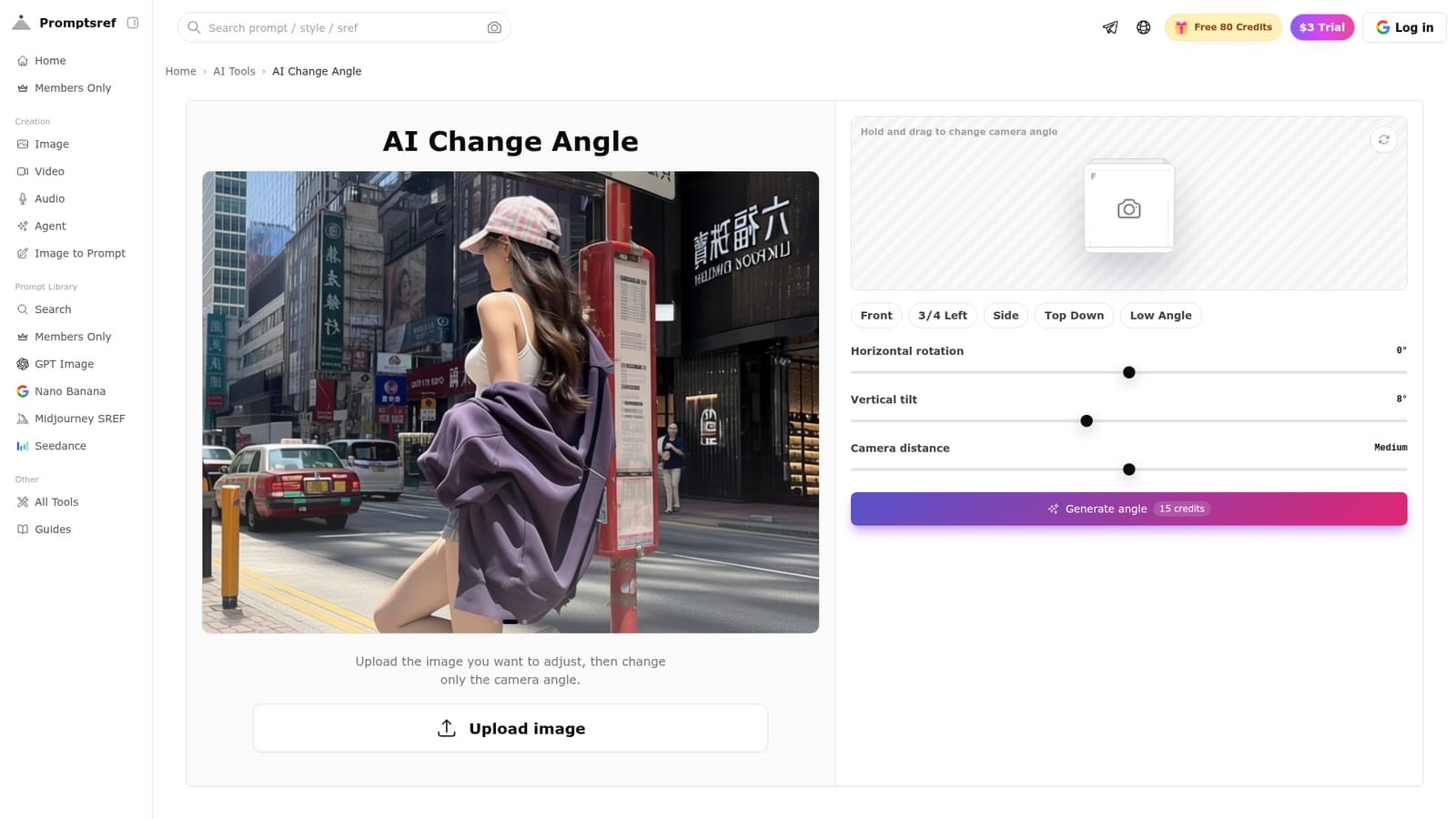
Promptsref's AI Change Angle tool takes a single uploaded image and produces a new version of it from a different camera position. Instead of asking users to describe a viewpoint in a prompt, it exposes direct controls: horizontal rotation, vertical tilt and camera distance, along with presets such as Front, 3/4 Left, Side, Top Down and Low Angle. The aim is to keep the same person, product, outfit, materials or character while only the perspective changes. The workflow is short. A user uploads a clear photo, product shot, character render or concept image, drags the on-page camera widget or picks a preset, then generates the result. Each generation costs credits (the interface shows 15 credits for a run), and the site's FAQ addresses credit usage and refunds when a generation fails, though the homepage excerpt does not spell out the answers. Because the controls replace prompt rewriting, repeated experiments with the same source image are quick to set up. The tool is aimed at people who already have an image that is nearly right. Character artists use it to build extra views for concept sheets and storyboards, e-commerce teams and marketplace sellers fill in missing side, three-quarter or top-down product views before paying for another shoot, and AI video creators set a better starting frame before sending it to an image-to-video model. One reviewer on the page is candid that it does not replace every shoot and works best for quick tests of whether an angle is worth producing. Within the wider AI image editing field, it occupies a narrow niche compared with general editors and text-to-image generators: it does one job, perspective change, rather than inpainting, style transfer or full scene generation. It sits inside the broader Promptsref toolset, which also includes a multi-angle grid generator, an image upscaler, an image-to-prompt tool, background removal and video utilities, so users can chain steps in one place. Output quality on complex subjects is not documented in the source, so results should be judged by testing with real assets.
Generation is credit-based: the interface shows 15 credits per run. Plan prices and credit packs are not stated in the homepage content.
Learn moreUpload one image and change horizontal rotation, vertical tilt and camera distance, with presets for Front, 3/4 Left, Side, Top Down and Low Angle. Aims to preserve the subject's identity, outfit and materials across views.


