
Free trial
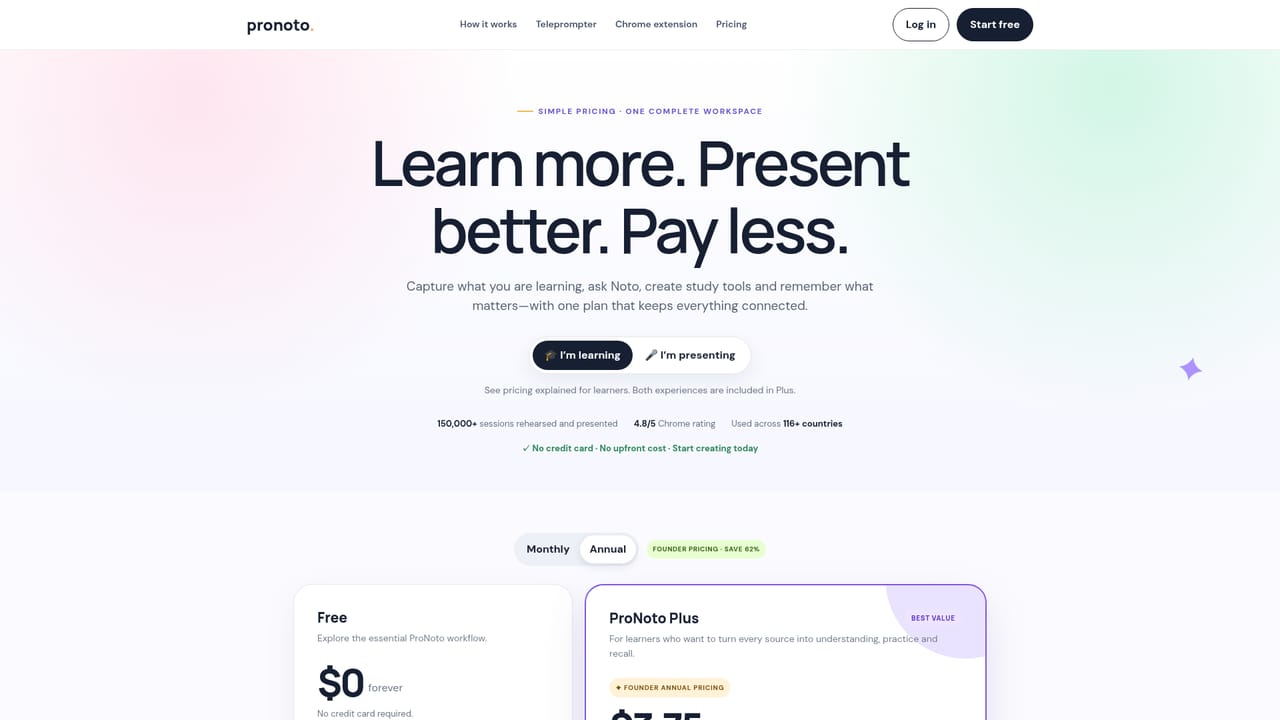
No card is required to start, and the free plan itself functions as the trial: unlimited notebooks and scripts with capped Voice Follow minutes and monthly AI credits.
Learn moreStudy a topic, then say it out loud with a voice-following teleprompter.
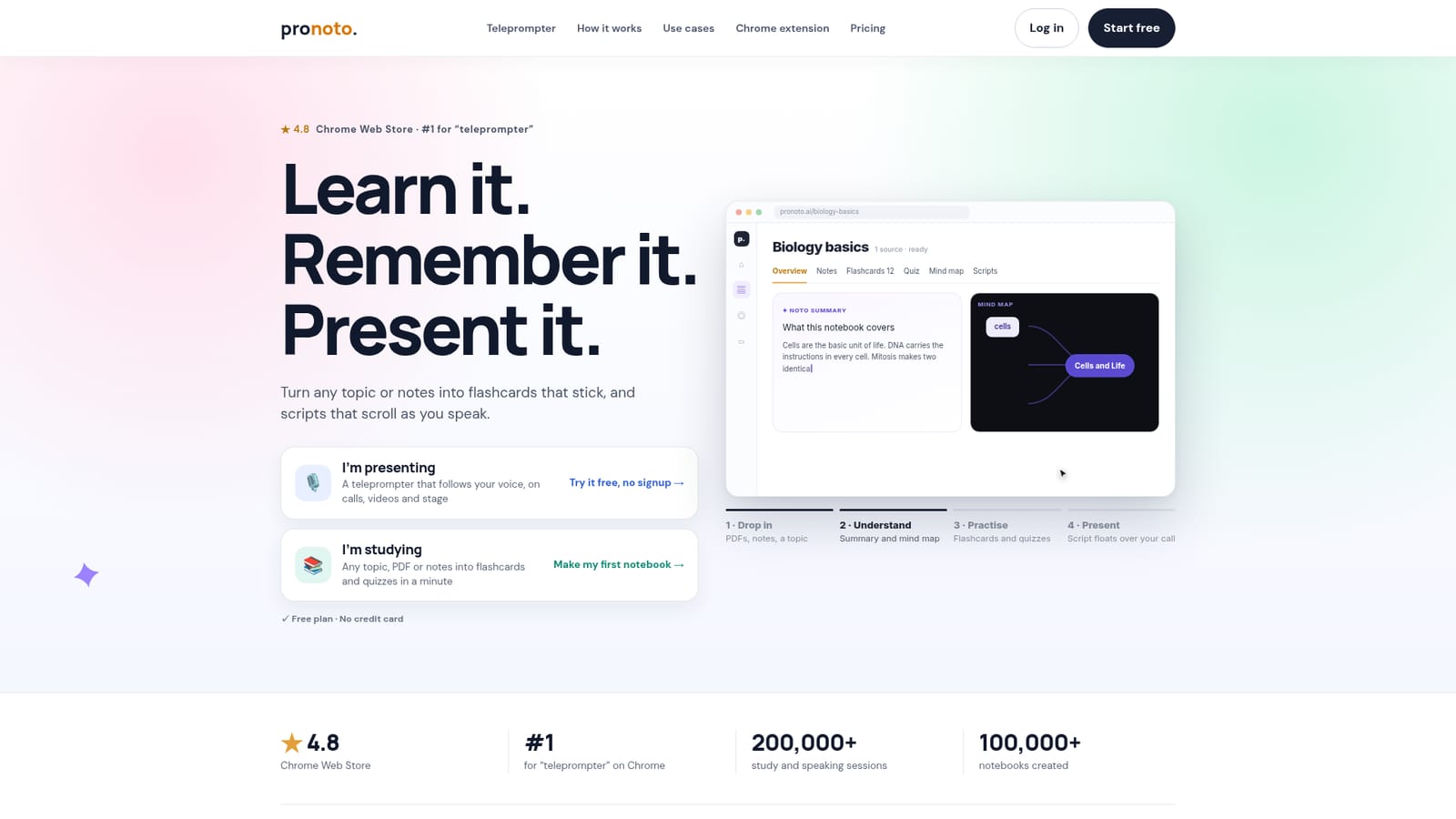
ProNoto turns PDFs, notes, lectures or a bare topic into summaries, mind maps, flashcards and quizzes, then converts what you learned into a script and a voice-following teleprompter that floats over video calls and camera recordings. Free tier included, with a low-cost Plus plan.
ProNoto is a workspace that joins two jobs usually handled by separate apps: learning material and delivering it out loud. A notebook starts from a PDF, slide deck, lecture recording, web page, scan or a plain topic. ProNoto then builds a summary, a mind map, flashcards and a multiple-choice quiz from that source, all editable inside a full note editor. A tutor called Noto answers questions grounded in the notebook's own material, so answers stay tied to the sources rather than drifting into general chat. The practice side is where the product diverges from study tools. After a quiz, ProNoto flags weak topics and brings missed questions back in later reviews. After a rehearsal, it reports a speaking pace analysis (for example a rushed intro at 172 words per minute against 138 for the rest) and counts filler words. A script generator turns notebook content into a one-minute spoken explanation, which feeds directly into the teleprompter. The teleprompter is a transparent overlay that floats above Zoom, Meet, Teams or any other app, positioned under the camera and visible only to the presenter unless the whole screen is shared. Voice Follow scrolls the script as the speaker talks and pauses when they stop, instead of running at a fixed speed. Recording works in a phone browser with the script next to the lens, watermarked on the free tier. The Chrome extension handles the same job on any tab and captures pages into notebooks in one click. Students, job seekers rehearsing interview answers, creators recording in one take and professionals keeping talking points on screen are the stated audiences. Against NotebookLM, the pitch is a wider loop: capture, notes, mind maps, spaced review, then scripted delivery. Against Quizlet or Anki, the difference is the speaking layer and connected notebooks. The Chrome extension has run since 2024 at a 4.8 rating, and the team reports more than 200,000 teleprompter plays and 100,000 notebooks.
No card is required to start, and the free plan itself functions as the trial: unlimited notebooks and scripts with capped Voice Follow minutes and monthly AI credits.
Learn moreFree forever with unlimited notebooks, flashcards, quizzes and auto-scroll scripts, 10 minutes of Voice Follow and 30 AI credits per month. Plus is $3.75 per month billed yearly at $45, or $9 month to month, adding unlimited Voice Follow, overlay on any app, watermark-free phone recording and more AI credits.
Learn moreA public help centre sits alongside the product, with a privacy policy linked from the FAQ and a direct path to Help when answers are not covered on the page.
Learn moreA Chrome extension provides the see-through teleprompter on any tab and one-click capture of web pages into notebooks. The overlay works over Zoom, Meet and Teams. No API or other integrations are documented.
Notebooks built from PDFs, slides, voice, web pages, scans or a topic. Each one produces a summary, visual mind map, flashcards, a quiz and a spoken script, with a source-grounded tutor for questions. Review resurfaces missed answers and weak topics. A transparent teleprompter floats over Zoom, Meet, Teams or any app, scrolls with Voice Follow and records in a phone browser. Rehearsal analytics report pace and filler words.
 AI Angels400+ customizable AI girlfriends for NSFW chat, voice calls, and roleplay
 Candy AIExperience the future of companionship with AI friends who chat, role-play, and connect with you on a human level.
 ourdream.aiA vast AI roleplay platform with millions of characters for chat, images, video and voiceAI Angels400+ customizable AI girlfriends for NSFW chat, voice calls, and roleplayCandy AIExperience the future of companionship with AI friends who chat, role-play, and connect with you on a human level.ourdream.aiA vast AI roleplay platform with millions of characters for chat, images, video and voice


