Qualcomm AI Hub

Optimize, validate, and deploy AI models on Qualcomm devices

Advanced
Screenshot of Qualcomm AI Hub, Optimize, validate, and deploy AI models on Qualcomm devices

What is Qualcomm AI Hub?

Qualcomm AI Hub is a developer tool that optimizes validate, and deploy AI models on Qualcomm devices. A Qualcomm developer platform for on-device AI.

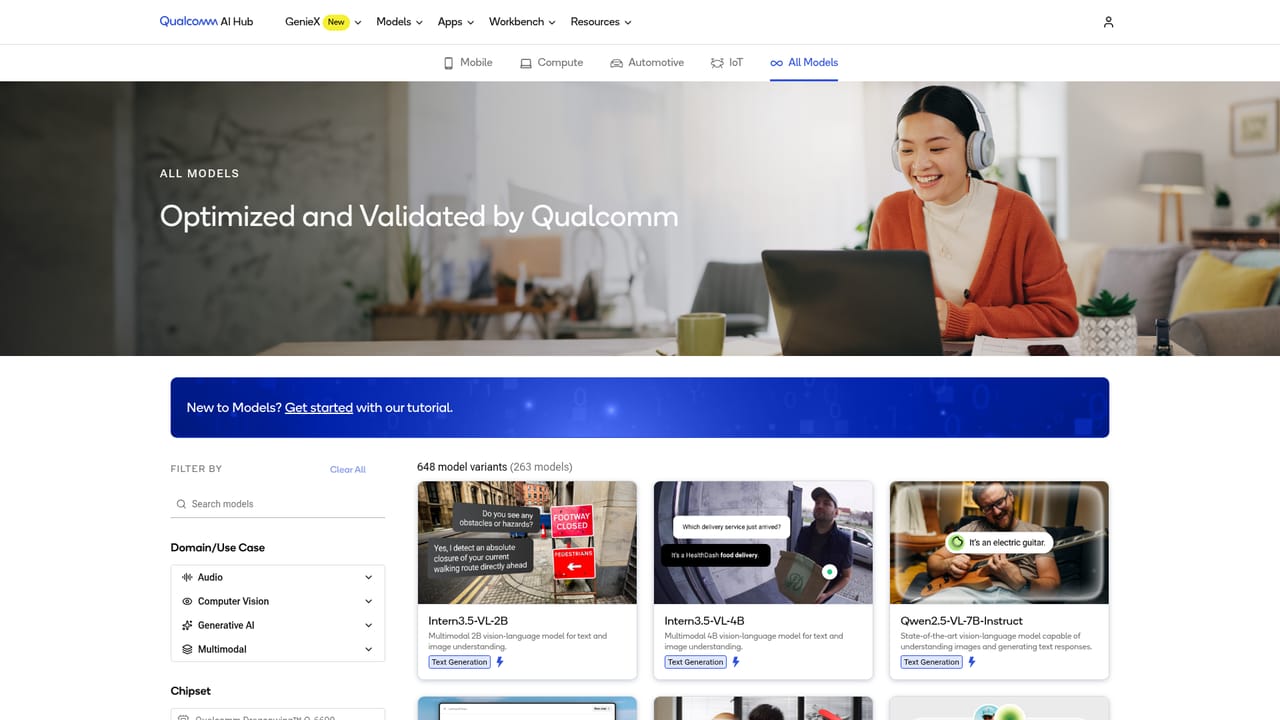
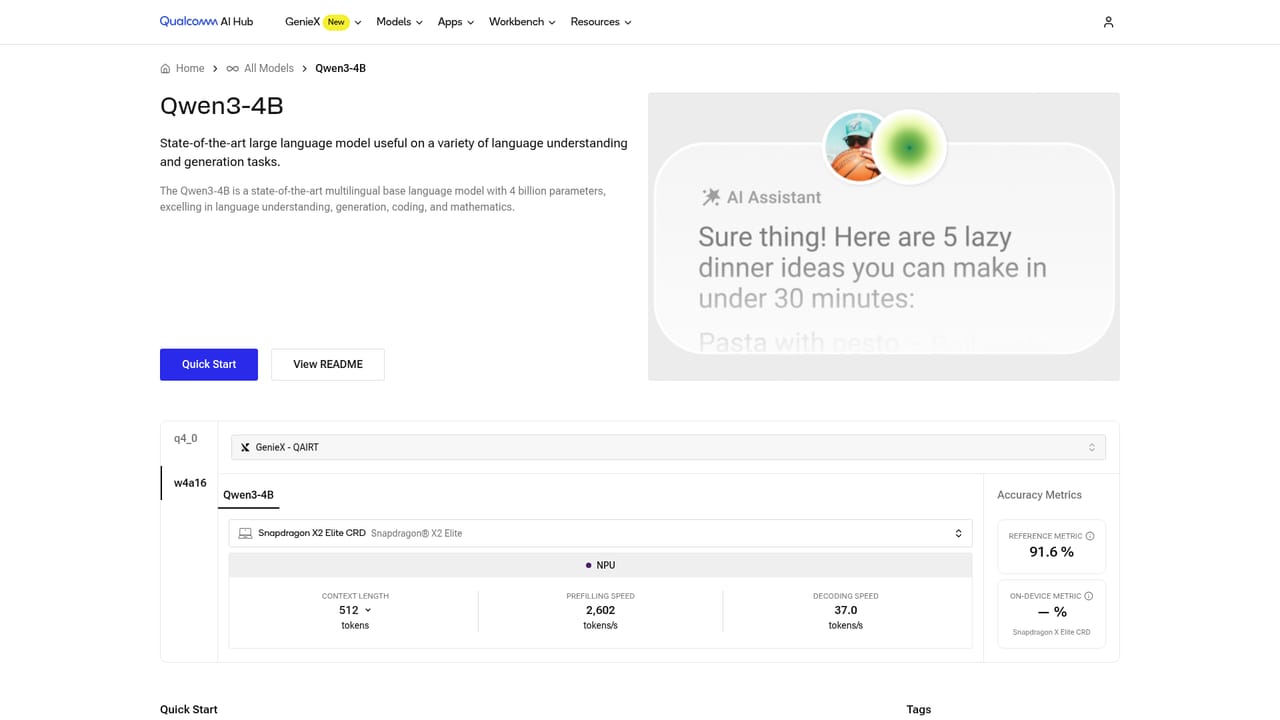
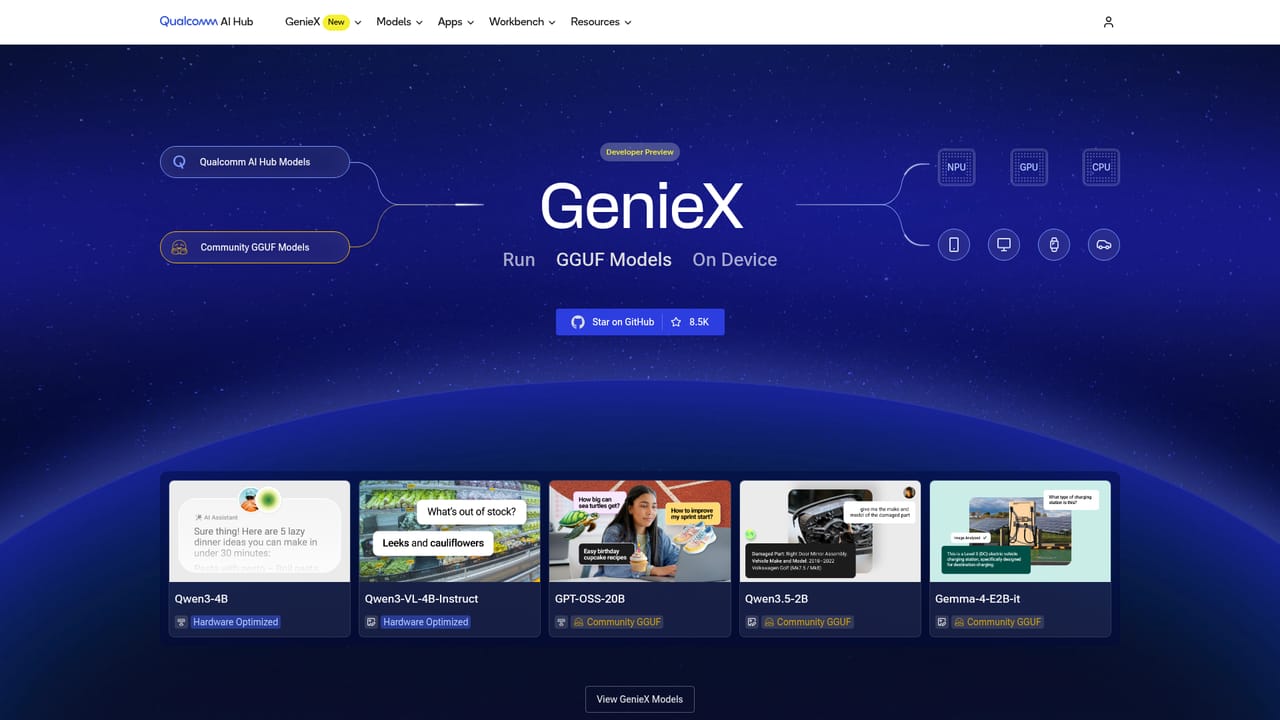
Qualcomm AI Hub is a developer platform for putting machine learning and generative AI models onto Qualcomm hardware, from phones and laptops to cars and IoT devices. The homepage frames it as "the platform for on-device AI," and the offering splits into four parts: a model library, an optimization workbench, a generative AI toolkit called GenieX, and sample application repositories. The model library holds more than 300 ML and Gen AI models already tuned for Qualcomm devices. Listings include text models such as Qwen3-4B and Gemma-4-E2B-it, vision-language models like Qwen3-VL-4B-Instruct, and detection models such as Yolo-X, with each entry tagged as hardware optimized or as a community GGUF build. Developers can compare performance metrics across entries before downloading. Model pages are also organized by target market, with separate collections for mobile, compute, automotive, and IoT. For teams bringing their own weights, Workbench handles the conversion path. It accepts trained PyTorch or ONNX models and targets LiteRT, ONNX Runtime, or Qualcomm AI Runtime. From there users quantize and fine-tune for accuracy, then profile and run inference on more than 50 device types hosted in Qualcomm's cloud. GenieX, described as a new open-source toolkit with a unified runtime across NPU, GPU, and CPU, covers the Gen AI side. Sample apps supply code templates and guides for turning an optimized model into a native application. The platform is aimed at ML engineers and product teams shipping edge AI, not at general consumers. The ecosystem section signals that intent, listing model makers such as Mistral AI, IBM watsonx, G42, Tech Mahindra, and Preferred Networks alongside tooling collaborators including Roboflow, Amazon SageMaker, Dataloop, LiteRT, and ONNX Runtime. Compared with generic model hubs, the value here is hardware-specific validation on real silicon rather than download volume. The tradeoff is scope: the workflow is built around Qualcomm chips, so teams targeting other accelerators will get little from it.

How do you use Qualcomm AI Hub?

  1. 1Pick a starting point
    Browse the model library to find a hardware-optimized model, or plan to bring a trained PyTorch or ONNX model of your own into the workflow.
    Qualcomm AI Hub — Pick a starting point
  2. 2Review the model card and metrics
    Open an individual model page such as Qwen3-4B or Yolo-X to check its optimization status and compare performance figures before committing.
    Qualcomm AI Hub — Review the model card and metrics
  3. 3Sign up for Workbench
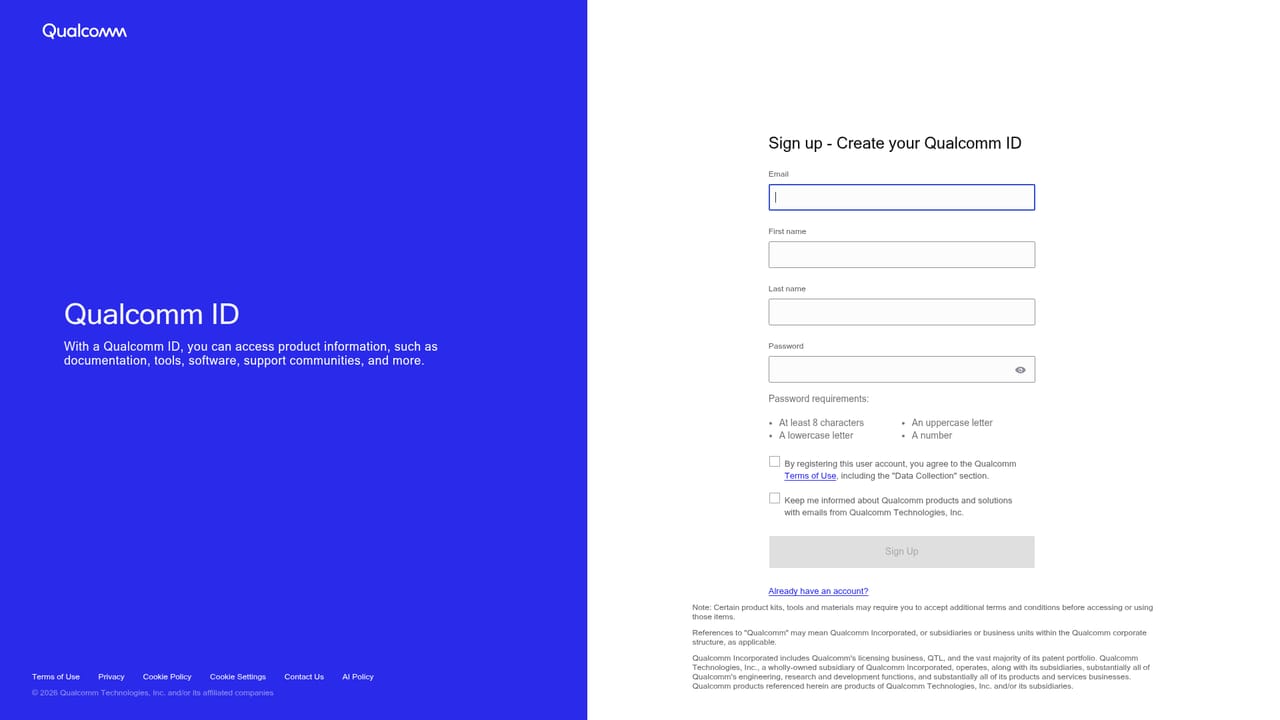
    Create a Workbench account to convert, quantize, fine-tune, and profile models on the cloud-hosted Qualcomm device fleet.
    Qualcomm AI Hub — Sign up for Workbench
  4. 4Try GenieX for generative models
    Use the GenieX toolkit to compile, run inference, and quantize generative models through a unified runtime for NPU, GPU, and CPU.
    Qualcomm AI Hub — Try GenieX for generative models
  5. 5Deploy with a sample app
    Explore the sample app repositories and adapt the code templates and guides to ship the optimized model inside a native application.

Pros and cons

Pros

  • Model library is validated and performance-profiled on real Qualcomm hardware rather than published genericallyAI
  • Workbench covers the full path for custom models: conversion, quantization, accuracy fine-tuning, and profilingAI
  • Cloud-hosted device farm spans 50+ Qualcomm device types, removing the need to buy test hardwareAI
  • GenieX is open source and offers a unified runtime across NPU, GPU, and CPUAI
  • Sample app repositories provide working code templates instead of documentation onlyAI

Cons

  • Entirely tied to Qualcomm silicon, so it is useless for projects targeting other acceleratorsAI
  • Workbench signup and the profiling workflow assume familiarity with model conversion and quantization conceptsAI
  • Pricing and plan limits are not stated on the homepage, which makes budgeting hard before signing upAI
  • Model entries mix hardware-optimized builds with community GGUF uploads, so quality varies by listingAI
  • The focus is deployment engineering, not model creation, so it will not help teams that still need to train a modelAI

How much does Qualcomm AI Hub cost?

Integrations

Integrations and collaborations include LiteRT and ONNX Runtime for model submission, Amazon SageMaker for training and edge deployment, Roboflow for computer vision, Dataloop for data curation, and model-maker pages for Mistral AI, IBM watsonx, G42, Tech Mahindra, and Preferred Networks.

Learn more

Features

A library of 300+ ML and Gen AI models optimized for Qualcomm devices with comparable performance metrics; Workbench for converting PyTorch and ONNX models to LiteRT, ONNX Runtime, or Qualcomm AI Runtime, with quantization, accuracy fine-tuning, and profiling on 50+ cloud-hosted device types; GenieX, an open-source Gen AI toolkit with a unified NPU, GPU, and CPU runtime; and sample app repositories with deployment code.

Learn more

Frequently asked questions about Qualcomm AI Hub

  • How do you use Qualcomm AI Hub?
    The walkthrough on this page covers 5 steps: 1. Pick a starting point 2. Review the model card and metrics 3. Sign up for Workbench 4. Try GenieX for generative models 5. Deploy with a sample app.
  • What platforms does Qualcomm AI Hub support?
    Qualcomm AI Hub is available on Web App.
  • What does Qualcomm AI Hub integrate with?
    Integrations and collaborations include LiteRT and ONNX Runtime for model submission, Amazon SageMaker for training and edge deployment, Roboflow for computer vision, Dataloop for data curation, and model-maker pages for Mistral AI, IBM watsonx, G42, Tech Mahindra, and Preferred Networks.
  • What are the limitations of Qualcomm AI Hub?
    Entirely tied to Qualcomm silicon, so it is useless for projects targeting other accelerators. Workbench signup and the profiling workflow assume familiarity with model conversion and quantization concepts. Pricing and plan limits are not stated on the homepage, which makes budgeting hard before signing up.

Status

StatusActive
Views0
Outbound clicks0
Added10/21/2026

Platforms

Web App

Pricing

Free