Pricing
The homepage lists an Upgrade to pro option but does not publish prices, plan tiers, or what the free version includes. Costs have to be checked inside the account or on the upgrade screen.
Learn moreAI homework helper with tutor-style explanations
Own Question AI.io? Verify ownership to get a dofollow link

Question AI.io is a general question solver tool. A web-based AI homework helper that answers student questions in Tutor Mode, Quick Answer, or Explain format, and includes an Essay Grader and EZ Grader for educators.
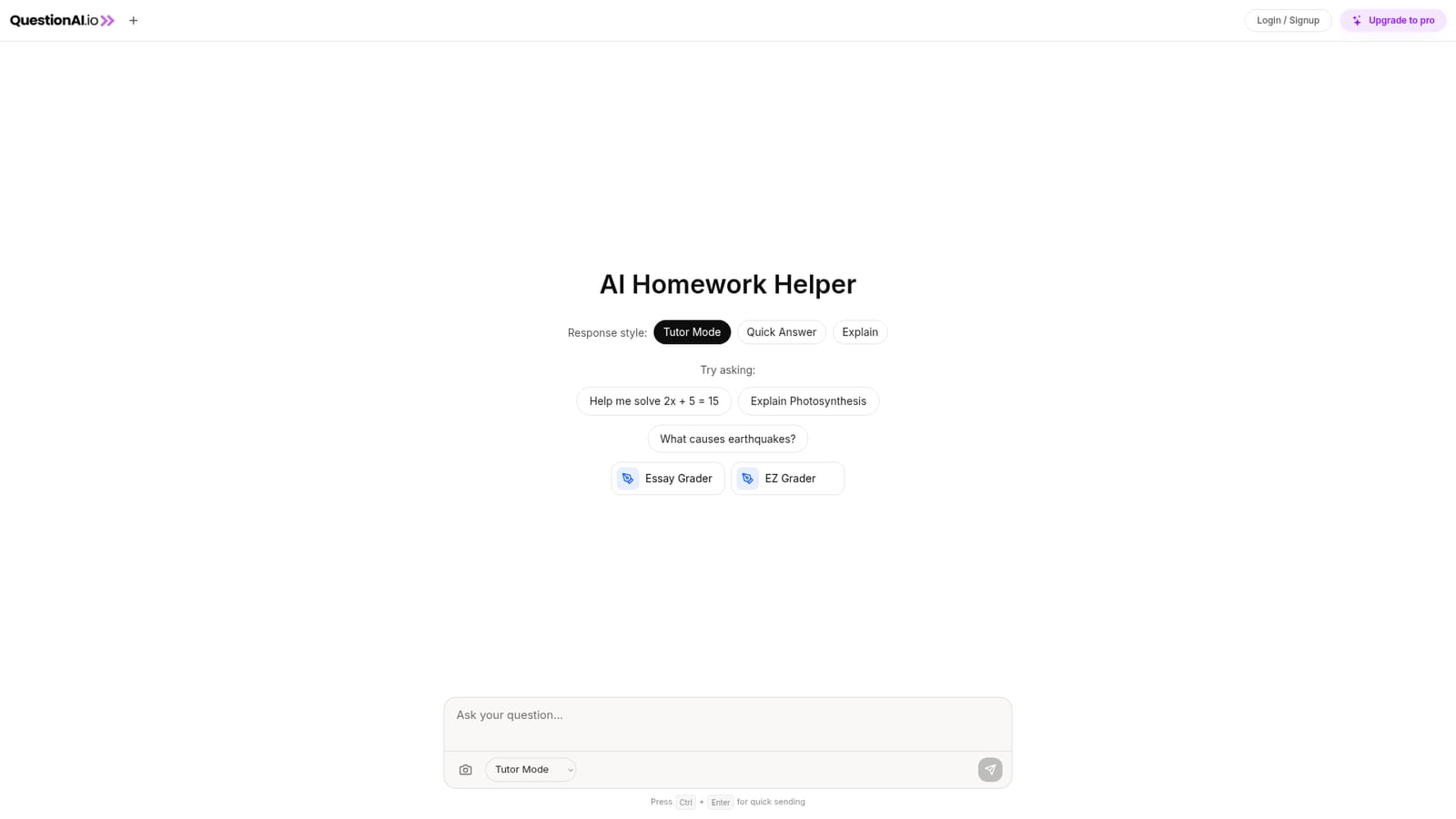
Question AI.io is a web-based homework assistant built around a simple chat interface. Students type or paste a question, choose a response style, and receive an answer. The tool exposes three modes: Tutor Mode, Quick Answer, and Explain. Those modes suggest the product is aimed at different depths of help, from a fast result to a step-by-step walkthrough. A few sample prompts on the homepage (a linear equation, photosynthesis, earthquakes) point to math and science as the early focus, though nothing in the listing restricts it to those subjects. The tool also includes an Essay Grader and an EZ Grader. Those features signal that the intended audience is not only students seeking answers but also teachers or tutors who want to score written work or calculate grades. The homepage does not describe how the grading logic works, what rubric it follows, or whether it accepts full essays, so those tools should be evaluated directly before relying on them for assessed work. In practice, the workflow is login, type a question, pick a response style, and send. A keyboard shortcut (Ctrl + Enter) supports quick sending. The tool is a standalone website rather than a browser extension or mobile app, and there is a separate Upgrade to pro path for paid access. Among homework helpers, Question AI.io sits in the same general space as chat-based study assistants: it competes on explanation quality and the breadth of subjects rather than on integrations with learning management systems or classroom tools. Who it suits: students who want a second explanation of a problem, and educators who need a fast grader for assignments. It is less suited to users who need offline access, native mobile apps, or deep LMS integration, since none of those are described on the homepage.
The homepage lists an Upgrade to pro option but does not publish prices, plan tiers, or what the free version includes. Costs have to be checked inside the account or on the upgrade screen.
Learn moreCore features shown on the homepage: an AI homework helper with Tutor Mode, Quick Answer, and Explain response styles, an Essay Grader, an EZ Grader, a login and signup flow, a Ctrl + Enter send shortcut, and an Upgrade to pro path. No subject list, integrations, or mobile apps are described.
 AI Angels400+ customizable AI girlfriends for NSFW chat, voice calls, and roleplay
 Candy AIExperience the future of companionship with AI friends who chat, role-play, and connect with you on a human level.
 ourdream.aiA vast AI roleplay platform with millions of characters for chat, images, video and voiceAI Angels400+ customizable AI girlfriends for NSFW chat, voice calls, and roleplayCandy AIExperience the future of companionship with AI friends who chat, role-play, and connect with you on a human level.ourdream.aiA vast AI roleplay platform with millions of characters for chat, images, video and voice


