QuickScreen

AI screening questions and CV scoring for busy recruiters

Beginner
Screenshot of QuickScreen, AI screening questions and CV scoring for busy recruiters

What is QuickScreen?

QuickScreen automates the first stage of hiring: it generates a branded application link, parses incoming CVs, writes role-specific screening questions with AI, and returns compatibility scores, highlights and tags for shortlisting.

QuickScreen is a hiring tool that puts the first round of candidate screening on autopilot. Recruiters create a job posting, generate a unique application link, and share it wherever they advertise the role. When a candidate submits a CV through that link, the platform reads the document, pulls out the important details in a structured view, and then writes screening questions tailored to that specific CV, the job description, and any extra instructions the hiring team supplies. Answers come back with an analysis attached: a compatibility score, the highlights that matter for the role, a short review, and auto-generated tags that make shortlisting faster. The stated goal is filtering out low effort applications before a human spends time on them, so interviews go to people who actually fit. Parsed CVs are presented in a scannable format, which helps when a single opening pulls in a large pile of applicants. Post screening workflows and custom tests are included on every plan, so the tool can carry a candidate past the initial questionnaire. It suits small and mid-sized teams that hire regularly but lack a dedicated sourcing department, as well as recruiters juggling several active roles at once. Anyone who has drowned in near-identical CVs for a single vacancy is the obvious user. Compared with full applicant tracking systems, QuickScreen is narrower: it focuses on the screening step and the questionnaire that follows, and it slots in next to a traditional ATS rather than replacing the whole hiring stack. If the need is deep pipeline analytics or offer management, this is not that product. If the need is a fast, consistent first filter with a decent candidate experience, it fits well.

How do you use QuickScreen?

  1. 1Create your account
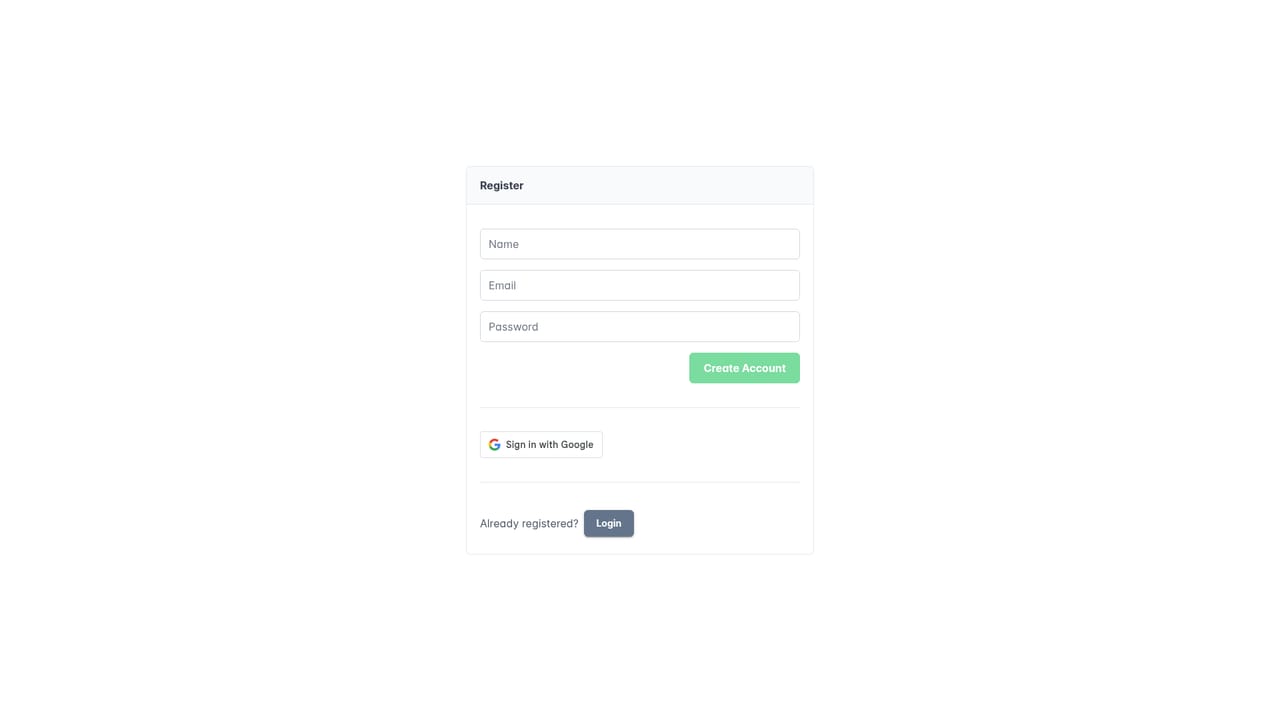
    Sign up at the registration page to open a workspace, then pick a plan tier that matches your expected hiring volume.
    QuickScreen — Create your account
  2. 2Set up a job posting and application link
    Describe the role and generate a unique link. That link is what candidates will use to submit their CVs for this position.
  3. 3Add screening instructions
    Supply any specific criteria or preferences you want the AI to weigh when it drafts questions and scores responses.
  4. 4Share the link and collect CVs
    Post the application link wherever the role is advertised. Submissions land in one place and are parsed into a structured view.
  5. 5Review scores, tags and answers
    Open each candidate to see the compatibility score, key highlights, review notes and auto-generated tags, then shortlist the strongest few.
  6. 6Set up post screening steps
    Use custom tests and post screening workflows to move shortlisted applicants to the next stage without manual handoffs.

Pros and cons

Pros

  • Screening questions are generated from the actual CV plus the job description, rather than being one fixed templateAI
  • Compatibility scores and auto-generated tags speed up shortlisting across large applicant poolsAI
  • Custom application links keep every submission for a role organized in one placeAI
  • Custom tests and post screening workflows are bundled into every tier, including the $10 planAI
  • Candidate-facing questionnaire adds a personal touch that a plain CV inbox cannot matchAI

Cons

  • No free tier is listed, so evaluating the product means paying from the first monthAI
  • Applicant caps on Basic (100) and Pro (1000) force an upgrade during high-volume hiringAI
  • Nothing on the homepage describes ATS or calendar integrations in detail, so buyers must confirm fit with existing toolsAI
  • Question quality depends on how well the job description and instructions are written, which shifts work onto the recruiterAI
  • Only plans and a demo video are documented; there is no published API or developer documentationAI

How much does QuickScreen cost?

Pricing

Three per-user monthly plans: Basic at $10 (up to 3 jobs, 100 applicants), Pro at $30 (up to 10 jobs, 1000 applicants) and Advanced at $87 (unlimited jobs and applicants). All tiers list integrations, post screening workflows and custom tests.

Learn more

Support

Support runs through a contact email listed in the FAQ, which also covers data security and question customization. No phone or live chat channel is described.

Integrations

Every pricing tier lists integrations, but the homepage does not name which systems are supported.

Features

CV parsing into a scannable summary, AI-written screening questions based on the CV, job description and recruiter instructions, compatibility scores with highlights and reviews, auto-generated tags for shortlisting, unique application links per job, plus custom tests and post screening workflows on every plan.

Frequently asked questions about QuickScreen

  • How much does QuickScreen cost?
    Three per-user monthly plans: Basic at $10 (up to 3 jobs, 100 applicants), Pro at $30 (up to 10 jobs, 1000 applicants) and Advanced at $87 (unlimited jobs and applicants). All tiers list integrations, post screening workflows and custom tests.
  • How do you use QuickScreen?
    The walkthrough on this page covers 6 steps: 1. Create your account 2. Set up a job posting and application link 3. Add screening instructions 4. Share the link and collect CVs 5. Review scores, tags and answers 6. Set up post screening steps.
  • What platforms does QuickScreen support?
    QuickScreen is available on Web App.
  • What does QuickScreen integrate with?
    Every pricing tier lists integrations, but the homepage does not name which systems are supported.
  • What are the limitations of QuickScreen?
    No free tier is listed, so evaluating the product means paying from the first month. Applicant caps on Basic (100) and Pro (1000) force an upgrade during high-volume hiring. Nothing on the homepage describes ATS or calendar integrations in detail, so buyers must confirm fit with existing tools.

Status

StatusActive
Views0
Outbound clicks0
Added10/21/2026

Platforms

Web App

Pricing

PaidSubscription