Free trial
Connecting a card grants 500 trial credits for 7 days on the generation side, and an email is sent one day before the first charge. A guest planner and sample shots are usable without signing up.
Learn moreAn AI filmmaking workspace that takes a brief from script to finished timeline
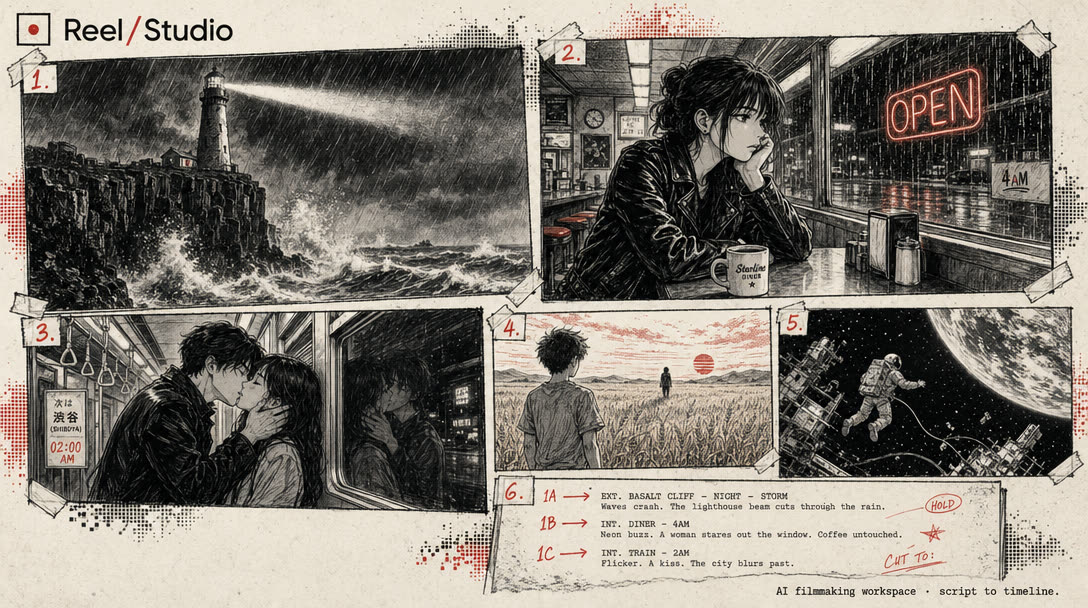
Reel Studio is an agent-ready video workspace that turns a brief into shots, takes, an audio bed and a final export. It bundles multiple generation models behind project memory, pinned subject references, continuity checks and a timeline, and exposes all of it to MCP agents such as Claude or Cursor through one URL and a token.
Reel Studio is a browser based production workspace built around a simple premise: one-shot video generators can produce a striking clip, but they cannot carry a multi-shot project from brief to finished cut. The tool wraps a catalog of image, text-to-video, image-to-video, speech, sound effect and music models inside project structure. You start with a script, a product note, a campaign idea or a rough prompt, and Reel Studio turns it into shots, references and production tasks. From there you generate takes, compare them, promote the keeper and assemble everything on a timeline with audio before exporting a reel, ad, short or launch video. The most distinctive part is the MCP server. Any MCP-speaking agent (Claude, Codex, Cursor or Cline are named on the site) can be connected with a single URL and a bearer token issued in Settings. That agent can then open a project, pick a model, queue takes, review results for drift, assemble the timeline and export. Continuity is handled through pinned references for people, products and places, plus automated checks that flag when a generated take wanders off model before it reaches the edit. The practical audience is small creative and marketing teams producing short form video at volume: product ads, social shorts, launch films and reels in the 15 second to 3 minute range. It suits people who already work shot by shot and want model choice and retry control, not a single prompt box. Against standalone generators, the differentiator is the surrounding scaffolding (project memory, reusable subjects, take comparison, audio tracks, export). Against a traditional NLE, it trades editing depth for generation and agent automation. Pricing is credit based rather than seat based. Three tiers are listed at $15, $39 and $99 per month with 1,250, 3,750 and 10,000 credits respectively, all with rollover and top-ups. Every model is available on every tier, which keeps the ladder about volume rather than feature gating.
Connecting a card grants 500 trial credits for 7 days on the generation side, and an email is sent one day before the first charge. A guest planner and sample shots are usable without signing up.
Learn moreCredit based with three tiers: Starter at $15/mo for 1,250 credits, Creator at $39/mo for 3,750 credits and Studio at $99/mo for 10,000 credits. Every model is included on each tier, credits roll over, paid credits never expire, top-ups are available and you can cancel anytime.
Learn moreAn MCP server at a single URL lets MCP-speaking agents (Claude, Codex, Cursor, Cline and others) control projects, models, takes and export using a bearer token issued in Settings.
Projects, shots and takes, reusable people and places references, a model catalog spanning image, text-to-video, image-to-video, TTS, SFX and music, a generation job queue, continuity checks, a timeline with audio tracks and final export, plus an MCP server for agent-driven production.
 AI Angels400+ customizable AI girlfriends for NSFW chat, voice calls, and roleplay
 Candy AIExperience the future of companionship with AI friends who chat, role-play, and connect with you on a human level.
 ourdream.aiA vast AI roleplay platform with millions of characters for chat, images, video and voiceAI Angels400+ customizable AI girlfriends for NSFW chat, voice calls, and roleplayCandy AIExperience the future of companionship with AI friends who chat, role-play, and connect with you on a human level.ourdream.aiA vast AI roleplay platform with millions of characters for chat, images, video and voice