Free trial
The site invites visitors to start for free on every major section, which points to a free entry tier rather than a time limited trial. No plan details or limits are published on the homepage.
Learn moreTrain a private model on your selfies, then prompt new photos of yourself

RefinePic is a generative image tool. RefinePic trains a private AI model on a small set of your own photos, then generates photorealistic images of you from text prompts. Generated stills can be converted into short videos, and users keep commercial rights to their outputs.
RefinePic is a photo generation service built around a simple idea: instead of paying for a shoot every time a new visual is needed, train a private model on photos of one person and prompt the images afterward. Users upload a set of everyday shots (the site suggests 5 to 20, with 10 to 20 framed as the sweet spot for variety), the system fine tunes a personal model on that face, and generation runs from a text prompt. The trained model is meant to hold onto facial structure, hairstyle, skin tone and the smaller details that make a picture read as a real photograph rather than an obvious render. In practice the workflow is three moves. A batch of selfies and candid portraits goes in, ideally spanning different angles, lighting conditions, backgrounds, outfits and expressions. Heavy filters, strong beauty smoothing and aggressive color grading are discouraged because they teach the model the wrong face. Training then runs automatically, with most models finishing in minutes depending on queue size. From there the user types something like a professional portrait in natural window light or a cinematic night street scene and gets a batch of images back. Any generated still can be pushed into an image to video step for motion, which extends the same identity into short clips. Who it suits: creators who need a steady stream of on brand profile pictures and lifestyle visuals, marketers who used to schedule repeated shoots for campaign variants, and anyone who wants themed portraits without booking a studio. The commercial angle matters here. RefinePic states that users keep the rights to what they generate and can delete their model data from the platform whenever they choose. The claim of a private model is also part of the pitch, so the identity material is not presented as a shared public style. The honest framing is that this is a self portrait engine, not a general purpose image tool. Its value rests entirely on resemblance, which means output quality tracks closely to how varied and clean the upload set is. Poor source photos produce a model that drifts. Expect a short experimentation period to find the prompts and reference photos that work, and treat the first results as calibration rather than the final look.
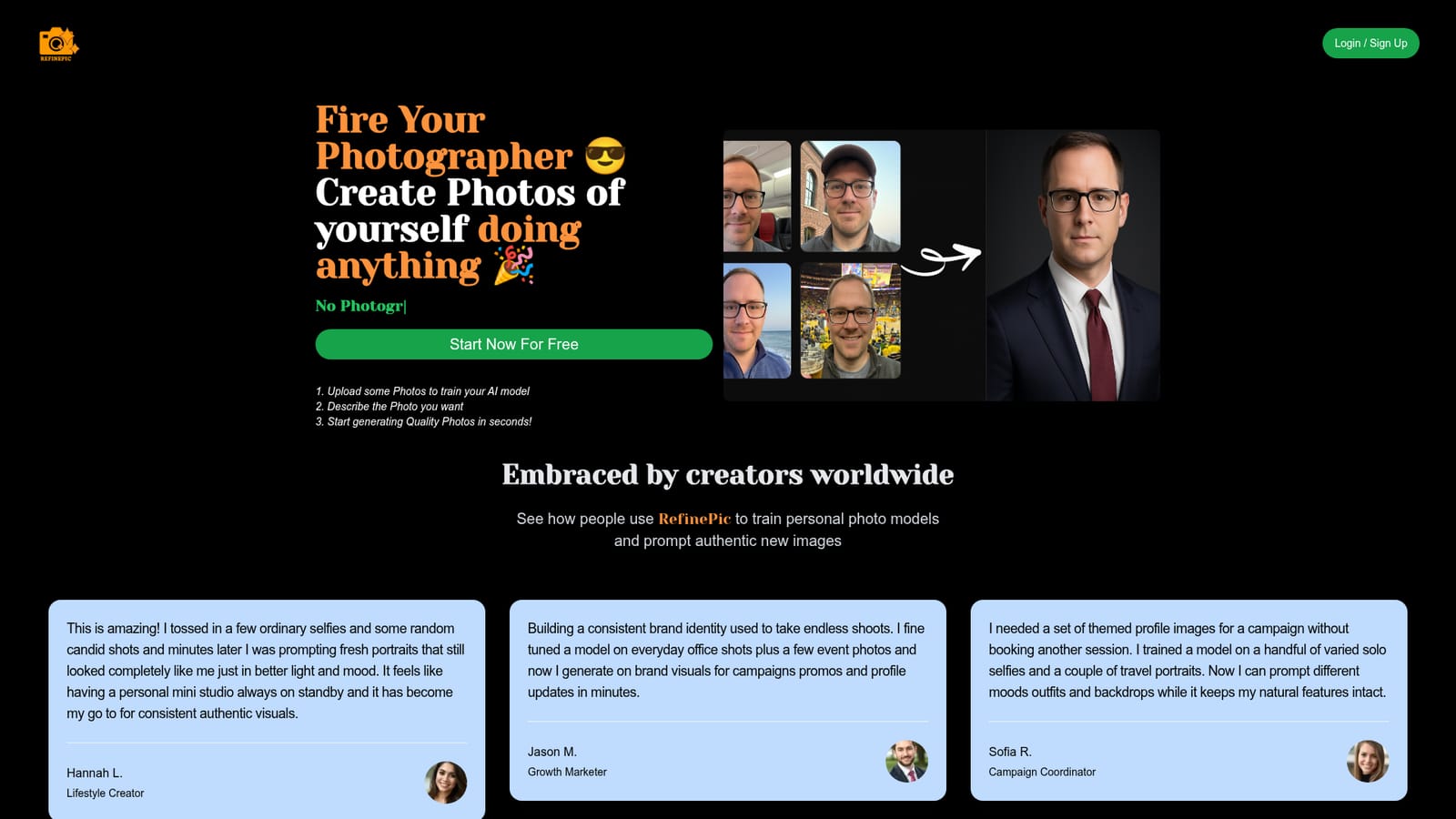
The site invites visitors to start for free on every major section, which points to a free entry tier rather than a time limited trial. No plan details or limits are published on the homepage.
Learn moreCore features are private model training from 5 to 20 uploaded photos, text prompt image generation that preserves recognizable facial features, an image to video conversion step for generated stills, and the ability to delete your trained model at will. Photo selection guidance is built into the flow, with natural varied shots recommended over filtered or heavily smoothed ones.
 AI Angels400+ customizable AI girlfriends for NSFW chat, voice calls, and roleplay
 Candy AIExperience the future of companionship with AI friends who chat, role-play, and connect with you on a human level.
 ourdream.aiA vast AI roleplay platform with millions of characters for chat, images, video and voiceAI Angels400+ customizable AI girlfriends for NSFW chat, voice calls, and roleplayCandy AIExperience the future of companionship with AI friends who chat, role-play, and connect with you on a human level.ourdream.aiA vast AI roleplay platform with millions of characters for chat, images, video and voice


