Pricing
The homepage advertises free generation of designs and fonts but does not list paid plans or prices.
Learn moreBrowser-based AI generator for calligraphy, signatures, tattoo fonts and handwriting
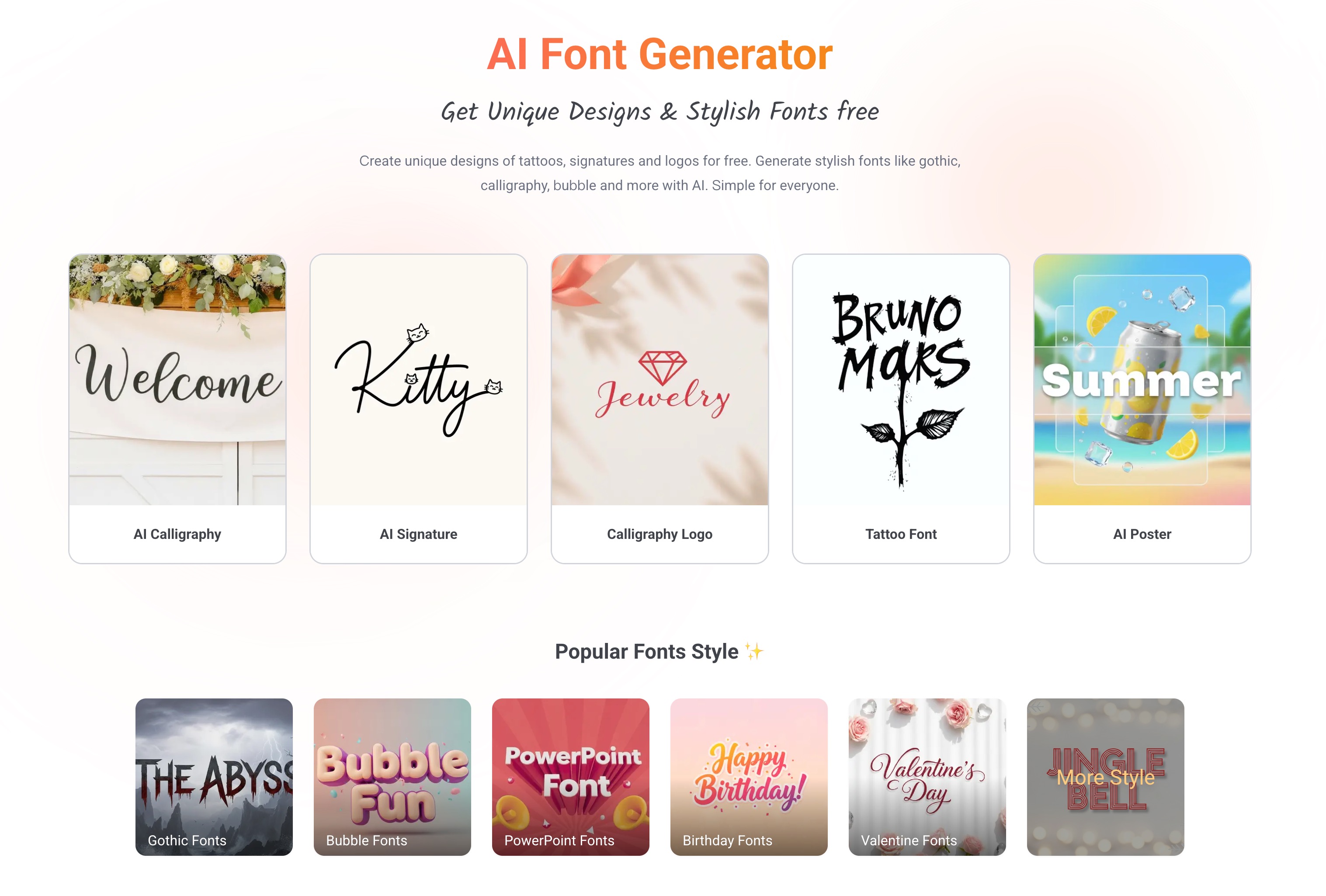
Refont is a web-based AI lettering toolkit that generates calligraphy, signatures, tattoo fonts, handwriting and 100+ font styles from typed text, built for creators and casual users with no typography background.
Refont is a web-based AI font and lettering generator aimed at people who want stylized text without learning typography. Instead of one general editor, it is organized as a set of single-purpose generators: calligraphy, signatures, tattoo lettering, calligraphy logos, handwriting, greeting cards, fancy text and a TTF font tool. Each has its own page, so a visitor starts from the job they have in mind rather than from a blank canvas. The core workflow is simple. A user picks the generator that matches the goal, types the text to be styled, and the AI renders it in the chosen look. The calligraphy tools cover cursive and clerical script styles, as well as looks inspired by well-known calligraphers. The signature generator produces clean one-stroke signatures in English or European-language styles, and an art signature option targets branding on posters and artwork. The handwriting engine aims for natural, human-looking letters, notes and greeting cards. A separate library lists more than 100 style themes such as gothic, graffiti, bubble, varsity, Y2K, Halloween and comic, which can be customized and downloaded as style images for posters, branding and social posts. The audience is broad: students, hobbyists, social media creators, designers and anyone planning a tattoo, invitation, logo or personalized message. The site presents itself as free to start and says it is recognized by over one million creators. It also lists smaller utilities such as a text-in-image editor, a Lenny face generator and a Malayalam font generator. Among alternatives, Refont sits between plain font-preview websites and full design suites. It does not replace a layout tool or a complete branding platform, but its narrow focus on lettering styles and quick output makes it practical for one-off graphics. People who need deep control over type design will likely outgrow it, while casual users get usable results with very little effort.
The homepage advertises free generation of designs and fonts but does not list paid plans or prices.
Learn moreAI calligraphy, signature, handwriting, tattoo font and calligraphy logo generators, a 100+ style font library, image-to-TTF conversion, text-in-image editing, fancy text, Lenny face and greeting card tools.
Learn more AI Angels400+ customizable AI girlfriends for NSFW chat, voice calls, and roleplay
 Candy AIExperience the future of companionship with AI friends who chat, role-play, and connect with you on a human level.
 ourdream.aiA vast AI roleplay platform with millions of characters for chat, images, video and voiceAI Angels400+ customizable AI girlfriends for NSFW chat, voice calls, and roleplayCandy AIExperience the future of companionship with AI friends who chat, role-play, and connect with you on a human level.ourdream.aiA vast AI roleplay platform with millions of characters for chat, images, video and voice


