Integrations
Works on top of YouTube, Netflix, HBO Max, Disney+, TED, edX, Coursera and Udemy, and supports general websites including news sites, technical forums and Twitter. Translation engines include Google, DeepL and OpenAI.
Bilingual subtitles and AI reading tools that turn everyday video into study material

Trancy is a font generator tool. A browser extension and app that adds bilingual AI subtitles to YouTube, Netflix and course platforms, plus word lookup, grammar analysis and immersive translation for any web page, with a learning center for saving words, sentences and videos.
Trancy is a language learning layer that sits on top of the video and reading people already do. Its core feature is bilingual subtitle support for streaming and course platforms such as YouTube, Netflix, HBO Max, Disney+, TED, edX, Coursera and Udemy, where the original line and a translated line appear together. Two viewing modes exist: a theater layout that keeps the video large, and a reading mode that shrinks the video to one side and renders the subtitles as a scrollable text column. In reading mode, subtitle typography can be adjusted, words and example sentences can be bookmarked, and keyboard shortcuts cover most actions. Beyond video, the extension handles ordinary web pages. Selecting a word or sentence produces an instant translation, and harder constructions can be broken down with AI grammar and sentence structure analysis. Part-of-speech tags mark key words, unknown words are highlighted while browsing, and a full-page immersive mode places original and translated text side by side for comparison. Hovering a paragraph or using a shortcut translates it without leaving the page, and the translation engine is selectable, with Google, DeepL and OpenAI listed as options. The product is aimed at self-directed learners who want input rather than a structured course: people watching foreign language content for listening and speaking practice, and readers working through news sites, technical forums and social platforms. Supporting tools include playback speed control, subtitle font adjustment, external dictionary lookup, text to speech for pronunciation, speech recognition for speaking practice, and a web-based learning center where videos and saved sentences are organized into decks that can be shared. The trade-off is that Trancy is an input and immersion tool, not a curriculum. There are no structured lessons or proficiency tracking described on the homepage, so learners who need sequencing will pair it with a course. It competes with subtitle extensions and dual-subtitle readers, and its distinguishing bets are the AI analysis features and the browser-based learning center rather than the subtitle overlay alone. Setup is straightforward: install the browser extension or download the mobile app, open a supported site, and enable subtitles for the target language.
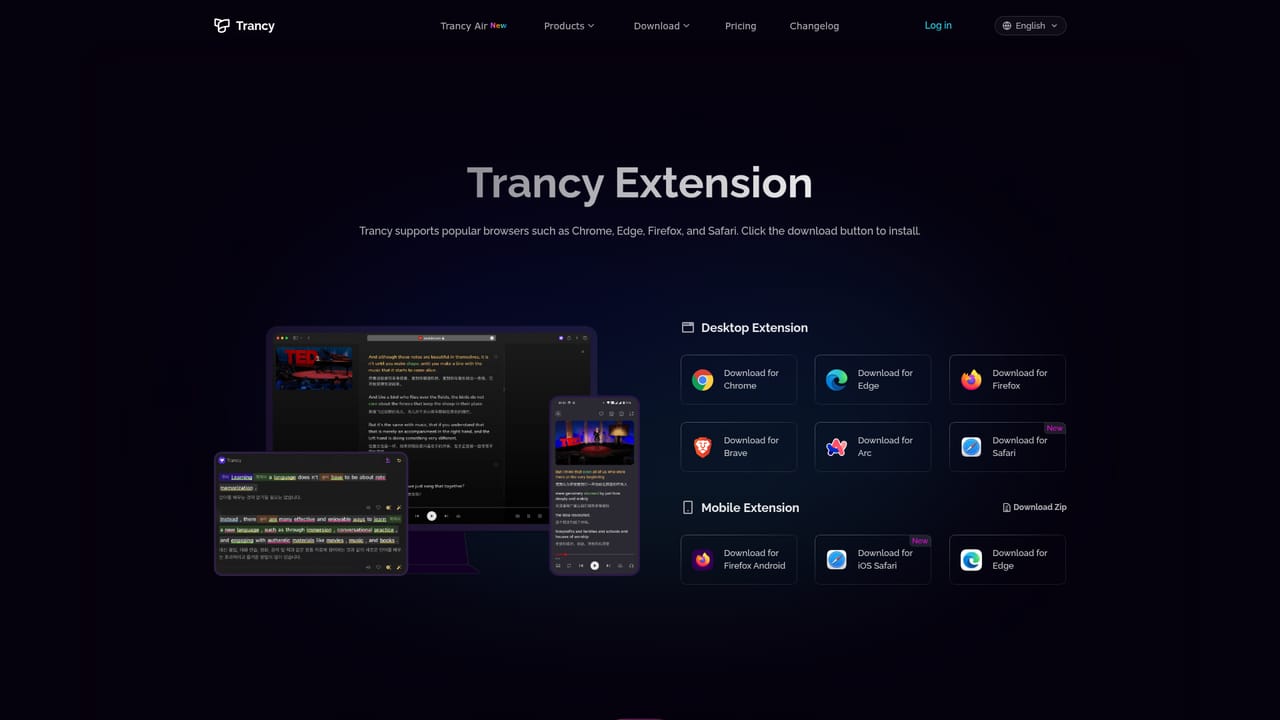
Works on top of YouTube, Netflix, HBO Max, Disney+, TED, edX, Coursera and Udemy, and supports general websites including news sites, technical forums and Twitter. Translation engines include Google, DeepL and OpenAI.
Bilingual subtitle translation with theater and reading modes, AI word lookup and grammar analysis, NLP sentence segmentation, web page selection and full-page immersive translation, part-of-speech tagging, unknown-word highlighting, selectable translation engines, playback speed and subtitle font controls, external dictionary access, text to speech, speech recognition, and a learning center for saved videos and sentences.
Learn more AI Angels400+ customizable AI girlfriends for NSFW chat, voice calls, and roleplay
 Candy AIExperience the future of companionship with AI friends who chat, role-play, and connect with you on a human level.
 ourdream.aiA vast AI roleplay platform with millions of characters for chat, images, video and voiceAI Angels400+ customizable AI girlfriends for NSFW chat, voice calls, and roleplayCandy AIExperience the future of companionship with AI friends who chat, role-play, and connect with you on a human level.ourdream.aiA vast AI roleplay platform with millions of characters for chat, images, video and voice


