RemoverMarca

Browser-based AI that erases watermarks from photos in seconds

Beginner
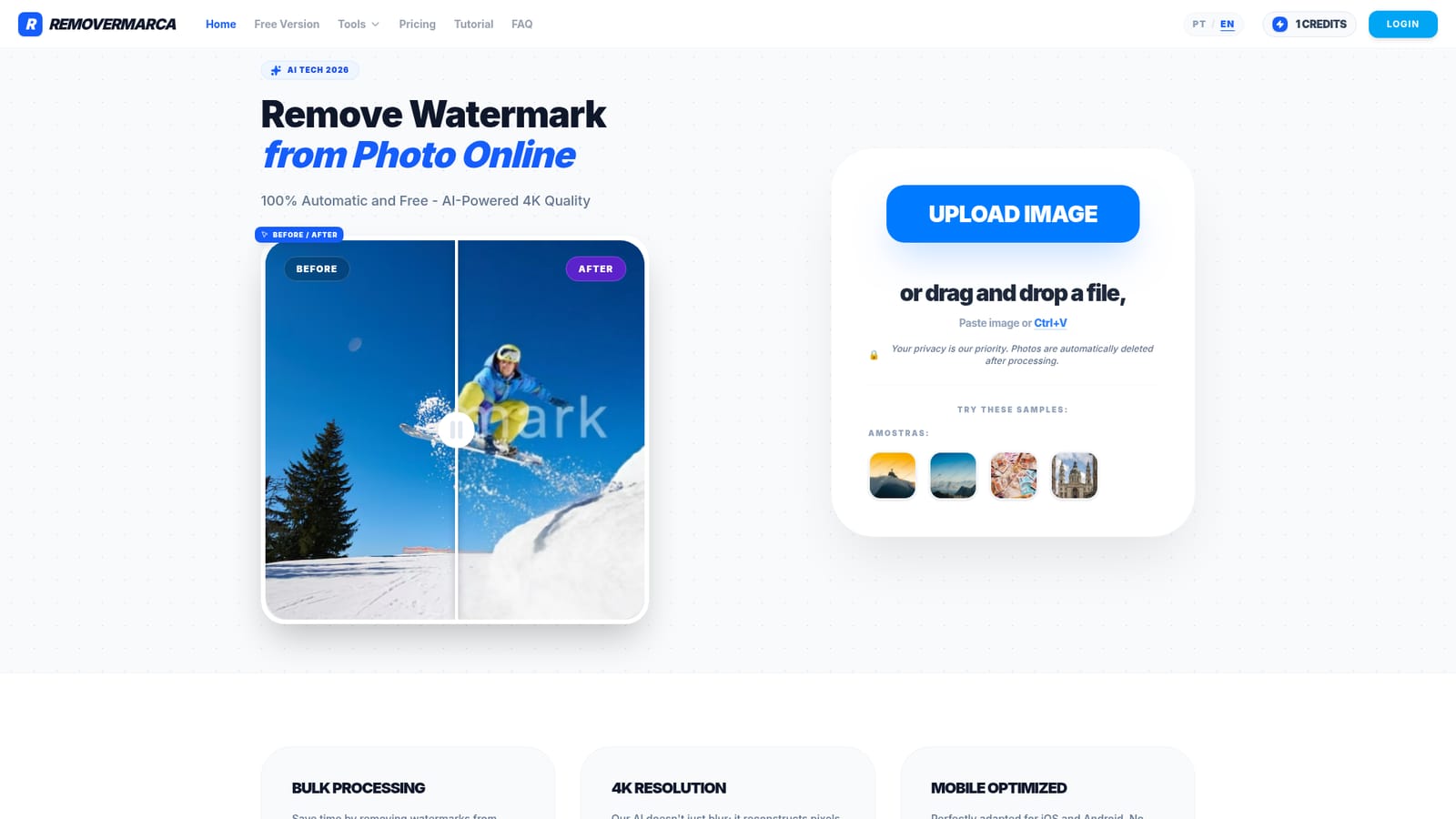
Screenshot of RemoverMarca, Browser-based AI that erases watermarks from photos in seconds

What is RemoverMarca?

RemoverMarca is a free, browser-based AI watermark remover that uses neural inpainting to clean photos, supports bulk processing and 4K output, and says it deletes uploads after processing.

RemoverMarca is a web tool that removes watermarks from photos with AI. A user uploads an image by clicking the upload button, dragging a file onto the page, or pasting from the clipboard with Ctrl+V, and the service returns a cleaned version. Four sample images on the page let a first-time visitor see the result before using their own files. The interface is available in Portuguese and English. The site describes a deep learning model that locates the watermark layer and fills the area behind it using neural inpainting. Rather than smudging or blurring the marked region, the engine reconstructs pixels, and the vendor says it holds output at 4K resolution without a visible quality drop. It names its current engine Core-V4.2 and credits it with rebuilding textures such as skin and sky. Those accuracy figures come from the vendor and have not been independently checked. The tool suits people who handle many images and have no wish to learn retouching software: online sellers, social media managers, designers and anyone cleaning up a batch of photos. Bulk processing is the main workflow advantage, with the page promising hundreds of photos handled at once. The page also states that uploaded photos are deleted automatically after processing, which matters to anyone sending client or personal images to a third-party service. Because it runs in the browser on iOS and Android, no app install is required. Among alternatives, the main comparison is manual cleanup in Photoshop. The homepage puts RemoverMarca at roughly two seconds per image against five to ten minutes by hand, and lists no skill requirement versus professional skill, though the figures come from the vendor's own January 2026 test. It also positions itself against free watermark removers that downgrade resolution. The service is free to use according to the homepage, and it covers a single narrow job instead of offering a wider photo editing suite. Users should only process images they own or have permission to edit.
How do you use RemoverMarca?

  1. 1Open the site in your browser
    Go to the RemoverMarca homepage on desktop or mobile and choose English or Portuguese. No app install is needed.
    RemoverMarca — Open the site in your browser
  2. 2Try a sample image first
    Click one of the four sample photos on the page to see how the tool handles a watermark before uploading your own files.
  3. 3Add your photo
    Use the upload button, drag and drop a file onto the page, or press Ctrl+V to paste an image from the clipboard.
  4. 4Let the AI remove the watermark
    The model detects the watermark and fills the area with reconstructed background. Processing is advertised at around two seconds per image.
  5. 5Review and download the result
    Compare the before and after versions, check that textures look natural, then save the cleaned file. Repeat with batches for bulk jobs.

Pros and cons

Pros

  • Free to use according to the homepage, with no account step shown before uploading an imageAI
  • Bulk processing is advertised for hundreds of photos at once, which saves time on large batchesAI
  • Works in the browser on iOS and Android, so no app download is neededAI
  • Uploads can be dragged in, selected or pasted with Ctrl+V, and sample images allow a quick trialAI
  • States that photos are automatically deleted after processing, a useful point for privacyAI

Cons

  • Speed, accuracy and 4K quality claims are the vendor's own and come without independent benchmarksAI
  • The homepage gives no limits on file size, batch size or daily usage, so real free allowances are unclearAI
  • Does one job only: no wider editing tools, and no mention of video or PDF watermark removalAI
  • No API, integrations or support channel are described, which limits automation and troubleshootingAI
  • Some interface text is still in Portuguese on the English page, such as the sample labelAI

How much does RemoverMarca cost?

Pricing

The homepage describes the tool as 100% automatic and free and lists no paid tiers, usage caps or prices.

Learn more

Features

AI watermark removal using neural inpainting, bulk processing of many photos at once, 4K output without quality loss, upload by click, drag and drop or Ctrl+V paste, sample images, mobile browser support on iOS and Android, automatic deletion of photos after processing, and a Portuguese and English interface.

Frequently asked questions about RemoverMarca

  • How much does RemoverMarca cost?
    The homepage describes the tool as 100% automatic and free and lists no paid tiers, usage caps or prices.
  • How do you use RemoverMarca?
    The walkthrough on this page covers 5 steps: 1. Open the site in your browser 2. Try a sample image first 3. Add your photo 4. Let the AI remove the watermark 5. Review and download the result.
  • What platforms does RemoverMarca support?
    RemoverMarca is available on Web App.
  • What are the limitations of RemoverMarca?
    Speed, accuracy and 4K quality claims are the vendor's own and come without independent benchmarks. The homepage gives no limits on file size, batch size or daily usage, so real free allowances are unclear. Does one job only: no wider editing tools, and no mention of video or PDF watermark removal.

Status

StatusActive
Views0
Outbound clicks0
Added10/18/2026

Platforms

Web App

Pricing

Free