Pricing
Generation runs on credits. The form shows a per-episode estimate (359 credits in the sample setup) and model tiers such as 50 credits per 5 seconds on one tier. Plan prices are on the pricing page.
Learn moreTurn a one-line premise into a vertical mini drama episode

revid.ai is a generative video tool that turns a one-line premise into a vertical mini drama episode. An AI generator that turns a story idea or script into a vertical mini drama episode with consistent characters, lip-synced dialogue, captions and a cliffhanger ending, exported in 9:16 for TikTok, Reels and Shorts.
revid.ai's AI Short Drama Generator is a single-purpose tool inside the broader revid.ai video platform. It converts a story premise, or a full episode script, into a vertical mini drama in the style of apps such as ReelShort and DramaBox. Episodes run roughly 60 to 120 seconds and follow a fixed micro-drama shape: a hook in the first three seconds, escalating conflict, and a cliffhanger at the end. No actors, cameras or filming are involved. The workflow has three stages. The user pitches the idea in plain language, and the tool structures it into an episode. It then builds a cast with locked visual references and assigned voices, and produces a still for every scene. This storyboard step is the main control point: individual shots can be regenerated or edited, and video generation only starts once the user approves. Scenes are then rendered with lip-synced spoken dialogue, sound effects, music and captions, and exported in 9:16 for TikTok, Reels and Shorts. The generator form also offers 62 visual presets (realism, Pixar-style, anime, claymation, comic and many others), a choice of low, pro or ultra generation models, voice and music selection, and several aspect ratios. A cost estimate in credits is shown before generation. Character consistency is the feature that matters most for serialized content. Each character keeps the same face, wardrobe and voice within an episode, and the saved cast can be reused so a next episode picks up from the previous cliffhanger. That makes multi-episode series practical for a solo creator. The tool suits social video creators, storytellers and marketers who want episodic short-form content without a production budget. Compared with general text-to-video generators, it is narrower and more opinionated about structure, trading open-ended flexibility for pacing conventions and cast continuity. Users who need full manual control over editing may still prefer a traditional editor, but for fast drama-format experiments this is a focused option within the revid.ai toolset.
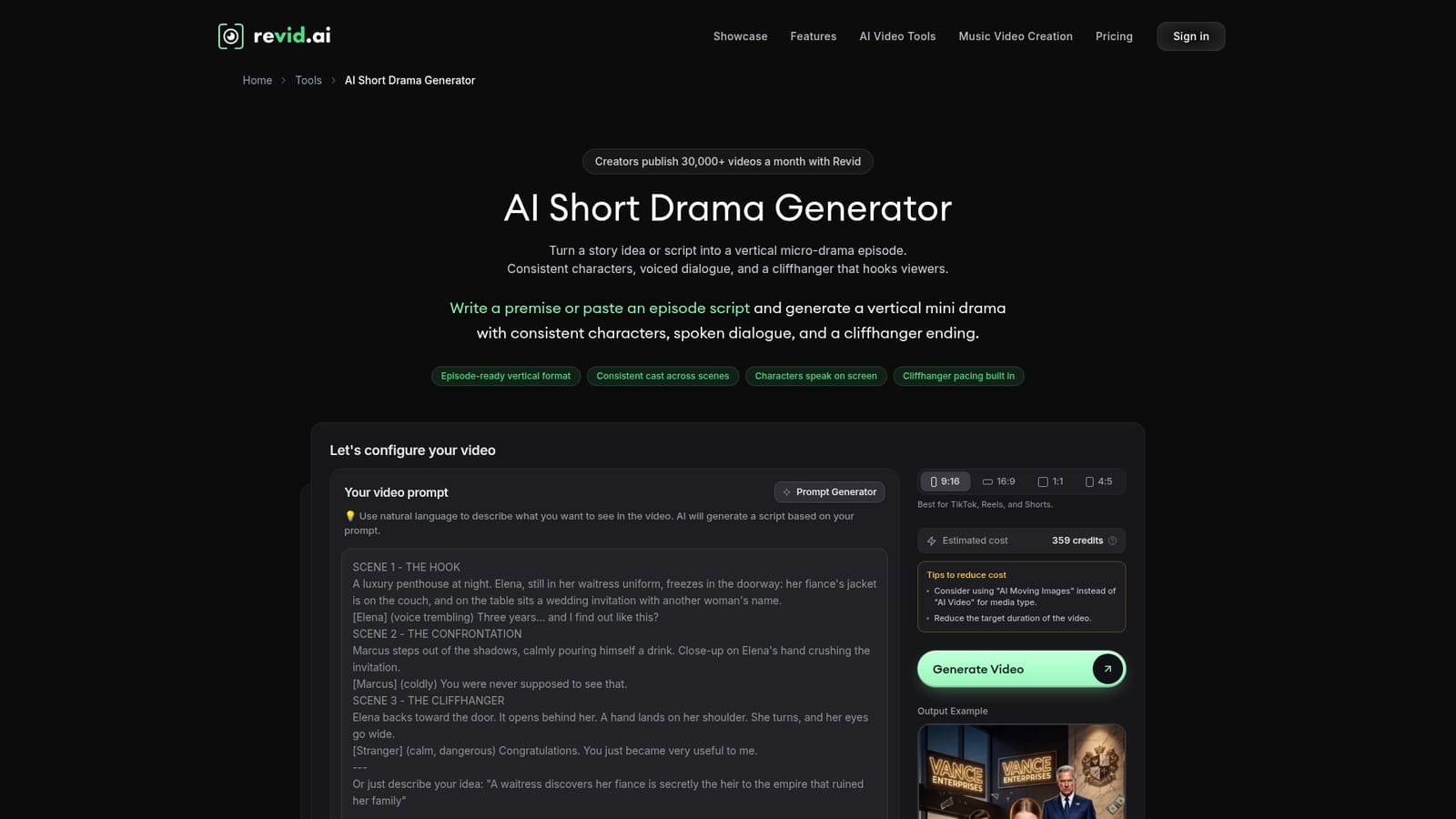
Generation runs on credits. The form shows a per-episode estimate (359 credits in the sample setup) and model tiers such as 50 credits per 5 seconds on one tier. Plan prices are on the pricing page.
Learn moreA contact form is linked from the FAQ, along with a detailed FAQ of 100+ answers and a markdown version optimized for LLMs.
Learn morePrompt or script to vertical drama episode, locked character faces and voices, storyboard review with per-shot regeneration, lip-synced dialogue, sound effects, music, captions, 62 style presets, multiple aspect ratios, and reusable saved casts for series.
Learn more


