RimFit

AI wheel previews and fitment checks for tire and wheel shops

Beginner
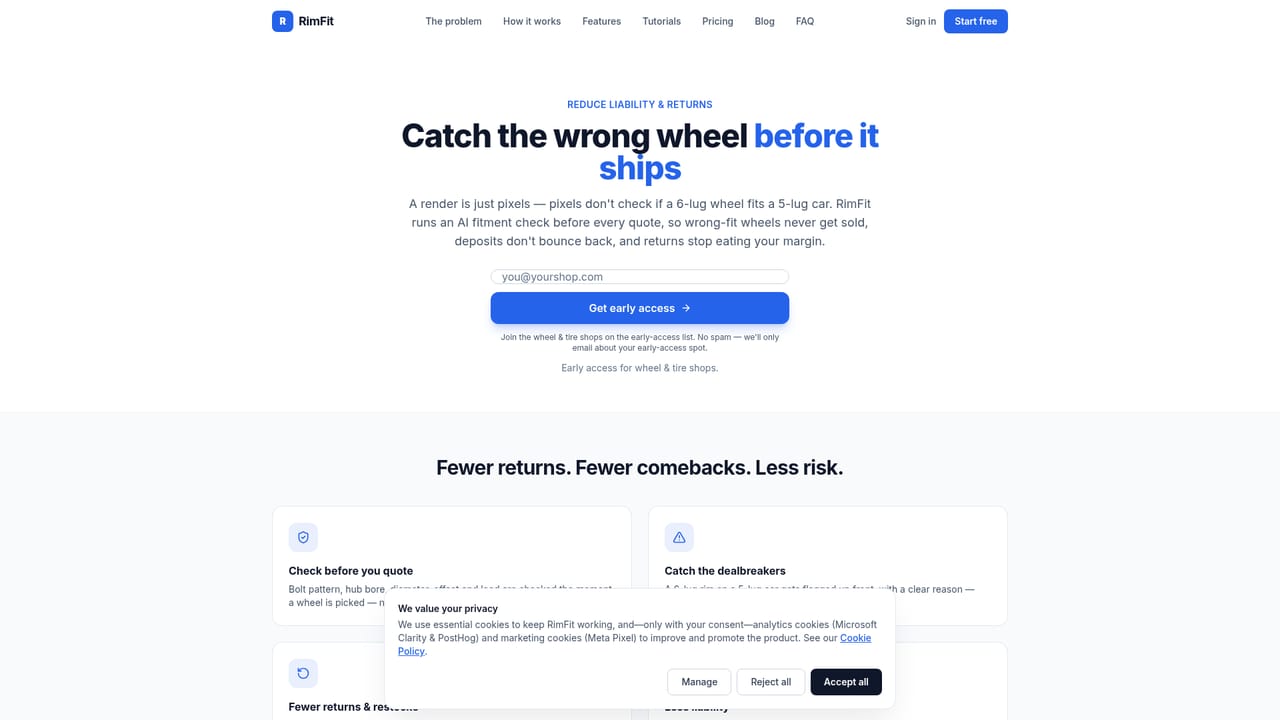
Screenshot of RimFit, AI wheel previews and fitment checks for tire and wheel shops

What is RimFit?

RimFit is a browser-based AI visualizer for tire and wheel shops. It places chosen rims onto a customer's own car photo in seconds, runs a fitment check, and sends branded previews by text or email.

RimFit is a web-based visualizer built for tire and wheel shops. A staff member photographs a customer's vehicle, chooses a set of rims, and the software composites those wheels onto the actual car in a few seconds. The finished picture can be texted or emailed to the customer with the shop's name and logo applied, so the buyer sees their own vehicle rather than a catalog photo of someone else's. The product targets two problems at once. On the sales side, it addresses the hesitation that comes from not being able to picture wheels on a specific car, and it supports upselling complete packages. On the operations side, an AI fitment check runs before a quote goes out and flags wheels that may not suit the vehicle, looking at bolt pattern, offset and clearance. That is aimed at reducing refunds and returned wheels, which the vendor frames as a direct hit to shop margin. In practice the workflow is short. Wheels are added by pasting the link to a product page, after which the software fills in the name, sizes and photo. A quote can list the whole job with prices, including wheels, lug nuts, TPMS, mounting and balancing, and it appears next to the picture. Shops can choose to display prices or leave them for in-person conversation. Customers, their cars, the wheel inventory and every generated image are kept in one account, so follow-ups are not lost. No design or Photoshop skills are required, and the tool runs in any browser on a phone or computer. RimFit sits in a narrow niche compared with general image editors and generative image tools. Those can swap wheels on a photo, but they offer no wheel catalog handling, no fitment logic and no shop-branded delivery. The tradeoff is focus: it is designed for retail wheel counters, not for hobbyists, designers or broad automotive styling. Pricing starts with a free tier, with paid plans for larger volumes and custom arrangements for bigger shops.

How do you use RimFit?

  1. 1Create a shop account
    Sign up on the shop portal to start on the free plan. Add your shop's name and logo so they appear on every picture you send.
    RimFit — Create a shop account
  2. 2Add wheels to your catalog
    Copy the link to a wheel's web page and paste it into RimFit. The AI fills in the name, sizes and photo for you.
  3. 3Photograph the customer's car
    Use a phone to take a photo of the vehicle, then pick the wheels you want to show. Rendering takes a few seconds.
  4. 4Review the fitment check
    Check the AI flags for bolt pattern, offset and clearance before quoting. Learn how the check works on the fitment page.
    RimFit — Review the fitment check
  5. 5Price the job and send it
    List wheels, lug nuts, TPMS, mounting and balancing, then text or email the branded picture to the customer.

Pros and cons

Pros

  • Renders the customer's actual car with the chosen wheels in seconds, which suits counter and showroom conversationsAI
  • Fitment check flags bolt pattern, offset and clearance issues before a quote goes outAI
  • Wheels can be added by pasting a product page link, with name, sizes and photo filled in automaticallyAI
  • Previews carry the shop's logo and can be sent by text or email, with prices shown or hiddenAI
  • Starts free and runs in any browser, with no design skills neededAI

Cons

  • Built specifically for wheel and tire retailers, so it has little value for hobbyists or general car stylingAI
  • Web-only: no native iOS, Android or desktop apps are mentionedAI
  • Accuracy claims for fitment and photoreal output come from the vendor, with no published benchmarks on the homepageAI
  • Paid plans are priced per month for shops, which may be hard to justify for very low-volume sellersAI
  • Fitment checks depend on wheel data pulled from pasted links, so shops should still verify specs before orderingAI

How much does RimFit cost?

Free trial

A free plan is available, and every paid plan begins with 14 days free.

Learn more

Pricing

Starts free. Paid plans are $49 per month (Basic) and $99 per month (Pro), with custom plans for bigger shops.

Learn more

Features

Photoreal wheel previews on the customer's own car, AI fitment check (bolt pattern, offset, clearance), itemized pricing, link-based wheel import, shop-branded sharing by text or email, and a customer, car and image library.

Learn more

Frequently asked questions about RimFit

  • How much does RimFit cost?
    Starts free. Paid plans are $49 per month (Basic) and $99 per month (Pro), with custom plans for bigger shops.
  • Does RimFit offer a free trial?
    A free plan is available, and every paid plan begins with 14 days free.
  • How do you use RimFit?
    The walkthrough on this page covers 5 steps: 1. Create a shop account 2. Add wheels to your catalog 3. Photograph the customer's car 4. Review the fitment check 5. Price the job and send it.
  • What platforms does RimFit support?
    RimFit is available on Web App.
  • What are the limitations of RimFit?
    Built specifically for wheel and tire retailers, so it has little value for hobbyists or general car styling. Web-only: no native iOS, Android or desktop apps are mentioned. Accuracy claims for fitment and photoreal output come from the vendor, with no published benchmarks on the homepage.

Status

StatusActive
Views0
Outbound clicks0
Added10/18/2026

Platforms

Web App

Pricing

FreemiumSubscription