Pricing
The homepage and FAQ describe Roop Unleashed as free to use. No paid tiers, credit packs, or subscription prices are listed on the page.
Learn moreFree browser face swapping for photos and videos
Own Roop Unleashed? Verify ownership to get a dofollow link

Roop Unleashed is a free, browser-based face swap tool for images and videos. It supports multi-face selection, gender filters, batch processing, GFPGAN face restoration, prompt-based occluder masking, and a live webcam mode, with no installation required.
Roop Unleashed is a browser-based face swap tool that handles both still images and video clips. Nothing needs to be installed, and the service is described as free to use. The workflow is built around two uploads: a target image or video, and a separate face image that supplies the identity to be transplanted. From there the tool detects faces automatically and applies the swap without any manual masking work on the user's part. The feature set goes well beyond a single one-to-one swap. Users can choose to replace every face in a frame, restrict the operation to male or female faces, or hand-pick specific faces across different angles and expressions. Batch processing lets several files be queued together, which matters for anyone producing content at volume. Optional GFPGAN face restoration sharpens and repairs swapped faces, particularly when source material is soft or low resolution, and upscaling settings push output resolution higher. A preview button refreshes the result in real time so adjustments can be made before committing to the final render. Two capabilities stand out from typical consumer face swap tools. Smart face masking accepts text prompts to describe occluders (hands, hair, objects crossing the face) so the system can work around them for cleaner composites. Live Fake Cam taps a webcam for real-time swapping, which turns the tool into something closer to an interactive toy than an editor. The intended audience is broad: social media creators chasing shareable clips, meme makers, people building personalised gifts, and small animation or game teams prototyping character looks. It is not a professional VFX suite and does not claim to be one. Anyone comparing it to subscription-based face swap services should note that the free positioning is the main draw, with quality depending heavily on the source footage and on whether restoration is enabled.
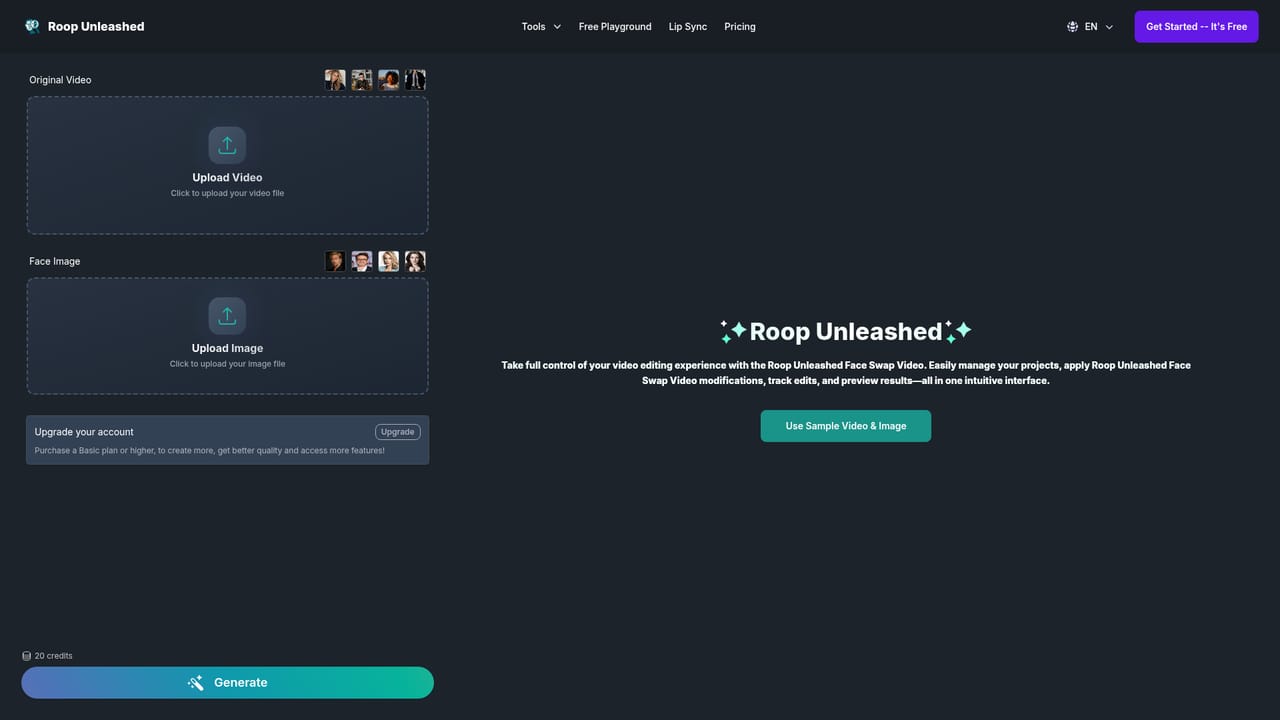
The homepage and FAQ describe Roop Unleashed as free to use. No paid tiers, credit packs, or subscription prices are listed on the page.
Learn moreCore features include image and video face swap, multi-face selection with gender filters, batch processing, GFPGAN face restoration, upscaling, real-time preview, prompt-based masking of face occluders, and a Live Fake Cam mode using a webcam.
 AI Angels400+ customizable AI girlfriends for NSFW chat, voice calls, and roleplay
 Candy AIExperience the future of companionship with AI friends who chat, role-play, and connect with you on a human level.
 ourdream.aiA vast AI roleplay platform with millions of characters for chat, images, video and voiceAI Angels400+ customizable AI girlfriends for NSFW chat, voice calls, and roleplayCandy AIExperience the future of companionship with AI friends who chat, role-play, and connect with you on a human level.ourdream.aiA vast AI roleplay platform with millions of characters for chat, images, video and voice


