Fooocus

An SDXL image generator with inpainting, style controls and prompt reweighting.

Intermediate
Screenshot of Fooocus, An SDXL image generator with inpainting, style controls and prompt reweighting

What is Fooocus?

Fooocus is an SDXL-powered image generator with multi-prompt support, A1111-style prompt reweighting, custom aspect ratios, style adjustments, inpainting, and InsightFace face swapping. It runs in the browser, with a Google Colab option and an open source GitHub repository for users who want to self-host.

Fooocus is a browser-based image generator built around the SDXL model family. It pairs a text prompt with a set of style and composition controls, then renders an image that can be refined with inpainting and editing tools. The platform is aimed at artists, designers, and hobbyists who want more control than a single-click generator offers without managing a local Stable Diffusion install. In practice, a session starts with a prompt or an image prompt. Fooocus supports multiple prompts at once, so you can merge several creative directions in one generation, and it uses A1111's reweighting algorithm to shift emphasis toward or away from specific terms. Style controls cover contrast, sharpness, and color, while aspect ratio settings let you target a specific layout. When the output needs work, a proprietary inpainting routine fills, completes, or replaces regions of the image, and InsightFace powers face swapping for avatars and portrait edits. The tool also supports a broad range of SDXL models, which means outputs can swing from painterly and illustrative to photorealistic depending on the preset selected. Users who want to run the same generator outside the hosted app can launch it on Google Colab or install it from the GitHub repository, which makes Fooocus a middle ground between fully hosted commercial generators and self-managed Stable Diffusion setups. The people most likely to benefit are digital artists iterating on concepts, designers producing mood boards and avatars, and instructors demonstrating image generation in a classroom. The hosted version removes installation work, while the open source route keeps the door open for users who prefer local control.

How do you use Fooocus?

  1. 1Open the playground and write a prompt
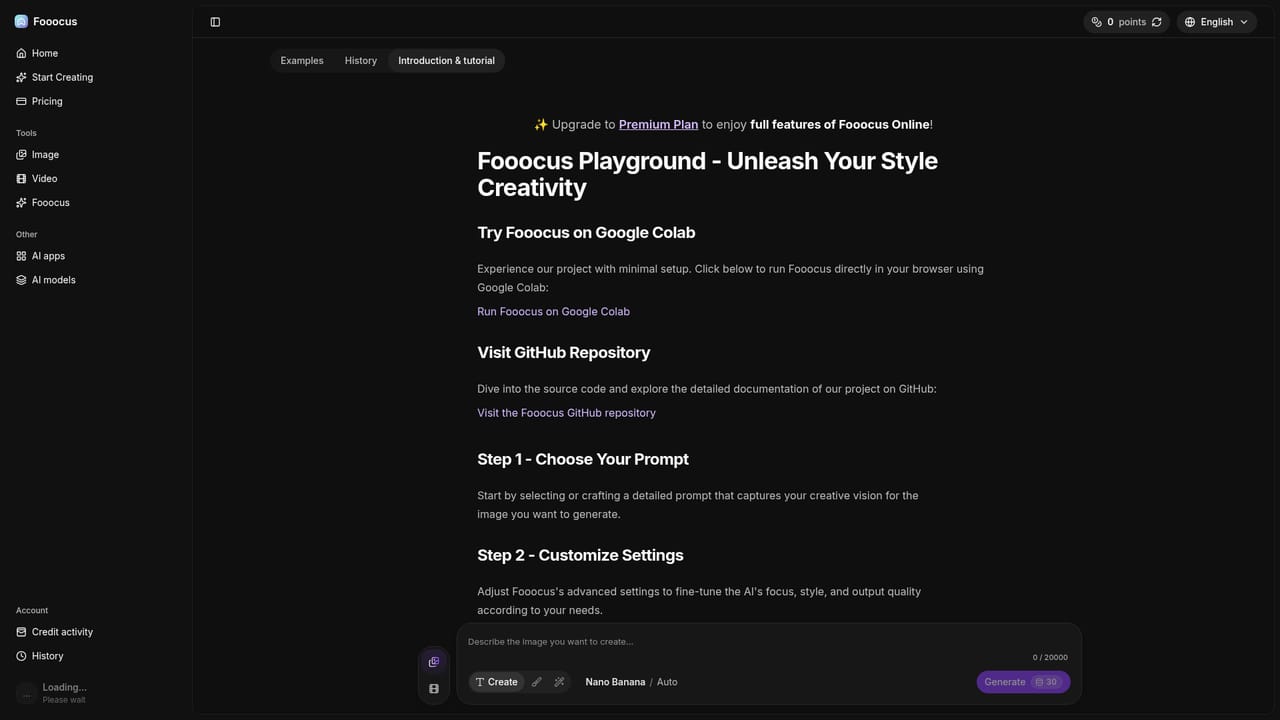
    Start in the playground, where you can type a detailed description of the image you want. The prompt box is the primary input, so be specific about subject, lighting, and composition.
    Fooocus — Open the playground and write a prompt
  2. 2Add image prompts and multiple prompt lines
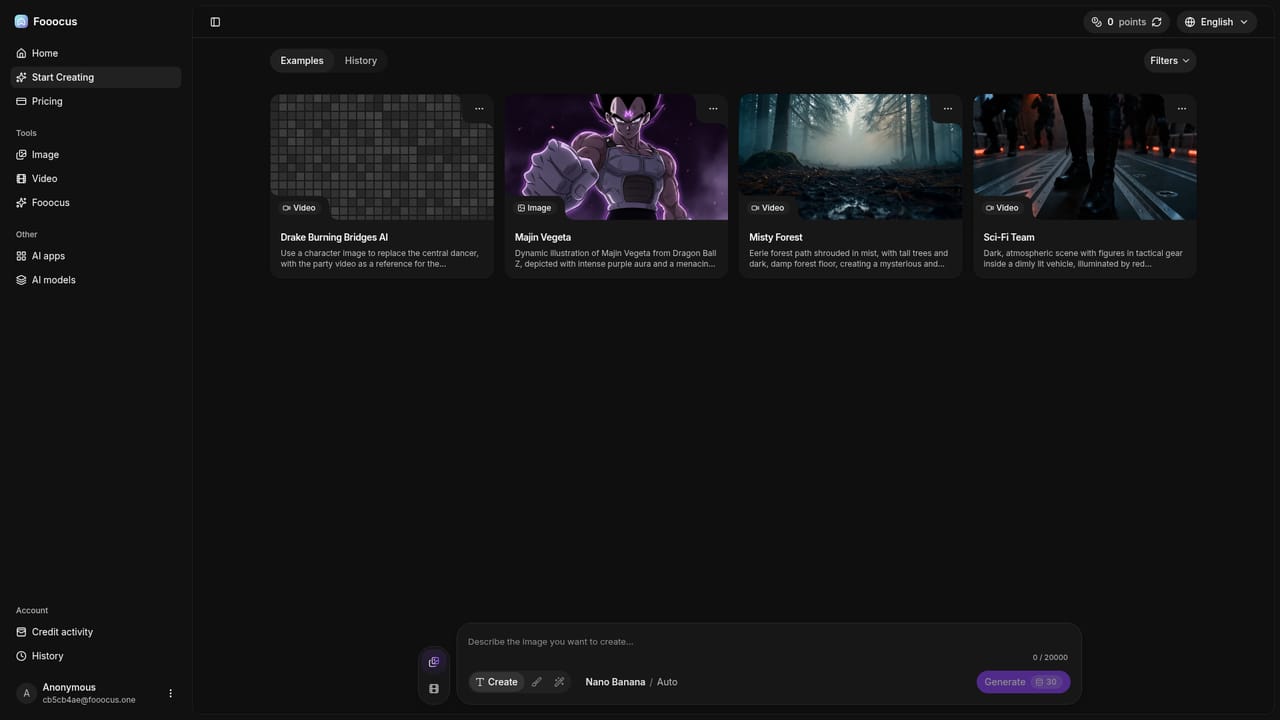
    If a text description is not enough, attach an image prompt to guide the result. You can also add several prompt lines at once to blend different creative directions in a single generation.
    Fooocus — Add image prompts and multiple prompt lines
  3. 3Pick a model and adjust style settings
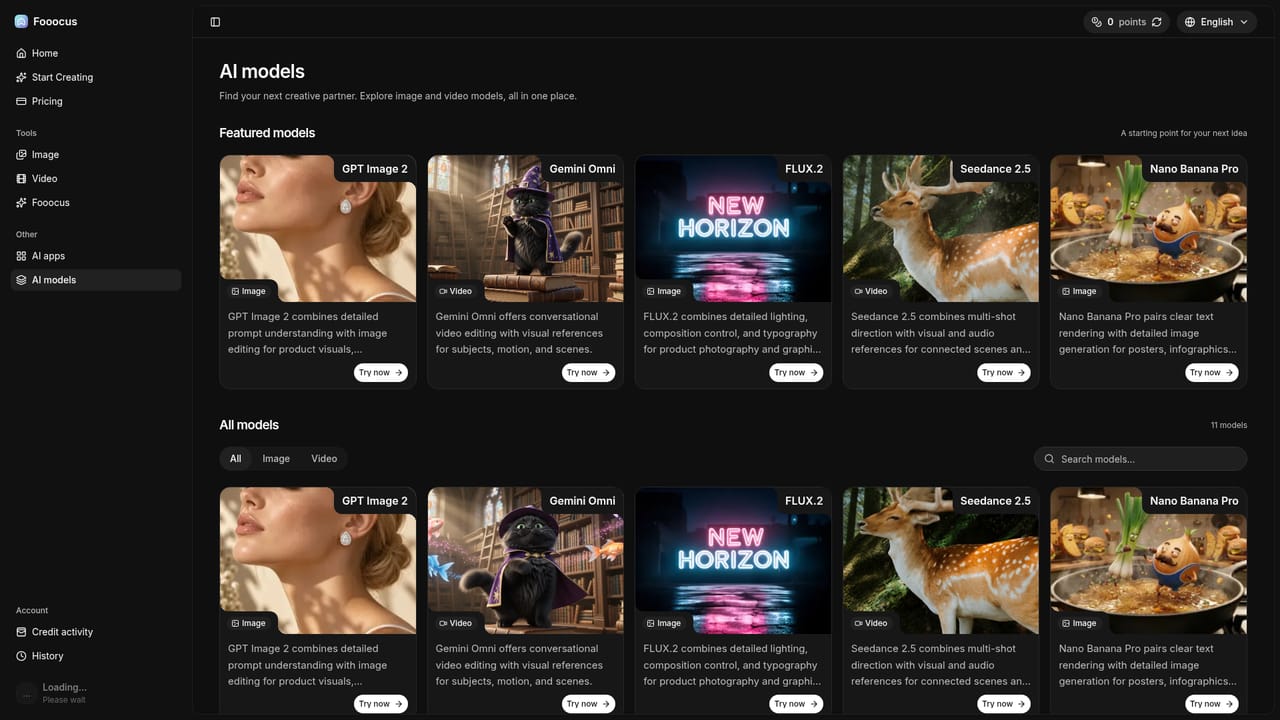
    Choose an SDXL model from the available list to set the overall look, then tune contrast, sharpness, color, and aspect ratio. Prompt reweighting lets you push certain terms harder than others.
    Fooocus — Pick a model and adjust style settings
  4. 4Generate, then fix problem areas with inpainting
    Run the generation and review the output. Use the inpainting tool to fill or replace regions that missed the mark, and apply face swapping with InsightFace when a portrait needs a specific face.
  5. 5Track credits and revisit past generations
    Check credit activity to see what each run consumed, and open history to find earlier images you may want to refine or download again.
    Fooocus — Track credits and revisit past generations

Pros and cons

Pros

  • Multiple prompts can be combined in one generation, which broadens output variety without restarting a sessionAI
  • Prompt reweighting uses the established A1111 algorithm, giving familiar fine-grained control over emphasisAI
  • Inpainting handles edits and image completion, so failed areas can be repaired instead of regenerated from scratchAI
  • InsightFace-powered face swapping supports avatar creation and portrait modification with real facial accuracyAI
  • Broad SDXL model compatibility allows switching between artistic and photorealistic styles in the same toolAI

Cons

  • Only SDXL-family models are supported, so users who need other architectures will have to look elsewhereAI
  • No API is documented, which limits automated or programmatic workflowsAI
  • Hosted credits and pricing tiers are not fully explained on the homepage, so costs are hard to estimate up frontAI
  • Running locally requires technical setup, and the Colab notebook is aimed at users comfortable with notebooksAI
  • Face swapping raises consent and likeness questions that the site does not addressAI

How much does Fooocus cost?

Features

Advanced inpainting, seamless image prompts, multi-prompt support, SDXL model compatibility, customizable aspect ratios, detailed style controls (contrast, sharpness, color), A1111 prompt reweighting, InsightFace face swapping, and performance tuned across hardware from low-end laptops to high-performance desktops.

Learn more

Frequently asked questions about Fooocus

  • How do you use Fooocus?
    The walkthrough on this page covers 5 steps: 1. Open the playground and write a prompt 2. Add image prompts and multiple prompt lines 3. Pick a model and adjust style settings 4. Generate, then fix problem areas with inpainting 5. Track credits and revisit past generations.
  • What platforms does Fooocus support?
    Fooocus is available on Web App.
  • What are the limitations of Fooocus?
    Only SDXL-family models are supported, so users who need other architectures will have to look elsewhere. No API is documented, which limits automated or programmatic workflows. Hosted credits and pricing tiers are not fully explained on the homepage, so costs are hard to estimate up front.

Status

StatusActive
Views0
Outbound clicks0
Added10/21/2026

Platforms

Web App

Pricing

Freemium