Pricing
A free package is offered, and the homepage mentions a discounted paid standard version for early adopters during the beta. Specific plan prices and limits are not listed on the homepage.
Learn moreADHD-friendly AI assistant for notes, email, tasks and calendar

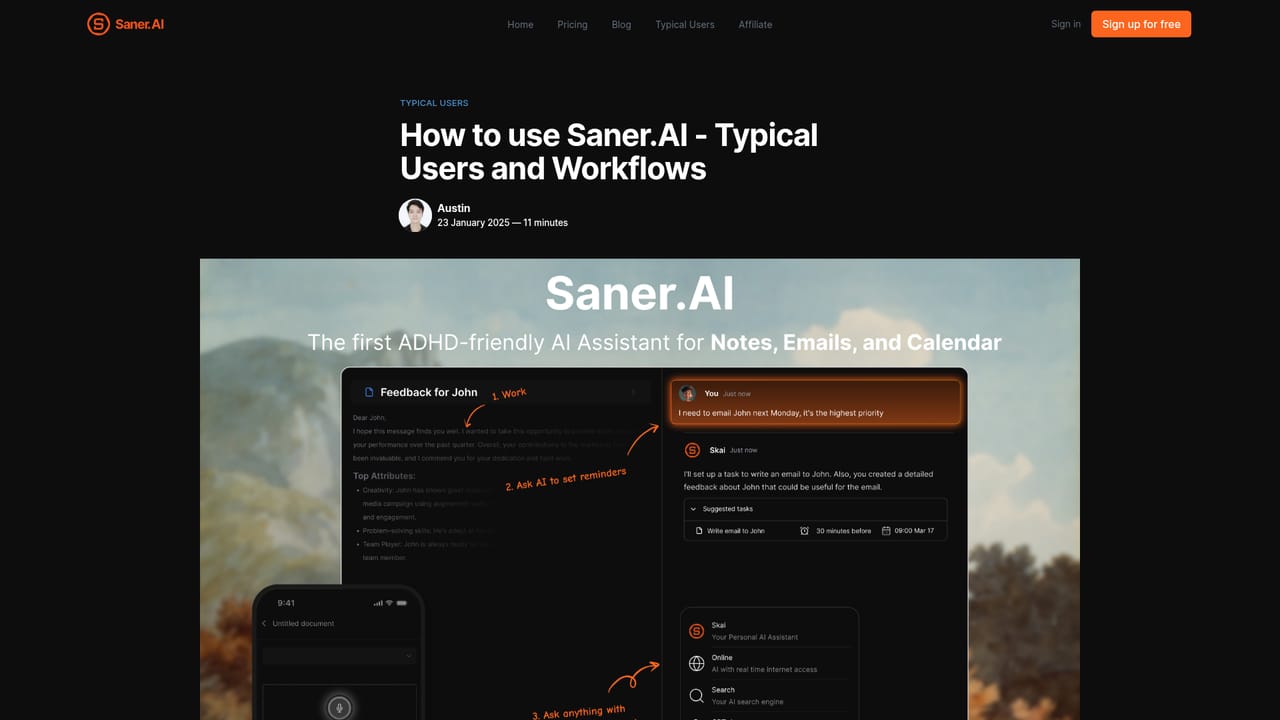
Saner.AI is an ADHD-friendly AI assistant that combines notes, email, calendar and tasks in one chat-driven workspace. Ask questions across your saved material, capture thoughts by voice or Chrome, and let the Skai assistant turn emails and messy ideas into scheduled, prioritized tasks.
Saner.AI is a personal AI assistant that pulls notes, email, calendar events and tasks into a single workspace and lets you work with all of it through chat. The product is explicitly aimed at people with ADHD, and it was built by a team that includes a co-founder with ADHD, so the design choices lean toward low friction: quick capture, minimal clutter and as few tab switches as possible. In practice you write, dictate or import information and Saner files it into notes. A Smart Inbox surfaces new material, and the AI suggests tags and folders based on the note's content and your past tagging habits. You can then ask questions across your notes, PDFs, meeting recaps and documents, and it will surface relevant passages even when you do not remember the exact wording. Writing happens alongside that same search, so you can chat with the AI and the web while your working documents sit in the same view instead of another tab. The task side is handled by Skai, a personal assistant that turns email threads and brain dumps into structured plans, then helps prioritize and schedule items in one click. A timeline view lays tasks out on a calendar, and connected sources can be pulled in automatically. Saner also positions itself as proactive: it brings up what matters without waiting to be asked, which is the part users tend to single out in testimonials. It fits best for professionals, founders, researchers and students who lose time hunting through Notion, Obsidian or Google Docs. Saner sells itself as a replacement for that stack rather than an add-on, and bulk import is supported for large existing archives. Pricing details beyond a free tier are not published on the homepage.
A free package is offered, and the homepage mentions a discounted paid standard version for early adopters during the beta. Specific plan prices and limits are not listed on the homepage.
Learn moreSupport runs through the contact channels on the site, with a detailed FAQ covering data handling, import and export, and beta status.
Learn moreGmail, Google Calendar, Slack and Google Drive are named as sources that Saner can sync automatically. A Chrome extension is also available for capturing notes while browsing.
Chat search across notes, PDFs and documents; writing with AI plus web search in the same workspace; Skai task assistant that turns emails and brain dumps into prioritized, scheduled tasks; timeline calendar view; Smart Inbox; AI tag and folder suggestions; related note surfacing; voice to text; folder system; Chrome notes; bulk import and export; encryption and backups.
Learn more AI Angels400+ customizable AI girlfriends for NSFW chat, voice calls, and roleplay
 Candy AIExperience the future of companionship with AI friends who chat, role-play, and connect with you on a human level.
 ourdream.aiA vast AI roleplay platform with millions of characters for chat, images, video and voiceAI Angels400+ customizable AI girlfriends for NSFW chat, voice calls, and roleplayCandy AIExperience the future of companionship with AI friends who chat, role-play, and connect with you on a human level.ourdream.aiA vast AI roleplay platform with millions of characters for chat, images, video and voice


