Free trial
The homepage links to a Start For Free button that opens the App Store listing, but no trial length or free tier terms are stated.
Learn moreCapture life in any format and let AI organize it

Sparky is an AI note-taking app that accepts voice, text, links and photos, then transcribes, tags and organizes entries. It adds AI summaries, automatic logs for meals, moods and finances, plus planner, habit and stats tools in one place.
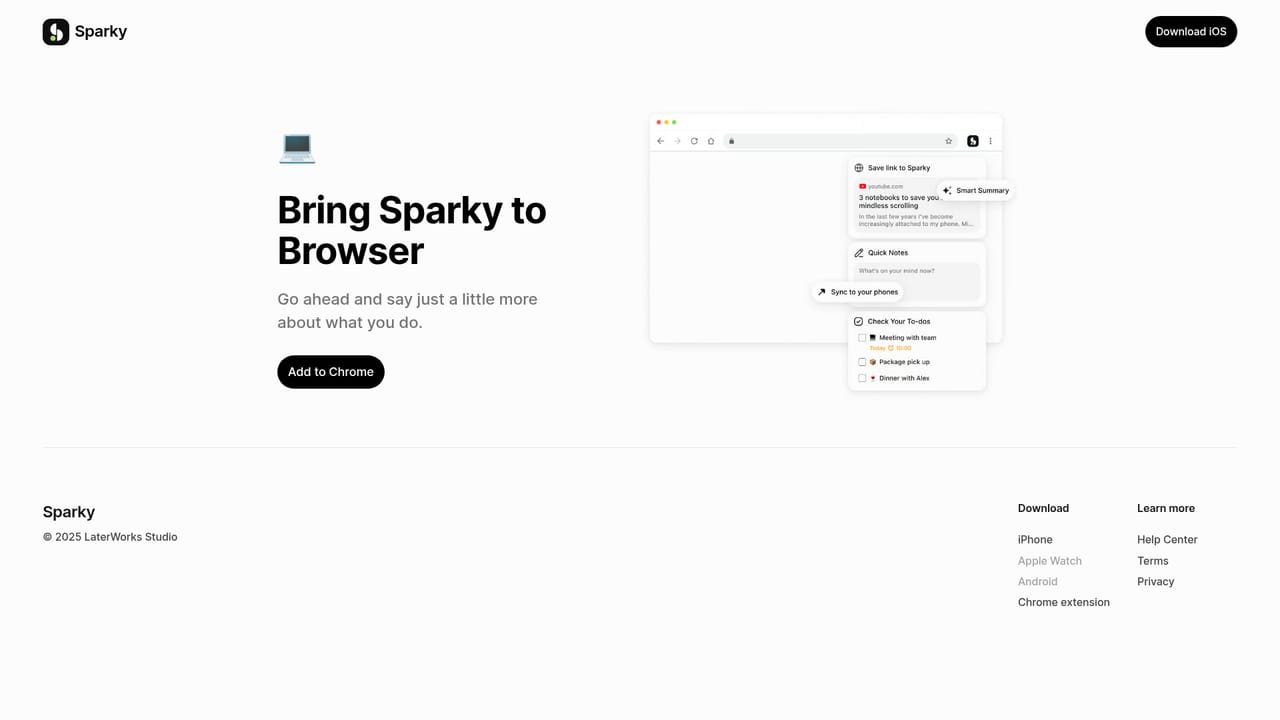
Sparky positions itself as a LifeOS rather than a single-purpose notes app. The core idea is that the many small records of daily life (ideas, reminders, journal entries, meal logs, budgets) do not need separate applications. Capture happens in whatever form suits the moment: typed text, voice recordings, saved links, or photos. The service describes support for every one of these input types, which keeps the capture step short and removes the usual friction that causes people to abandon a journaling habit. The AI layer sits on top of that raw material. Voice notes are transcribed and polished, and every entry receives automatic tags. An AI Reply feature draws on the user's existing notes to produce summaries, to-do lists, or new written content. Smart Events go further: a freeform vent about the day can be converted into structured records and insights covering meals, moods, finances and similar categories. A separate Insight About You feature generates AI reflections over the note history, framed around reviewing past entries, surfacing ideas, and mood support. Day to day, Sparky also behaves like a planner. To-dos and smart scheduling sync with Calendar and Reminders, habit tracking shows growing streaks, and rich stats turn logged data into charts and insights. Custom views and boards let users reshape the interface, and quick capture is planned through widgets, an Apple Watch app and a browser extension, with the Chrome extension already offered for saving ideas and links while browsing. It is aimed at individuals who journal, log habits and meals, or simply want one place for scattered thoughts. Compared with dedicated journaling apps, Sparky is broader but less deep per function.
The homepage links to a Start For Free button that opens the App Store listing, but no trial length or free tier terms are stated.
Learn moreThe homepage mentions sync with Apple Calendar and Reminders, plus a Chrome browser extension for saving links. No other integrations are listed.
Voice, text, link and photo capture; automatic transcription and polishing of voice notes; auto-tagging; AI Reply for summaries, to-do lists and generated content; Smart Events that turn freeform writing into records for meals, moods and finances; Insight About You AI reflections; planner with Calendar and Reminders sync; habit streaks; rich stats and charts; custom views and boards.
 AI Angels400+ customizable AI girlfriends for NSFW chat, voice calls, and roleplay
 Candy AIExperience the future of companionship with AI friends who chat, role-play, and connect with you on a human level.
 ourdream.aiA vast AI roleplay platform with millions of characters for chat, images, video and voiceAI Angels400+ customizable AI girlfriends for NSFW chat, voice calls, and roleplayCandy AIExperience the future of companionship with AI friends who chat, role-play, and connect with you on a human level.ourdream.aiA vast AI roleplay platform with millions of characters for chat, images, video and voice