Scenes AI

An AI director that writes, casts, shoots and cuts serialized short video

Beginner
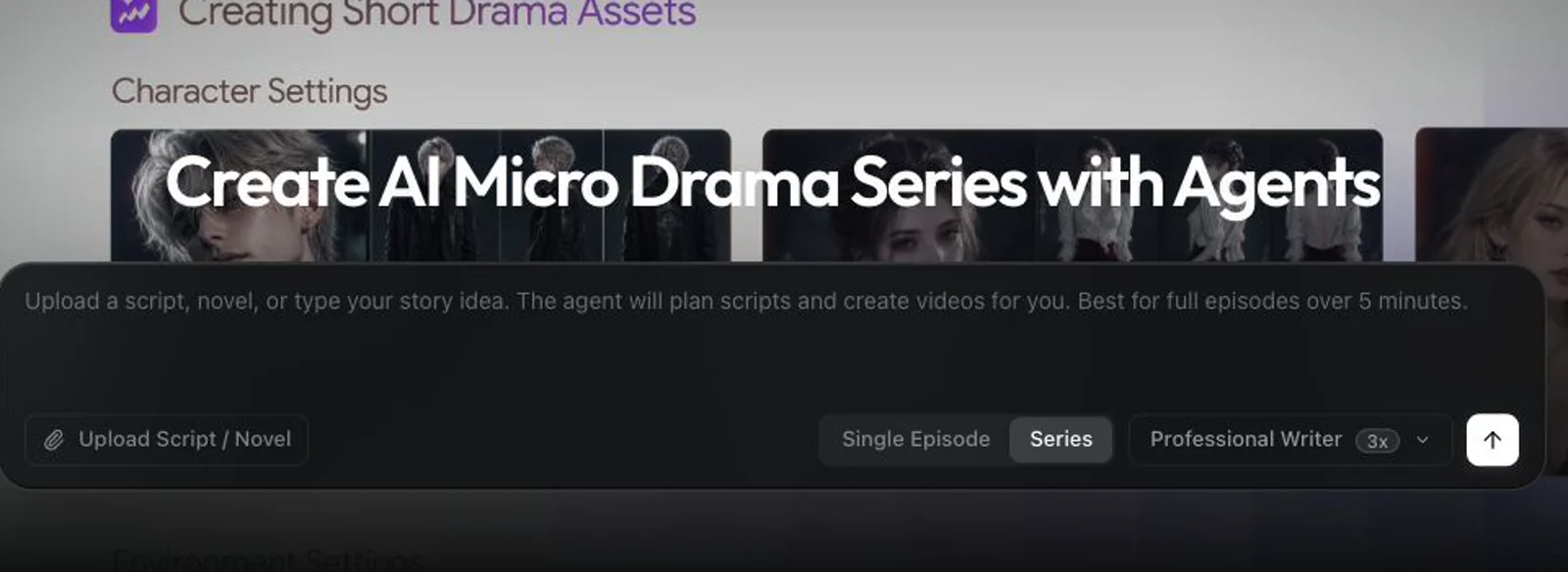
Screenshot of Scenes AI, An AI director that writes, casts, shoots and cuts serialized short video

What is Scenes AI?

Scenes AI is an AI drama tool. Scenes AI acts as an AI director for short video: it plans the script, cast, locations and shots with a price attached, waits for approval, keeps the same characters across episodes, and includes a timeline for the final cut.

Scenes AI positions itself as an AI director rather than a single video model. You describe the film in a sentence, and the system returns a plan: script, cast of characters, locations and a shot list, together with an estimate of what generating it will cost. Nothing renders until you approve that plan. Each subsequent batch of work appears as a card naming what will be made, which engine will make it and the price, so spending stays visible and deliberate instead of accumulating silently behind a subscription. The strongest feature is continuity across episodes. Characters and locations are created once, in the first episode, and reused as references later. The second episode's plan lists them as already made and leaves them out of the estimate, so you describe what happens next rather than re-describing who everyone is. That makes the tool a reasonable fit for serialized mini dramas, multi part story shorts, explainers and music videos, plus slideshow style pieces assembled from stills with slow camera moves. Thirteen preset visual styles are available, or you can describe your own, and the chosen style is written into every source image so the finished video holds one look. In practice the workflow is conversational. You answer a few clarifying questions, review the plan, approve priced batches, then pick among takes. An automatic check reviews each take against the brief; the site's own example shows a take rejected for readable signage the brief had ruled out, with a replacement made and explained. Retakes are scoped: ask for one thing and only that is remade and charged. A timeline editor handles trimming, reordering, mix adjustments and text, title or image overlays before MP4 export. It competes with text to video generators that hand you clips and leave assembly to you, and with editors that assume you already have footage. Scenes AI sits in between, closer to a production assistant. The tradeoff is dependence on the director's interpretation of your idea, and the engine roster changes the texture of results between batches.

How do you use Scenes AI?

  1. 1Describe the film in one sentence
    Enter a logline for your mini drama, story, explainer or music video. The director asks only about details you left open, such as cast, setting or length.
  2. 2Review the plan and its estimate
    Check the script, cast, locations and shot list, and read the price attached to the whole batch. Nothing is generated until you approve it.
  3. 3Approve each priced batch
    Work arrives as cards naming what will be made, on which engine and at what cost. Approve, or request changes before anything runs.
  4. 4Pick your takes
    Every take is checked against the brief before you see it. Compare the options and select the one that fits, or ask for a scoped retake in plain words.
  5. 5Cut the film on the timeline
    Trim and reorder scenes, adjust the mix, and add text, titles, quote cards, images or sound, then render the finished MP4.
  6. 6Continue into episode two
    Describe what happens next. The existing cast and locations are listed as already made and excluded from the new estimate.

Pros and cons

Pros

  • Plan approval with a cost estimate before any generation runsAI
  • Characters and locations persist across episodes, cutting repeat work and spendAI
  • Automatic take checks against the brief, with the reason for a rejection statedAI
  • Retakes are scoped to the named change and priced on their ownAI
  • Built-in timeline for trims, mix, titles and overlay before MP4 exportAI

Cons

  • Quality depends on how well the director interprets a one sentence brief, with little direct control over shot constructionAI
  • Engine choice per batch varies, so visual consistency across a long project is not guaranteedAI
  • Pay per generation means costs scale with experimentation, and no subscription ceiling existsAI
  • The homepage shows mostly creator style formats; no evidence of team collaboration or asset library featuresAI

How much does Scenes AI cost?

Pricing

Pay as you go with no subscription, according to the homepage. Each batch of work is priced before it runs, and the site's worked example shows an early plan estimated at roughly $0.76 for 6 shots and 15 assets. Exact credit rates and per engine costs are not listed on the homepage.

Learn more

Support

A help section is available on the site. No further detail on support channels or response times is stated on the homepage.

Learn more

Features

Script, cast, location and shot planning from a single sentence; priced approval cards before generation; automatic take checks against the brief; scoped, separately priced retakes; persistent characters and locations across episodes; thirteen preset visual styles plus custom descriptions; formats for mini drama, story, explainer, music video, UGC ad and slideshow; and a timeline editor with MP4 export.

Learn more

Frequently asked questions about Scenes AI

  • How much does Scenes AI cost?
    Pay as you go with no subscription, according to the homepage. Each batch of work is priced before it runs, and the site's worked example shows an early plan estimated at roughly $0.76 for 6 shots and 15 assets. Exact credit rates and per engine costs are not listed on the homepage.
  • How do you use Scenes AI?
    The walkthrough on this page covers 6 steps: 1. Describe the film in one sentence 2. Review the plan and its estimate 3. Approve each priced batch 4. Pick your takes 5. Cut the film on the timeline 6. Continue into episode two.
  • What platforms does Scenes AI support?
    Scenes AI is available on Web App.
  • What are the limitations of Scenes AI?
    Quality depends on how well the director interprets a one sentence brief, with little direct control over shot construction. Engine choice per batch varies, so visual consistency across a long project is not guaranteed. Pay per generation means costs scale with experimentation, and no subscription ceiling exists.

Status

StatusActive
Views0
Outbound clicks0
Added10/21/2026

Platforms

Web App

Pricing

FreePaid