


Shakker

Generative image studio with generator, WebUI, ComfyUI and model training

Intermediate
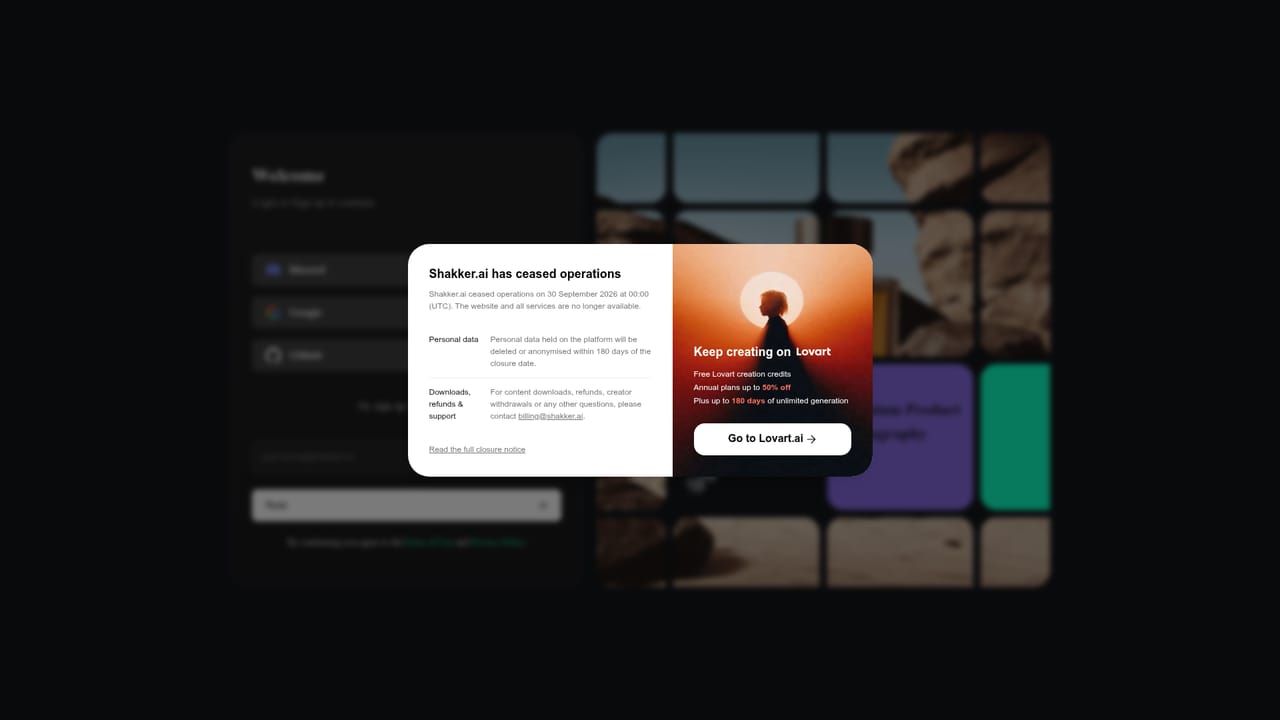
Screenshot of Shakker, Generative image studio with generator, WebUI, ComfyUI and model training

What is Shakker?

Shakker is a generative art tool. Shakker combines a streaming AI image generator, browser-hosted A1111 WebUI and ComfyUI, model training, and a curated library of Flux and XL checkpoints and LoRAs. It targets designers, illustrators and Stable Diffusion users who want hosted inference and a style catalog in one account.

Shakker is a generative image platform that bundles four distinct working environments into one account: a hosted Shakker AI Generator, an online A1111 WebUI, an online ComfyUI, and a training tool. The pitch is breadth rather than a single trick. Beginners can open the generator and start from a prompt, while users who already know Stable Diffusion workflows can load the WebUI or node-based ComfyUI in the browser without provisioning a GPU machine themselves. The site frames the generator as a streaming image tool, so results arrive progressively instead of after a long wait. The generator exposes a row of editing primitives beyond straight text to image. Color Palette handles grading, Entity Control and Spatial Control steer subjects and their placement, Style Transfer borrows the look of a reference, and Inpainting plus Outpainting cover local redraws and canvas extension. A Face Swap page rounds out the editing set. Because these are presented as first-class features rather than buried settings, the tool suits retouchers and concept artists who want to iterate on an existing image, not just spawn new ones from scratch. A model library anchors the whole product. Shakker hosts Flux.1 and XL checkpoints and LoRAs, including an exclusive tier authored by named creators such as DynamicWang and Dr_Dream, with work sorted into useful buckets like Game Design, Space Design, Illustration, Logo and Icon, Product Design, Architecture and Concept Art. The Playful Metropolis, Graffiti Art and Fashion LoRAs indicate a strong visual style catalog. Training is offered as a separate browser service, which matters for studios that need a private style or character rather than a public download. Where does it fit? The closest comparisons are model hosting sites and cloud GPU services for Stable Diffusion. Shakker competes by merging the model hub, the inference UI and the training pipeline under one login, which shortens the loop from finding a LoRA to testing it. The tradeoff is depth: users who want full control over extensions, custom nodes or local file access will still prefer a desktop install, and anyone who only needs a quick one-off image may find the multi-tool layout heavier than a simple prompt box.

How do you use Shakker?

  1. 1Create an account and open the generator
    Sign in from the homepage, then launch the Shakker AI Generator. This is the lowest friction entry point and does not require any Stable Diffusion setup.
    Shakker — Create an account and open the generator
  2. 2Pick a base model and LoRA from the library
    Browse curated collections such as Selected Flux Models or Artistic Photography and open a model page to see its creator, base model and sample outputs before using it.
  3. 3Write a prompt and generate
    Describe the subject, lighting and style, then run the prompt and watch the image stream in. Adjust the prompt based on the partial result rather than waiting for a full render.
    Shakker — Write a prompt and generate
  4. 4Refine with editing tools
    Apply Style Transfer to borrow a reference look, or use Inpainting and Outpainting to redraw a region or extend the canvas beyond its original frame.
    Shakker — Refine with editing tools
  5. 5Train a custom model if the library falls short
    Use the online training tool to build a private style or character model when no existing LoRA matches the brief, then test it inside the same workspace.
    Shakker — Train a custom model if the library falls short
  6. 6Move up to ComfyUI for node workflows
    When a single prompt is not enough, open the browser-hosted ComfyUI to chain nodes and control each stage of the pipeline without installing anything locally.

Pros and cons

Pros

  • Four tools in one login: generator, A1111 WebUI, ComfyUI and training, so you can move from a model page to real inference quicklyAI
  • Editing features go beyond prompting, with inpainting, outpainting, style transfer, entity and spatial control, and face swapAI
  • Model catalog is organized by practical verticals such as game design, architecture, product design and logo workAI
  • Exclusive LoRAs and checkpoints from named creators give the library material you will not find on a generic hubAI
  • Streaming generation is presented as the core experience, which reduces the wait between prompt and previewAI

Cons

  • The multi-tool structure spreads the product thin, and the homepage does little to explain how the generator, WebUI and ComfyUI differ in practiceAI
  • No pricing, credit costs or generation limits appear on the homepage, so budgeting requires a separate check of the purchase pageAI
  • The catalog leans heavily on Flux.1 and SDXL LoRAs, leaving users on other base models or newer architectures with fewer relevant optionsAI
  • ComfyUI and A1111 workflows assume prior Stable Diffusion knowledge, which sits awkwardly beside the claim of serving any skill levelAI
  • No documentation of API access or third party integrations is visible, which limits use in automated production pipelinesAI

How much does Shakker cost?

Features

The generator covers text to image plus Color Palette, Entity Control, Spatial Control, Style Transfer, Inpainting, Outpainting and Face Swap. Separate online instances of A1111 WebUI and ComfyUI handle advanced workflows, and a training service builds custom models. The library supplies Flux.1 and XL checkpoints and LoRAs, including exclusive creator releases grouped by use case like game design, illustration and architecture.

Learn more

Frequently asked questions about Shakker

  • How do you use Shakker?
    The walkthrough on this page covers 6 steps: 1. Create an account and open the generator 2. Pick a base model and LoRA from the library 3. Write a prompt and generate 4. Refine with editing tools 5. Train a custom model if the library falls short 6. Move up to ComfyUI for node workflows.
  • What platforms does Shakker support?
    Shakker is available on Web App.
  • What are the limitations of Shakker?
    The multi-tool structure spreads the product thin, and the homepage does little to explain how the generator, WebUI and ComfyUI differ in practice. No pricing, credit costs or generation limits appear on the homepage, so budgeting requires a separate check of the purchase page. The catalog leans heavily on Flux.1 and SDXL LoRAs, leaving users on other base models or newer architectures with fewer relevant options.

Status

StatusActive
Views0
Outbound clicks0
Added10/21/2026

Platforms

Web App

Pricing

FreemiumSubscription