SmartDoc AI

AI contract drafting and legal document analysis in one click

Beginner
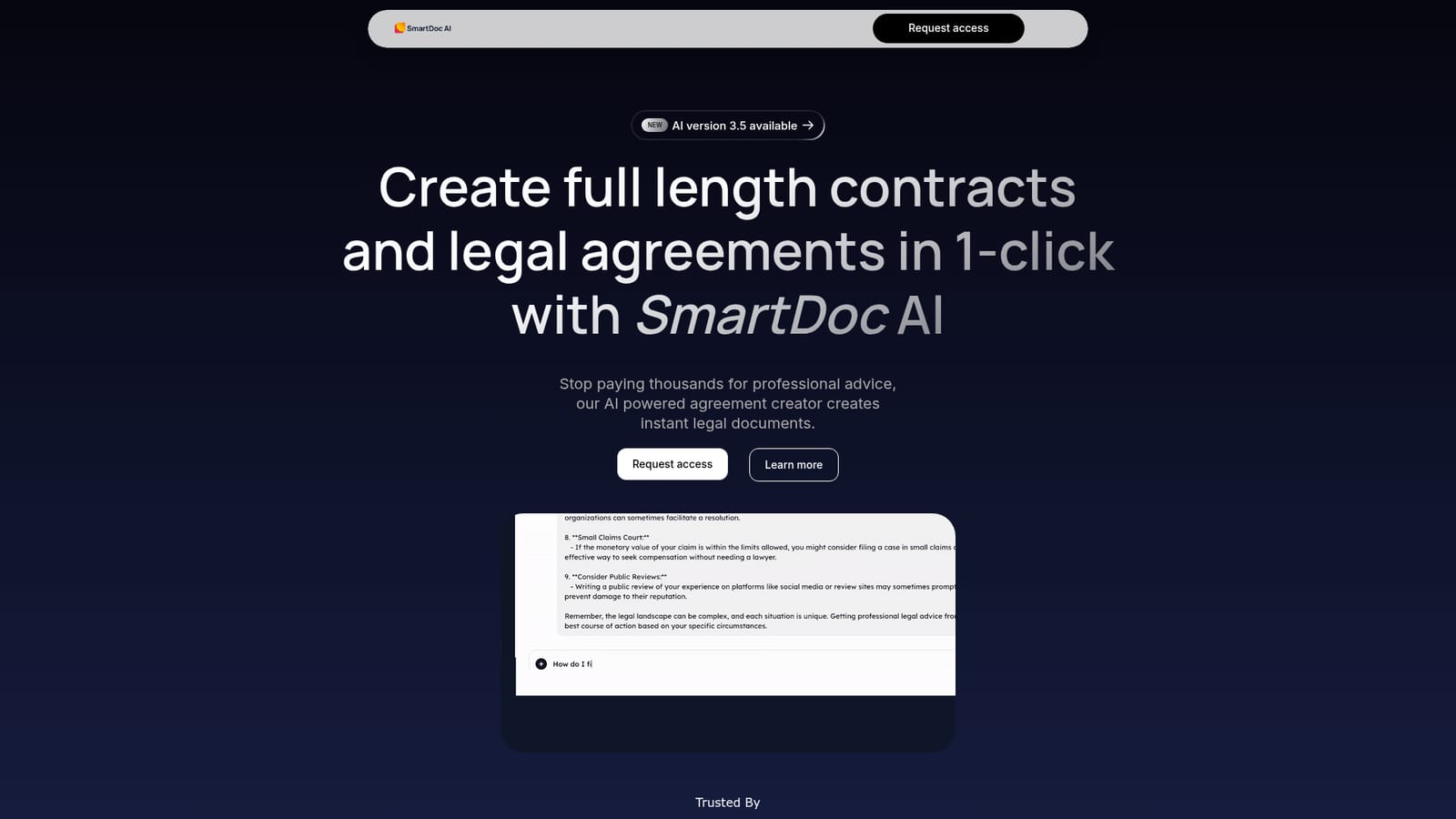
Screenshot of SmartDoc AI, AI contract drafting and legal document analysis in one click

What is SmartDoc AI?

SmartDoc AI generates full length contracts in one click and analyses uploaded documents, summarising structure, key themes and data points, and answering questions about the text through a chat interface.

SmartDoc AI is a document tool built around two jobs that usually sit in different products: writing full length contracts and reading dense documents closely. The homepage frames the creator side as a way to avoid paying thousands in professional fees, with agreements generated in a single click. The same workspace also accepts an uploaded file and returns summaries, structural breakdowns and answers to questions about the text. The analysis side is the more distinctive half. SmartDoc AI reports on a document's structure, its key themes and the important data points inside it, which helps when a long agreement or report needs to be understood quickly rather than read end to end. A chat function sits on top of that, so instead of scanning for a clause you ask a specific question and get a direct answer. The company positions this as a productivity tool for people handling large volumes of information, and the FAQ extends the creation claim beyond contracts to business reports and technical manuals. In practice the flow is account first, document second: sign up, upload the file you want analysed, then work through summaries and questions in the chat. Output is described as clear and concise rather than as advice, and the marketing stresses speed and desktop use over deep customisation. A custom GPT integration and a version 3.5 release are mentioned in passing. It fits between general chatbots that can discuss a pasted document and dedicated contract lifecycle platforms. Against the former it adds a purpose built upload and analysis structure; against the latter it is far lighter, with no visible clause library, negotiation tracking or e-signature layer. Anyone comparing options should treat it as a drafting and comprehension assistant, not a replacement for legal review of a binding agreement.

How do you use SmartDoc AI?

  1. 1Open the site and request access
    Start on the SmartDoc AI homepage, read the product overview and submit the access request form to join the waitlist for an account.
    SmartDoc AI — Open the site and request access
  2. 2Create your account and sign in
    Once access is granted, register and sign in so the document workspace becomes available. This happens inside the product after the homepage.
  3. 3Generate a contract or upload a document
    Use the one click creator to produce a full length agreement, or upload an existing document when the goal is analysis rather than drafting.
  4. 4Review the summary and structure breakdown
    Read the generated summary alongside the reported structure, key themes and important data points to get oriented before reading closely.
  5. 5Ask targeted questions in the chat
    Query the chat function about specific clauses or figures in the document and use the answers to locate the passages that matter.

Pros and cons

Pros

  • Generates full length contracts and agreements in a single click rather than drafting section by sectionAI
  • Chat function answers specific questions about an uploaded document, which speeds up clause huntingAI
  • Document analysis surfaces structure, key themes and important data points in one passAI
  • Handles a range of document types including contracts, business reports and technical manualsAI
  • Positioned to cut the cost of routine drafting compared with paying for professional advice on every documentAI

Cons

  • No pricing, plan tiers or trial terms are published on the homepage, so cost has to be confirmed before committingAI
  • Sign up is by access request rather than open registration, which adds a wait before any evaluationAI
  • The site gives no detail on jurisdiction coverage, template libraries or clause standards behind the generated contractsAI
  • Features are described in general marketing language, with no sample output, accuracy benchmarks or security documentation shownAI
  • No mention of e-signature, negotiation tracking or team collaboration, so it will not cover a full contract workflowAI

How much does SmartDoc AI cost?

Features

SmartDoc AI pairs a one click creator that produces full length contracts, business reports and technical manuals with a reader that summarises uploaded documents. Analysis covers document structure, key themes and important data points, and a chat function answers specific questions about the content. Access is via a request form, and the site references an AI version 3.5 release.

Frequently asked questions about SmartDoc AI

  • How do you use SmartDoc AI?
    The walkthrough on this page covers 5 steps: 1. Open the site and request access 2. Create your account and sign in 3. Generate a contract or upload a document 4. Review the summary and structure breakdown 5. Ask targeted questions in the chat.
  • What platforms does SmartDoc AI support?
    SmartDoc AI is available on Web App.
  • What are the limitations of SmartDoc AI?
    No pricing, plan tiers or trial terms are published on the homepage, so cost has to be confirmed before committing. Sign up is by access request rather than open registration, which adds a wait before any evaluation. The site gives no detail on jurisdiction coverage, template libraries or clause standards behind the generated contracts.

Status

StatusActive
Views0
Outbound clicks0
Added10/21/2026

Platforms

Web App

Pricing

Paid