Support
A public Help Desk center with articles on mapping sheet data, details pages, order forms, payments, analytics, localization and automation.
Learn moreBuild a live website straight from a Google Sheet
Own SpreadSimple 2.0? Verify ownership to get a dofollow link

SpreadSimple 2.0 is an AI spreadsheet generator tool that builds a live website straight from a Google Sheet. A no-code builder that turns a Google Sheet into a live website with item pages, filters, search, order forms and Stripe or PayPal checkout.
SpreadSimple is a no-code website builder that treats a Google Sheet as the content database. You fill a spreadsheet with your items, descriptions, prices or listings, paste the sheet link into the builder, and the platform generates a working site with catalog cards, item pages, filters and search. The pitch is familiarity: anyone who can edit a spreadsheet can run the site, and edits in the sheet appear on the live site automatically. The 2.0 release adds an AI Creator. Describing the kind of site you want and supplying key details produces a logo, a suggested color scheme, a prepared Google Sheet and a starting site structure within seconds, which you then tune by hand. Beyond the AI assist, the feature set covers dedicated details pages for each item, item variations, customizable order forms with email receipts, promo codes, and a choice of payment paths through Stripe or PayPal. There are more than 30 languages for localization, content pages and navigation management, and SEO settings for the published site. Use cases the product is designed around are e-commerce catalogs, affiliate storefronts fed by Amazon, eBay or AliExpress links, restaurant menus, real estate listings with map view and MLS or RSS imports, and general directories. A widget embed option lets you drop a catalog into an existing site, and webhooks plus Zapier or Make connect it to outside services. The natural comparison is spreadsheet-to-site tools and lightweight storefront builders: SpreadSimple asks less setup than a self-hosted CMS and keeps a familiar editing surface. Teams that need deep custom logic or bespoke layouts should look at a full CMS instead.
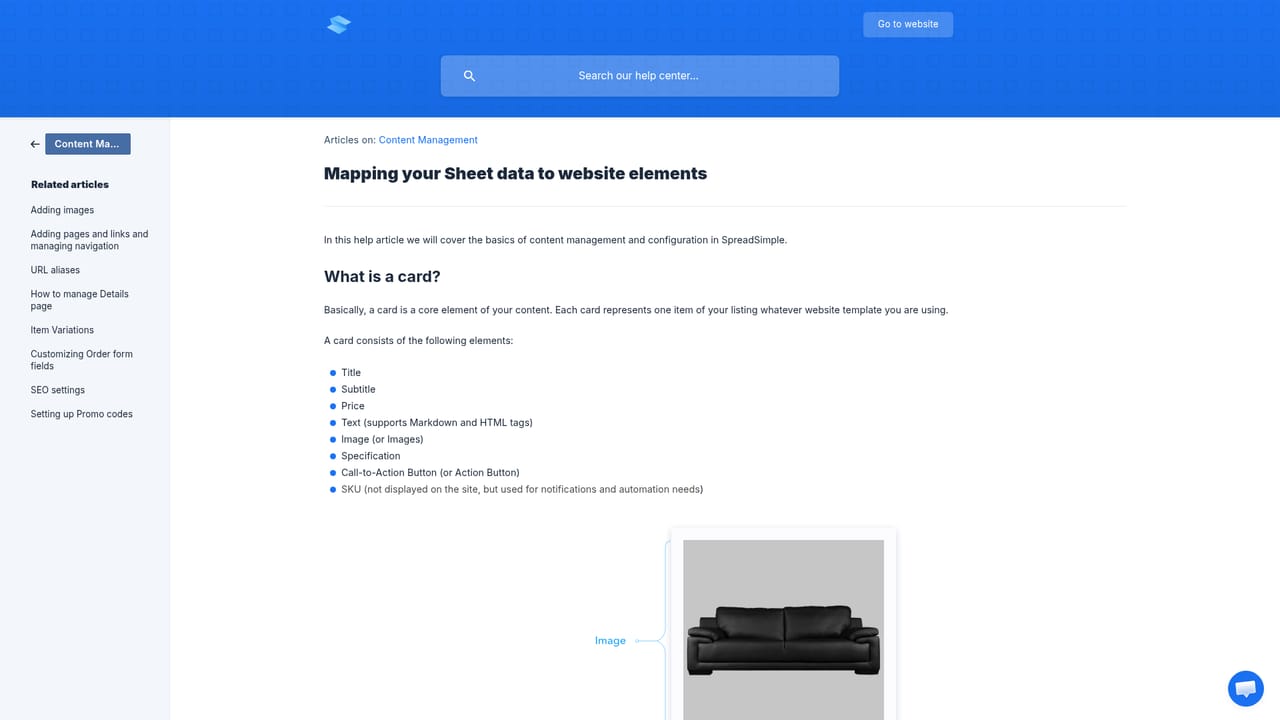
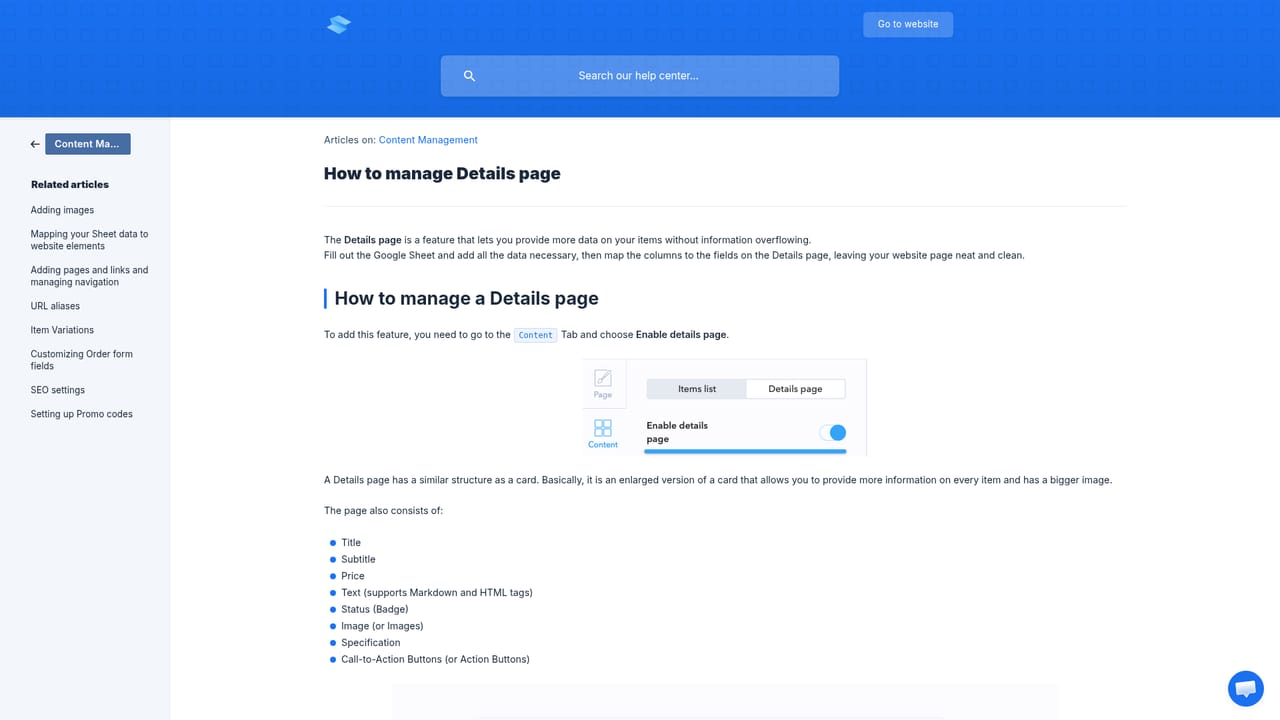
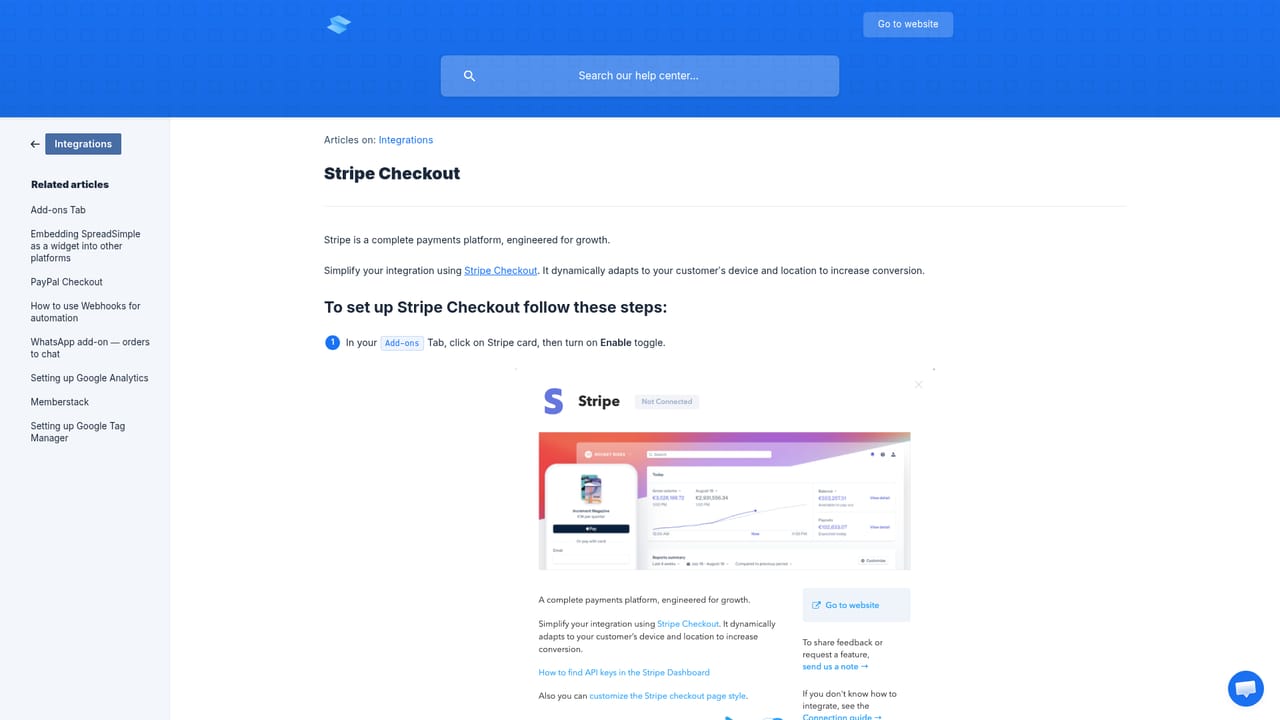
A public Help Desk center with articles on mapping sheet data, details pages, order forms, payments, analytics, localization and automation.
Learn moreStripe and PayPal for checkout, Google Analytics for traffic tracking, a WhatsApp add-on that sends orders to chat, and webhooks plus Zapier or Make for connecting outside services.
Learn moreSheet-driven content with automatic updates, item details pages, item variations, customizable order forms, embedding as a widget on another site, localization in more than 30 languages, WhatsApp order notifications, Stripe and PayPal checkout, Google Analytics, content pages and navigation, and webhooks for automation.
Learn more AI Angels400+ customizable AI girlfriends for NSFW chat, voice calls, and roleplay
 Candy AIExperience the future of companionship with AI friends who chat, role-play, and connect with you on a human level.
 ourdream.aiA vast AI roleplay platform with millions of characters for chat, images, video and voiceAI Angels400+ customizable AI girlfriends for NSFW chat, voice calls, and roleplayCandy AIExperience the future of companionship with AI friends who chat, role-play, and connect with you on a human level.ourdream.aiA vast AI roleplay platform with millions of characters for chat, images, video and voice