Story321

One workshop for stories, characters, podcasts and illustrated books

Beginner
Screenshot of Story321, One workshop for stories, characters, podcasts and illustrated books

What is Story321?

Story321 is an AI book generator tool. Story321 groups four AI tools for writers: a story writer that drafts and revises prose, a character studio producing portraits plus personality profiles, a podcast generator that turns topics, text, PDFs or saved documents into voiced audio, and an illustrated book maker that accepts pasted or imported manuscripts.

Story321 is a web based storytelling workspace that bundles four separate creation tools under one account. The story writer takes a premise, scene or conflict as a prompt and returns a draft you can reopen and revise. The character studio pairs portrait generation with a written profile covering motivation, flaws, voice and narrative arc, and saved profiles act as reference points for later work. The podcast generator accepts a topic, pasted text, a saved document or a PDF, produces a spoken script, and lets you pick voices before rendering audio. The illustrated book maker is aimed at people who already have prose: paste text, import a TXT or DOCX manuscript, or pull in a saved document, then arrange pages and choose artwork scene by scene. The product is built for writers, self publishing authors, hobbyist worldbuilders and small content teams who want several related outputs without stitching together four unrelated subscriptions. The tools are deliberately separate rather than a single prompt-to-everything pipeline, which means you bring the right input to the right product. In practice you might draft a chapter in the story writer, lock down a protagonist in the character studio, adapt a finished document into a podcast episode, and then hand the same manuscript to the book maker. Story321 positions its AI as a collaborator rather than an author. The stated workflow is choose a starting point, generate and edit, then finish and share, with the creator deciding direction and checking output. Existing drafts and saved documents can be reopened, so a project continues across sessions rather than restarting from a blank prompt. Delivery options vary by tool, and that is worth understanding before committing. Podcasts include downloadable audio and a creator pack, illustrated books offer a reading view and browser printing, and all four products support shareable links. There is no public API mentioned, so the value sits in the interface, not in automation. Compared with single purpose novel writers it trades depth in one format for breadth across text, audio and illustration.

How do you use Story321?

  1. 1Pick the tool that matches your starting material
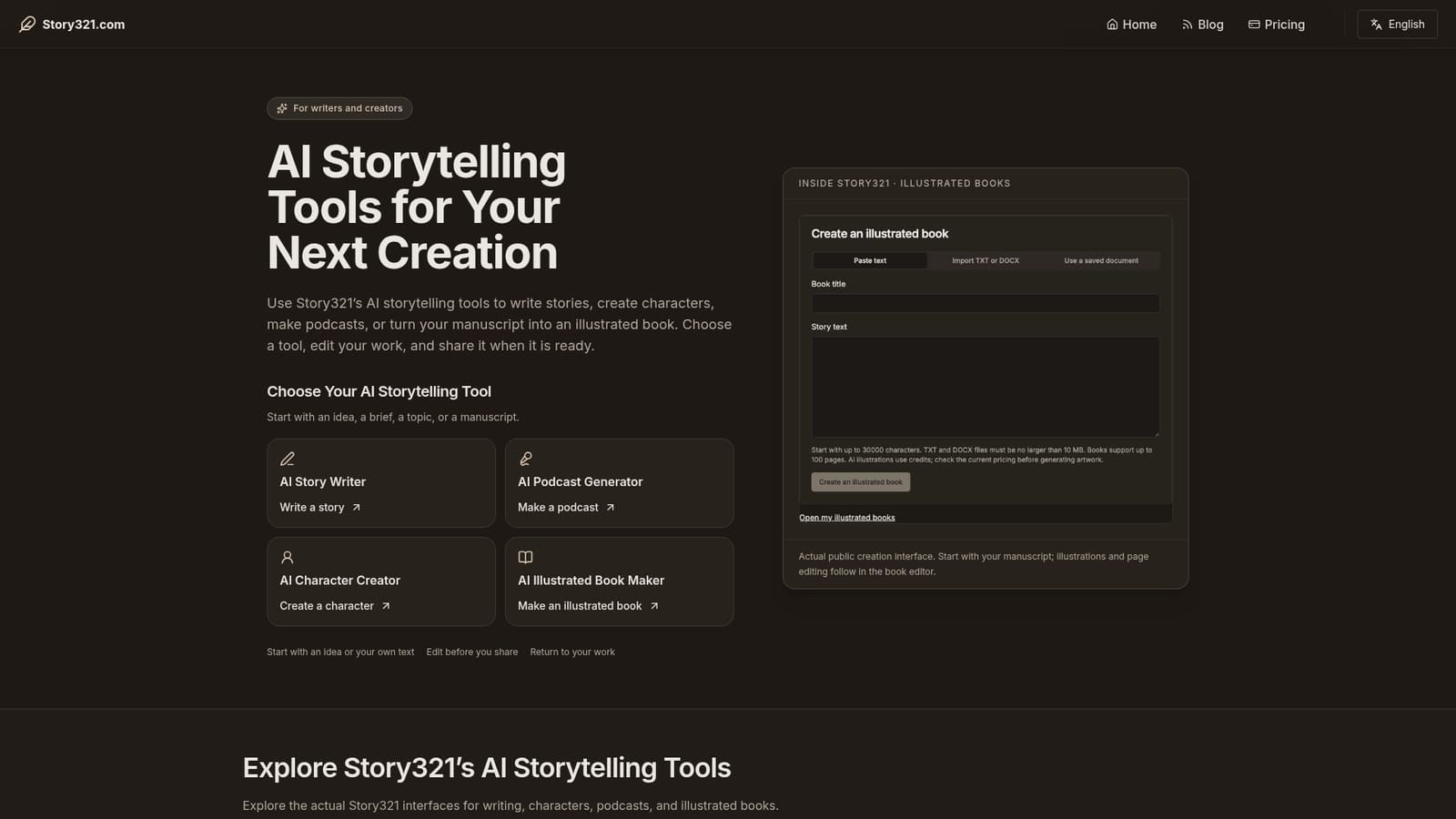
    The homepage lists four entry points. Choose the story writer for an idea, the character studio for a brief, the podcast generator for a topic or document, and the book maker when you already hold a manuscript.
    Story321 — Pick the tool that matches your starting material
  2. 2Draft and revise a story
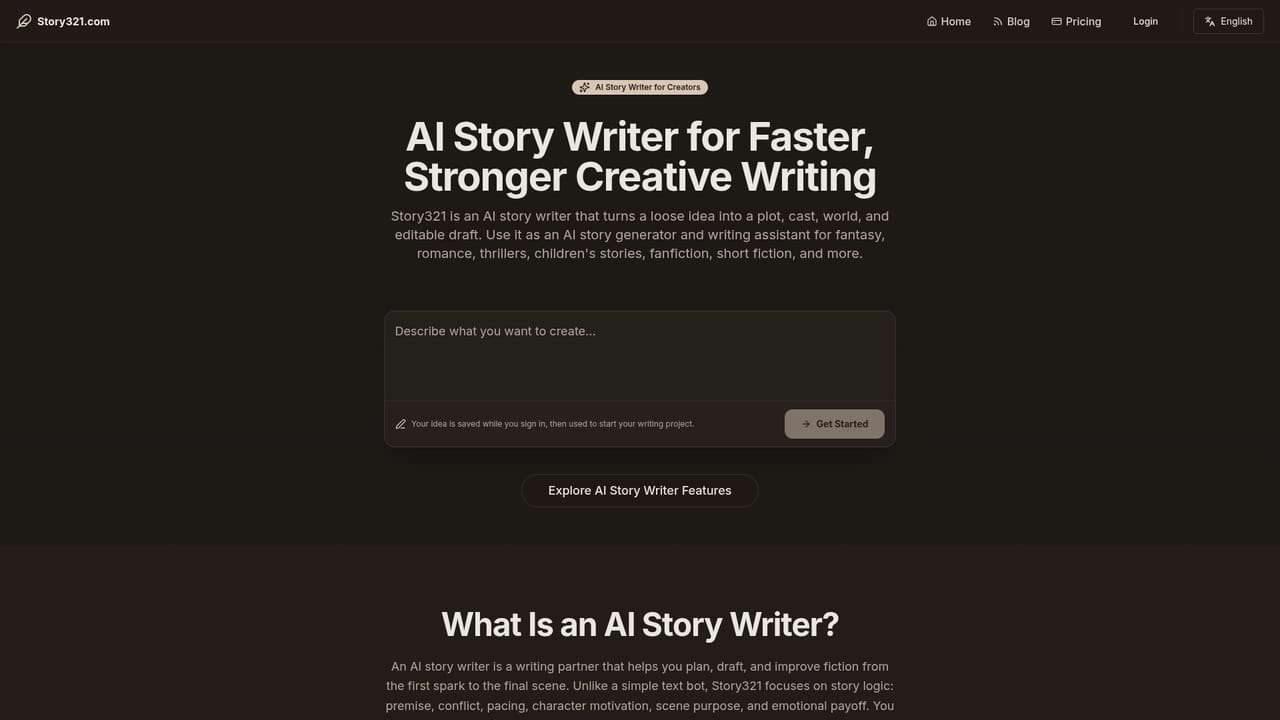
    Describe a premise, scene or conflict in the story writing prompt, generate a draft, then return to it to edit and decide what happens next.
    Story321 — Draft and revise a story
  3. 3Build a character with a profile and portrait
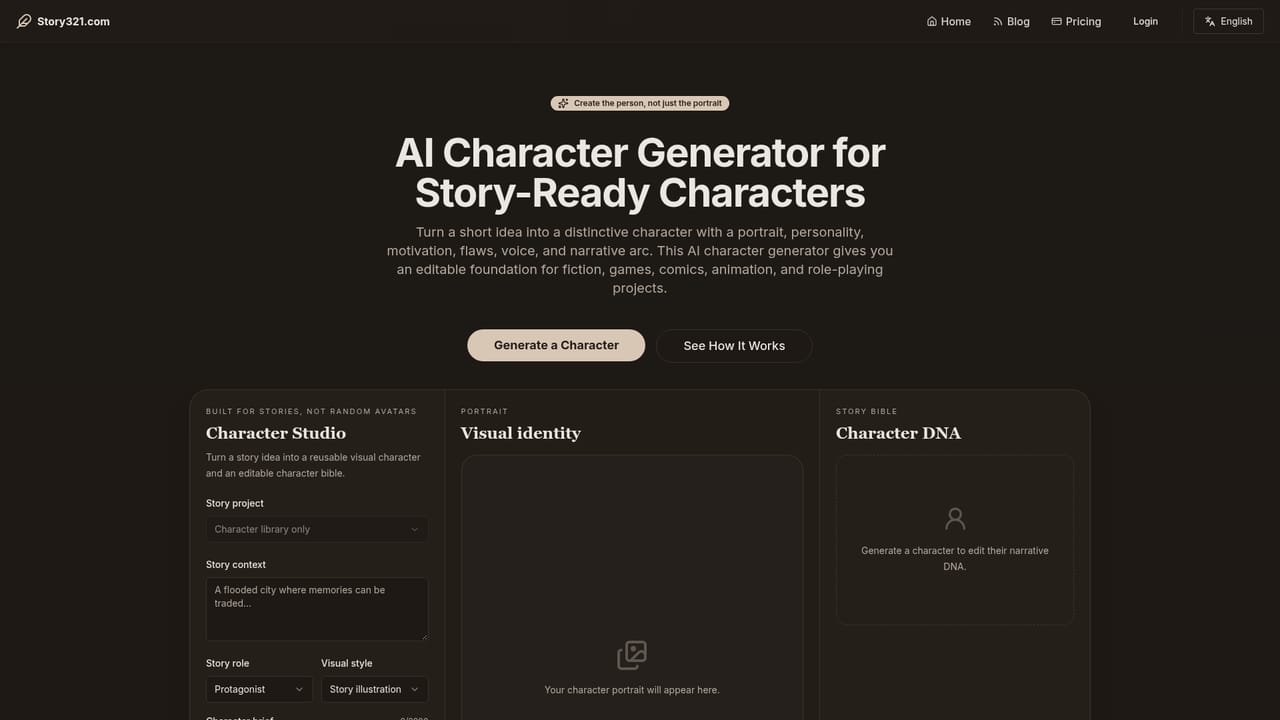
    Fill in the brief form in Character Studio, then work through character DNA covering appearance, motivation, flaws and voice. Save an approved profile and explore portrait variations for later reference.
    Story321 — Build a character with a profile and portrait
  4. 4Turn material into podcast audio
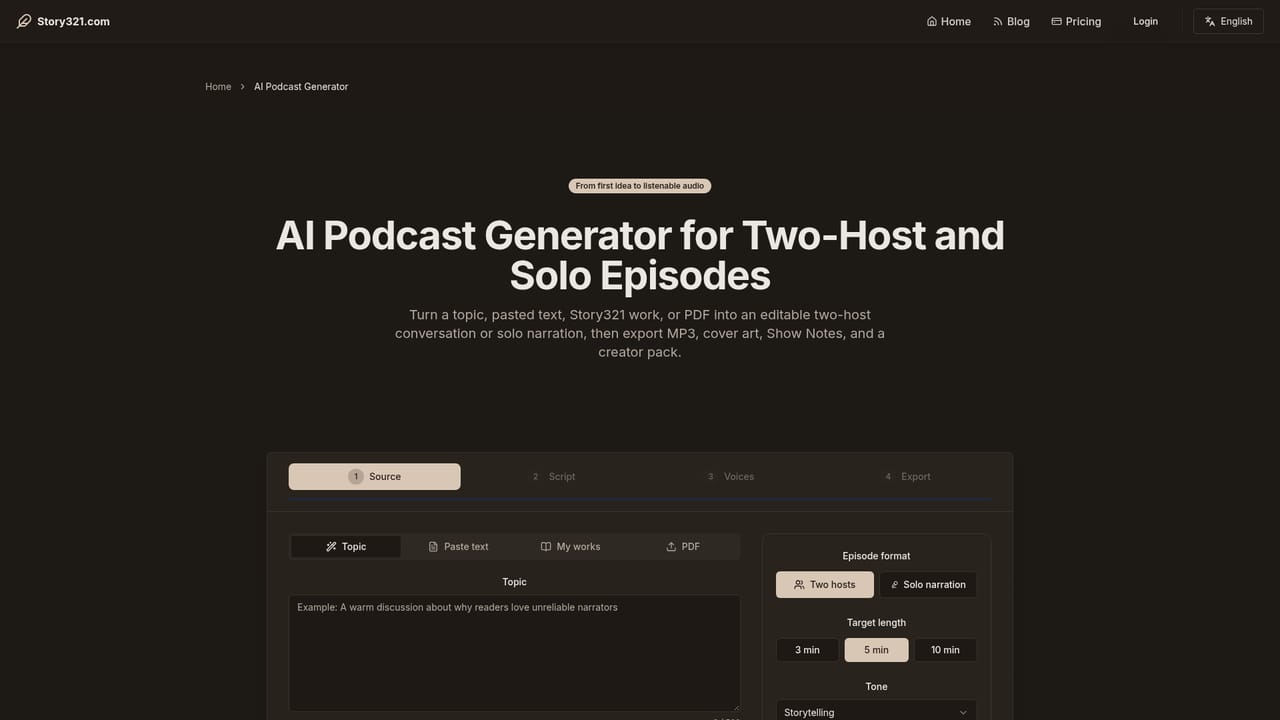
    In Podcast Studio, set the source (topic, text, saved document or PDF), choose episode format, length, tone and language, then review the script and select voices before generating downloadable audio.
    Story321 — Turn material into podcast audio
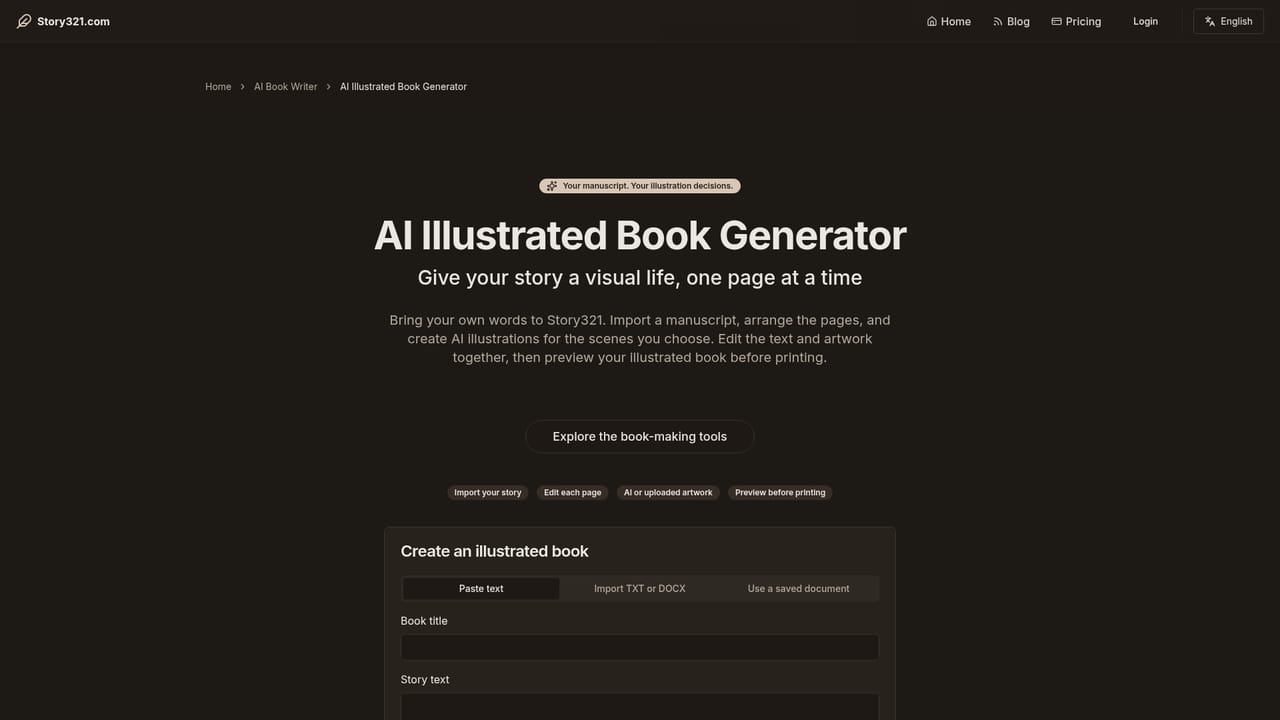
  5. 5Turn a manuscript into an illustrated book
    Paste your text, import a TXT or DOCX file, or pick a saved document, then work in the book editor to arrange pages and choose illustrations. Preview the result and use browser printing or a share link to distribute it.
    Story321 — Turn a manuscript into an illustrated book
  6. 6Check credit costs before generating
    Generation draws on credits that vary by product and operation. Review the plan page and the cost shown inside the tool before running larger batches of audio or artwork.

Pros and cons

Pros

  • Four connected tools under one account, so story, character, audio and book work share a single workspaceAI
  • Character studio goes beyond visuals by capturing motivation, flaws, voice and a narrative arc alongside the portraitAI
  • Podcast generator accepts topics, pasted text, saved documents and PDFs, then lets you review the script before renderingAI
  • Book maker handles real manuscripts through DOCX and TXT import rather than forcing copy and paste onlyAI
  • Drafts and saved documents can be reopened, which supports multi session projects instead of one shot promptsAI

Cons

  • Credit based generation with costs that differ by product and operation, so heavy illustration or audio use is hard to budget in advanceAI
  • Export options are uneven: books rely on browser printing and a reading view, with no dedicated file format for layout workAI
  • No public API is mentioned, which rules out batch processing or wiring the tools into an existing publishing pipelineAI
  • The tools are separate products rather than one flow, so moving a story into a podcast or book means manually handing over the textAI

How much does Story321 cost?

Pricing

Story321 runs on credits: AI generation consumes credits and the amount depends on the product and the specific operation, per the pricing page. No fixed plan prices or credit quantities appear on the homepage, so the plan page and the in tool cost display are the only reliable sources before you generate.

Learn more

Features

Four tools share one workspace: a story writer that drafts and revises from a premise or scene, a character studio for portraits plus motivation, flaws, voice and arc, a podcast generator that accepts topics, text, saved documents or PDFs and renders voiced audio, and an illustrated book maker with pasted text, DOCX and TXT import, page and artwork editing, shareable reading views and browser printing.

Frequently asked questions about Story321

  • How much does Story321 cost?
    Story321 runs on credits: AI generation consumes credits and the amount depends on the product and the specific operation, per the pricing page. No fixed plan prices or credit quantities appear on the homepage, so the plan page and the in tool cost display are the only reliable sources before you generate.
  • How do you use Story321?
    The walkthrough on this page covers 6 steps: 1. Pick the tool that matches your starting material 2. Draft and revise a story 3. Build a character with a profile and portrait 4. Turn material into podcast audio 5. Turn a manuscript into an illustrated book 6. Check credit costs before generating.
  • What platforms does Story321 support?
    Story321 is available on Web App.
  • What are the limitations of Story321?
    Credit based generation with costs that differ by product and operation, so heavy illustration or audio use is hard to budget in advance. Export options are uneven: books rely on browser printing and a reading view, with no dedicated file format for layout work. No public API is mentioned, which rules out batch processing or wiring the tools into an existing publishing pipeline.

Status

StatusActive
Views0
Outbound clicks0
Added10/21/2026

Platforms

Web App

Pricing

Freemium