Free trial
A free Starter tier provides 50 monthly credits and access to both real and mock interviews, so the product can be tested without a payment card. No separate time-limited trial is described.
Learn moreReal-time AI interview answers on desktop and mobile.

SubcueAI is an AI interview assistant for Mac, Windows, iPhone, iPad and Android that transcribes live interview questions and suggests answers in a floating overlay, then scores performance afterward. It adds AI mock interviews, a free resume builder and a Chrome/Edge extension, with a free Starter plan and credit-based paid tiers.
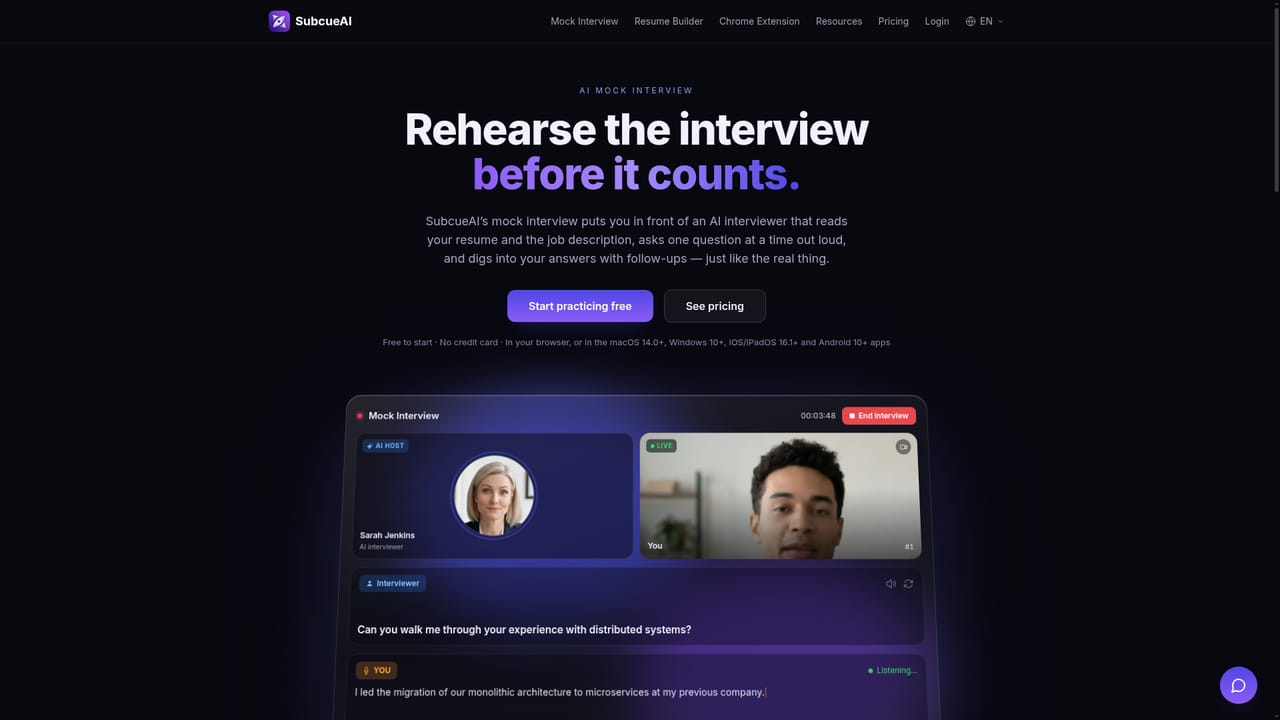
SubcueAI is a live interview assistant that listens to questions during a real call and drafts suggested answers in a floating overlay. The core product is a macOS (14.0+) and Windows (10+) desktop app, backed by iPhone and iPad (iOS 16.1+) and Android (10+) apps plus a Chrome and Edge extension. It captures audio from Zoom, Google Meet, Microsoft Teams, WebEx and other video tools through dual audio capture, runs speech-to-text on the interviewer's voice, and generates context-aware replies with large language models. First-token latency is listed at under 400ms. The workflow is built for preparation as much as for the moment of the call. Users upload a resume so answers reflect their own background, and the app supports technical, behavioral STAR, case and HR screening formats across 27 transcription and answer languages. After a session, an analytics view scores performance and lists strengths, weak points and specific suggestions. Separate modules cover AI mock interviews that ask questions from a resume and job description and adapt follow-ups to spoken answers, and a free in-browser resume builder with ATS-friendly templates, live preview and A4/Letter PDF export. The optional AI Optimize resume feature draws on plan credits. SubcueAI targets active job seekers, especially candidates facing high-stakes technical or behavioral rounds who want a rehearsal loop and a quiet prompt during the live conversation. On Mac and Windows the overlay is excluded from screen sharing (with stated macOS exceptions such as Tencent Meeting and QuickTime recordings), the app has no Dock icon on Mac and no taskbar or Alt-Tab entry on Windows, and no meeting bot joins the call. The phone apps and the browser extension carry no hidden overlay. The company is explicit that it is not hidden from proctoring software that inspects running processes. Among interview copilots, SubcueAI separates itself by combining live answer generation, post-interview scoring and resume tooling in one subscription, with broad platform coverage and a free Starter tier. The trade-off is a credit model that meters heavy live use, and a transparency posture that rules out any undetectable claim.
A free Starter tier provides 50 monthly credits and access to both real and mock interviews, so the product can be tested without a payment card. No separate time-limited trial is described.
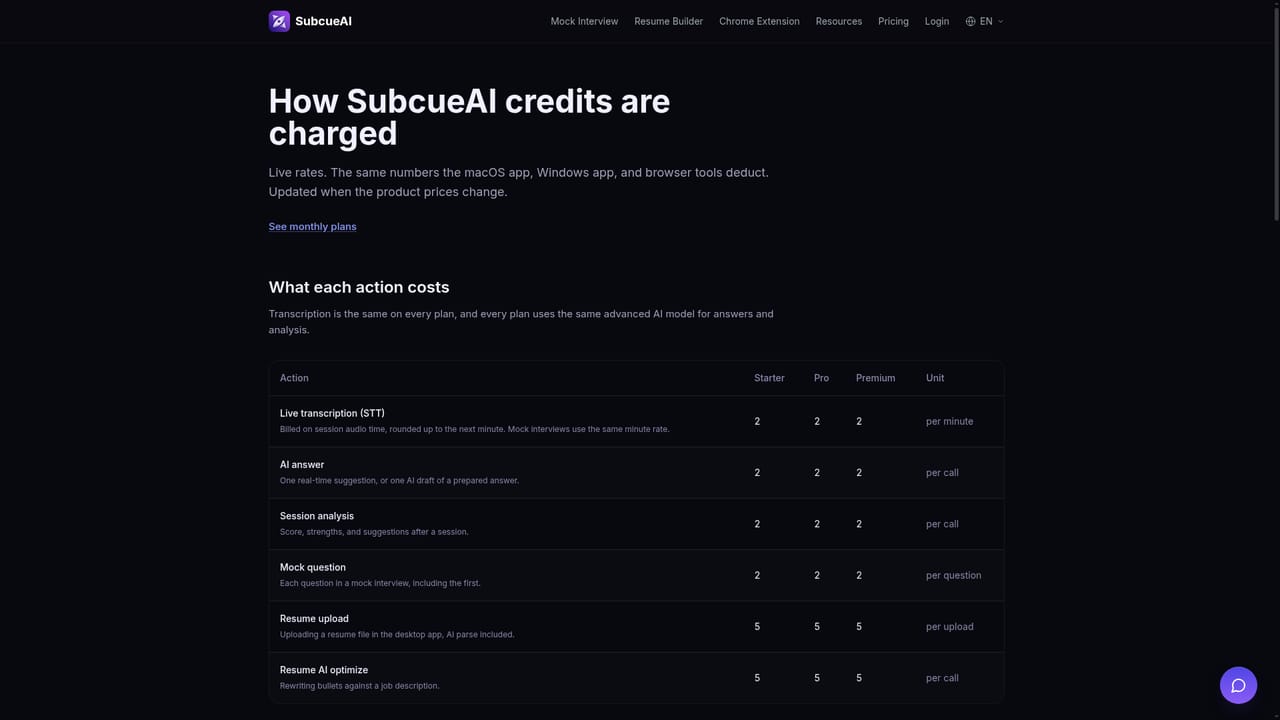
Learn moreStarter is free with 50 credits per month. Pro is $20/month (or $16/month billed annually at $192) with 2,000 credits, performance analytics, resume-driven context and interview history. Premium is $75/month (or $60/month annually at $720) with 8,000 credits, advanced analytics, priority support and early access. All plans use the same AI model, and top-up credit packs never expire.
Learn morePremium includes priority support. The site links a login-based help entry point and a resources section, and publishes a Responsible Use Policy covering live-interview use.
Learn moreWorks with Zoom, Google Meet, Microsoft Teams and WebEx through system audio capture, and ships Chrome and Edge extensions for tab-audio interviews plus a Firefox add-on limited to mock interview practice.
Learn moreReal-time AI answer suggestions, dual audio capture across video call platforms, speech-to-text in 27 languages, interview performance analytics with scoring and suggestions, AI mock interviews built from resume and job description, a free in-browser resume builder with ATS-friendly PDF export, and a Chrome/Edge extension for in-browser interviews with a Firefox add-on for mock practice.
Learn more AI Angels400+ customizable AI girlfriends for NSFW chat, voice calls, and roleplay
 Candy AIExperience the future of companionship with AI friends who chat, role-play, and connect with you on a human level.
 ourdream.aiA vast AI roleplay platform with millions of characters for chat, images, video and voiceAI Angels400+ customizable AI girlfriends for NSFW chat, voice calls, and roleplayCandy AIExperience the future of companionship with AI friends who chat, role-play, and connect with you on a human level.ourdream.aiA vast AI roleplay platform with millions of characters for chat, images, video and voice


