Syntfluence

AI influencer studio that keeps one face across photos, video and voice

Beginner
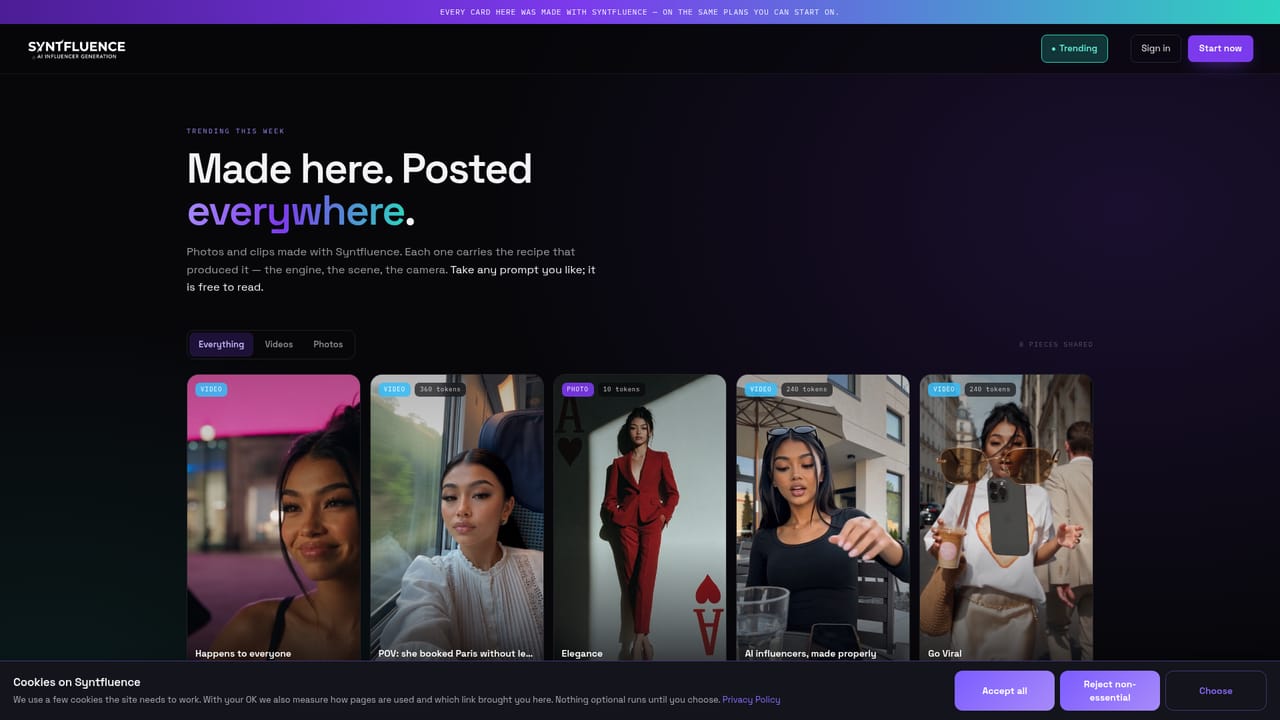
Screenshot of Syntfluence, AI influencer studio that keeps one face across photos, video and voice

What is Syntfluence?

Syntfluence is a web studio for AI influencers. One or two anchor photos keep the same face across stills, video clips and voice, with a built-in editor, a reel analyzer and publishing to Instagram, TikTok and X.

Syntfluence is a web studio for building AI influencers: fictional characters with a consistent face that appear in photos, short video clips, a spoken voice and scheduled social posts. The product is organised around an "anchor", one or two reference photos that fix the character's features so the jaw, hairline and eyes stay the same across scenes, outfits and locations. In practice the work follows six stages: anchor, stills, clips, voice, edit and publish. Stills come from a versioned prompt with a fixed seed, and a still can then be turned into motion using a recipe taken from a reference reel. A reel analyzer breaks any pasted video into a second by second shot list covering camera, action and audio, and a trending section shows analyzed reels next to the prompts that would recreate them. Voice takes, the built-in clip editor (captions, speed, grade, cuts) and pre-generation checks cost nothing, while photos and video draw from a monthly token balance. The price of each render is displayed before it runs, and failed generations are refunded automatically. Publishing connects Instagram, TikTok and X, with captions, hashtags, a queue per account and assisted replies that hand off to a human when needed. The audience is creators, marketers and agencies running virtual personalities at volume. Plans scale mainly by the number of characters allowed, from one up to unlimited, and by the monthly token allowance. Compared with single-purpose image generators or standalone video tools, the pitch here is that face model, motion, voice, editor and scheduler live in one job, so nothing is exported or re-uploaded between steps. The trade-off is a narrower focus on social-style vertical content rather than general creative work. The site describes itself as a beta that ships new capabilities every week, so the feature set is still moving. A published guide also explains how to connect the studio to Claude.
How do you use Syntfluence?

  1. 1Create an account
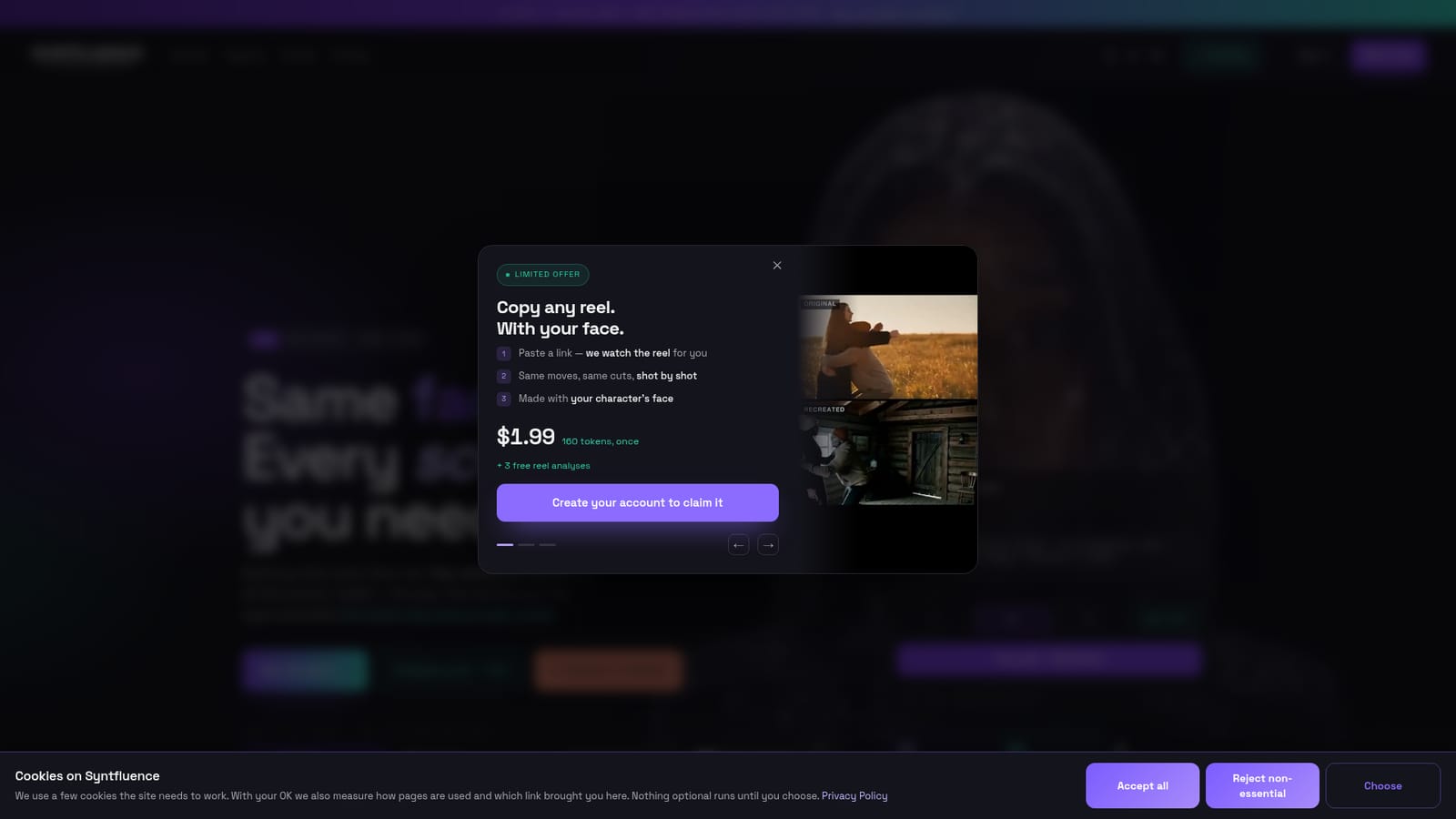
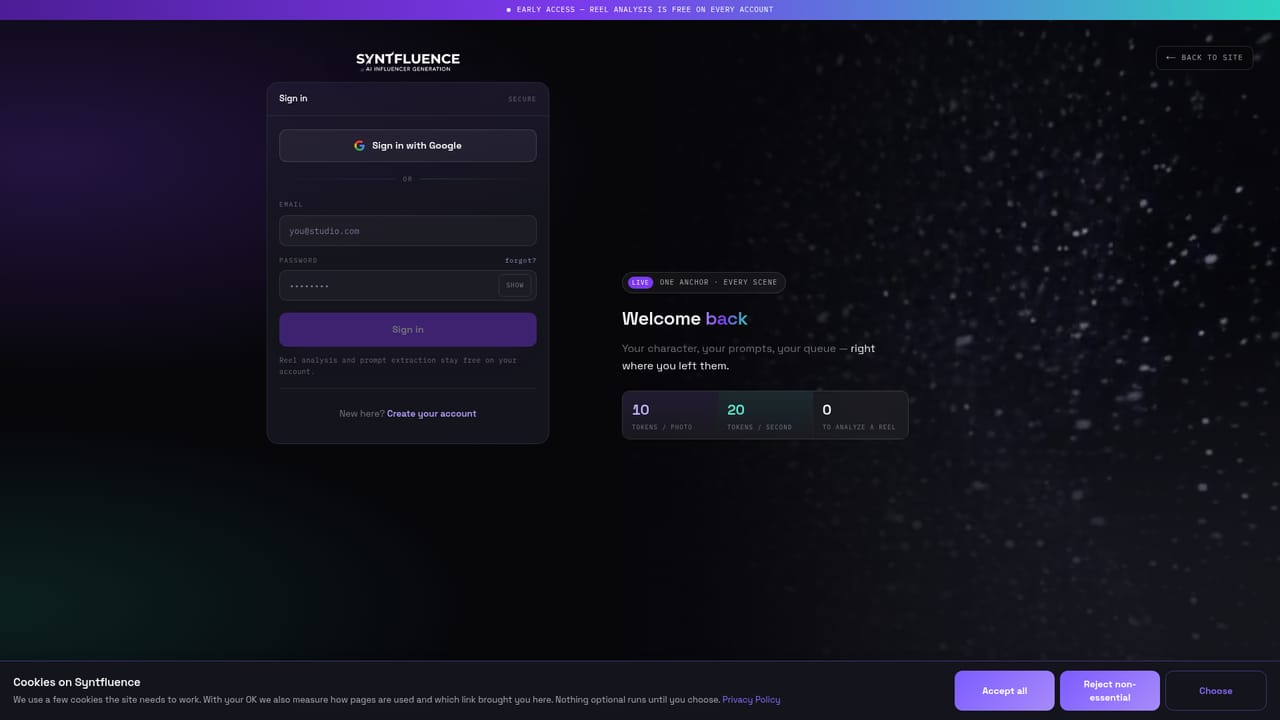
    Sign up with an email address on the join page. The account includes 3 free reel analyses with prompt extraction, and a plan is only needed once rendering starts.
    Syntfluence — Create an account
  2. 2Analyze a reference reel
    Paste the link to a reel that performed well. The analyzer returns a shot list with camera, action and audio that a generator can follow.
    Syntfluence — Analyze a reference reel
  3. 3Browse trending recipes
    Look through analyzed trending reels and copy the extracted prompts. Analysis and prompt extraction do not use tokens.
    Syntfluence — Browse trending recipes
  4. 4Set the anchor and generate stills
    Upload one or two reference photos to fix the character's face, then generate stills at 10 tokens each and keep the best versions.
  5. 5Turn stills into clips with voice
    Animate a still using the recipe from a reference reel (20 tokens per second), then add a voice line and edit captions and cuts for free.
  6. 6Connect accounts and publish
    Link Instagram, TikTok or X, then queue captions and hashtags per account. Assisted replies can hand off to a human.

Pros and cons

Pros

  • Anchor photos keep the same face across scenes, outfits and clips, which is the hardest part of running a virtual characterAI
  • Photo, video, voice, editing and publishing happen in one job, so there are no exports or re-uploads between toolsAI
  • Token cost is shown before each render and failed generations refund themselves, so spending is predictableAI
  • Reel analysis, prompt extraction, voice takes and editing are free, leaving tokens for actual renders onlyAI
  • Publishing to Instagram, TikTok and X includes captions, hashtags, per-account queues and assisted repliesAI

Cons

  • The site calls itself a beta with weekly changes, so features and behavior may shift under an established workflowAI
  • Video is expensive in tokens: the Starter plan yields only about 50 seconds of video per monthAI
  • Lower plans limit characters (one on Starter, two on Creator), so multi-persona work needs a costly upgradeAI
  • Publishing support named on the homepage covers only Instagram, TikTok and XAI
  • Prices shown are billed yearly, and the homepage gives no clear monthly-billing figure, API or mobile app detailsAI

How much does Syntfluence cost?

Free trial

Creating an account includes 3 free reel analyses with prompt extraction. Editing, voice takes and templates are free on every plan, and cancellation in the first month is offered with no questions asked.

Learn more

Pricing

Subscription plans billed yearly: Starter $7/mo (1,000 tokens), Creator $23/mo (3,000), Studio $119/mo (15,000), Agency $319/mo (45,000). Photos cost 10 tokens, video 20 tokens per second. A one-time $1.99 offer gives 160 tokens plus 3 free reel analyses.

Learn more

Integrations

Connects to Instagram, TikTok and X with one login for publishing, and offers a published guide for connecting the studio to Claude.

Learn more

Features

Anchor-based consistent faces from one or two photos, prompt-driven stills with fixed seeds, still-to-video clips, reel analyzer with prompt extraction, unlimited same-voice takes, built-in clip editor with captions, and publishing queues for Instagram, TikTok and X.

Frequently asked questions about Syntfluence

  • How much does Syntfluence cost?
    Subscription plans billed yearly: Starter $7/mo (1,000 tokens), Creator $23/mo (3,000), Studio $119/mo (15,000), Agency $319/mo (45,000). Photos cost 10 tokens, video 20 tokens per second. A one-time $1.99 offer gives 160 tokens plus 3 free reel analyses.
  • Does Syntfluence offer a free trial?
    Creating an account includes 3 free reel analyses with prompt extraction. Editing, voice takes and templates are free on every plan, and cancellation in the first month is offered with no questions asked.
  • How do you use Syntfluence?
    The walkthrough on this page covers 6 steps: 1. Create an account 2. Analyze a reference reel 3. Browse trending recipes 4. Set the anchor and generate stills 5. Turn stills into clips with voice 6. Connect accounts and publish.
  • What platforms does Syntfluence support?
    Syntfluence is available on Web App.
  • What does Syntfluence integrate with?
    Connects to Instagram, TikTok and X with one login for publishing, and offers a published guide for connecting the studio to Claude.
  • What are the limitations of Syntfluence?
    The site calls itself a beta with weekly changes, so features and behavior may shift under an established workflow. Video is expensive in tokens: the Starter plan yields only about 50 seconds of video per month. Lower plans limit characters (one on Starter, two on Creator), so multi-persona work needs a costly upgrade.

Status

StatusActive
Views0
Outbound clicks0
Added10/18/2026

Platforms

Web App

Pricing

SubscriptionPaid