Free trial
No separate trial is described; the free plan provides 40,000 tokens, about 20 UI elements, with the same model access as paid tiers.
Learn moreTurn text prompts and reference images into editable Figma designs
Own Text to Design? Verify ownership to get a dofollow link

Text to Design is a figma design generator tool that turns text prompts and reference images into editable Figma designs. A Figma plugin that converts written prompts or reference images into editable designs, with follow-up commands, regeneration and a direct Add to Figma handoff.
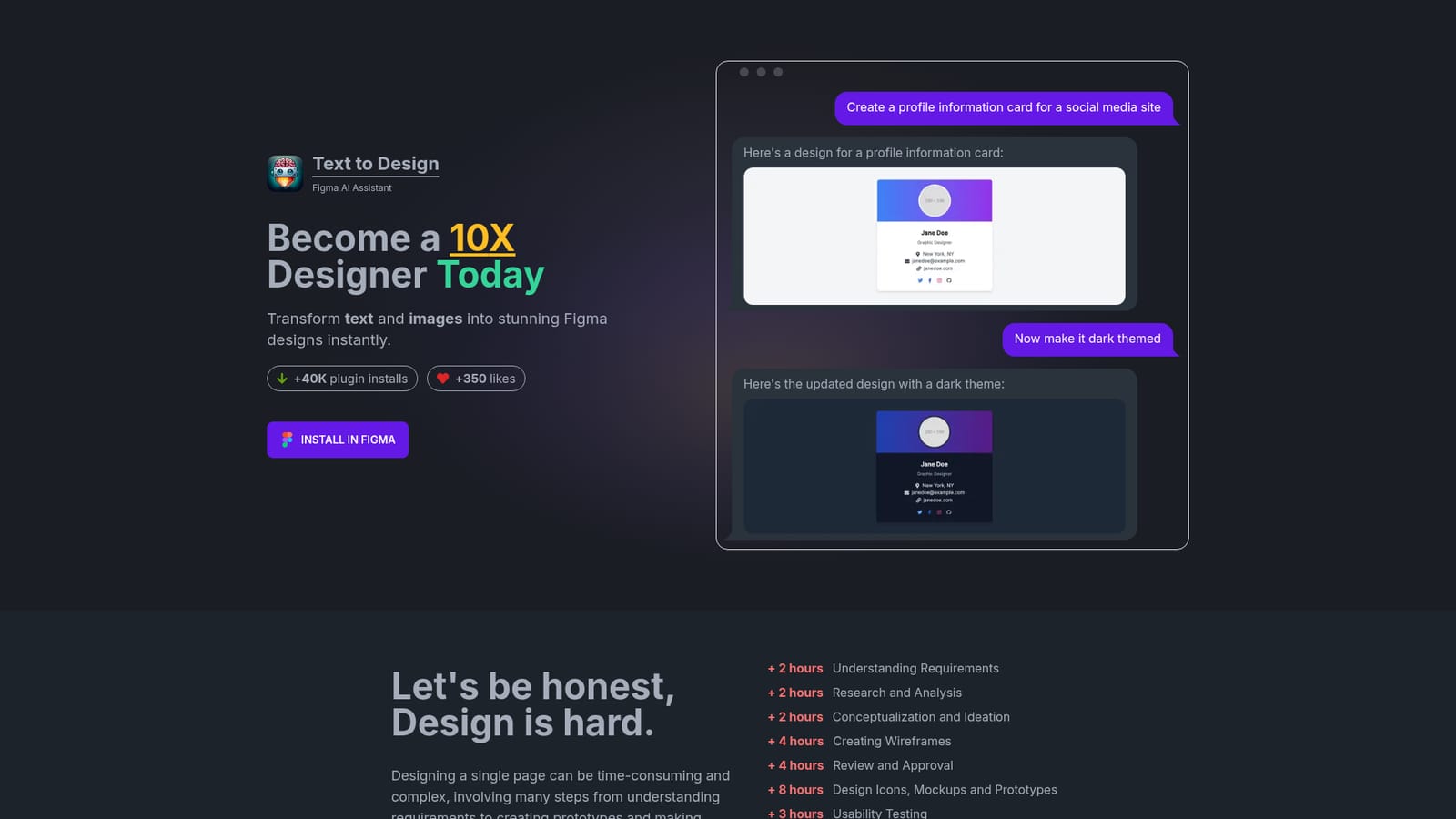
Text to Design is a Figma plugin that turns written prompts and reference images into editable design frames. Instead of building layouts element by element, you describe what you want (for example a profile information card for a social media site) and the plugin generates a design that can be sent straight into a Figma canvas with a single Add to Figma action. The stated goal is to compress a long design checklist, from requirements through wireframes, mockups and revisions, into a much shorter loop. The plugin covers five related jobs: text to design, image to design, text to image, a Figma copilot mode and design to code. In practice you type a description, wait for generation, then refine with follow-up instructions such as switching to a dark theme or a light theme. Each result can be regenerated, viewed full screen or pushed into the file. Image to design works the other way round: you supply a reference screenshot or visual and the plugin produces something similar. It suits designers who already work in Figma and want a faster first draft, plus developers and founders with limited design experience who need presentable UI sections like navigation bars, hero sections, product cards and wireframes. The homepage testimonials lean heavily on speed and on the low Figma skill required, which matches the positioning: an assistant inside an existing workflow rather than a standalone design canvas. Among alternatives, it competes less with full page builders and more with other AI plugins and UI generators that live inside Figma. The distinction is the direct handoff to editable Figma layers. Budget for patience on complex prompts: the vendor says generation can take up to about three minutes, and the token model means heavy iteration consumes an allowance quickly.
No separate trial is described; the free plan provides 40,000 tokens, about 20 UI elements, with the same model access as paid tiers.
Learn moreFree plan at $0 per month with 40,000 tokens (roughly 20 UI elements). Professional is listed at $20 per month (discounted from $25) for 900,000 tokens, and Ultimate at $100 per month (from $125) for 5,000,000 tokens. All tiers list GPT-4-Turbo, GPT-4-Vision and image generation.
Learn moreQuestions, bug reports and feature requests go to support@texttodesign.ai; the homepage FAQ covers how generation works, why it can be slow and how to regenerate.
Delivered as a Figma plugin, installed from the Figma Community. No other integrations are described on the homepage.
Text to design, image to design, text to image, a Figma copilot mode and design to code. Generated output can be regenerated, viewed full screen or added to the Figma canvas as elements. Typical uses include navigation bars, hero sections, product cards and wireframes, with follow-up prompts for theme and style changes.
 AI Angels400+ customizable AI girlfriends for NSFW chat, voice calls, and roleplay
 Candy AIExperience the future of companionship with AI friends who chat, role-play, and connect with you on a human level.
 ourdream.aiA vast AI roleplay platform with millions of characters for chat, images, video and voiceAI Angels400+ customizable AI girlfriends for NSFW chat, voice calls, and roleplayCandy AIExperience the future of companionship with AI friends who chat, role-play, and connect with you on a human level.ourdream.aiA vast AI roleplay platform with millions of characters for chat, images, video and voice