Free trial
A free tier is the entry point: the tool is described as free to use without an account, so no separate trial period is needed to evaluate it.
Learn moreAI humanizer that rewrites machine text to pass detector checks
Own TextToHuman.com? Verify ownership to get a dofollow link
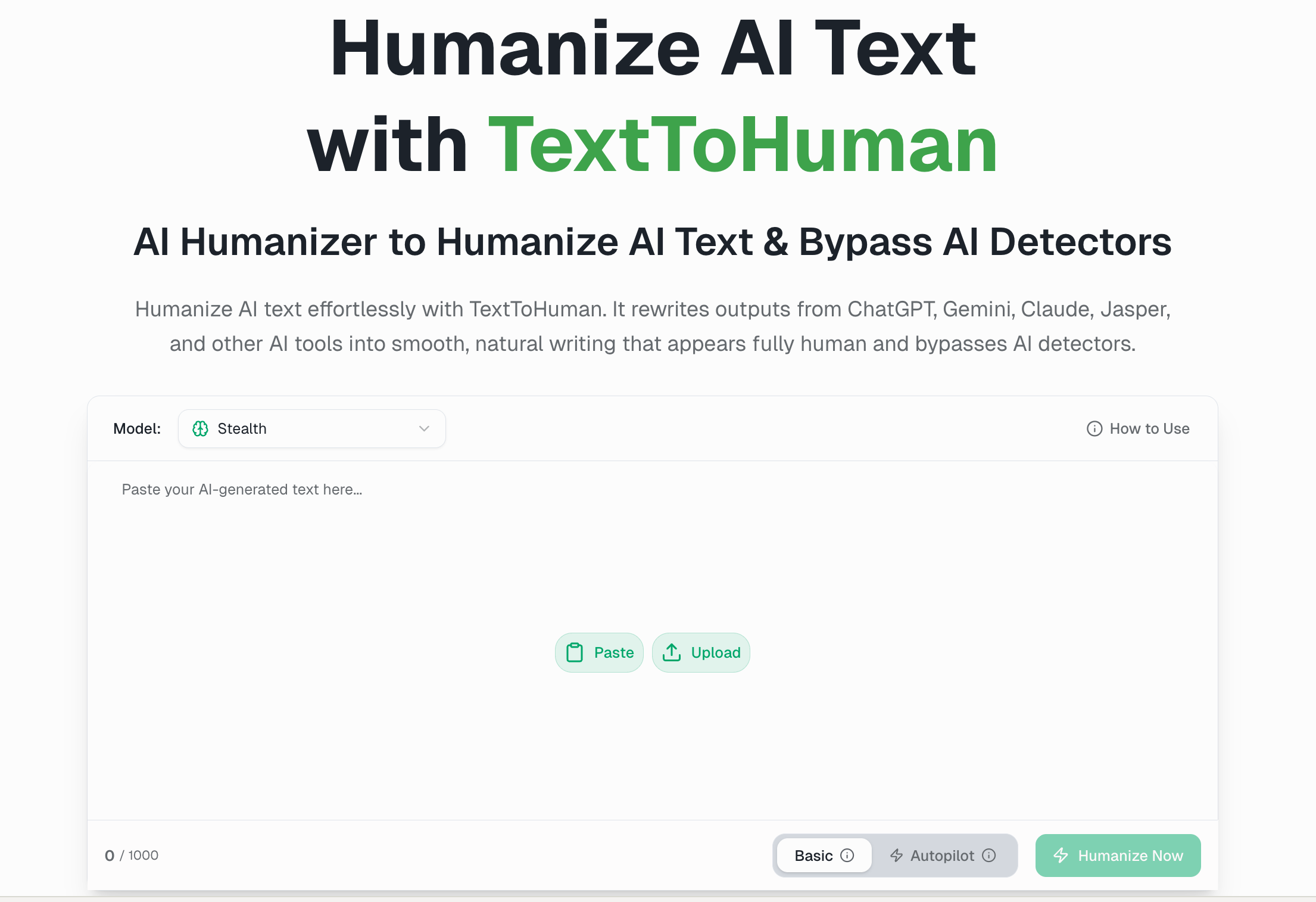
TextToHuman.com is an AI detection remover tool. A free, no signup AI humanizer that rewrites ChatGPT, Gemini and Claude output to read naturally and pass detectors like GPTZero, Turnitin and Originality.ai. Offers Standard and Autopilot modes, 25+ languages, sentence level rephrasing and a built-in detection score.
TextToHuman is a web based AI humanizer built around a specific problem: text produced by ChatGPT, Gemini, Claude and similar tools carries a recognizable cadence that detectors such as GPTZero, Turnitin and Originality.ai pick up quickly. The product rewrites that text at the structural level, adjusting sentence length, phrasing and rhythm so the result reads like a person drafted it. The site states the underlying model was trained on more than 30 million samples of real human writing, with the goal of keeping the original meaning, tone and arguments intact. In practice the workflow is a paste and rewrite loop. Content goes into an editor on the homepage, then the user selects a model (High Quality or the Stealth setting aimed at undetectability), a language and a writing style such as General, Academic or Blog. Standard mode runs a single pass; Autopilot keeps rewriting until the output clears AI detection on its own. Results come back as Default and Advanced versions, any sentence can be clicked for rephrasing alternatives, and a built in detector scores the output without leaving the page. A Humanize More button reruns the pass when the score is not good enough. The site lists support for more than 25 languages, including English, Spanish, Chinese, Arabic, French, German and Japanese. The tool targets writers and bloggers who want AI drafts to sound personal, students and academics worried about polished prose being flagged, SEO and content teams working against EEAT expectations, and marketers producing emails, landing pages and ad copy. No account is required to start, which lowers the barrier for occasional users. Compared with general purpose paraphrasers, the pitch here is narrower and more adversarial: it is explicitly measured against detection tools rather than readability alone. The tradeoff is that success depends on detectors the vendor does not control, and detector models change. A companion mobile app called Humanize AI bundles rewriting, AI detection and plagiarism checks for iPhone and Android, extending the same job beyond the browser editor.
A free tier is the entry point: the tool is described as free to use without an account, so no separate trial period is needed to evaluate it.
Learn moreThe site markets TextToHuman as a free AI humanizer with no signup, credit card or email required to get started. No paid tiers or subscription prices are listed on the homepage, and the distinction between free and any premium capacity is not explained there.
Learn moreStructural rewriting trained on over 30 million human writing samples, High Quality and Stealth model options, Standard and Autopilot rewrite modes, 25+ languages, writing style presets, Default and Advanced output versions, sentence level rephrasing, direct editing, a built-in AI detector, a Humanize More rerun control, and an iPhone and Android app.
 AI Angels400+ customizable AI girlfriends for NSFW chat, voice calls, and roleplay
 Candy AIExperience the future of companionship with AI friends who chat, role-play, and connect with you on a human level.
 ourdream.aiA vast AI roleplay platform with millions of characters for chat, images, video and voiceAI Angels400+ customizable AI girlfriends for NSFW chat, voice calls, and roleplayCandy AIExperience the future of companionship with AI friends who chat, role-play, and connect with you on a human level.ourdream.aiA vast AI roleplay platform with millions of characters for chat, images, video and voice