Tight Studio

Mac screen recorder that turns raw captures into polished product videos

Beginner
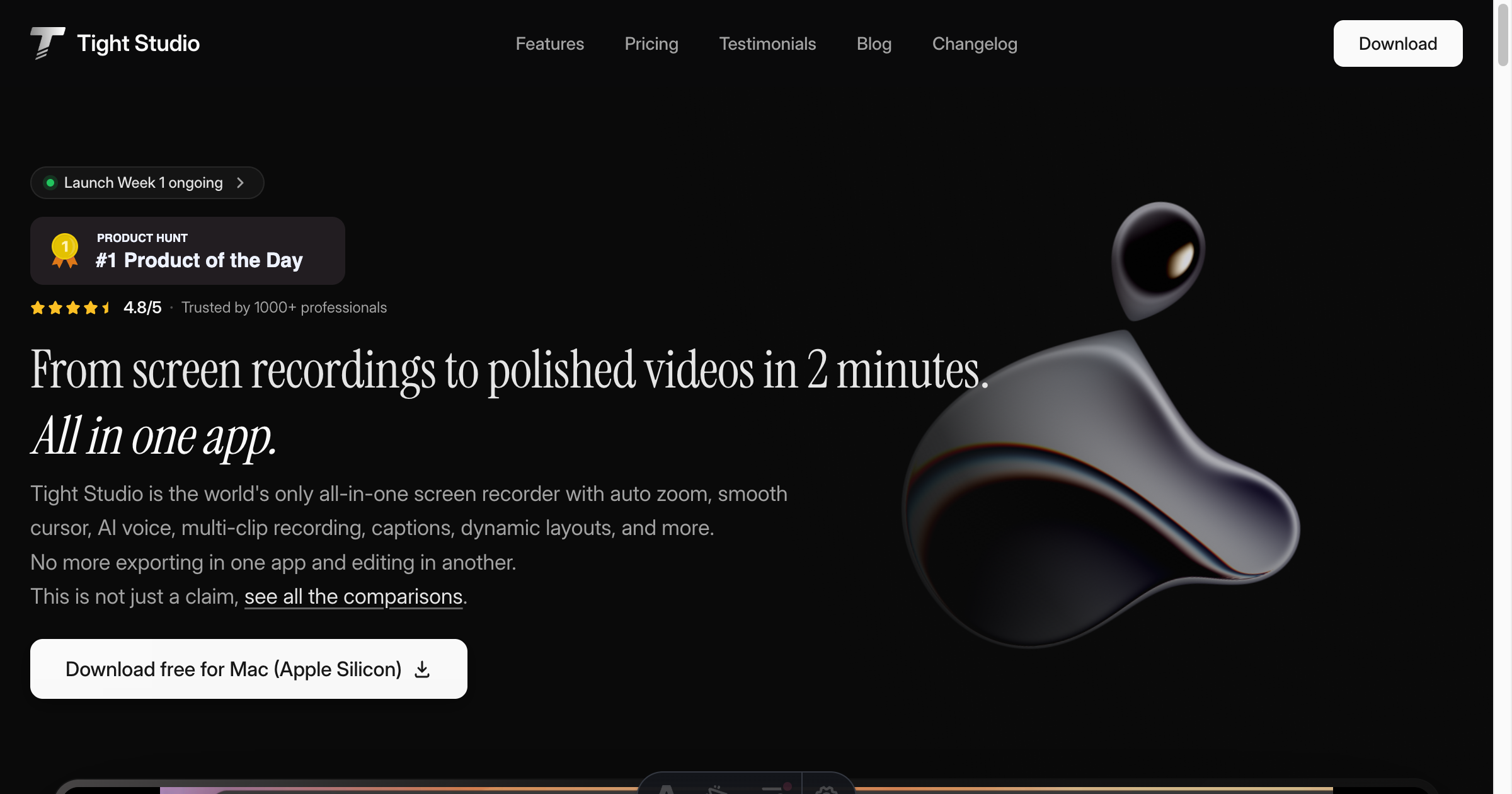
Screenshot of Tight Studio, Mac screen recorder that turns raw captures into polished product videos

What is Tight Studio?

Tight Studio is a dubbing tool. A Mac-only screen recorder with auto zoom, cursor smoothing, AI voiceover and voice cloning, captions, layouts, annotations and hosted share links, aimed at product demos and tutorials.

Tight Studio is a Mac screen recorder that folds editing, narration and sharing into a single application. The pitch is narrow and clear: capture a screen, apply motion and layout effects automatically, then publish a link without opening a separate video editor. Auto zoom frames clicks with eased zoom-ins, and cursor smoothing removes the jitter from handheld takes, so no manual keyframing is required. Custom cursor icons and scaling keep the pointer visible on high resolution displays. Recording is built around repeated takes rather than a single perfect pass. Several clips can be captured back-to-back and arranged in one project, an iPhone or iPad screen can be recorded alongside the Mac for mobile app demos, and a teleprompter overlays the script while recording. Imported photos or video can serve as intro and outro cards. Voice work is handled two ways: a library of natural AI voices narrates a script, or a roughly 20 second sample clones the user's own voice so script edits can be re-rendered without re-recording. Captions arrive in preset styles and are edited like text, with control over font, color, motion and position. Presentation features cover screen and camera layouts (picture-in-picture, split-screen, camera only, screen only), annotations such as arrows, highlights and animated title cards, custom backgrounds including gradients, brand images and looping video, plus a mood-organized music library or personal tracks. Share links can be restricted to anyone with the link, a password, named people or the owner alone, and the Pro tier adds a shared team workspace with multi-user editing on the same clip. It sits between lightweight capture utilities and full non-linear editors: more polish than a raw recorder, far less overhead than Premiere or After Effects. The natural audience is product marketers, developer advocates, support teams and educators producing demos and onboarding material at volume. The main alternative worth weighing is a recorder paired with a separate editor, which offers deeper control but splits the workflow across two tools.

How do you use Tight Studio?

  1. 1Check how it compares, then download the Mac app
    Review the comparison page to see how Tight Studio differs from other screen recording apps, then grab the free Mac build (Apple silicon) from the site. Windows users can join the waitlist instead.
  2. 2Record your first take with multi-clip capture
    Start a recording and capture as many takes as you need. Launch the teleprompter overlay to read your script on screen, and optionally add an iPhone or iPad capture alongside the Mac screen.
  3. 3Trim and arrange clips in the project
    Bring your takes into a single project, trim the dead air and reorder segments. Import photos or video as intro and outro cards if the video needs branded bookends.
  4. 4Apply motion, layout and annotations
    Let auto zoom and cursor smoothing handle the emphasis, then switch layouts per segment (picture-in-picture, split-screen, camera only, screen only) and add arrows, highlights or title cards where a point needs stress.
  5. 5Add narration and captions
    Type or edit the script and render an AI voiceover, or clone your own voice from a short sample so future script changes need no new microphone session. Drop in a caption style and adjust font, color and position.
  6. 6Share the cut with reviewers
    Publish a share link and set visibility to anyone with the link, a password, specific people or only yourself. Free accounts get up to 5 links with 7-day expiry; Plus and Pro lift the cap.

Pros and cons

Pros

  • Auto zoom and cursor smoothing produce clean motion without any keyframingAI
  • Multi-clip recording, teleprompter and intro and outro imports remove the pressure of a single perfect takeAI
  • Script-driven AI narration and 20 second voice cloning make script revisions cheap to re-renderAI
  • Free tier is genuinely usable, with no watermark and no credit card requiredAI
  • Share links support link, password, named-person and private visibility for stakeholder reviewAI

Cons

  • Mac only at launch; Windows users are pushed to a waitlist and Intel chip support is left as an open FAQ questionAI
  • Pro at $24 per month billed yearly is the only tier with AI voice and media, so the useful narration features sit behind the top planAI
  • Free plan is capped at 5 clip additions and 5 share links that expire after 7 days, which limits serious project workAI
  • The curated music and background libraries are fixed sets rather than integrations with stock or asset servicesAI
  • Editing depth is deliberately shallow compared with a dedicated NLE, which will frustrate anyone wanting frame-level controlAI

How much does Tight Studio cost?

Pricing

Free forever plan with core recording and editing, no watermark and no credit card. Plus is $9 per month billed yearly with unlimited multi-clip recording and non-expiring share links. Pro is $24 per month billed yearly with 1000 AI credits, AI voiceover, AI media generation and the team workspace. A 60-day money back guarantee applies.

Learn more

Support

The site hosts a help FAQ covering free plan limits, platform and chip support, ticket response times, educational discounts and subscription management.

Features

Auto zoom and cursor smoothing, custom cursor icons, multi-clip recording, iPhone and iPad capture, on-screen teleprompter, intro and outro imports, AI narration and voice cloning, editable caption styles, screen and camera layouts, annotations and dynamic text, custom backgrounds, background music, and visibility-controlled share links with a team workspace on Pro.

Frequently asked questions about Tight Studio

  • How much does Tight Studio cost?
    Free forever plan with core recording and editing, no watermark and no credit card. Plus is $9 per month billed yearly with unlimited multi-clip recording and non-expiring share links. Pro is $24 per month billed yearly with 1000 AI credits, AI voiceover, AI media generation and the team workspace. A 60-day money back guarantee applies.
  • How do you use Tight Studio?
    The walkthrough on this page covers 6 steps: 1. Check how it compares, then download the Mac app 2. Record your first take with multi-clip capture 3. Trim and arrange clips in the project 4. Apply motion, layout and annotations 5. Add narration and captions 6. Share the cut with reviewers.
  • What platforms does Tight Studio support?
    Tight Studio is available on MacOS.
  • What are the limitations of Tight Studio?
    Mac only at launch; Windows users are pushed to a waitlist and Intel chip support is left as an open FAQ question. Pro at $24 per month billed yearly is the only tier with AI voice and media, so the useful narration features sit behind the top plan. Free plan is capped at 5 clip additions and 5 share links that expire after 7 days, which limits serious project work.

Status

StatusActive
Views0
Outbound clicks0
Added10/21/2026

Platforms

MacOS

Pricing

FreemiumSubscription