LipsyncAI.net

Turn portraits and clips into talking videos with matched mouth motion

Beginner
LipsyncAI.net

What is LipsyncAI.net?

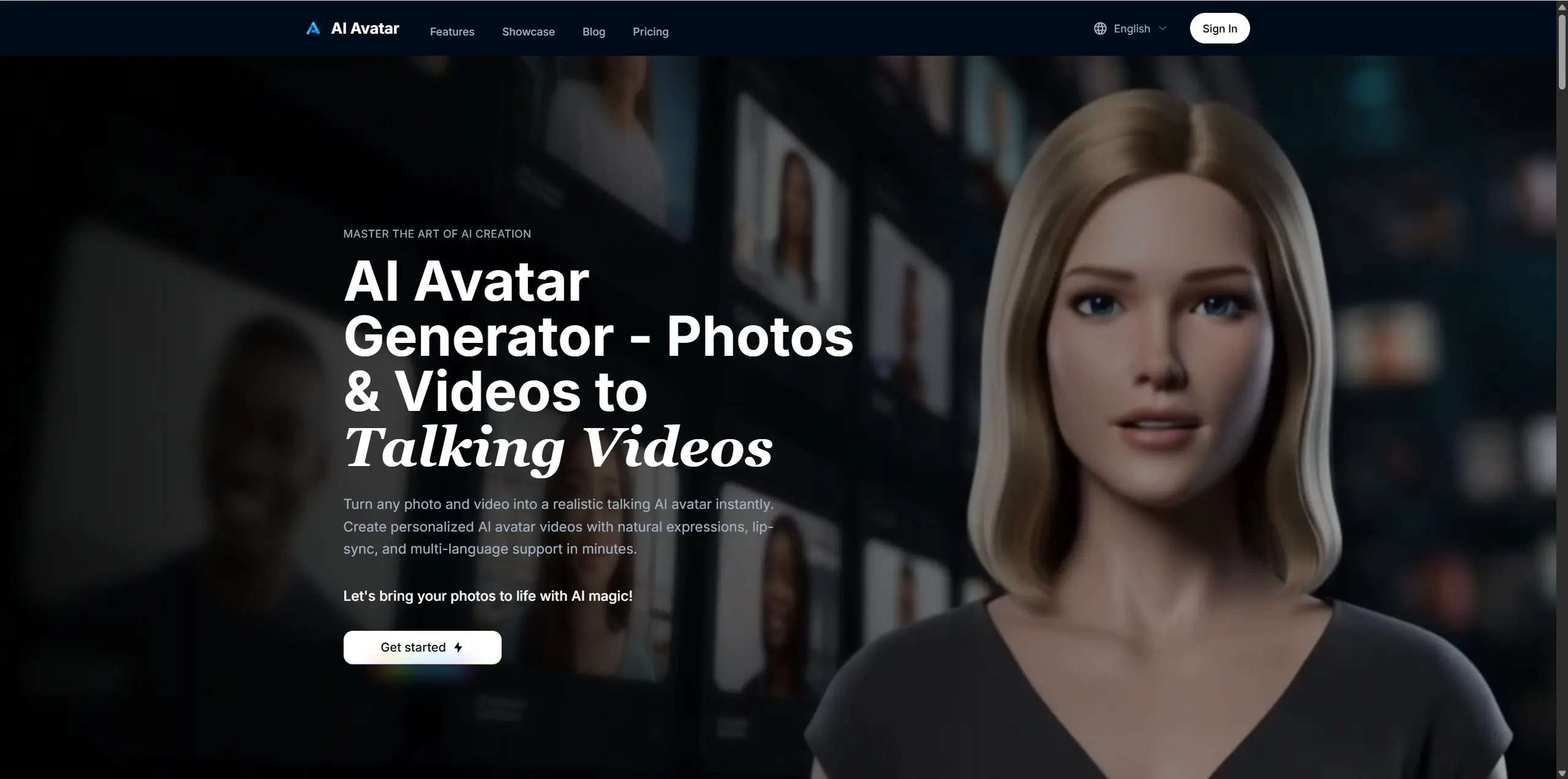
LipsyncAI.net is an AI video talk tool that turns portraits and clips into talking videos with matched mouth motion. A focused lip sync tool that pairs a portrait image or an existing video with uploaded or synthesized speech, aiming for steady mouth alignment on humans, cartoons, animals and partly occluded faces.

LipsyncAI.net is a browser-based tool that pairs a still image or an existing video with a voice track and returns a clip where the mouth moves in step with the speech. The workflow is deliberately narrow: pick a mode, supply the visual, supply the audio, and let the model handle face tracking and phoneme alignment. Audio can come from an uploaded MP3 of up to 20MB or from a text prompt that the site converts to speech before syncing, so a script alone is enough to produce a talking head. The tool splits its single-speaker and multi-speaker tabs into roughly two minute runs, while a separate Long Mode page advertises clips up to five minutes. Basic mode is tuned for clear frontal faces; advanced mode is meant for profile shots and cases where hair, hands or a mask partly covers the mouth, with the model inferring hidden movement. Non-human subjects are supported in image mode, which makes mascot and cartoon animal videos viable, though the site recommends detailed scene prompts and an unobstructed, forward-facing mouth for the cleanest output. Practical limits matter before committing. Images cap at 10MB, videos at 50MB and audio at 20MB. Billing runs at 15 credits per second of output, and anything under five seconds is billed as five. Renderings appear under My Creations for review and download. Multi-person lip sync, which would accept two portraits with separate audio files, is listed as coming soon rather than shipping. This sits in the dubbing and avatar class of tools rather than the full generative video space. It does not build scenes or animate bodies; it fixes mouth motion on footage or art you already have. That makes it a fit for explainer producers, localization teams, social creators running recurring characters, and studios that need interview footage corrected without a manual cleanup pass. Anyone expecting a story generator should look elsewhere.

How do you use LipsyncAI.net?

  1. 1Pick a generation mode
    On the lip sync page, choose Single Speaker or Multi Speaker, or drop into Trial Mode for a five second sample run before spending credits.
  2. 2Upload your visual
    Add a single image (up to 10MB) or a video file (up to 50MB). For animals or cartoon characters, keep the mouth visible and the character facing forward.
  3. 3Supply the voice
    Upload an MP3 of up to 20MB, or switch to the text to speech option and type the script you want spoken.
  4. 4Generate and review
    Start the render, then open My Creations to compare the original against the generated clip and download the result.
  5. 5Move to long form
    When a clip needs to run past the standard limit, switch to Long Mode for extended generation up to five minutes.
  6. 6Top up credits
    Check the pricing page for credit packs or plans before starting longer renders, since cost scales with every second of output.

Pros and cons

Pros

  • Accepts both a still image and an existing video, so it works for portraits and for fixing real footageAI
  • Text to speech lets a written script generate the voice track inside the same flowAI
  • Advanced mode targets side angles and occluded mouths that trip up simpler sync toolsAI
  • Non-human support covers cartoon animals and mascots in image modeAI
  • Long Mode page advertises clips running up to five minutes instead of a few secondsAI

Cons

  • Multi-person lip sync is still marked coming soon, so two-character dialogue is not available yetAI
  • Standard single and multi tabs cap output near two minutes, pushing longer work behind a separate modeAI
  • Credits burn at 15 per second with a five second minimum, which punishes quick testsAI
  • Output quality hinges on a clear frontal mouth, so profiles and covered faces still need careful handlingAI
  • Upload ceilings (10MB images, 50MB video, 20MB audio) rule out larger source filesAI

How much does LipsyncAI.net cost?

Free trial

A Trial Mode is offered on the main tool page, generating clips of up to five seconds for testing before committing credits. It is a sample run rather than an open free tier.

Learn more

Pricing

Generation is credit based: image, video and multi modes each cost 15 credits per second of output, with anything under five seconds billed as five and totals rounded up to the nearest second. The site shows an Upgrade link that leads to a pricing page for credit purchases; specific plan prices are not listed on the homepage.

Learn more

Support

Help is handled by email at support@lipsyncai.net, and the homepage FAQ covers mode durations, credit costs, supported file types and size limits.

Learn more

Features

Image plus audio and video plus audio modes, basic and advanced alignment settings, text to speech from a prompt, support for human, cartoon and animal subjects, side angle and occlusion handling, outputs up to five minutes in Long Mode, and a My Creations library for reviewing renderings.

Frequently asked questions about LipsyncAI.net

  • How much does LipsyncAI.net cost?
    Generation is credit based: image, video and multi modes each cost 15 credits per second of output, with anything under five seconds billed as five and totals rounded up to the nearest second. The site shows an Upgrade link that leads to a pricing page for credit purchases; specific plan prices are not listed on the homepage.
  • Does LipsyncAI.net offer a free trial?
    A Trial Mode is offered on the main tool page, generating clips of up to five seconds for testing before committing credits. It is a sample run rather than an open free tier.
  • How do you use LipsyncAI.net?
    The walkthrough on this page covers 6 steps: 1. Pick a generation mode 2. Upload your visual 3. Supply the voice 4. Generate and review 5. Move to long form 6. Top up credits.
  • What platforms does LipsyncAI.net support?
    LipsyncAI.net is available on Web App.
  • What are the limitations of LipsyncAI.net?
    Multi-person lip sync is still marked coming soon, so two-character dialogue is not available yet. Standard single and multi tabs cap output near two minutes, pushing longer work behind a separate mode. Credits burn at 15 per second with a five second minimum, which punishes quick tests.

Status

StatusActive
Views0
Outbound clicks0
Added10/21/2026

Platforms

Web App

Pricing

FreemiumSubscription