Free trial
A 7-day free trial is advertised with no credit card required, starting after waitlist invitation and team onboarding.
Learn moreProject workspace where docs, tasks and agent roles share one bounded context.

ToleAI is an AI project builder tool. ToleAI bundles team docs, spreadsheets, Kanban tasks and file storage inside isolated Context Engines, then lets specialised Agent Roles (Scrum Master, Product Manager, Technical Architect) reason over that bounded data for standups, status summaries and task updates.
ToleAI is a project execution workspace that pulls team notes, wikis, spreadsheets, task boards and uploaded files into a single container the company calls a Context Engine. Each engine is created around a project description, then linked to the documents, spreadsheets and sprint boards that belong to that work. A central agent reads across all of those artifacts, so a question about a delayed dependency can be answered from the sprint board rather than from a chat window with no visibility into the project. The workspace itself covers the usual project surfaces natively. There is a rich text editor for wikis, SOPs and product briefs, a spreadsheet grid with formulas for structured data, a Kanban board and sprint planner, a calendar timeline for milestones, and isolated file storage for architecture assets and requirement documents. Because those surfaces live in the same engine, highlighting text in a brief can generate or update a live task without leaving the page. Voice chat and speech to text sit on top, letting users dictate notes or speak prompts to the agent hands free. The distinctive layer is the set of Agent Roles. Users toggle between perspectives such as Product Manager, Scrum Master, Daily Standup Coordinator, Technical Architect and Product Owner, and the agent reframes its output for that role. The company positions the bounded context as the reason those answers stay grounded: the agent is confined to the engine's own data rather than the open web, which is meant to reduce drift and made-up answers. ToleAI is aimed at small product and engineering teams that currently pay for a documentation tool, a tracker, a spreadsheet app and cloud storage separately. It competes less with single-purpose writing assistants and more with the assembled stack of Notion, Jira and Drive. Access is currently gated behind a private waitlist, and the privacy model (isolated engines, AES-256 at rest, files processed in memory) is clearly pitched at teams handling proprietary roadmaps.
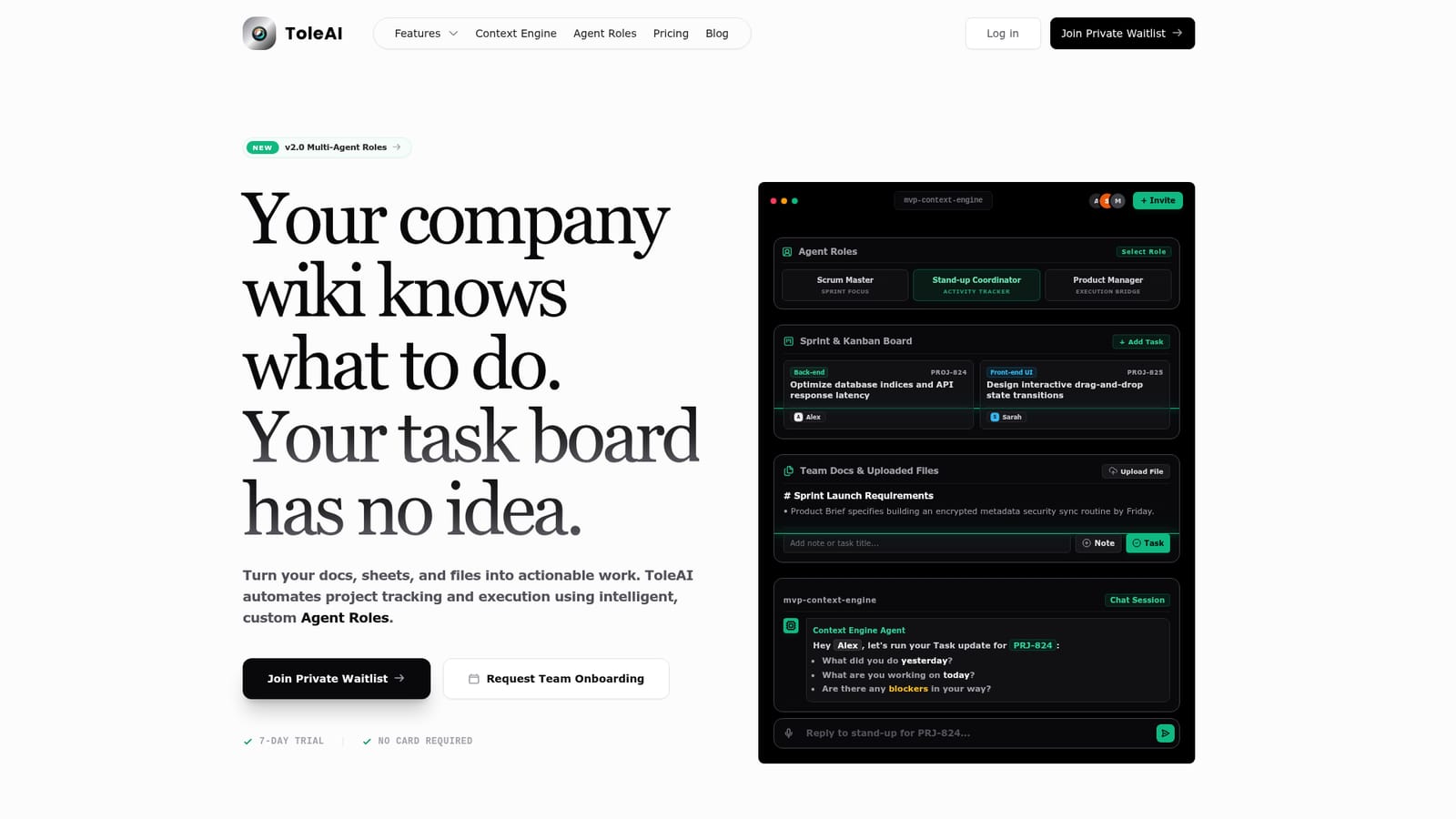
A 7-day free trial is advertised with no credit card required, starting after waitlist invitation and team onboarding.
Learn moreThe homepage lists no public price tiers. It states that subscriptions and token payments are processed through Stripe, with card details held by Stripe rather than ToleAI's servers, and that subscriptions can be cancelled from the billing dashboard at any time.
Learn moreContext Engines linking docs, sheets, files and sprint tasks; rich text editor for wikis and PRDs; formula-capable spreadsheets; Kanban board and sprint planner; calendar timeline; isolated file storage; voice chat and speech-to-text dictation; and switchable Agent Roles including Product Manager, Scrum Master, Daily Standup Coordinator, Technical Architect and Product Owner.
 AI Angels400+ customizable AI girlfriends for NSFW chat, voice calls, and roleplay
 Candy AIExperience the future of companionship with AI friends who chat, role-play, and connect with you on a human level.
 ourdream.aiA vast AI roleplay platform with millions of characters for chat, images, video and voiceAI Angels400+ customizable AI girlfriends for NSFW chat, voice calls, and roleplayCandy AIExperience the future of companionship with AI friends who chat, role-play, and connect with you on a human level.ourdream.aiA vast AI roleplay platform with millions of characters for chat, images, video and voice


