TransGull

AI translation for conversations, meetings, streams, images and video

Beginner
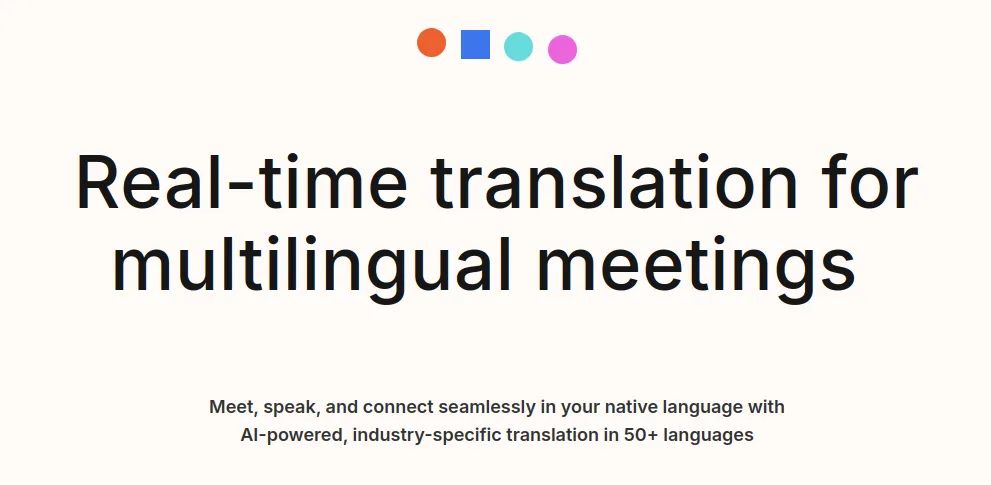
Screenshot of TransGull, AI translation for conversations, meetings, streams, images and video

What is TransGull?

TransGull is an AI translation app for iPhone, Android, Windows and Mac covering 47 languages. It translates live conversations, meetings, live streams, phone calls, videos, documents and photos, with earphone audio playback and a credit-based payment model that suits occasional use.

TransGull is an AI translation app built around a simple idea: one tool should cover every situation where a language barrier appears. It handles 47 languages and ships as an iPhone, Android, Windows and Mac application, so the same account follows a user from a phone call on the street to a desktop meeting at work. The company reports more than 400,000 users and leans heavily on App Store and Google Play reviews that praise context-aware phrasing over literal word-for-word output. The feature list is unusually broad for a consumer translator. Conversation mode covers face-to-face dialogue, simultaneous interpretation covers lectures and classes as they happen, and live stream translation overlays real-time bilingual captions on foreign-language broadcasts. Separate tools handle online meetings in Zoom, Teams and Google Meet, one-click translation of YouTube or local video files, photo translation of menus, signs and vertical text, document translation, phone call translation and interpretation for large events. A selection translation feature translates highlighted text on a computer, which is the workflow most people want when reading a foreign page or message. In practice the app works best for travellers, international students, people following overseas creators or idols, and teams that meet across languages. Earphone audio playback is a popular touch: the translated speech is spoken into the ear rather than shown on screen, so a user can follow a tour guide or a talk without staring at a phone. Individual users get a free starting point and then pay with credits the company calls Shells, which suits occasional use better than a fixed monthly plan. Businesses get member and permission management, encrypted transmission, and a stated policy that translation content is never used to train AI models. Against general-purpose translators, TransGull competes on breadth of input types rather than on being a chatbot. Dedicated subtitle editors remain stronger for polished video captions, and enterprise interpretation services still matter where a human interpreter is legally required. For a single cross-language utility that covers voice, text, images and files, it is a credible option.

How do you use TransGull?

  1. 1Install TransGull on your phone or computer
    Download the app from the App Store or Google Play, or grab the Windows or Mac build from the download page. Signing in with the same account keeps your Shells balance and history consistent across devices.
  2. 2Pick the translation mode for the moment
    Open the feature that matches the situation: conversation translation for talking in person, simultaneous interpretation for lectures, or image translation for signs and menus. Each mode has its own input, so start by choosing the right one.
  3. 3Set up earphone audio for live speech
    For tours, talks and events, connect earphones and enable audio translation so the translated speech is spoken to you. This frees you from reading a screen while someone is talking.
  4. 4Translate a video or document
    Paste a YouTube link or upload a local video file to get a translated version in one click, or send a document through the document translation tool. Review the output before sharing it with anyone.
  5. 5Connect your meeting app
    For international calls, run TransGull alongside Zoom, Teams or Google Meet to get translated captions inside the meeting. Test the audio routing once before a real call so participants are not left waiting.
  6. 6Check billing and team settings
    Individuals can review their Shells balance in the app, while teams should visit the enterprise page to set up members, permissions and usage limits before rolling the tool out widely.

Pros and cons

Pros

  • Covers a wide set of situations in one app: conversation, meetings, live streams, video, images, documents and phone callsAI
  • Earphone audio translation lets users listen instead of reading the screen, which works well for tours and talksAI
  • Reviewers repeatedly single out natural, context-aware phrasing over stiff literal outputAI
  • Credit system means light users pay for what they use rather than committing to a monthly subscriptionAI
  • Business tier adds member and permission management plus encrypted transmission and a no-training-on-content policyAI

Cons

  • Pricing is credit-based and the homepage does not publish per-credit rates, so costs are hard to predict before signing upAI
  • Video translation is one-click but there is no sign of a subtitle editor for tuning timing or styling after exportAI
  • The 47-language list is stated without per-feature detail, so some modes may support fewer languages than the headline suggestsAI
  • Accuracy in noisy places is backed by user reviews rather than published benchmarks, and no independent comparison is offeredAI
  • Meeting support depends on working alongside third-party apps such as Zoom and Teams rather than being a native meeting platformAI

How much does TransGull cost?

Pricing

The homepage positions TransGull around a credit model: users pay with credits called Shells rather than a required monthly subscription, and reviewers describe paying only for what they use. Exact credit prices and any tier limits are not stated on the homepage, so check the app or the business page for current rates.

Learn more

Support

A help centre at help.transgull.com carries usage guidance, and the enterprise page offers a contact form for business enquiries. User reviews mention fast responses to bug reports, but no support tiers or response times are published.

Learn more

Integrations

The only named integration is online meeting translation, which the site says works with Zoom, Teams and Google Meet. No other third-party integrations or API are described on the homepage.

Learn more

Features

TransGull translates between 47 languages across conversation, simultaneous interpretation, online meetings (Zoom, Teams, Google Meet), live streams, phone calls, large events, documents, selected text, images (including menus, signs and vertical text) and video from YouTube or local files. Audio translation can play through earphones, and business accounts add member, permission and usage management.

Learn more

Frequently asked questions about TransGull

  • How much does TransGull cost?
    The homepage positions TransGull around a credit model: users pay with credits called Shells rather than a required monthly subscription, and reviewers describe paying only for what they use. Exact credit prices and any tier limits are not stated on the homepage, so check the app or the business page for current rates.
  • How do you use TransGull?
    The walkthrough on this page covers 6 steps: 1. Install TransGull on your phone or computer 2. Pick the translation mode for the moment 3. Set up earphone audio for live speech 4. Translate a video or document 5. Connect your meeting app 6. Check billing and team settings.
  • What platforms does TransGull support?
    TransGull is available on Web App, iOS, Android, MacOS and Windows.
  • What does TransGull integrate with?
    The only named integration is online meeting translation, which the site says works with Zoom, Teams and Google Meet. No other third-party integrations or API are described on the homepage.
  • What are the limitations of TransGull?
    Pricing is credit-based and the homepage does not publish per-credit rates, so costs are hard to predict before signing up. Video translation is one-click but there is no sign of a subtitle editor for tuning timing or styling after export. The 47-language list is stated without per-feature detail, so some modes may support fewer languages than the headline suggests.

Status

StatusActive
Views0
Outbound clicks0
Added10/21/2026

Platforms

Web AppiOSAndroidMacOSWindows

Pricing

FreemiumFree TrialPaid