Free trial
The first upscale is free after signing up, so a single image can be tested before any purchase.
Learn moreBrowser-based image upscaling with selective restore and prompt edits

UpSynth is a browser editor for upscaling, restoring and modifying images with selective control. A adjustable "magic" setting limits how much the AI invents, and the first upscale is free before credit packages apply.
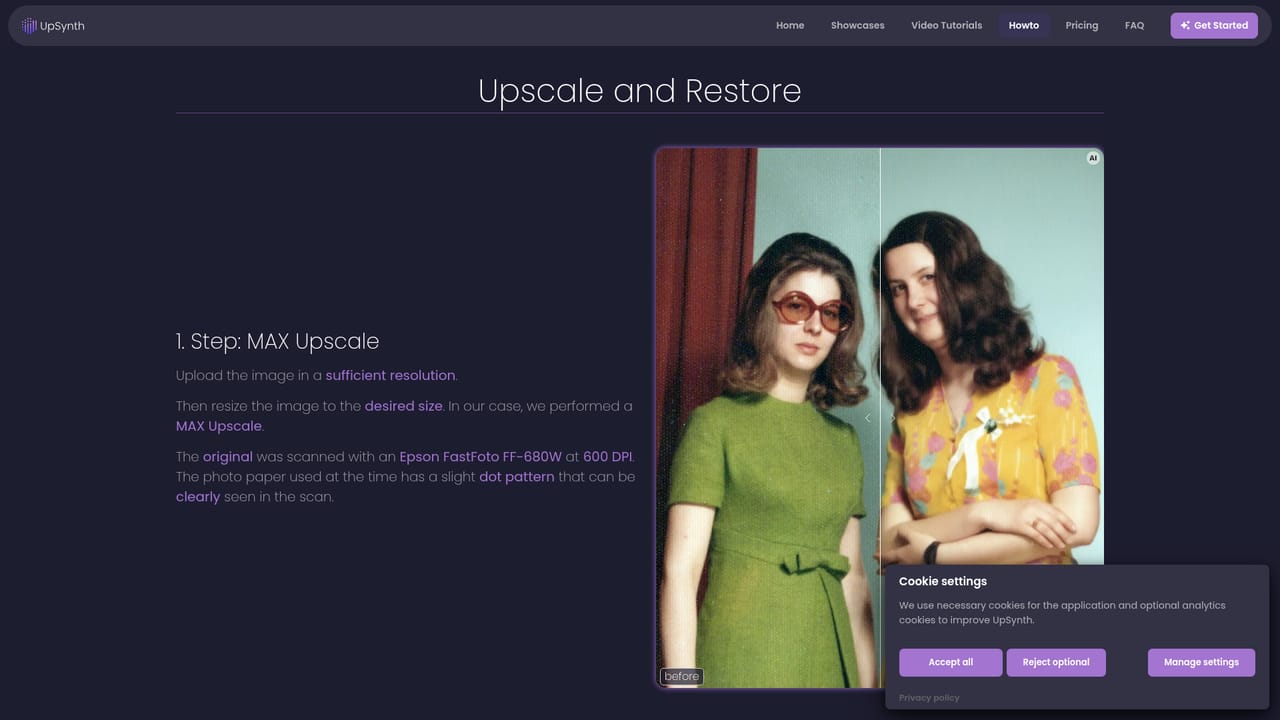
UpSynth is a browser-based image enhancement editor that combines upscaling, restoration and prompt-driven editing in a single workspace. It targets people who have low-resolution or damaged pictures and want a sharper result without handing every decision to an automatic filter. Typical material includes old photos, scanned posters, illustrations, artwork, portraits, designs and game graphics. The workflow is built around three tools that can be chained. Upscale enlarges an image while analyzing it, rebuilding missing detail and reducing artifacts and noise, with the aim of keeping the original character intact. Restore works on a marked region: the user selects a face or fine detail that came out distorted, and the tool rebuilds it from the source image with minimal creative liberty, which matters for identity in old portraits. Modify also works on a marked region, but takes a text instruction, such as replacing or removing an object or changing visual details, and returns several variants to pick from instead of recalculating the whole picture. A distinctive control is the "magic" value, which sets how freely the AI invents detail. Around 50% stays very conservative, 100% is the recommended default, and 150% allows more imaginative detail at a higher risk of misinterpretation. The site also describes JPEG artifact removal, optionally without enlarging the file, aimed at images that have been compressed through repeated saving. Each step can be refined or undone, so a bad result does not force a restart. The product positions itself against one-click upscalers that offer little say over what changes. Its trade-off is more manual involvement: users mark areas, choose settings and compare variants. The first upscale is free, after which credit packages are purchased as needed. Examples are collected on a showcases page, and a how-to page explains how sample results such as style variants and a restored photograph were produced. UpSynth suits hobbyists restoring family pictures, designers preparing assets for print or web, and anyone who values predictable output over speed.
The first upscale is free after signing up, so a single image can be tested before any purchase.
Learn moreThe first upscale is free. After that, Credit Packages can be purchased as needed. Package sizes and prices are not stated on the homepage.
Learn moreUpscale with detail reconstruction and noise reduction, Restore for selected faces and details, Modify via prompt with multiple variants, an adjustable magic value (50% to 150%), JPEG artifact removal without enlarging, and undo at each step.
Learn more


