Free trial
The homepage FAQ states that Veggie AI does not offer a free trial. Credits must be purchased before generating a video, and no refunds are provided.
Learn moreControllable AI video from a character photo, an action video, or text

Veggie AI generates short controllable videos from a character image plus an action video or text prompts, with four modes (Mix, Animate, Ideate, Stylize). Built for creators who want motion and character control without technical skill. No free trial and no refunds; credits are required to start.
Veggie AI is a browser based video generator built around control rather than pure improvisation. It takes a character (a real photo, an anime drawing, or a written description) and a motion source (an uploaded action clip or a text prompt), then renders a short video that puts that character through those movements. The site presents four modes, and each one asks for a different mix of inputs. Mix mode is the most literal: upload a character image plus a video of a person performing an action, and the output carries the likeness from the first file and the movement from the second. Animate mode drops the reference clip and asks for a character image with a text description of the motion. Ideate mode needs no uploads at all, taking a text character prompt and a text motion prompt. Stylize mode combines a photo, a text image prompt that restyles it, and a text motion prompt, which is the closest the tool gets to art direction on top of motion transfer. The workflow is deliberately short. Pick a mode, supply the files or prompts, press Generate, and wait a few minutes for the render. Finished clips can be downloaded and edited further in whatever video software the user already owns. Common image formats (JPEG, PNG) and MP4 video are accepted, and the site notes that clearer source material produces better results. Because generation is single video at a time, batch work has to go through the support address. Veggie AI suits social media creators, marketers, and anime or character artists who want motion without rotoscoping or 3D rigging. It competes with general text to video tools, but the pitch is narrower and more controllable: you supply the character and the action separately. Two caveats matter before paying. The site states plainly that there is no free trial and no refunds, so credits must be bought to test the output at all. Commercial use is allowed, though the entry plan lists only downloadable high quality video while commercial licensing and extra adjustable parameters are tied to the Pro and Unlimited tiers.
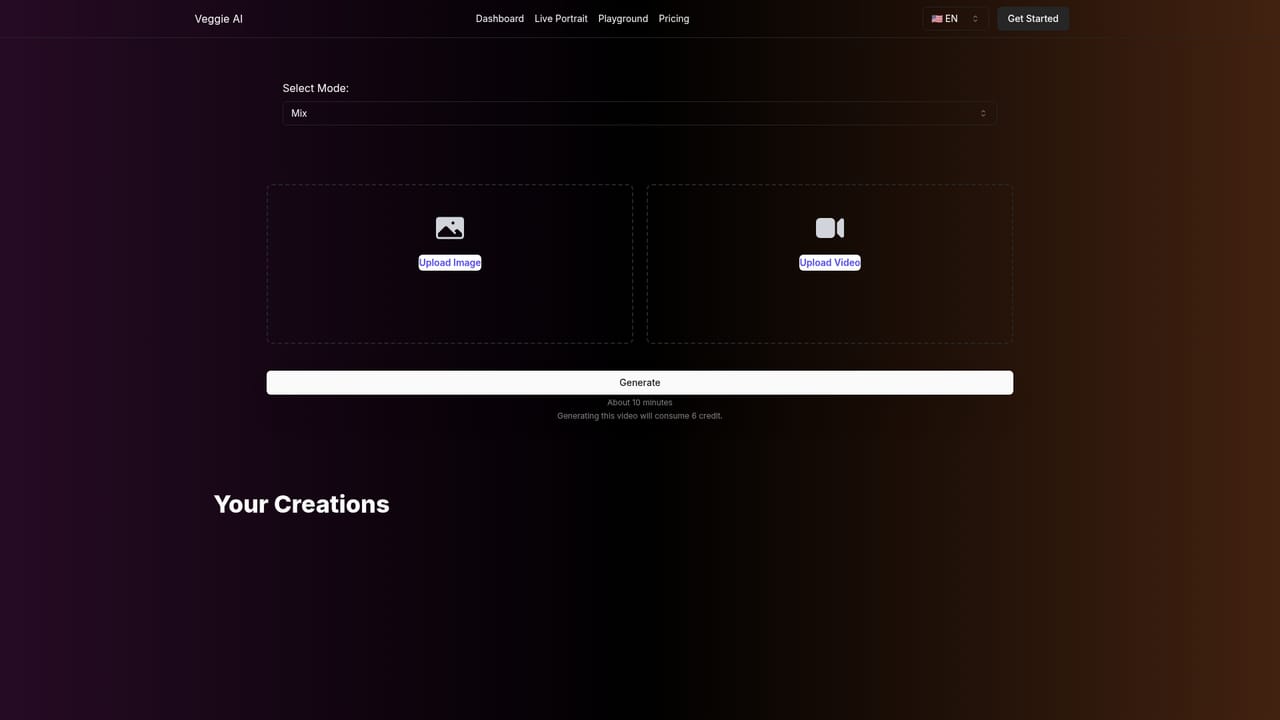
The homepage FAQ states that Veggie AI does not offer a free trial. Credits must be purchased before generating a video, and no refunds are provided.
Learn moreThree plans. Basic is $7.9 per month for 100 credits, high quality video, faster generation and downloads. Pro is $13.9 per month for 500 credits and adds a commercial licence and more adjustable parameters. Unlimited is $199 yearly for unlimited credits and one year of use with the fastest speed. Yearly billing is advertised at 25% off. No refunds.
Learn moreSupport is handled by email at support@veggieai.net, including for batch processing requests and complaints about unsatisfactory renders. The site states that no refunds are available.
Four generation modes: Mix (character image plus action video), Animate (character image plus motion prompt), Ideate (text character and text motion prompts), and Stylize (photo, text image prompt and motion prompt). Accepts JPEG, PNG and MP4 inputs, renders in minutes, produces downloadable video, and allows a style to be described in prompt words.
 AI Angels400+ customizable AI girlfriends for NSFW chat, voice calls, and roleplay
 Candy AIExperience the future of companionship with AI friends who chat, role-play, and connect with you on a human level.
 ourdream.aiA vast AI roleplay platform with millions of characters for chat, images, video and voiceAI Angels400+ customizable AI girlfriends for NSFW chat, voice calls, and roleplayCandy AIExperience the future of companionship with AI friends who chat, role-play, and connect with you on a human level.ourdream.aiA vast AI roleplay platform with millions of characters for chat, images, video and voice