Free trial
New users receive free credits to test the generator before paying, according to the site FAQ. No time limit or credit amount is stated.
Learn moreAI video generator with world-model physics and 4K output.

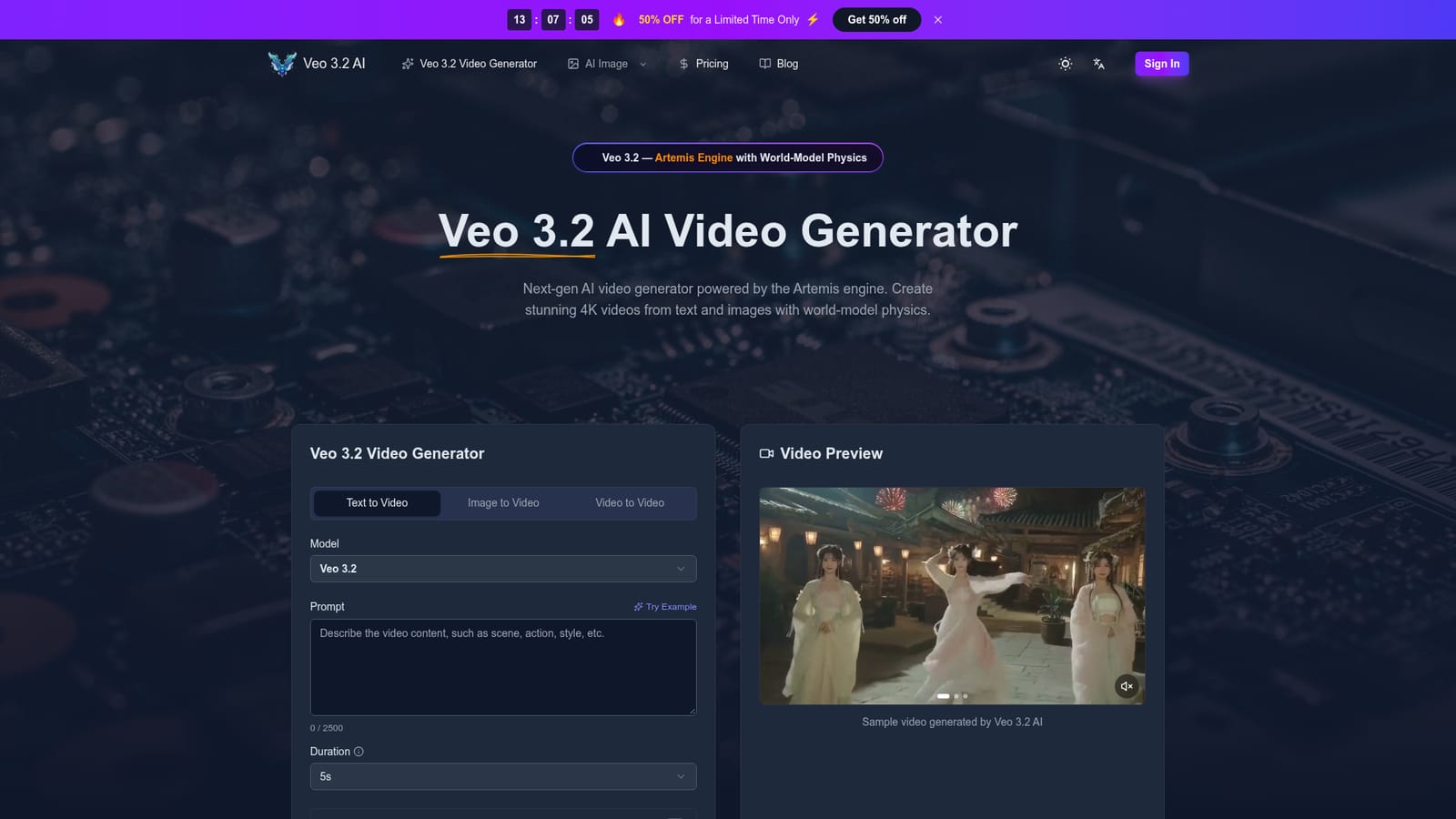
Veo 3.2 is a web-based text-to-video and image-to-video generator built on the Artemis engine, offering 30-second clips, physics simulation, character consistency via Ingredients 2.0, material-aware audio and multilingual lip-sync. It targets marketers, filmmakers and studios needing fast 4K concept footage, with credit-based subscriptions and a commercial licence on every plan.
Veo 3.2 is a browser-based AI video generator built on the Artemis engine, a model that simulates real-world physics so that gravity, fluid dynamics and object permanence behave plausibly across a clip. The tool accepts text prompts, still images or existing video as input, and produces MP4 footage at up to 30 seconds per generation. Output resolution runs from 480p to 1080p in the current interface, with the platform marketing true 4K delivery through a process it calls AI Detail Reconstruction. Aspect ratios include 16:9, 9:16, 1:1, 4:3, 3:4 and 21:9, and audio can be switched on per render. The feature set targets continuity and sound as much as image quality. Ingredients 2.0 builds a 3D character map from uploaded reference photos and applies Global Reference Attention so a subject keeps the same face and proportions from shot to shot. Material-aware audio generates environment-appropriate sound (snow, metal, room tone) alongside the visuals, while phoneme-level lip-sync aligns dialogue in more than eight languages. The platform also includes an AI image generator and motion controls, so storyboards and stills can be produced in the same workspace as the video. In practice the workflow is a single prompt box: write a description, or attach a reference, then set duration, aspect ratio, resolution and audio before generating. Output can be downloaded without a watermark on paid tiers. The tool is aimed at marketers, social teams, indie filmmakers and studios that need fast concept footage or product demos without a camera crew. It competes with other hosted text-to-video services on native clip length and character consistency rather than on editing depth, and there is no timeline editor or built-in compositing, so final assembly happens in separate software. Access is through a modern desktop or mobile browser, with generation handled in the cloud so local hardware does not affect output. New accounts receive free credits; ongoing use runs on monthly credits via subscription or pay-as-you-go packs, and all plans include a commercial licence.
New users receive free credits to test the generator before paying, according to the site FAQ. No time limit or credit amount is stated.
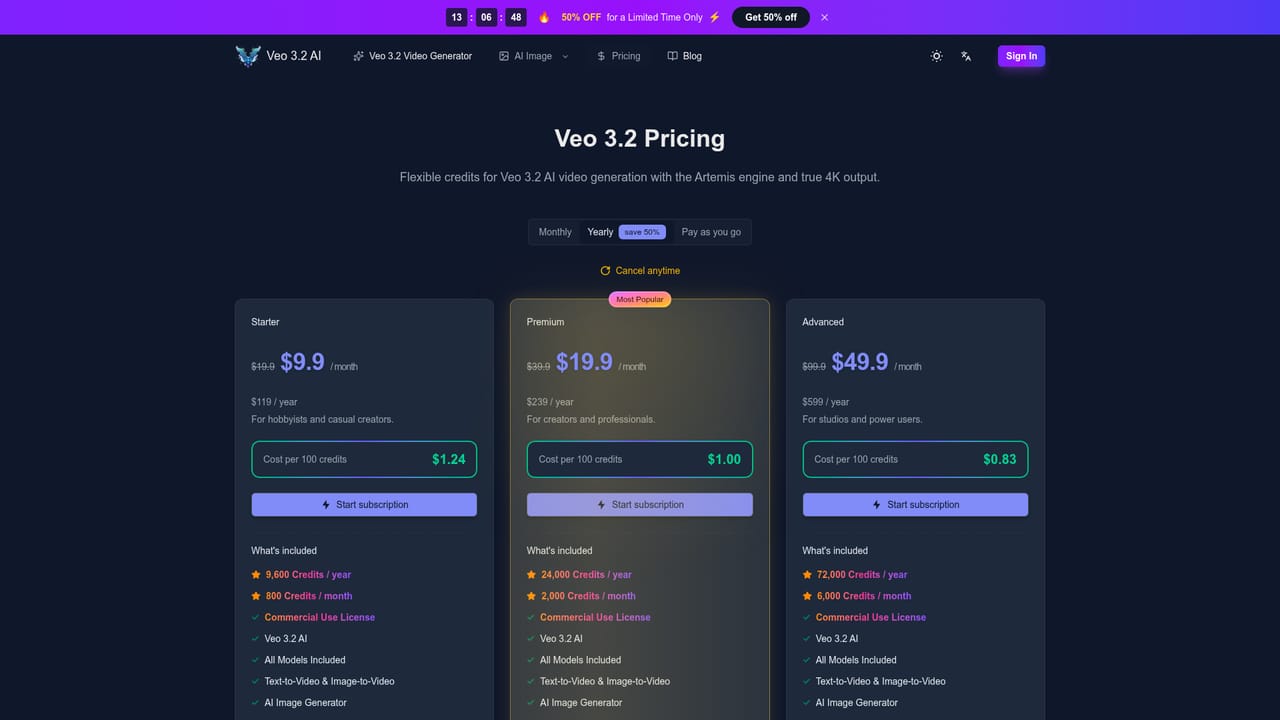
Learn moreThree subscription tiers: Starter at $9.9 per month billed yearly ($19.9 monthly) for 800 credits per month, Premium at $19.9 per month yearly ($39.9 monthly) for 2,000 credits, and Advanced at $49.9 per month yearly ($99.9 monthly) for 6,000 credits. Pay-as-you-go credit packs are also offered, with commercial rights on all plans and up to 50% savings on yearly billing.
Learn moreSupport is included on all plans, with priority support on Premium and expert team support on Advanced. The site lists no help centre, documentation or live chat details.
Text-to-video, image-to-video and video-to-video generation; clips up to 30 seconds; true 4K claimed via AI Detail Reconstruction; Artemis world-model physics (gravity, fluids, object permanence); Ingredients 2.0 character consistency with Global Reference Attention; material-aware audio; phoneme-level lip-sync in 8+ languages; multiple aspect ratios; AI image generator; motion controls; watermark-free downloads on paid plans.
 AI Angels400+ customizable AI girlfriends for NSFW chat, voice calls, and roleplay
 Candy AIExperience the future of companionship with AI friends who chat, role-play, and connect with you on a human level.
 ourdream.aiA vast AI roleplay platform with millions of characters for chat, images, video and voiceAI Angels400+ customizable AI girlfriends for NSFW chat, voice calls, and roleplayCandy AIExperience the future of companionship with AI friends who chat, role-play, and connect with you on a human level.ourdream.aiA vast AI roleplay platform with millions of characters for chat, images, video and voice


