Free trial
A free trial is promoted across the homepage, with signup handled through the pricing page on the nova subdomain. No duration or feature limits are stated on the homepage.
Learn moreBranded business videos from templates in three clicks, no editing skills needed

Viddyoze is a generative video tool. Template driven video maker for small businesses and marketers, with one-click branding, an AI assistant for longer content, and royalty free stock assets built in.
Viddyoze is a browser based video creation platform built around a template library rather than a timeline editor. Instead of assembling clips frame by frame, users pick a prebuilt animation (a logo intro, a product promo, a mockup, a seasonal greeting, a call to action) and then swap in their own logo, brand colors and text. The company says the library spans thousands of templates grouped by industry and use case, and that customization takes about three clicks before the platform renders the finished file. The stated goal is professional looking output for people who have never opened conventional editing software. The product is aimed at small business owners, solo marketers and freelancers who need social-ready video without hiring a production house. Viddyoze also positions itself for agency style work: the homepage states that commercial rights come with what you create, so the same templates can be used for client projects. A second tier of functionality comes from ViddyBot, an in-product AI assistant pitched at longer form video content, where users describe what they want and the assistant helps assemble it. Rendering is marketed as near instant, and the company says every export is formatted for social platforms with a single click. In practice the workflow is linear: browse templates, brand them, then render. That structure is the main selling point and the main trade-off. Anyone who needs precise control over timing, sound design or multi-scene narrative will hit the limits of a template system quickly. The platform also bundles a library of royalty free stock footage, images and audio tracks, which reduces the need to license assets separately but keeps creative choices inside Viddyoze's own catalog. Compared with full editors like Premiere or DaVinci Resolve, Viddyoze trades flexibility for speed; compared with AI text-to-video generators, it trades novelty for predictable, on-brand results. The homepage cites more than 180,000 creators and businesses using the tool. Pricing is not published on the homepage beyond a free trial entry point, and the listed plan page sits on a separate subdomain, so anyone budgeting should confirm current tiers, render limits and commercial terms there before committing.
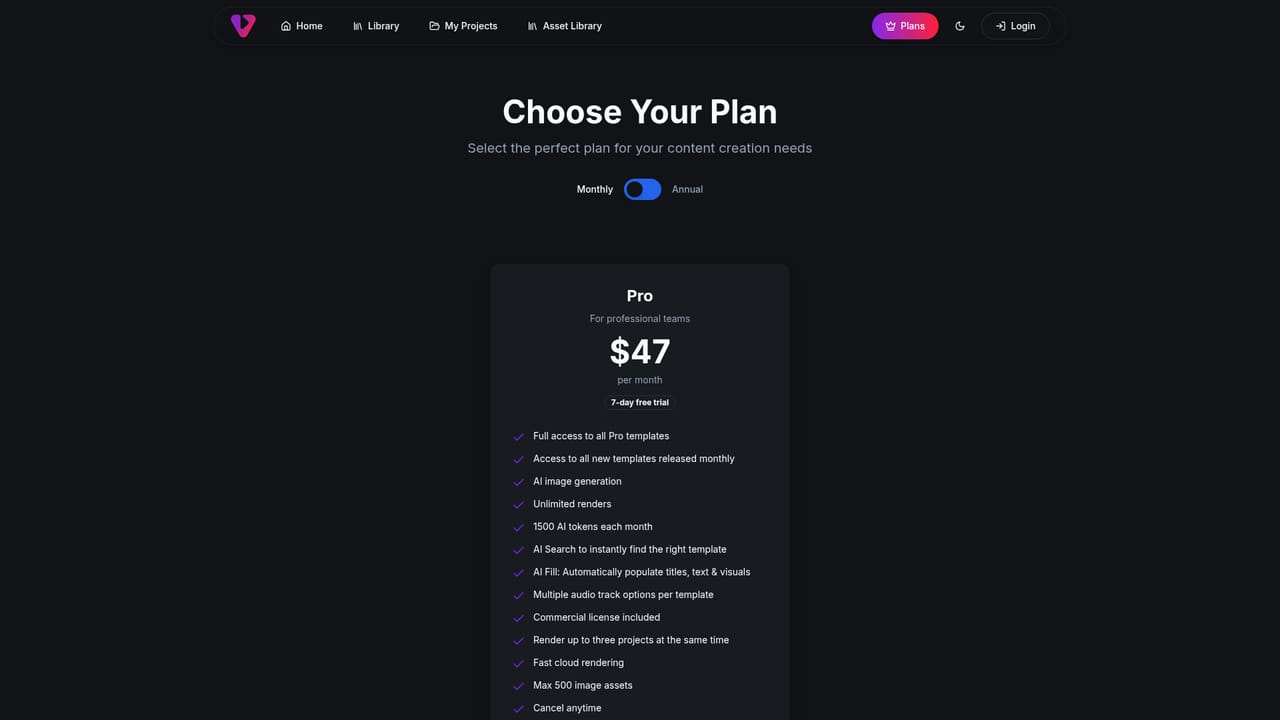
A free trial is promoted across the homepage, with signup handled through the pricing page on the nova subdomain. No duration or feature limits are stated on the homepage.
Learn moreA customer success page hosts case studies and customer stories. The homepage does not describe support channels, response times or documentation.
Learn moreCore features include a library of thousands of templates for intros, promos, mockups, social posts and seasonal content; three-click branding with logos, colors and text; the ViddyBot AI assistant for longer form videos; fast rendering; one-click social formatting; a royalty free stock library of images, video and audio; and commercial rights on created videos.
 AI Angels400+ customizable AI girlfriends for NSFW chat, voice calls, and roleplay
 Candy AIExperience the future of companionship with AI friends who chat, role-play, and connect with you on a human level.
 ourdream.aiA vast AI roleplay platform with millions of characters for chat, images, video and voiceAI Angels400+ customizable AI girlfriends for NSFW chat, voice calls, and roleplayCandy AIExperience the future of companionship with AI friends who chat, role-play, and connect with you on a human level.ourdream.aiA vast AI roleplay platform with millions of characters for chat, images, video and voice


