Free trial
The FAQ asks whether a free trial is available, but the homepage does not confirm one. New accounts start with a credit balance shown as 0 credits, and extraction requires 10 credits.
Learn moreTurn cooking videos and reels into written, editable recipes
Own VideoToRecipe.org? Verify ownership to get a dofollow link

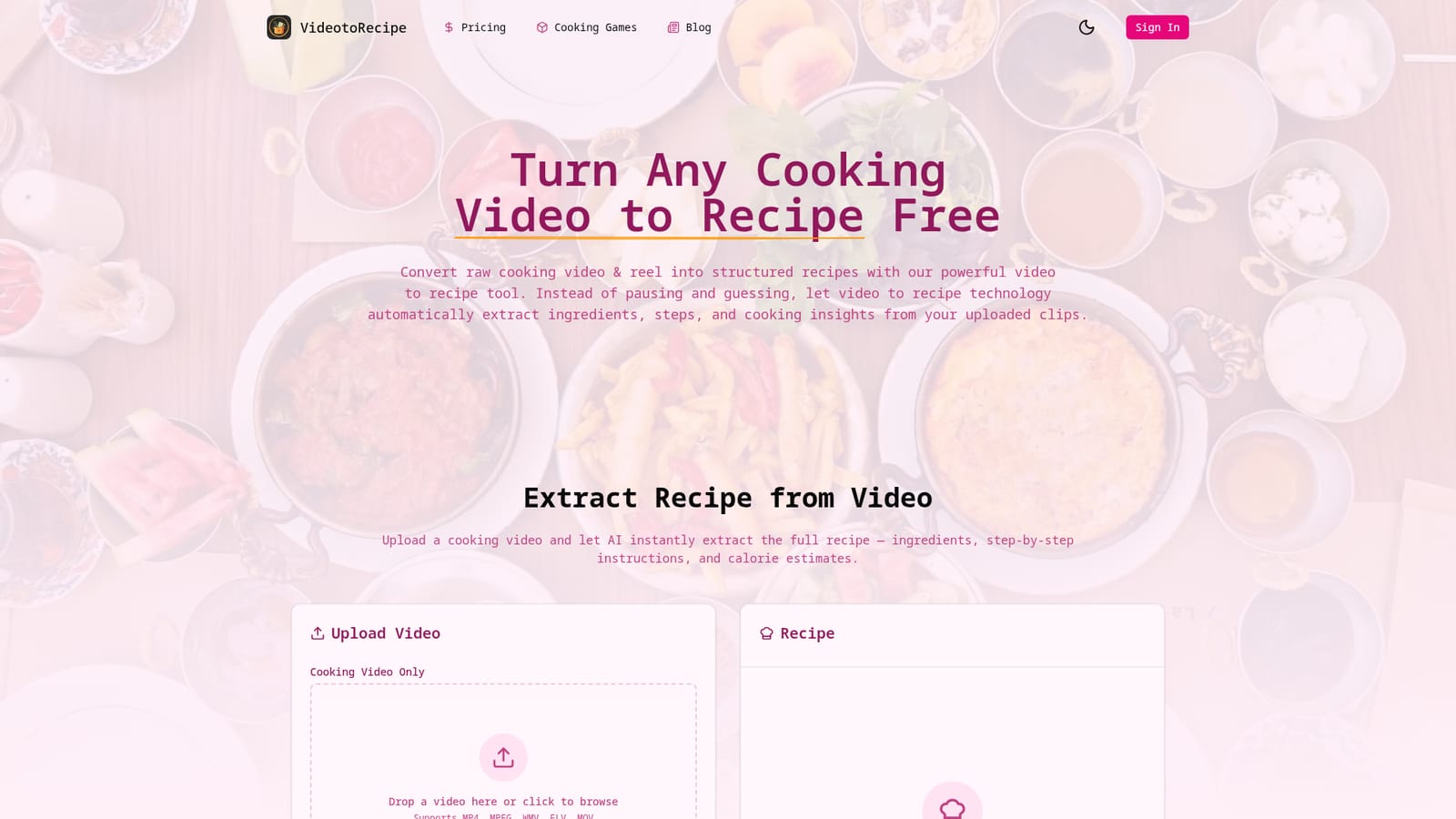
VideoToRecipe.org is a facebook reels transcription tool that turns cooking videos and reels into written, editable recipes. VideoToRecipe.org turns uploaded cooking videos from YouTube, TikTok, Instagram and Facebook into editable written recipes with ingredient lists, ordered steps and calorie estimates.
VideoToRecipe.org converts cooking videos into structured written recipes. A user uploads a clip (or points the tool at a YouTube, TikTok, Instagram or Facebook cooking video) and the system extracts ingredients, ordered cooking steps, and calorie estimates into a text format that can be reviewed and edited. The pitch is aimed at people who watch recipe videos and then find themselves pausing, rewinding and guessing at quantities, which is the usual failure mode of cooking from video. The workflow is deliberately narrow. You upload a file, click to start the analysis, and the engine scans both visuals and audio to identify ingredients and actions. Output arrives as an editable recipe rather than a locked document, and results are stored in a personal recipe library so the collection stays in one place. The site positions upload-based processing as the reason conversions stay reliable, and it includes a showcase of real source videos (carbonara, birria tacos, tempura, margherita pizza, California rolls) with their generated results, which is the fastest way to judge output quality before committing. It suits home cooks who collect recipes from social video, food bloggers and creators who want a written version of their own footage, and anyone building a personal cookbook from clips. Compared with general transcription tools, the value is that it parses a cooking video specifically: ingredient recognition, step ordering and quantity estimates are the parts that matter, and those are exactly what generic speech-to-text handles badly. Two things to check before relying on it. The site limits uploads to cooking video files up to 1000MB in MP4, MPEG, WMV, FLV or MOV, and every extraction costs 10 credits from an account balance, so there is no unlimited free use of the extractor. The platform support claims for YouTube, TikTok and Instagram sit alongside a file upload interface, so confirm the exact import route for social links rather than assuming a one-click URL paste.
The FAQ asks whether a free trial is available, but the homepage does not confirm one. New accounts start with a credit balance shown as 0 credits, and extraction requires 10 credits.
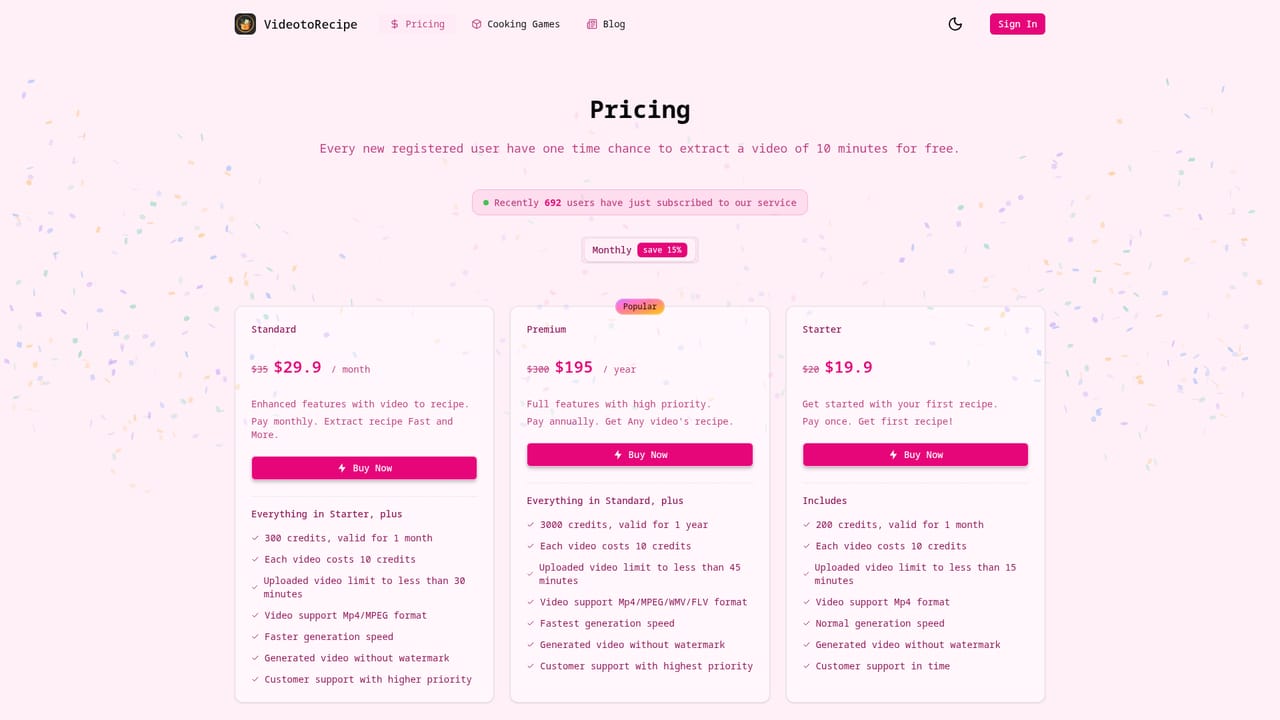
Learn moreThe tool runs on a credit model rather than a flat subscription. Each recipe extraction costs 10 credits, and the interface shows your remaining balance with a link to buy more. Credit pack sizes and prices are listed on the pricing page; the homepage itself does not state amounts.
Learn moreSupport is handled by email, as the FAQ section directs users to contact the team by email. No help centre, live chat or documentation portal is listed on the homepage.
The site names YouTube, TikTok, Instagram and Facebook as sources for cooking videos. No account connections, plugins or API access are documented on the homepage.
AI extraction from uploaded cooking video, with visual and audio analysis producing ingredients, ordered steps and calorie estimates. Additional features: smart ingredient recognition that estimates quantities when they are not stated, editable text output, a personal recipe library, upload of common video formats up to 1000MB, and stated support for sourcing clips from YouTube, TikTok, Instagram and Facebook.
 AI Angels400+ customizable AI girlfriends for NSFW chat, voice calls, and roleplay
 Candy AIExperience the future of companionship with AI friends who chat, role-play, and connect with you on a human level.
 ourdream.aiA vast AI roleplay platform with millions of characters for chat, images, video and voiceAI Angels400+ customizable AI girlfriends for NSFW chat, voice calls, and roleplayCandy AIExperience the future of companionship with AI friends who chat, role-play, and connect with you on a human level.ourdream.aiA vast AI roleplay platform with millions of characters for chat, images, video and voice