Vidofy AI

Browser-based text-to-video hub with many models and optional audio

Beginner
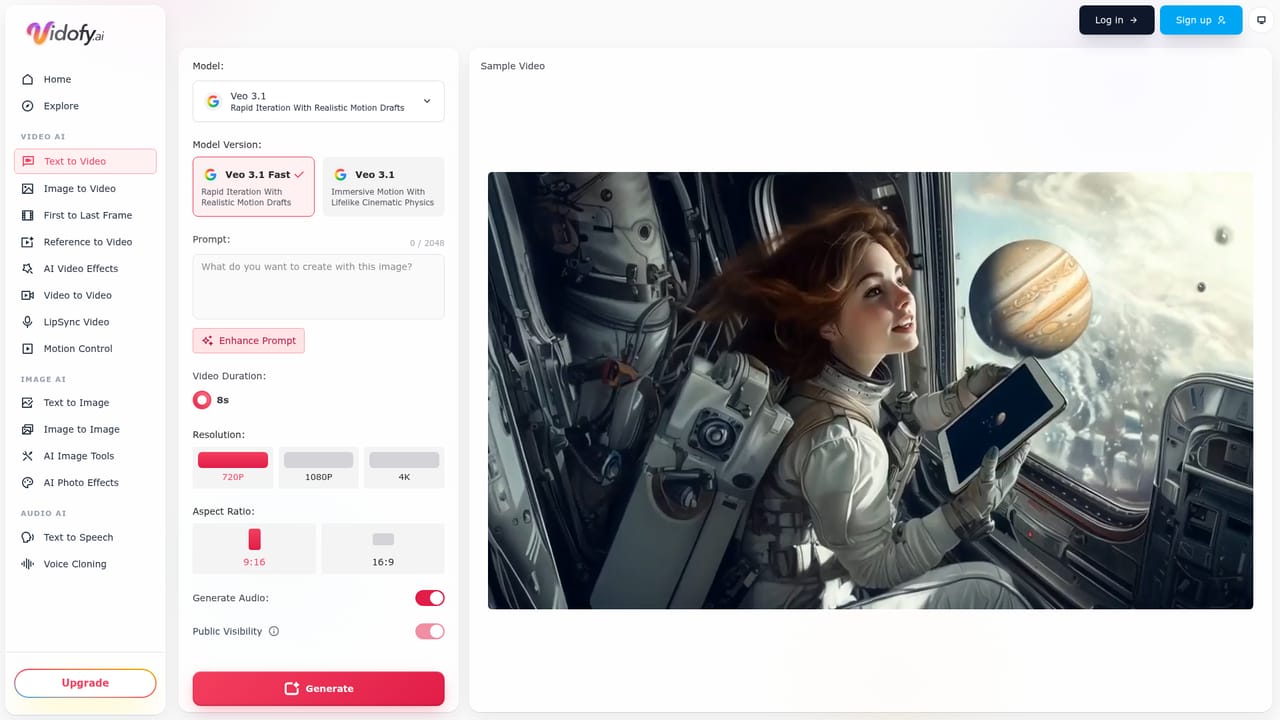
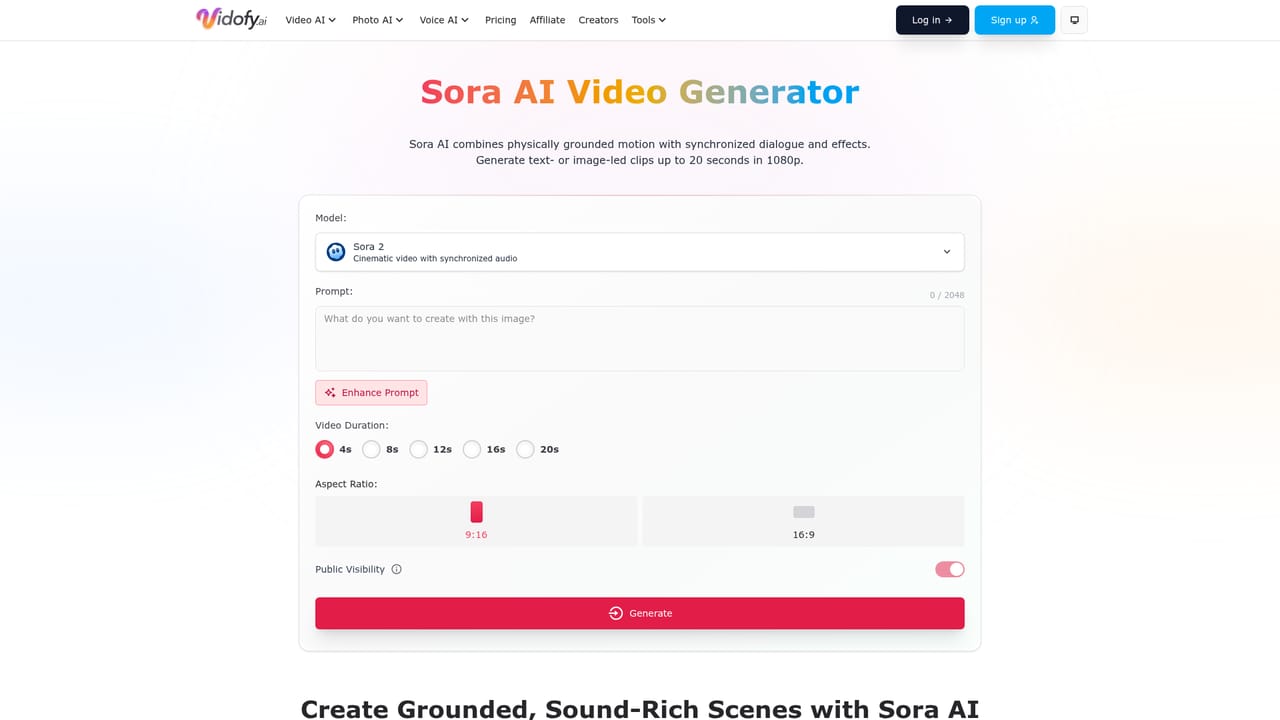
Screenshot of Vidofy AI, Browser-based text-to-video hub with many models and optional audio

What is Vidofy AI?

Vidofy AI is a browser-based text-to-video generator that offers many video and image models in one place. Users enter a prompt or script, choose a model, aspect ratio and duration, and receive short clips, some with optional audio.

Vidofy AI is a browser-based text-to-video generator that turns written prompts, scripts and excerpts from articles into short video clips. Instead of tying users to a single engine, it exposes a lineup of third-party and open video and image models, including Sora, Wan, Hunyuan, LTX 2, Ovi, Grok Imagine, Dreamina, Flux and others, each with its own page on the site. Users pick a model, set an aspect ratio and duration, and generate. The workflow is deliberately simple: describe a scene in natural language, optionally using cinematography terms such as tracking shot, arc shot, dolly zoom or crane movement, and the system renders a clip. Depending on the chosen model, output can include audio such as ambient sound, sound effects and voice. Nothing is installed and no local GPU is needed, since generation runs in the cloud and works from a laptop, tablet or phone browser. The page also offers a prompt showcase with copyable examples, covering nature footage, product-style commercials, fantasy scenes and abstract visuals. A notable practical detail is the guidance for repurposing long content. Vidofy does not import from a URL, so articles are meant to be condensed into a headline and a handful of key points, split into three to six mini-scripts of roughly 35 to 60 words, and generated as separate 8 to 15 second vertical clips that are stitched together elsewhere. That makes it a fit for social marketers, content teams, educators and solo creators who want quick reels, b-roll or concept visuals without filming. Among alternatives, it sits closer to multi-model aggregators than to single-engine products or full timeline editors. The tradeoff is that clips are short, assembly happens outside the tool, and capabilities such as audio or character consistency vary by model. It suits users who want to compare several generators from one interface and iterate quickly on hooks, pacing and visual style.

How do you use Vidofy AI?

  1. 1Open the text-to-video studio
    Go to the Vidofy text-to-video studio in a browser. No download or local GPU is required.
    Vidofy AI — Open the text-to-video studio
  2. 2Pick a model
    Choose from the listed video models such as Sora, Wan, Hunyuan or LTX 2. Each model has its own page describing it, and audio support varies by model.
    Vidofy AI — Pick a model
  3. 3Write a descriptive prompt
    Describe the subject, setting, lighting, visual style and camera movement. Terms like tracking shot or dolly zoom help steer the motion.
  4. 4Set aspect ratio and duration
    Select a format such as vertical 9:16 for Reels, Shorts or TikTok, and a clip length of about 8 to 15 seconds, depending on the model.
  5. 5Generate, review and iterate
    Run the generation, then adjust the prompt to test different hooks, pacing and styles. For long content, generate several clips from mini-scripts and stitch them together.

Pros and cons

Pros

  • Several video and image models available from one browser interface, so styles and engines can be compared quicklyAI
  • No installation or GPU needed, since generation runs in the cloud on any device with a browserAI
  • Aspect ratio and duration controls make vertical reels for social platforms straightforwardAI
  • Supports cinematography terms in prompts for camera movement, plus optional audio on supported modelsAI
  • Prompt showcase and an article-to-reel template give beginners a clear starting structureAI

Cons

  • No URL-to-video import; long articles must be manually condensed into short scripts firstAI
  • Clips are short (roughly 8 to 15 seconds), so full videos require stitching in a separate editorAI
  • Audio, character consistency and other features depend on the selected model, so results are unevenAI
  • The homepage gives no concrete pricing, credit or usage limit details, making costs hard to judgeAI
  • Marketing claims such as studio-quality and broadcast-quality results are not backed by stated benchmarksAI

How much does Vidofy AI cost?

Features

Text-to-video generation from prompts and scripts, a choice of many video and image models, adjustable aspect ratio and duration, optional audio on supported models, camera-movement control through prompt wording, and a prompt showcase with an article-to-reel script template.

Learn more

Frequently asked questions about Vidofy AI

  • How do you use Vidofy AI?
    The walkthrough on this page covers 5 steps: 1. Open the text-to-video studio 2. Pick a model 3. Write a descriptive prompt 4. Set aspect ratio and duration 5. Generate, review and iterate.
  • What platforms does Vidofy AI support?
    Vidofy AI is available on Web App.
  • What are the limitations of Vidofy AI?
    No URL-to-video import; long articles must be manually condensed into short scripts first. Clips are short (roughly 8 to 15 seconds), so full videos require stitching in a separate editor. Audio, character consistency and other features depend on the selected model, so results are uneven.

Status

StatusActive
Views0
Outbound clicks0
Added10/18/2026

Platforms

Web App

Pricing

Freemium