Vidu Q3

Text and image prompts turned into 16 second 1080p clips

Beginner
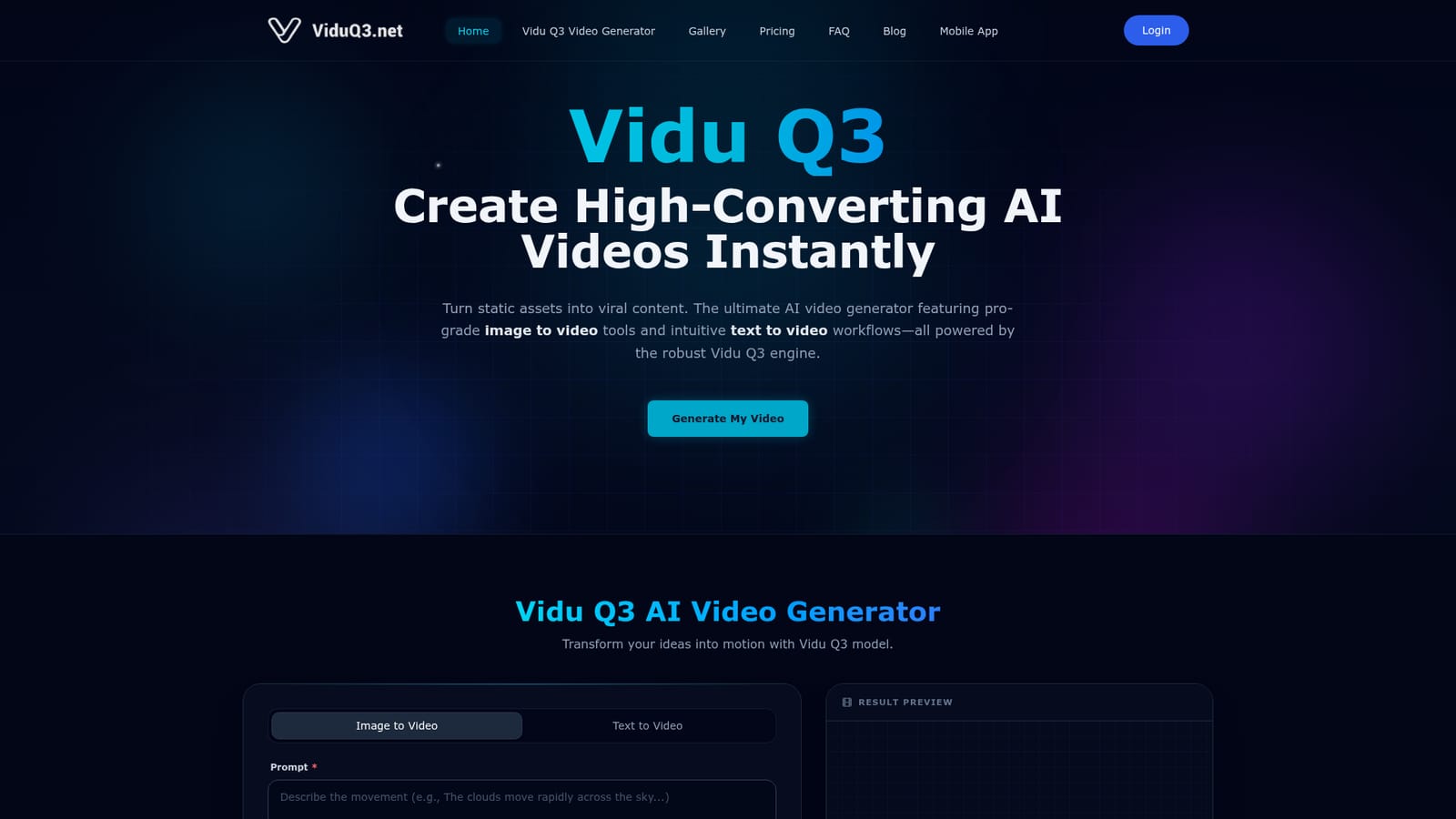
Screenshot of Vidu Q3, Text and image prompts turned into 16 second 1080p clips

What is Vidu Q3?

Vidu Q3 is a generative video tool. An AI video generator from Shengshu Technology with text to video and image to video modes, producing up to 16 second 1080p clips with synchronized background audio, selectable motion amplitude and a dedicated anime style mode.

Vidu Q3 is a browser based video generator built on the U-ViT architecture from Shengshu Technology, developed with Tsinghua University. It ships two input modes: a text to video path where a written prompt sets the scene, and an image to video path where you upload a first frame and optionally a last frame to bracket the shot. The engine targets clips of 1 to 16 seconds, exports up to 1080p, and layers generated background music and ambient sound over the result. The control panel is the interesting part. Before rendering you pick a 540p, 720p or 1080p resolution, a movement amplitude (Auto, Small, Medium or Large), and a style mode split between general and anime. A Prompt Enhancer rewrites thin descriptions into denser instructions, and a Turbo toggle trades some quality for faster, cheaper drafts. The pitch is subject consistency and believable physics during high dynamic motion, so characters, objects and environments hold together across frames instead of drifting the way many short clip models do. The tool suits motion designers, 2D animators and independent filmmakers who need animatics or pre-visualization without a render farm, plus marketing and tourism teams turning product photos or destination shots into short social reels. Anime production is called out explicitly, and the gallery leans heavily on stylized and action heavy examples. Among generative video tools, Vidu Q3 competes on duration, native audio and the anime/general split rather than on editing depth. There is no timeline, no clip stitching and no stated integration layer, so it works best as a shot factory feeding a separate editor. Access is credit based with one time purchases rather than a subscription, and a seven day refund window applies.

How do you use Vidu Q3?

  1. 1Pick your input mode
    On the generator panel, switch between Image to Video and Text to Video. Text mode needs only a prompt; image mode asks for a first frame and an optional last frame.
    Vidu Q3 — Pick your input mode
  2. 2Write or enhance the prompt
    Describe the scene, action and camera movement. If the description is thin, run the built-in Prompt Enhancer to expand it into a richer instruction before rendering.
  3. 3Set resolution, motion and duration
    Choose 540p, 720p or 1080p, pick a movement amplitude from Auto to Large, and select the clip length up to 16 seconds. Enable BGM and audio if the video needs sound.
  4. 4Test with Turbo, then render
    Use Turbo for a faster, lower credit draft to check composition and motion. Once the setup looks right, generate the final version at full resolution.
  5. 5Buy credits and download
    Each render spends credits, so top up with a one time pack if the balance runs low. Confirm the refund terms on the refund page if anything goes wrong.
    Vidu Q3 — Buy credits and download

Pros and cons

Pros

  • Handles both text to video and image to video, with optional first and last frame control for bracketing a shotAI
  • Clips run up to 16 seconds at 1080p, longer than many single pass generatorsAI
  • Generates background music and ambient sound synced to the visual timingAI
  • Separate anime style mode alongside the general mode, useful for 2D pipelinesAI
  • Credit packs are one time purchases and the credits do not expireAI

Cons

  • No subscription option, so heavy users must repeatedly buy credit packsAI
  • 16 seconds is the ceiling: no clip stitching or timeline editing on siteAI
  • No stated API, plugins or integrations, which blocks automated workflowsAI
  • Turbo mode trades quality for speed, and credits are consumed even on weaker draftsAI
  • Motion amplitude and style are preset levels rather than fine grained controlsAI

How much does Vidu Q3 cost?

Pricing

Four one-time credit packs, no subscription: Starter $9.9 (198 credits), Basic $29.9 (660), Plus $49.9 (1200) and Professional $99.9 (2500). All tiers include up to 1080p output, 1-16 second clips, general and anime styles, audio and BGM, and a commercial license. Higher tiers add priority or dedicated rendering queues. Credits do not expire.

Learn more

Support

Email support at support@viduq3.net, advertised as 24/7, with a seven day refund window stated on the site.

Learn more

Features

Text to video and image to video with optional first and last frame uploads. Output up to 1080p across 540p, 720p and 1080p settings, clip lengths up to 16 seconds, selectable motion amplitude (Auto, Small, Medium, Large), a general or anime style mode, generated background music and ambient audio, a Prompt Enhancer for rewriting short prompts, and a Turbo mode for faster, cheaper draft renders.

Frequently asked questions about Vidu Q3

  • How much does Vidu Q3 cost?
    Four one-time credit packs, no subscription: Starter $9.9 (198 credits), Basic $29.9 (660), Plus $49.9 (1200) and Professional $99.9 (2500). All tiers include up to 1080p output, 1-16 second clips, general and anime styles, audio and BGM, and a commercial license. Higher tiers add priority or dedicated rendering queues. Credits do not expire.
  • How do you use Vidu Q3?
    The walkthrough on this page covers 5 steps: 1. Pick your input mode 2. Write or enhance the prompt 3. Set resolution, motion and duration 4. Test with Turbo, then render 5. Buy credits and download.
  • What platforms does Vidu Q3 support?
    Vidu Q3 is available on Web App.
  • What are the limitations of Vidu Q3?
    No subscription option, so heavy users must repeatedly buy credit packs. 16 seconds is the ceiling: no clip stitching or timeline editing on site. No stated API, plugins or integrations, which blocks automated workflows.

Status

StatusActive
Views0
Outbound clicks0
Added11/3/2026

Platforms

Web App

Pricing

Paid