Free trial
The page is titled as a free AI image to video generator, but it does not spell out free usage limits or trial terms.
Learn moreMulti-model AI image to video generator with mobile apps

Vidverse AI is a web and mobile generator that animates photos into AI video, with many models such as Seedance, Kling, Wan, Veo 3.1 and Sora 2 selectable in one interface, plus text to video, editing and audio tools.
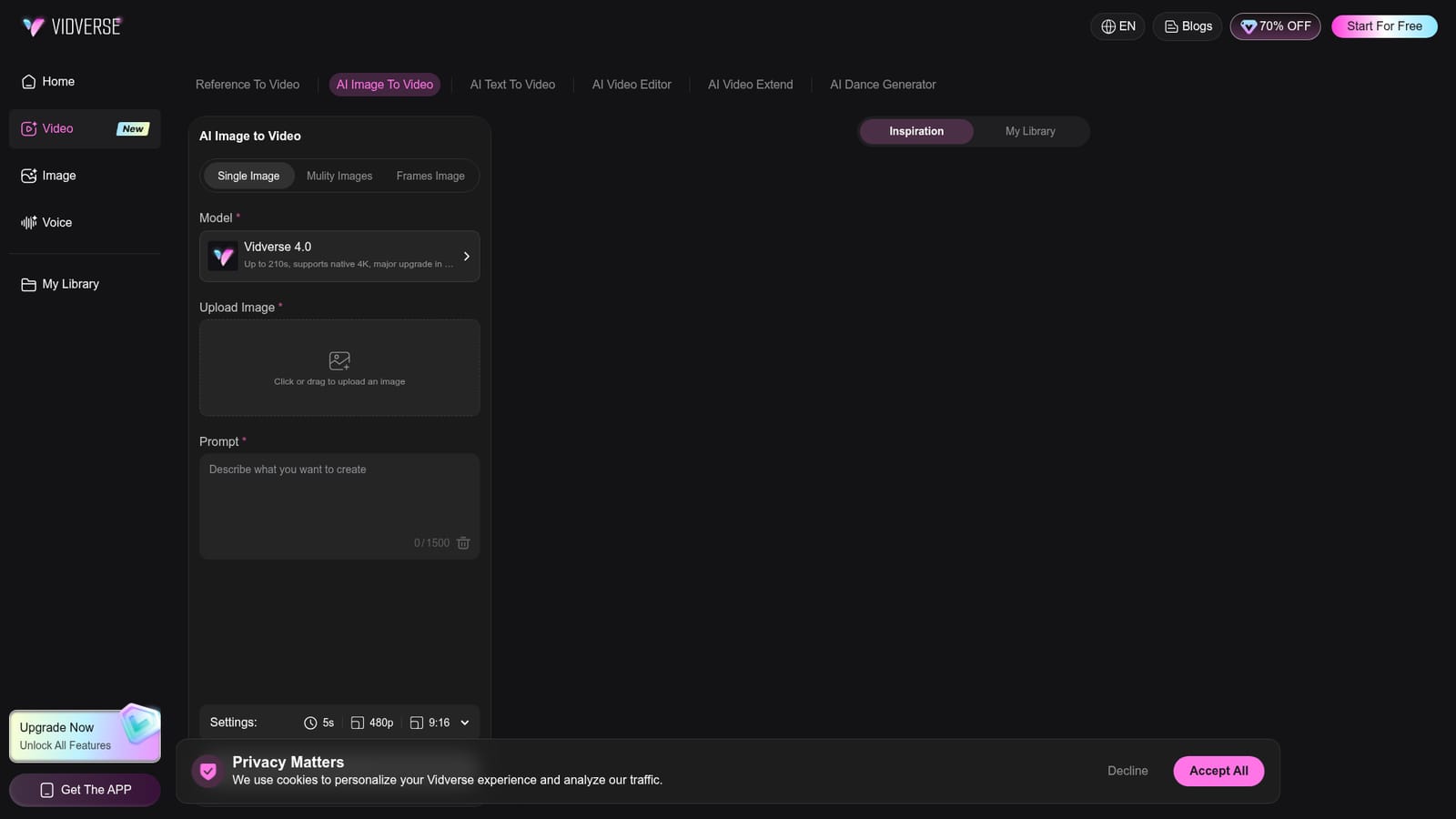
Vidverse AI is a browser-based generator that turns still photos into short AI videos. Instead of tying users to a single engine, it puts a long list of video models behind one interface, including its own Vidverse 4.0, Seedance 2.5 and 2.0, Kling 4.0 and 3.0, Wan 3.0 and 2.7, Minimax H3, Google Veo 3.1, Sora 2, Hailuo 02, Vidu Q3 and Q2, Grok Video and Gemini Omni. Each model carries a short note on its strengths, such as maximum clip length, physical motion quality or synchronized audio, which helps with picking one without outside research. The image to video page offers three input modes: single image, multiple images and frames image. A user picks a model, uploads a photo, writes a prompt of up to 1,500 characters and adjusts settings such as duration, resolution and aspect ratio (the default shown is 5 seconds, 480p, 9:16). Generation starts from one button. An Inspiration gallery lists ready-made templates, many of them dance and action clips with animals or stylized characters, and a My Library tab keeps finished work. Clip length varies by model. The page lists up to 210 seconds for Vidverse 4.0 and its Long Video option, up to 30 seconds for Seedance 2.5, Kling 4.0 and Wan 3.0, and shorter limits for the rest. Vidverse 4.0 is described as supporting native 4K. Beyond animating photos, the site covers neighboring jobs: text to video, reference to video, a video editor, video extension, a dance generator, image to image, text to image, audio and text to speech, all inside the same account. Premium access is advertised as cheaper per generation, with savings of up to 70%. The audience is social creators, marketers, hobbyists and anyone who wants to compare several generators without maintaining separate subscriptions. Compared with single-model tools, the draw is breadth and quick switching. Compared with a professional editing suite, it is a generation front end rather than a timeline editor. Mobile apps for Android and iOS are offered alongside the web app.
The page is titled as a free AI image to video generator, but it does not spell out free usage limits or trial terms.
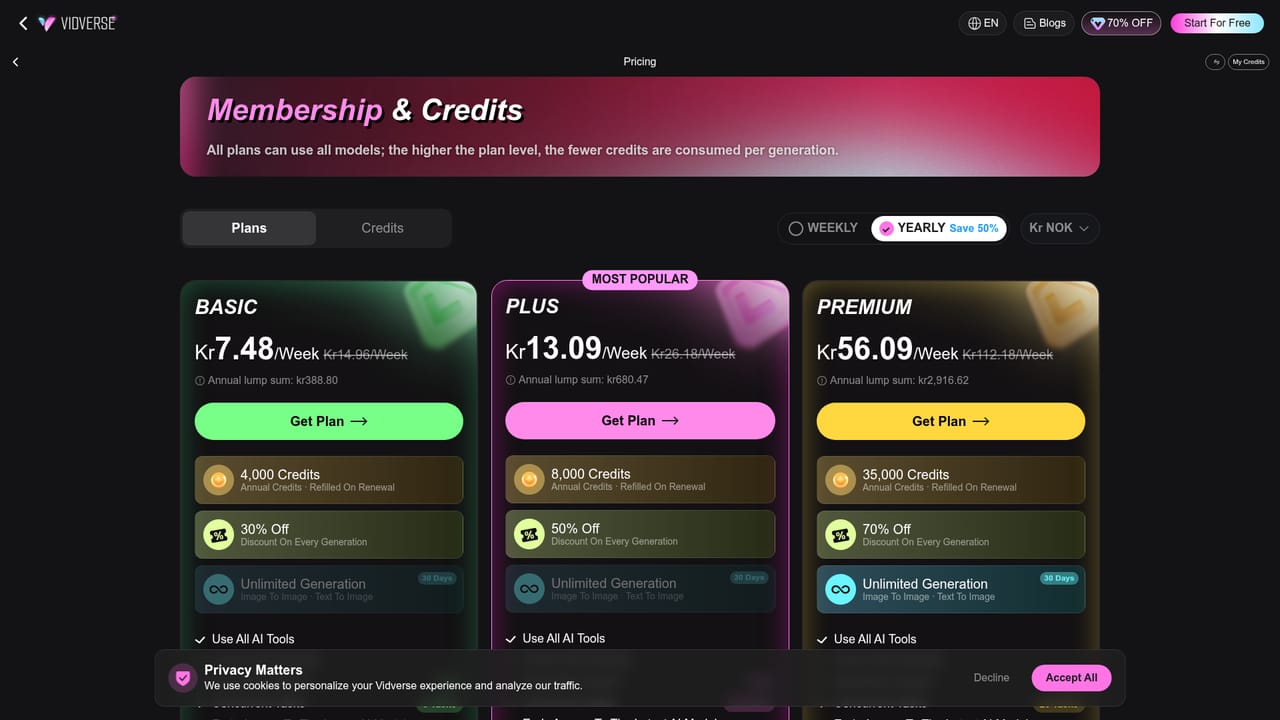
Learn moreThe homepage shows an Upgrade prompt to unlock all features and says generations are cheaper on Premium, saving up to 70%. Specific plan prices are not stated there.
Learn moreThe site links an FAQ, a contact page, an about page, a refund policy and a blog with guides and model comparisons.
Learn moreNo third-party integrations are listed. The site bundles models from other providers, including Veo 3.1, Sora 2, Kling and Wan, inside its own interface.
Image to video with single, multiple or frames inputs; many selectable models; prompts up to 1,500 characters; duration, resolution and aspect ratio settings; template gallery; My Library; text to video, editor, extend, dance, image and audio tools.
Learn more


