Free trial
Planning, script writing and preview assets are free before any render, though the homepage does not describe a time limited or free tier trial.
Learn morePlan a whole video with an AI director, then render it scene by scene
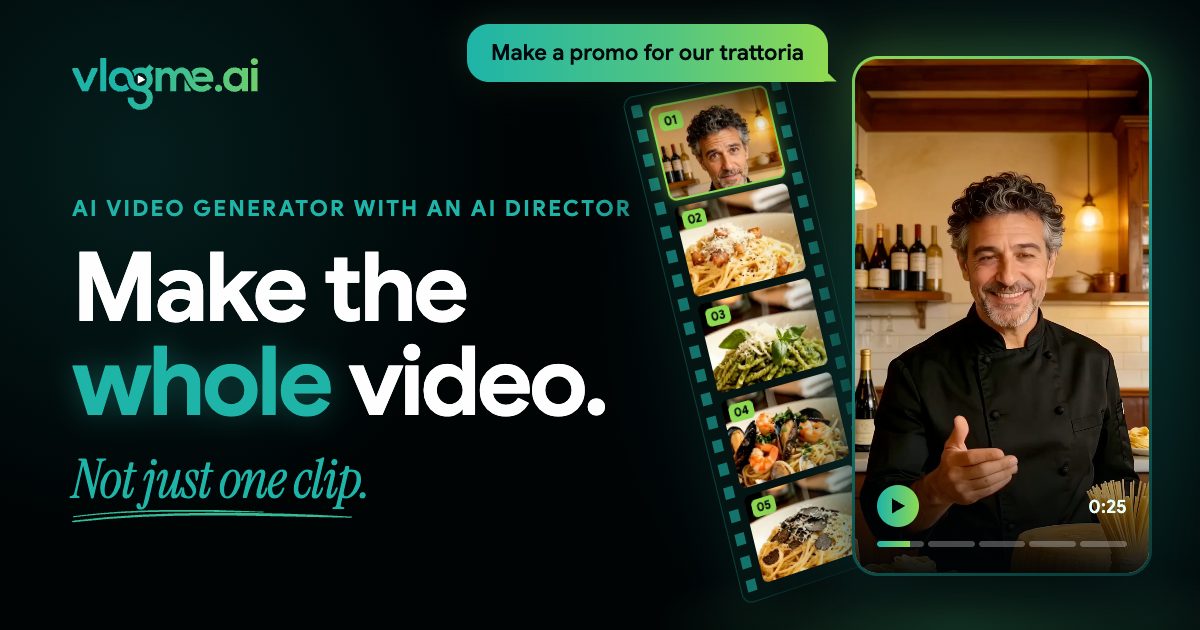
VlogMe AI is an AI video talk tool that plans a whole video with an AI director, then render it scene by scene. A chat first AI video platform where a director agent plans script, scenes, voice and music, then renders a complete multi scene video using models from Veo, Kling, Seedance, Hedra, HeyGen and others.
VlogMe AI is a web based video production platform built around a chat driven AI director. Instead of generating a single isolated clip, the user describes the goal, audience, format, references and constraints in plain language, attaching photos or audio inside the conversation. The director responds with a plan: script, scene order, preview images, voice, music and even presenter choices. That plan can be revised before any rendering happens, and the platform states that planning and preparation are free, with the credit price shown before generation runs. From there the work continues in dedicated studios. Video Studio handles image to video, start and end frame transitions, talking avatars, text to video, restyling, upscaling, lip sync and motion copying. Image Studio covers generation, reference mixing, inpainting and background removal, while Audio Studio covers voiceover, voice cloning, voice changing, music, sound effects, transcription and subtitle files across more than 30 languages. Behind these sit third party engines including Google Veo and Gemini Omni, Kuaishou Kling, ByteDance Seedance and OmniHuman, OpenAI GPT Image, Hedra, HeyGen, Sync Labs and others, each surfaced as its own model page. The avatar work is the most relevant part for presenters and social teams: talking heads from a portrait plus audio, full body audio driven performance, a ready made professional presenter that needs no portrait, lip synchronization for replacing speech in existing footage, and motion transfer from a reference clip. Supporting tools include Aisma for changing backgrounds and settings in existing footage, DUB for translating a video into another language, and News Videos for monitoring a topic and assembling a script before deciding whether to produce. Finished videos can be downloaded, shared, or published to connected social accounts immediately or on a schedule. VlogMe fits creators, small marketing teams and solo operators who need a complete multi scene video rather than a demo clip, and who are willing to trade some fine manual control for a guided, conversational workflow. Budget is the main practical caution: costs are credit based and vary by model, and the homepage does not publish a rate card.
Planning, script writing and preview assets are free before any render, though the homepage does not describe a time limited or free tier trial.
Learn moreCredit based pricing across a single account balance, with planning and preparation free of charge. The homepage does not list credit rates or plan tiers, only that the price for a generation is shown before the render runs.
Learn moreA product manual covers the Lab workspace and core features. Livestream avatar projects are coordinated directly with the team.
Learn moreConnected social accounts for direct publishing or scheduled posting. An API documentation page is listed on the site.
Chat based AI director for full multi scene videos, Video Studio for image to video, text to video, talking avatars, lip sync and restyling, Image Studio for generation and editing, Audio Studio for voiceover, cloning, music and subtitles in 30+ languages, plus Aisma video transformation, DUB translation, News Videos and social publishing with scheduling.
Learn more AI Angels400+ customizable AI girlfriends for NSFW chat, voice calls, and roleplay
 Candy AIExperience the future of companionship with AI friends who chat, role-play, and connect with you on a human level.
 ourdream.aiA vast AI roleplay platform with millions of characters for chat, images, video and voiceAI Angels400+ customizable AI girlfriends for NSFW chat, voice calls, and roleplayCandy AIExperience the future of companionship with AI friends who chat, role-play, and connect with you on a human level.ourdream.aiA vast AI roleplay platform with millions of characters for chat, images, video and voice