Free trial
Pro and Studio plans both include a free 7 day trial, as marked on the pricing page. No trial is listed for the Business tier.
Learn moreConvert your own vocal takes into original AI singers and rappers.

Vocs.ai is a demon voice tool that converts your own vocal takes into original AI singers and rappers. Voice-to-voice conversion platform that turns your own acapella takes into performances by original AI singers and rappers. Upload clean wav or mp3 vocals, choose an artist, convert and download; Studio adds instrumental tracks and loops, and Business adds custom voice models.
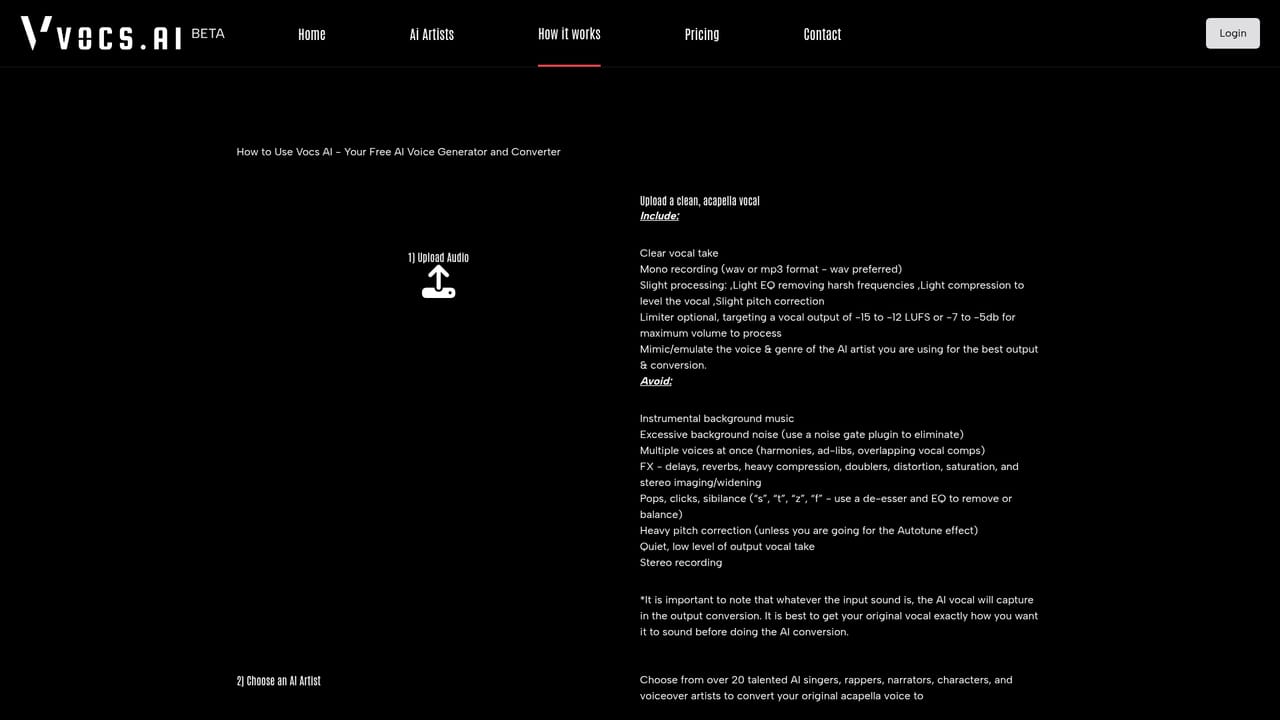
Vocs.ai is a voice-to-voice conversion service built around a roster of original AI vocalists. Rather than typing lyrics into a text box and accepting a synthesized reading, you record or upload a real performance and the platform reskins that performance with the voice of a chosen AI artist. Pitch, timing, phrasing and emotional delivery come from the source take, so the result keeps the human decisions you made in the booth. The team is explicit about the positioning: no text-to-speech and no robotic delivery, because the input is your singing or speaking, not a prompt. The workflow is deliberately short. You upload a clean acapella file in wav or mp3 with no reverb and no delay, pick an artist from the catalog, run the conversion and download the finished vocal. Artists span genres, with pop, R&B, emo and rap represented in the featured lineup, and the catalog widens by tier: three artists on the free plan, ten on Pro and the full roster on Studio. The same engine covers singers, commercial voiceovers, narrators, podcasters and animated characters, and the site states that converted output is royalty-free for commercial use. Studio subscribers also get a production library of more than 50 original instrumental tracks and over 1,000 royalty-free music loops across genres, which makes the product usable as a rough songwriting environment rather than only a vocal filter. Business adds five user licenses, unlimited downloads and three custom AI voice models, which is the tier aimed at teams and at anyone who needs a signature voice built for them. It suits songwriters demoing hooks, producers who need a guide vocal in a different timbre, and voiceover freelancers who cannot book a session singer. Compared with text-to-speech tools, Vocs.ai trades script flexibility for performance fidelity: you must be able to sing or speak the line yourself. Compared with hiring session vocalists, it is far cheaper but constrained to the artists on the roster unless you buy a custom model.
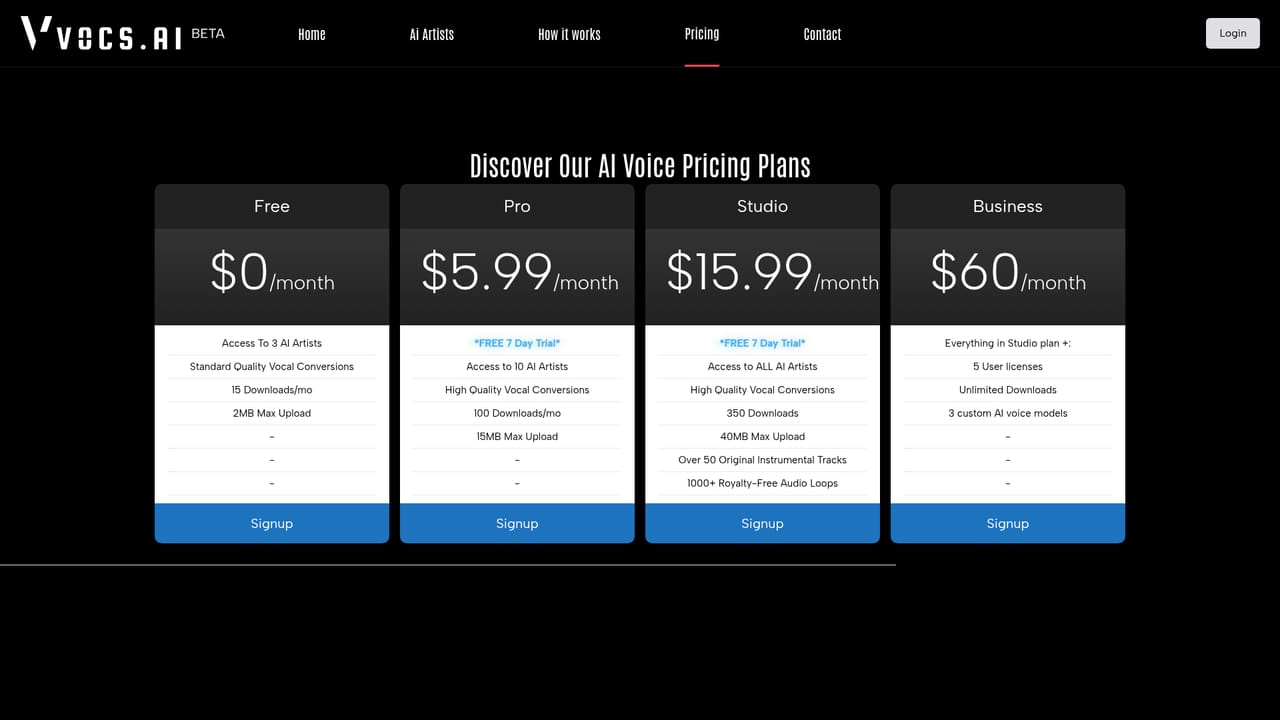
Pro and Studio plans both include a free 7 day trial, as marked on the pricing page. No trial is listed for the Business tier.
Learn moreFour tiers. Free is $0 per month with 3 AI artists, standard quality, 15 downloads and 2MB uploads. Pro is $5.99 per month for 10 artists, high quality, 100 downloads and 15MB uploads. Studio is $15.99 per month for all artists, 350 downloads, 40MB uploads, 50+ instrumentals and 1,000+ loops. Business is $60 per month with 5 licenses, unlimited downloads and 3 custom voice models.
Learn moreA contact page is published for reaching the team. No documentation, help centre or community resources are described on the homepage.
Learn moreVoice-to-voice conversion from your own acapella wav or mp3 uploads, a catalog of original AI singers and rappers spanning pop, R&B, emo and rap, user control over pitch, tone and emotion, royalty-free output for commercial use including voiceovers and narration, standard versus high quality conversion modes, and on Studio a library of over 50 instrumentals plus 1,000+ music loops.
Learn more AI Angels400+ customizable AI girlfriends for NSFW chat, voice calls, and roleplay
 Candy AIExperience the future of companionship with AI friends who chat, role-play, and connect with you on a human level.
 ourdream.aiA vast AI roleplay platform with millions of characters for chat, images, video and voiceAI Angels400+ customizable AI girlfriends for NSFW chat, voice calls, and roleplayCandy AIExperience the future of companionship with AI friends who chat, role-play, and connect with you on a human level.ourdream.aiA vast AI roleplay platform with millions of characters for chat, images, video and voice


.png)
