Uberduck

Synthetic vocals that speak, sing and rap in 70+ languages.

Beginner API
Screenshot of Uberduck, Synthetic vocals that speak, sing and rap in 70+ languages

What is Uberduck?

Uberduck turns text into speech, singing, and rapping, adds voice cloning and speech to speech conversion, and includes a music generator that builds full tracks with vocals in 70+ languages. Built for musicians, marketers, agencies, and creators, with API access for embedding synthetic vocals in products.

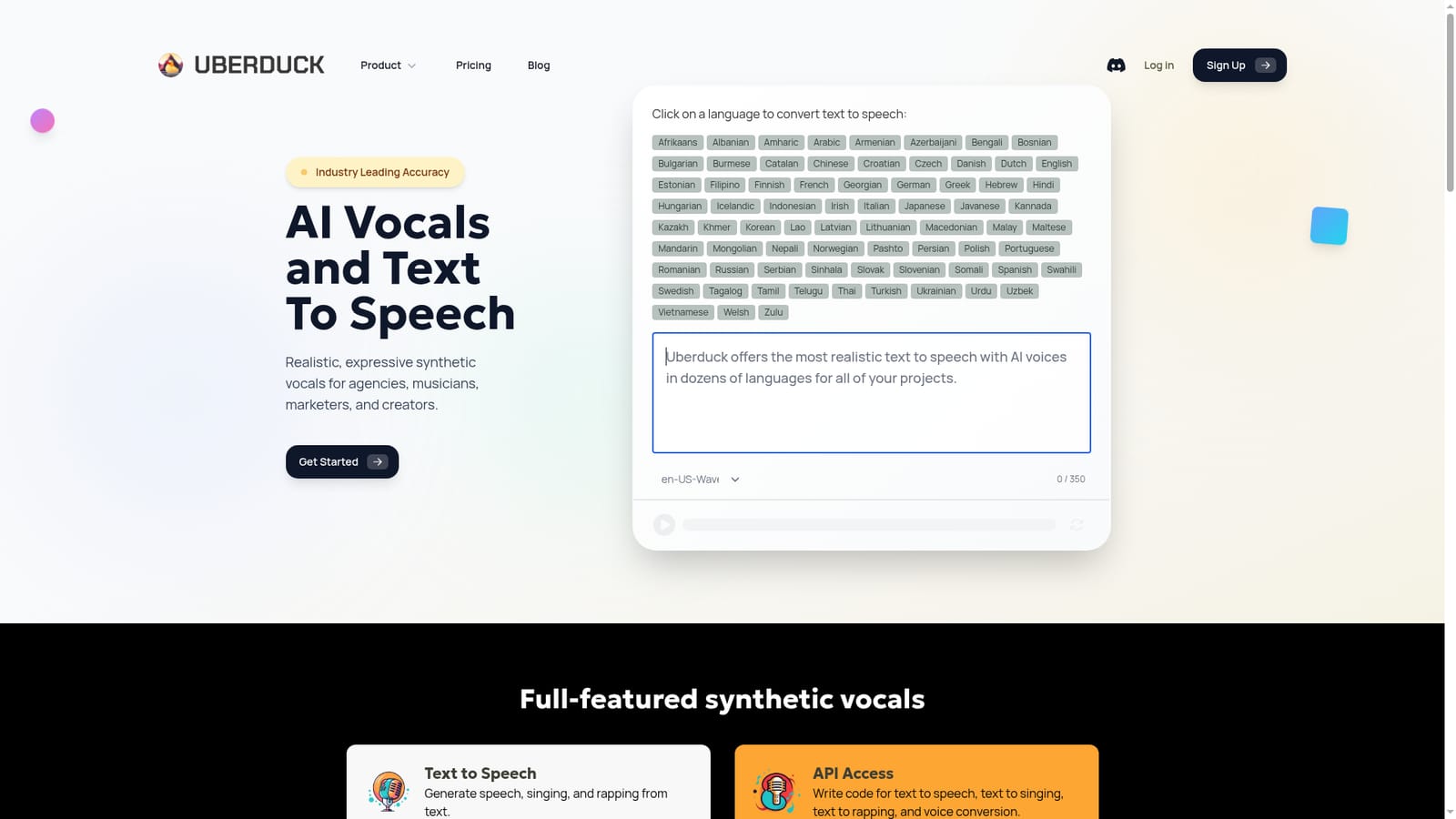
Uberduck is a synthetic voice platform built around one idea: text should be able to become speech, singing, or rapping without a recording booth. The homepage leans on "Industry Leading Accuracy" and markets the output as realistic, expressive synthetic vocals aimed at agencies, musicians, marketers, and creators. The core text to speech engine accepts up to 350 characters per generation and offers a long roster of named voices (Abbi, Aria, Aisha Patel, Sarah Chen, Quackmaster and many more) alongside technical voice IDs such as en-US-Neural2-A and en-AU-Wavenet-B, so the library mixes friendly presets with granular, region-specific options. Beyond straight narration, Uberduck offers voice cloning for building custom voices that can then speak, sing, or rap, and speech to speech conversion that rewrites an existing recording into another voice while keeping the original delivery style. A separate music generation model produces full tracks with lyrics and vocals from a text idea, pitched for video game soundtracks, brand jingles, podcast intros, birthday greetings, YouTube beds, and social promos. Coverage is broad: the site advertises 70+ languages with dedicated landing pages for Afrikaans through Zulu, and hundreds of musical styles. Practically, the workflow suits short-form work. A marketer drafts a script, picks a voice and language, and downloads the clip; a musician sketches a hook and lets the model handle the vocal. Teams that need to embed audio in products can use the API for text to speech, text to singing, text to rapping, and voice conversion rather than clicking through the web app. The trade-offs are worth noting before committing. The 350 character limit per text to speech run means long narration has to be chunked and stitched. Commercial use is tied to paid plans, so free experimentation does not transfer to client work. And because the voice list includes celebrity-adjacent and character-style presets, users carry the responsibility for rights and likeness clearance. Compared with single-purpose TTS services, Uberduck is wider but less specialised: it wins on singing, rapping, and music generation, while a dedicated narration tool may fit long-form audiobooks better.

How do you use Uberduck?

  1. 1Open the Uberduck homepage
    Start at the main site, which presents the text to speech box, the voice picker, and the language selector above the feature overview.
    Uberduck — Open the Uberduck homepage
  2. 2Pick a language
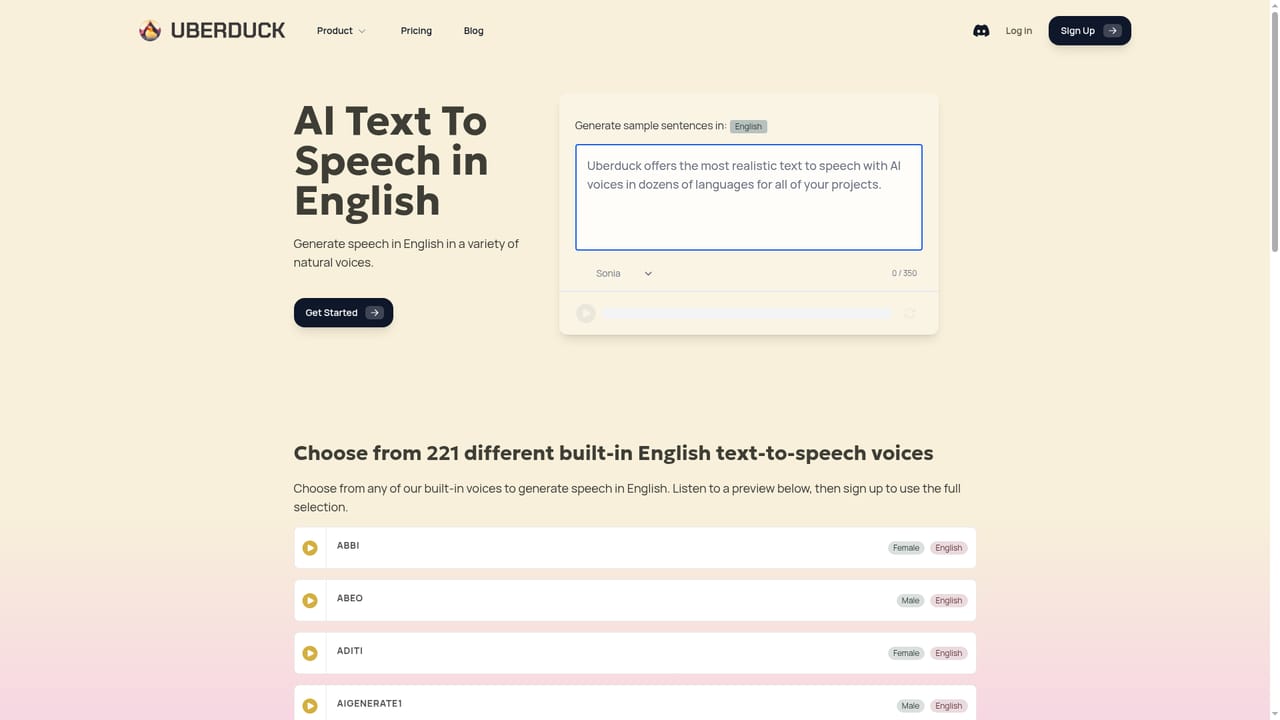
    Choose from the 70+ language list. Each language has its own page explaining how support works, useful if you are producing for a non-English audience.
    Uberduck — Pick a language
  3. 3Select a voice and write your line
    Choose a named voice such as Aria or Sarah Chen, or a technical voice ID, then type up to 350 characters of script into the box and generate the clip.
  4. 4Generate a song or clone a voice
    For musical output, open the song creator to build a track with lyrics and vocals. For a custom voice, use voice cloning and then apply it to speech, singing, or rapping.
  5. 5Move to a paid plan for commercial use
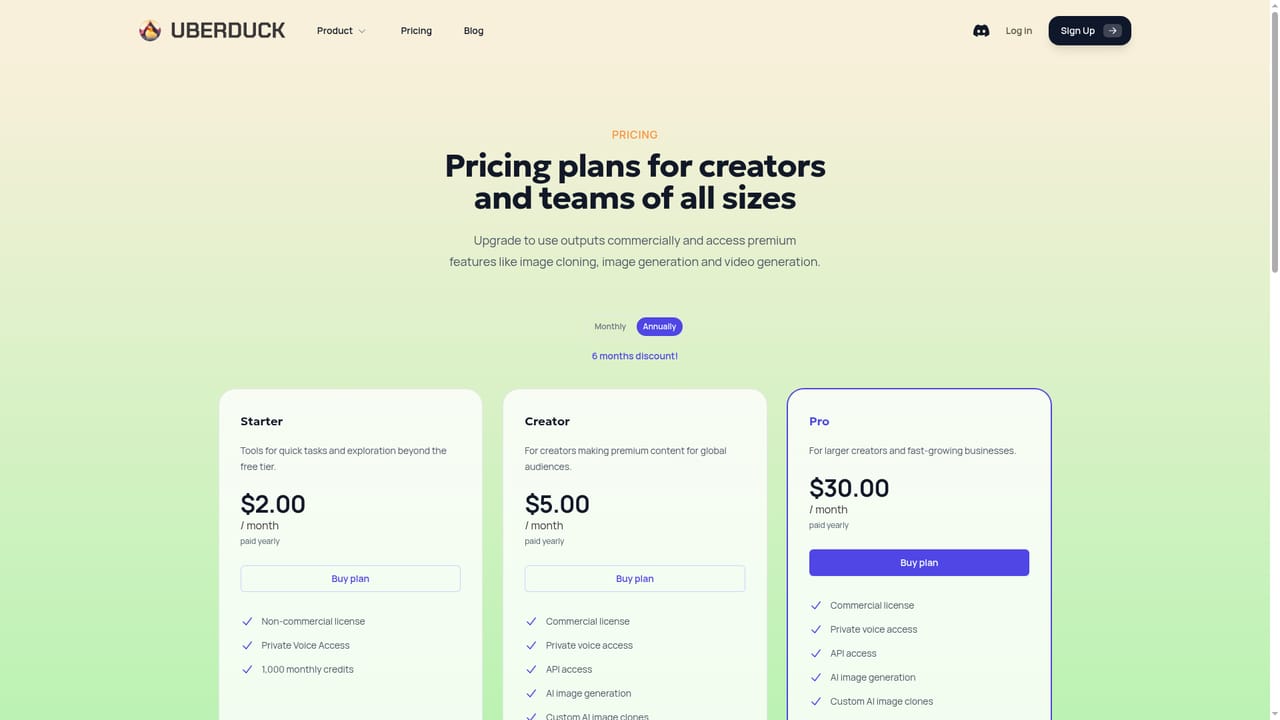
    Check the pricing page before publishing anything commercially, since use on paid plans is the stated condition for commercial rights.
    Uberduck — Move to a paid plan for commercial use
  6. 6Integrate through the API
    Developers can call the API for text to speech, text to singing, text to rapping, and voice conversion, embedding the same voice library inside their own products.

Pros and cons

Pros

  • Text to speech, singing, and rapping share one platform, so a single script can become a narrated ad or a sung hook.AI
  • Language coverage is unusually deep, with dedicated text to speech pages for 70+ languages from Afrikaans to Zulu.AI
  • Voice cloning and speech to speech conversion let creators build custom voices or restyle existing recordings while keeping delivery.AI
  • API access covers text to speech, text to singing, text to rapping, and voice conversion for product teams.AI
  • The music generator produces tracks with lyrics and vocals from a plain idea, with hundreds of musical styles listed.AI

Cons

  • The text to speech box accepts only 350 characters per run, so longer voiceovers must be split and reassembled.AI
  • Commercial use is restricted to paid plans, which undercuts the value of free testing for client or brand work.AI
  • The voice list mixes character and celebrity-style presets, leaving rights and likeness clearance with the user.AI
  • Music generation quality and vocal realism are hard to judge from the marketing page; the site offers no independent benchmarks.AI
  • No desktop, mobile, or plugin apps are mentioned, so the workflow stays inside the browser or your own API integration.AI

How much does Uberduck cost?

Pricing

The homepage points to a dedicated pricing page and states that generated music can be used commercially on any paid plan, which implies a free tier plus paid tiers. Specific plan names, prices, and credit allowances are not listed on the homepage.

Learn more

Integrations

The homepage highlights a developer API covering text to speech, text to singing, text to rapping, and voice conversion. No named third-party integrations are listed.

Features

Text to speech, singing, and rapping from typed text, voice cloning for custom voices, speech to speech conversion that preserves delivery style, a music generator that builds full tracks with lyrics and vocals across hundreds of styles, and API access for all four voice modes. The voice library spans named presets and regional neural voice IDs, with support for 70+ languages.

Frequently asked questions about Uberduck

  • How much does Uberduck cost?
    The homepage points to a dedicated pricing page and states that generated music can be used commercially on any paid plan, which implies a free tier plus paid tiers. Specific plan names, prices, and credit allowances are not listed on the homepage.
  • Does Uberduck have an API?
    Yes, Uberduck offers an API.
  • How do you use Uberduck?
    The walkthrough on this page covers 6 steps: 1. Open the Uberduck homepage 2. Pick a language 3. Select a voice and write your line 4. Generate a song or clone a voice 5. Move to a paid plan for commercial use 6. Integrate through the API.
  • What platforms does Uberduck support?
    Uberduck is available on Web App.
  • What does Uberduck integrate with?
    The homepage highlights a developer API covering text to speech, text to singing, text to rapping, and voice conversion. No named third-party integrations are listed.
  • What are the limitations of Uberduck?
    The text to speech box accepts only 350 characters per run, so longer voiceovers must be split and reassembled. Commercial use is restricted to paid plans, which undercuts the value of free testing for client or brand work. The voice list mixes character and celebrity-style presets, leaving rights and likeness clearance with the user.