VSCO

Photo editor, preset library, and business toolkit for working photographers

Beginner
Screenshot of VSCO, Photo editor, preset library, and business toolkit for working photographers

What is VSCO?

VSCO is an edit pictures tool. VSCO combines a preset-driven photo and video editor, batch editing, AI tools, client galleries, portfolio sites, and studio management in one membership for photographers.

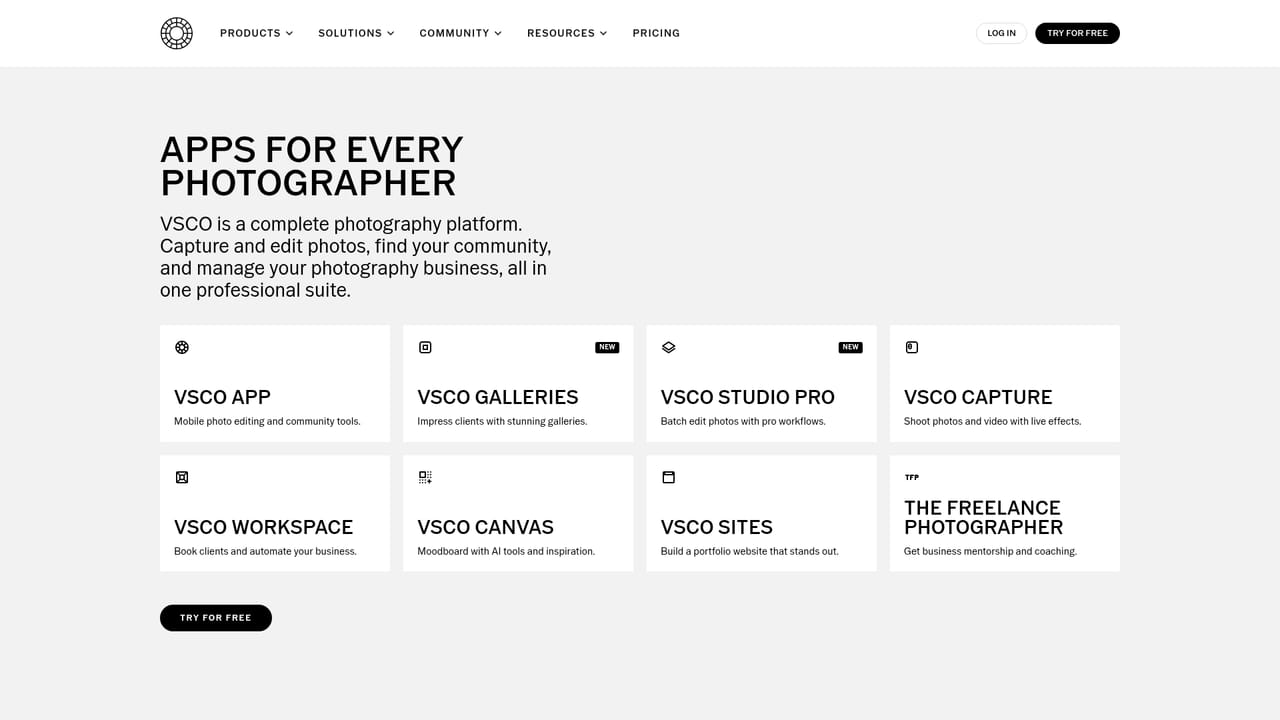
VSCO is a connected system for photographers that spans capture, editing, publishing, and the business side of running a studio. The core is a mobile and desktop photo editor built around a large library of film-inspired presets, layered with grain, film effects, video editing, and an AI photo editor for tasks like object removal. A batch editing app called Studio Pro handles high-volume work, and VSCO Capture applies live presets at the moment of shooting so files come out closer to the final look. Editing is only one part of the product. A membership also opens a global community where photographers publish blogs, share work in collaborative Spaces, join photo challenges, and search for peers and jobs. For client-facing work, VSCO Galleries delivers full-resolution, password-protected proofs in one step, while VSCO Sites provides a portfolio website with a custom domain. VSCO Workspace sits underneath as studio management software covering booking and scheduling, SMS client communication, and automated CRM workflows, with an AI assistant named Scout handling setup and repetitive admin. The tool fits independent photographers and small studios that want editing and client operations in one place rather than stitching together Lightroom, a gallery service, a scheduler, and a website builder. Preset packs are also sold for Adobe Lightroom and Capture One, so the film looks travel into existing desktop workflows. The tradeoff is lock-in to VSCO's ecosystem and membership tiers: the most valuable business features sit at the top plan, and availability differs by plan and device, so checking the plan comparison before committing matters.

How do you use VSCO?

  1. 1Pick a membership tier
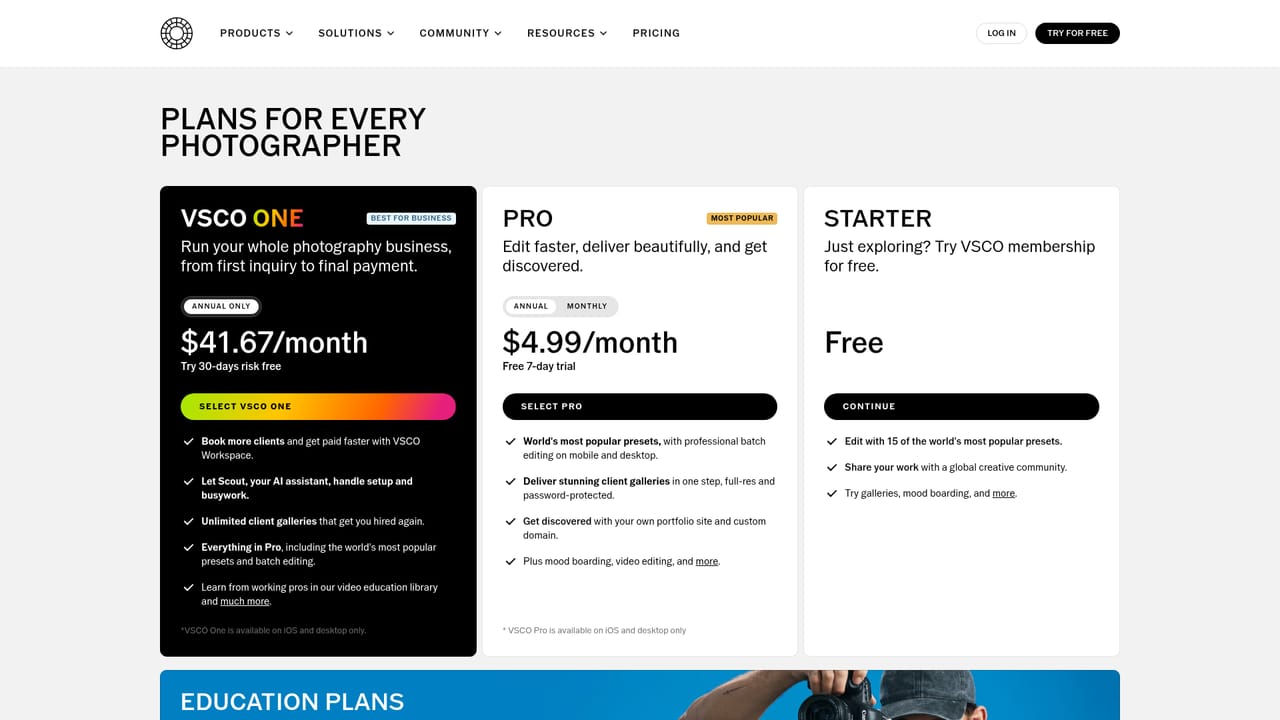
    Compare Starter, Pro, and One on the plans page. Starter covers a small preset set and community access, while higher tiers add batch editing, galleries, sites, and business tools.
    VSCO — Pick a membership tier
  2. 2Install the app on your devices
    Download the editor for iOS or desktop from the downloads page, then sign in with the same account so edits and galleries stay in sync.
    VSCO — Install the app on your devices
  3. 3Edit with presets and AI tools
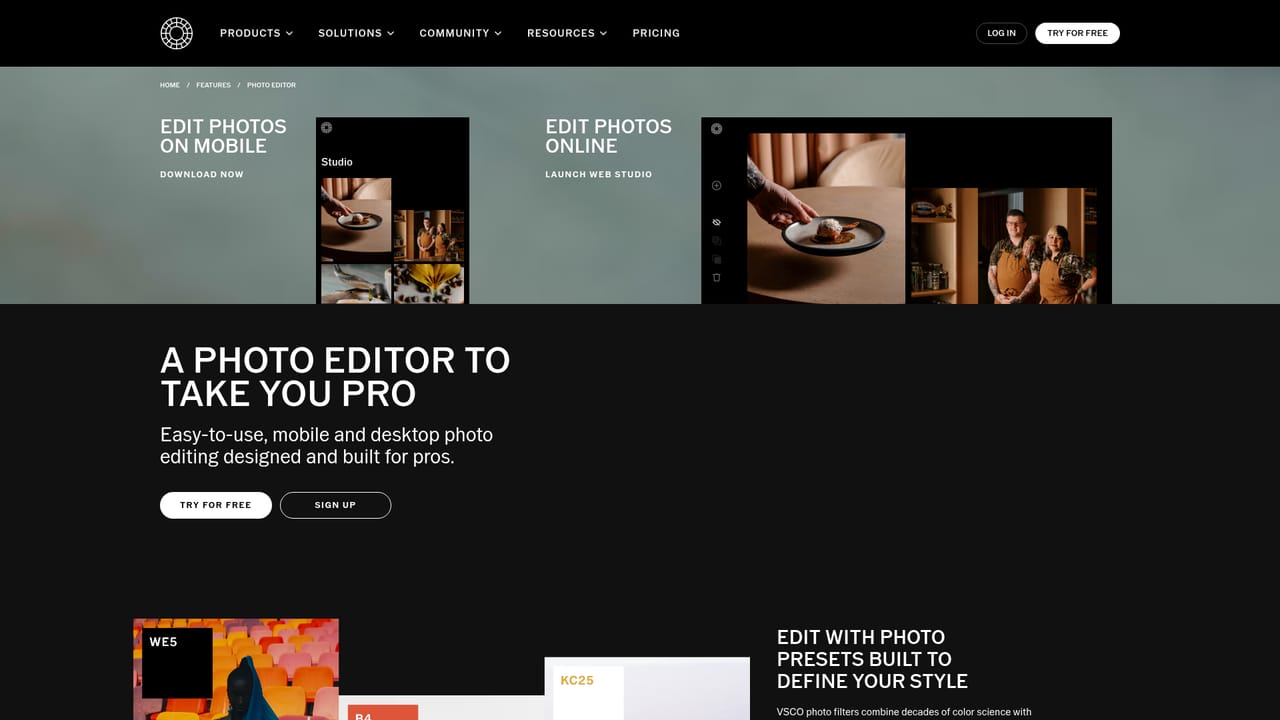
    Open a photo in the editor, apply a preset from your pack, and refine with grain or film effects. Use the AI photo editor for retouching jobs such as removing unwanted objects.
    VSCO — Edit with presets and AI tools
  4. 4Batch process a full shoot
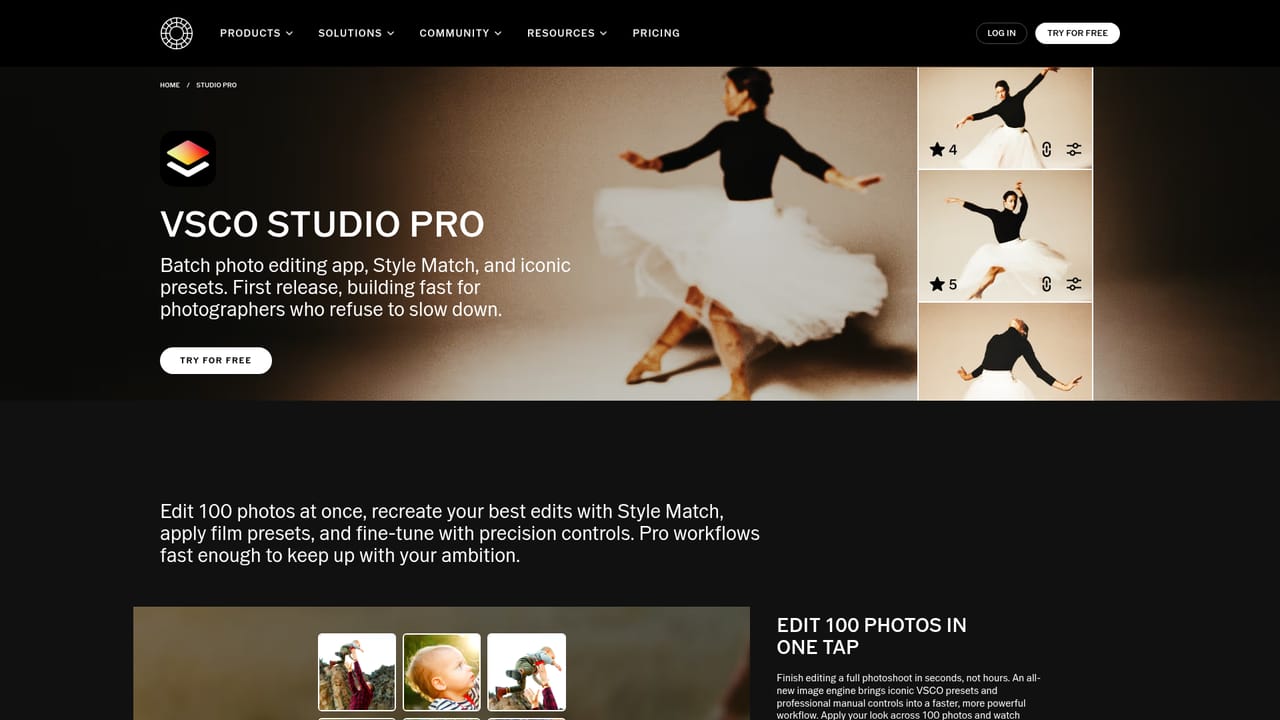
    Send a whole set through Studio Pro, apply one preset recipe across every frame, and adjust exposure per image so a shoot ships with a consistent grade.
    VSCO — Batch process a full shoot
  5. 5Deliver a client gallery
    Create a full-resolution, password-protected gallery and share the link with the client. The same gallery can be reused for future bookings and portfolio pieces.
  6. 6Set up studio workflows
    Add booking and scheduling, SMS messaging, and automated CRM steps in Workspace, or let the Scout assistant handle initial setup and repetitive admin.

Pros and cons

Pros

  • Large library of film-inspired presets with batch editing on mobile and desktopAI
  • Client galleries are delivered full-resolution and password-protected in one stepAI
  • Business side covers booking, SMS communication, and automated CRM workflowsAI
  • Community features include Spaces, blogs, challenges, and a photographer job boardAI
  • Preset packs also work in Adobe Lightroom and Capture One for existing desktop setupsAI

Cons

  • The strongest business features are gated behind the top VSCO One tierAI
  • VSCO One and Pro are listed as iOS and desktop only, limiting Android usersAI
  • Preset-heavy editing encourages a house look that can make portfolios feel uniformAI
  • Studio management, galleries, and sites in one membership make leaving costlyAI
  • Homepage does not publish pricing figures, so costs require a separate checkAI

How much does VSCO cost?

Free trial

The homepage invites visitors to try VSCO for free and describes a Starter membership for people who are just exploring, with 15 presets and community access. No trial length or card requirements are stated on the page, so confirm details on the plans page.

Learn more

Integrations

VSCO preset packs can be downloaded for use in Adobe Lightroom and Capture One, so the film looks carry into those desktop editors. No other third-party integrations are described on the homepage.

Learn more

Features

Editing covers photo filters and preset packs, grain, film effects, video editing, object removal, a desktop studio, and batch editing through Studio Pro. VSCO Capture applies live presets while shooting, and the AI Lab hosts AI-assisted editing plus an AI moodboard in Canvas. Around the editor sit client galleries, portfolio sites, messaging, Spaces, blogs, challenges, and Workspace tools for booking, SMS, and CRM automations.

Learn more

Frequently asked questions about VSCO

  • Does VSCO offer a free trial?
    The homepage invites visitors to try VSCO for free and describes a Starter membership for people who are just exploring, with 15 presets and community access. No trial length or card requirements are stated on the page, so confirm details on the plans page.
  • How do you use VSCO?
    The walkthrough on this page covers 6 steps: 1. Pick a membership tier 2. Install the app on your devices 3. Edit with presets and AI tools 4. Batch process a full shoot 5. Deliver a client gallery 6. Set up studio workflows.
  • What platforms does VSCO support?
    VSCO is available on iOS, Web App, Android, MacOS and Windows.
  • What does VSCO integrate with?
    VSCO preset packs can be downloaded for use in Adobe Lightroom and Capture One, so the film looks carry into those desktop editors. No other third-party integrations are described on the homepage.
  • What are the limitations of VSCO?
    The strongest business features are gated behind the top VSCO One tier. VSCO One and Pro are listed as iOS and desktop only, limiting Android users. Preset-heavy editing encourages a house look that can make portfolios feel uniform.

Status

StatusActive
Views0
Outbound clicks0
Added10/22/2026

Platforms

iOSWeb AppAndroidMacOSWindows

Pricing

FreemiumSubscription