Free trial
Three free designs with no credit card required, delivered at 1024px with a watermark and restricted to personal use.
Learn moreGenerate AI wall art, see it on a room wall, then keep it or sell it

Wallnora is a generative art tool that generates AI wall art, see it on a room wall, then keep it or sell it. An AI art generator focused on wall decor: eight art styles, a room preview tool for checking pieces on real walls, high resolution downloads, and commercial licensing with a hosted shop for sellers.
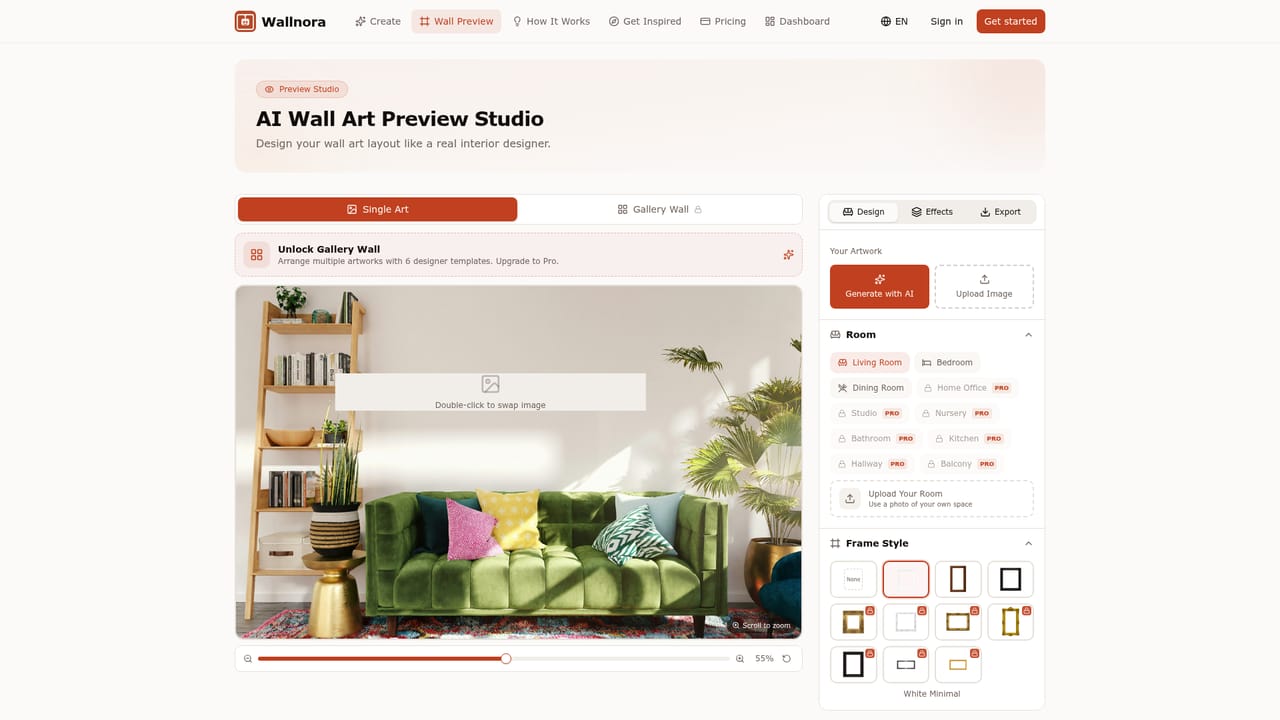
Wallnora is an AI wall art generator built around a specific workflow: describe a piece, pick a style, then see the result hanging in a room before anything gets printed. The homepage frames it as a three step path from idea to wall, and the product is organized around those stages rather than around a general purpose image editor. Generation runs on a prompt plus one of eight styles. The set covers Abstract, Watercolor, Oil Painting, Minimalist, Pop Art, Japanese Art, Photography and Digital Art, and each style has its own page explaining the look. Users type a description, choose a style, and the AI produces the artwork. From there the preview tool places the piece on a wall, lets the user switch rooms, adjust the mood of the scene, and arrange several prints together for a gallery wall layout. That preview step is the feature that separates Wallnora from plain image generators, since the usual guesswork about scale and colour match is handled visually. The audience is split in two on the homepage. Home decorators get unlimited generation on paid tiers, high resolution downloads without watermarks, and the freedom to print or gift what they make. Sellers get a commercial license, mockup creation for listings, and a shop hosted on Wallnora itself, with plans tiered by monthly creation count and by how many pieces the user intends to sell. Pro is pitched at up to 100 sales per month, Pro Plus at unlimited volume with print ready files. Against general image tools, Wallnora trades breadth for a narrow interior decor and print selling focus, with style presets, room mockups, and licensing baked in. The free tier is a trial rather than a working plan: three designs at 1024px with a watermark and personal use only. Anyone serious about decorating a home or listing prints will need a paid subscription, and the quality of any single result still depends on how well the prompt matches the chosen style.

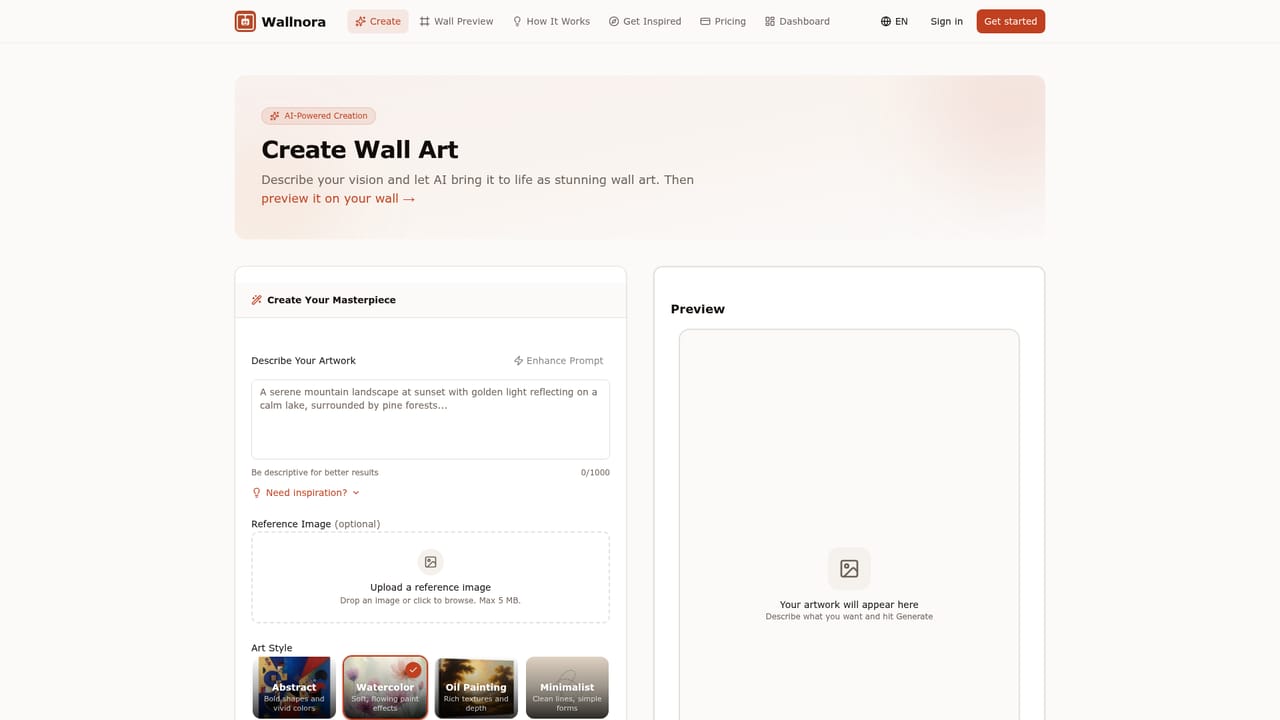
Three free designs with no credit card required, delivered at 1024px with a watermark and restricted to personal use.
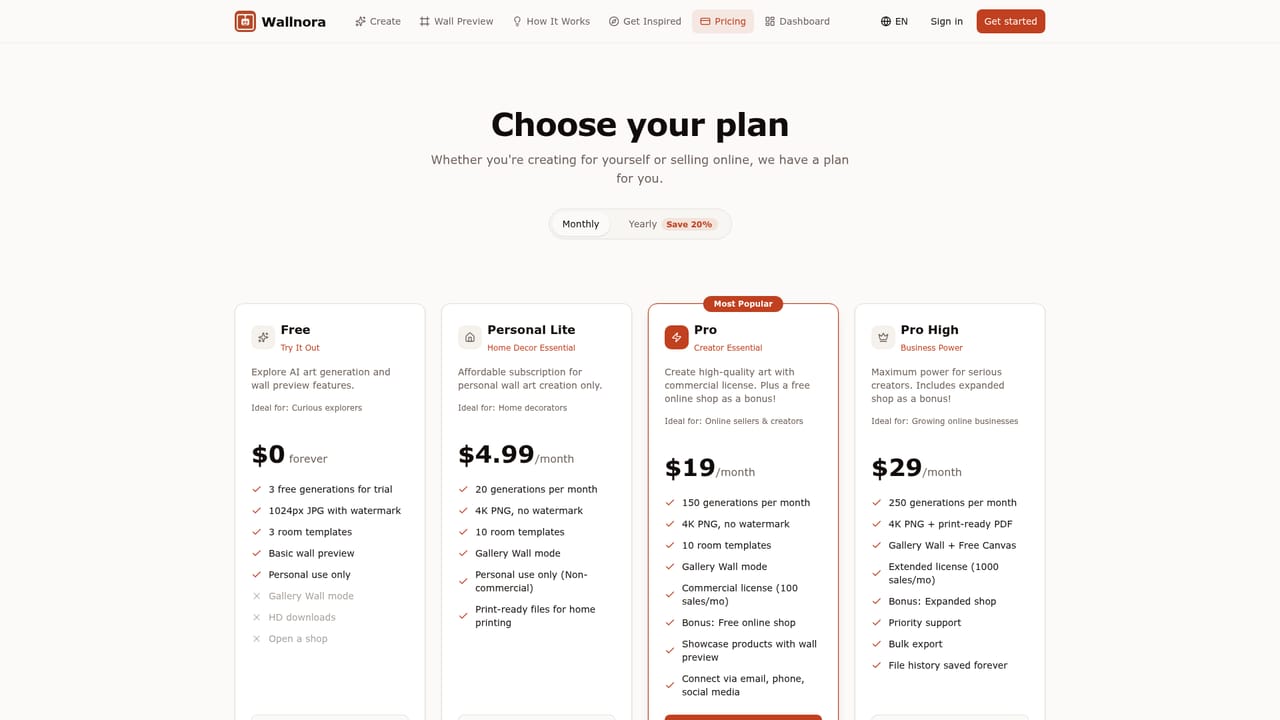
Learn moreFree tier with 3 trial designs. Personal Lite at $4.99/mo gives 20 creations, 4K PNG without watermark and gallery wall mode. Pro at $19/mo gives 150 creations, selling up to 100 pieces per month and a free shop. Pro Plus at $29/mo gives 250 creations, print ready files, unlimited selling and premium shop features.
Learn moreSupport is handled by email at support@wallnora.com, listed in the FAQ section of the homepage.
Prompt based art generation across eight styles (Abstract, Watercolor, Oil Painting, Minimalist, Pop Art, Japanese Art, Photography, Digital Art), a wall preview mode for checking art in different rooms and arranging gallery walls, high resolution watermark free downloads on paid plans, mockup creation for product listings, a hosted shop for Pro members, and commercial licensing tiered by monthly sales volume.
Learn more AI Angels400+ customizable AI girlfriends for NSFW chat, voice calls, and roleplay
 Candy AIExperience the future of companionship with AI friends who chat, role-play, and connect with you on a human level.
 ourdream.aiA vast AI roleplay platform with millions of characters for chat, images, video and voiceAI Angels400+ customizable AI girlfriends for NSFW chat, voice calls, and roleplayCandy AIExperience the future of companionship with AI friends who chat, role-play, and connect with you on a human level.ourdream.aiA vast AI roleplay platform with millions of characters for chat, images, video and voice