Free trial
Free credits for new users may be offered depending on the platform setup, allowing a trial of AI video generation before upgrading.
Learn moreTurn prompts and reference clips into 4K multi-shot videos with synced audio.
Own Wan 2.7 AI Video Generator? Verify ownership to get a dofollow link

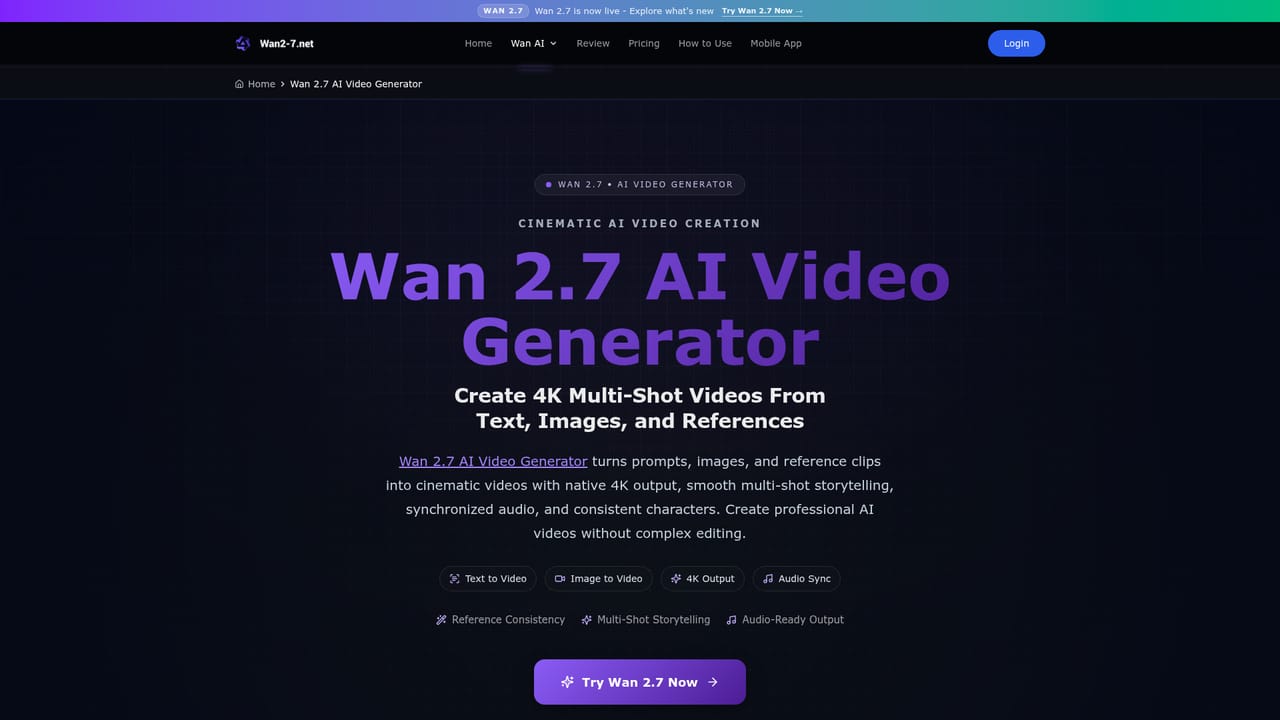
Wan 2.7 AI Video Generator is a generative video tool that turns prompts and reference clips into 4K multi-shot videos with synced audio. Wan 2.7 is an AI video generator that turns text, images, and reference clips into 4K multi-shot videos with synchronized audio and stable character consistency.
Wan 2.7 AI Video Generator is a web-based tool that converts text prompts, still images, and reference clips into cinematic videos with native 4K resolution, automatic multi-shot planning, and synchronized audio. The model handles scene structuring on its own, so a single prompt can yield a sequence of distinct shots rather than one continuous take. Reference images or clips can be supplied to keep characters, outfits, and settings stable from shot to shot, which matters for narrative work and brand content. The workflow is deliberately short: describe the idea, set resolution and duration, generate, then preview and download. Wan 2.7 supports clips in the 20 to 30 second range, a step up from the 15 second ceiling of Wan 2.6, and it adds advanced audio alignment and automated multi-shot assembly compared with the earlier version. Audio sync covers dialogue, music, and effects in the same pass, so there is no separate sound pass for basic projects. The tool suits marketing teams producing short-form ads, ecommerce sellers turning product photos into demo clips, storytellers building cinematic sequences, and educators assembling explainer videos. Output is described as commercial-ready, and the site positions the model against Sora 2 and Kling 3.0 in its own review material. Because generation is fast and iteration is cheap per clip, the practical pattern is to generate several variations and keep the strongest. Beginners can work entirely from prompts and default settings; the reference-driven consistency features reward users who take time to prepare clean source images. The main gap is that the homepage makes no claims about timeline editing, so anyone needing precise cuts or layered compositing should plan to finish in a dedicated editor.
Free credits for new users may be offered depending on the platform setup, allowing a trial of AI video generation before upgrading.
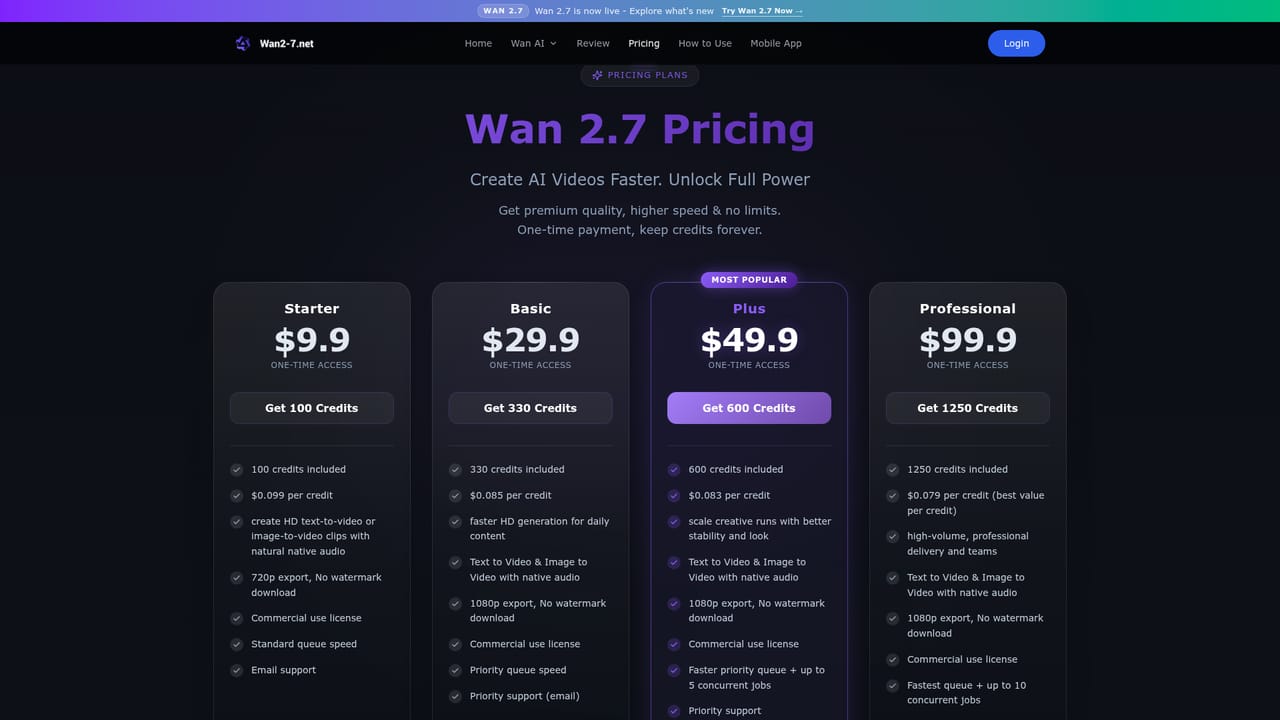
Learn moreThe homepage does not list prices. It states that new users may receive free credits depending on the platform setup, and that upgrading unlocks higher resolution, longer duration, or more advanced usage. A dedicated pricing page exists for exact tiers, and the site notes that no subscription is required.
Learn moreSupport is available by email at support@wan2-7.net. The site also publishes an FAQ and a detailed review page covering model comparisons.
Core features include multi-shot storytelling that turns one prompt into structured cinematic shots, native 4K video generation, built-in audio synchronization for dialogue and music, reference-driven consistency for characters and scenes, and a fast generation pipeline. Image to video is supported, and output is described as commercial-ready.
Learn more AI Angels400+ customizable AI girlfriends for NSFW chat, voice calls, and roleplay
 Candy AIExperience the future of companionship with AI friends who chat, role-play, and connect with you on a human level.
 ourdream.aiA vast AI roleplay platform with millions of characters for chat, images, video and voiceAI Angels400+ customizable AI girlfriends for NSFW chat, voice calls, and roleplayCandy AIExperience the future of companionship with AI friends who chat, role-play, and connect with you on a human level.ourdream.aiA vast AI roleplay platform with millions of characters for chat, images, video and voice


