Windframe

AI and templates for Tailwind UIs, edited visually, exported as clean code

Intermediate
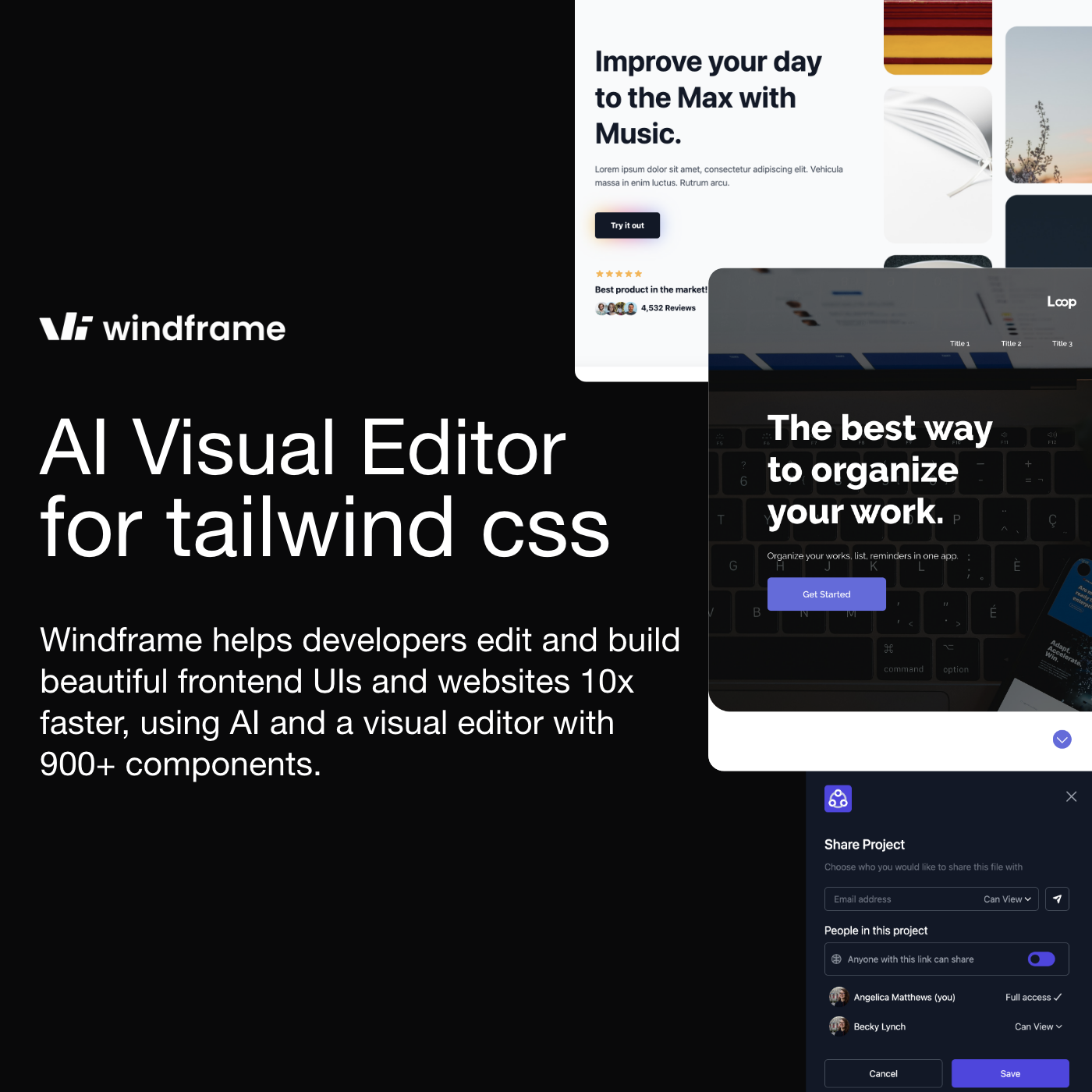
Screenshot of Windframe, AI and templates for Tailwind UIs, edited visually, exported as clean code

What is Windframe?

Windframe is an app creation tool. Visual Tailwind CSS builder with AI page generation, 1,000+ templates and style guides inspired by Linear, Apple, Stripe and Vercel. Edit by drag and drop, import existing Tailwind sites, then export semantic code for React, Vue, Angular, Svelte, Astro and more.

Windframe is a Tailwind CSS builder that combines AI generation, a drag and drop visual editor and a large template library, then hands back production code. A prompt like a modern landing page with a hero section produces a full page layout; alternatively you start from a library of more than 1,000 professionally crafted blocks and templates. Each element can then be adjusted in a properties panel covering color, size and other styling, with changes appearing in real time. Style guides give the generation a target. Windframe ships curated sets modelled on the design language of well known products, including Linear, Apple, Stripe, Vercel, Notion, an enterprise set and an Autumn set, each containing pages, sections and components. The stated aim is to keep AI output from looking generic: generated designs inherit clean typography, balanced spacing and consistent color choices. Users can also browse community generated pages made from prompts and fork them as a starting point. Export is the practical payoff. Windframe produces semantic Tailwind code for HTML, React, Next.js, Vue, Nuxt.js, Angular, Svelte, Astro, SolidJS and Rails, with TypeScript support and no configuration step. Existing projects can be brought in the other direction: importing a Tailwind website, template or component lets you edit it visually, and components from libraries such as Tailwind UI, Flowbite and daisyUI can be imported and restyled. Teams can also build a shared component library, organized by category and reusable across projects. The site reports more than 15,000 developers using the product. Windframe sits in the same conversation as prompt to UI tools, and it publishes its own comparison against v0. The distinction is the visual editing layer around the generated output and the breadth of framework exports. The audience is front end developers, agencies and product teams who want a fast draft of a Tailwind interface but still intend to own the final code rather than depend on a hosted page builder. Designers with limited coding experience can work in the editor alone; developers can skip straight to export.

How do you use Windframe?

  1. 1Start in the editor
    Open the Windframe editor and create a project. From here you can generate with AI, browse templates or import existing work.
  2. 2Pick a starting point
    Either write a prompt describing the page you want, or browse the template library for a block or section close to your target.
  3. 3Apply a style guide
    Browse the style guide galleries, such as Linear or Apple, and use them to generate designs with a consistent visual language.
  4. 4Refine visually
    Use the drag and drop canvas and properties panel to change color, size, spacing and layout, with updates applied in real time.
  5. 5Export production code
    Choose a target framework and export semantic Tailwind code for React, Vue, Angular, Svelte, HTML or other supported stacks.
  6. 6Check the docs
    The documentation covers the editor, the AI features and exporting, and is the place to look when a step is unclear.

Pros and cons

Pros

  • AI prompt to full page layout, with a visual editor to refine the resultAI
  • Curated style guides (Linear, Apple, Stripe, Vercel, Notion) keep generated designs from looking genericAI
  • Wide export list: HTML, React, Next.js, Vue, Nuxt, Angular, Svelte, Astro, SolidJS, RailsAI
  • Existing Tailwind sites and libraries like Tailwind UI, Flowbite and daisyUI can be imported and restyledAI
  • Reusable team component library organized by categoryAI

Cons

  • Deeply tied to Tailwind CSS, so teams on other styling approaches get little valueAI
  • Output quality depends heavily on prompt wording and on cleaning generated markup afterwardsAI
  • No published pricing on the homepage, so cost has to be checked inside the appAI
  • Template and style guide counts are for blocks and sections; full finished pages are fewerAI
  • Exported code still needs review for accessibility and responsive edge casesAI

How much does Windframe cost?

Features

AI page generation from prompts, over 1,000 editable Tailwind template blocks, a drag and drop visual editor with a properties panel, curated style guides (Linear, Apple, Stripe, Vercel, Notion, enterprise, Autumn), community AI templates, import of existing Tailwind sites and UI libraries, a reusable team component library, and code export to HTML, React, Next.js, Vue, Nuxt, Angular, Svelte, Astro, SolidJS and Rails.

Learn more

Frequently asked questions about Windframe

  • How do you use Windframe?
    The walkthrough on this page covers 6 steps: 1. Start in the editor 2. Pick a starting point 3. Apply a style guide 4. Refine visually 5. Export production code 6. Check the docs.
  • What platforms does Windframe support?
    Windframe is available on Web App.
  • What are the limitations of Windframe?
    Deeply tied to Tailwind CSS, so teams on other styling approaches get little value. Output quality depends heavily on prompt wording and on cleaning generated markup afterwards. No published pricing on the homepage, so cost has to be checked inside the app.

Status

StatusActive
Views0
Outbound clicks0
Added10/21/2026

Platforms

Web App

Pricing

FreemiumSubscription