Wipe Me Down AI

Two photos become a 15 second Wipe Me Down duo dance video with music included.

Beginner
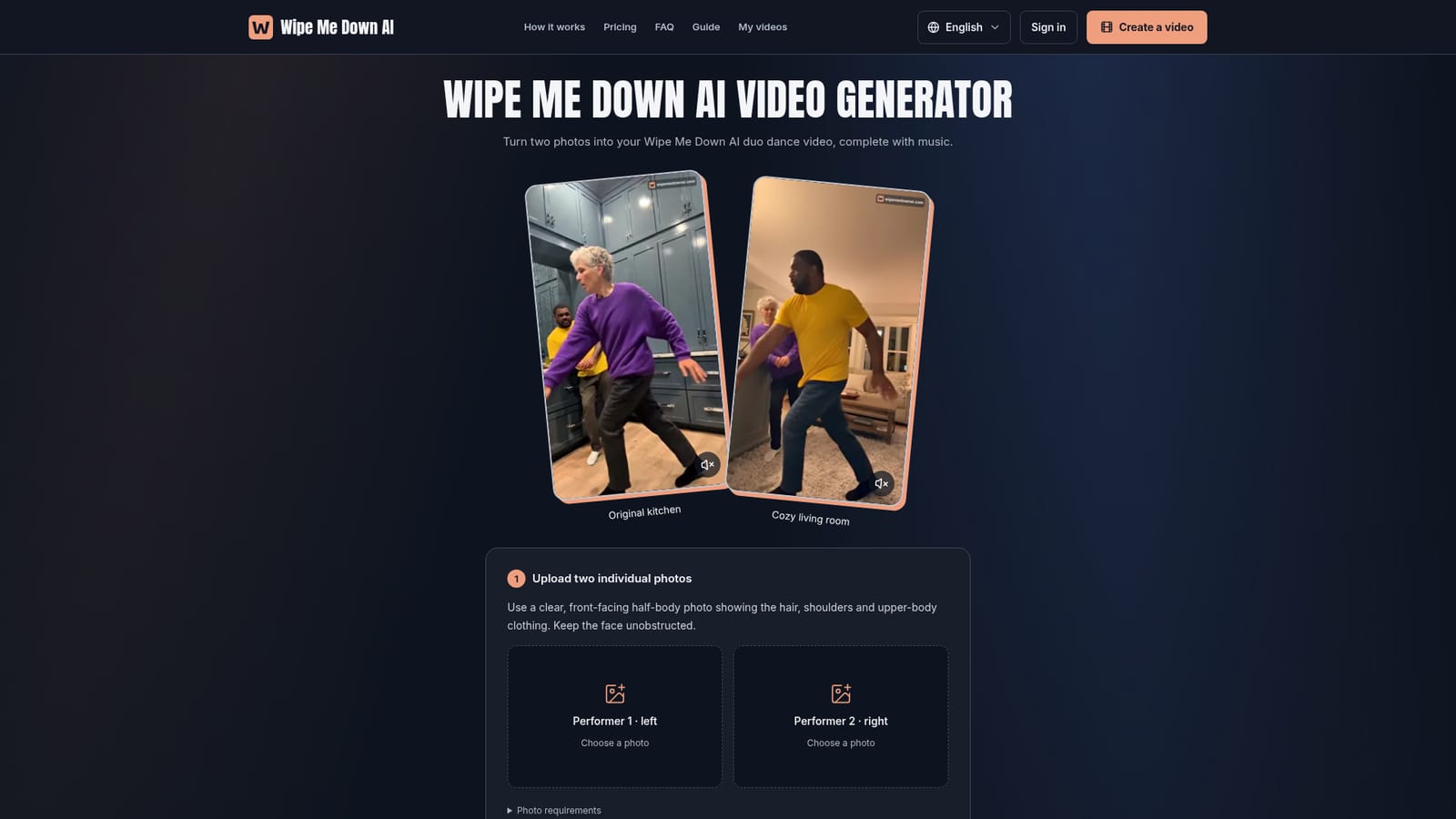
Screenshot of Wipe Me Down AI, Two photos become a 15 second Wipe Me Down duo dance video with music included

What is Wipe Me Down AI?

Wipe Me Down AI converts two uploaded photos into a 15 second, 1080p, 9:16 duo dance video with built-in music, choosing from four fixed backgrounds and no free plan.

Wipe Me Down AI turns a pair of portrait photos into a short, vertical dance video built around the Wipe Me Down trend. Users upload one half-body photo per person, pick one of four backgrounds (kitchen, living room, garage party or city rooftop), and the service renders an approximately 15 second, 9:16, 1080p MP4 with the dance moves and soundtrack already in place. There is no filming, choreography, audio sourcing or editing involved on the user's side. The tool is aimed at people who want a quick, shareable duo video for TikTok, Reels or Shorts, whether that's two friends, a couple, or family members who cannot film together in person. Because the dance and music are fixed across every background, the creative choice is limited to which scene best fits the mood, and whether the input photos are clear enough to carry recognizable faces and outfits into the final clip. In practice, the workflow is linear: upload two individual, front-facing, evenly lit photos, choose a background, generate, then track progress and download from an account area called My creations. Generated videos are private to the account holder, are not added to a public gallery, and are available for download for 30 days before the source material is cleaned up. Payment is credit-based rather than subscription-based, with packs of 1, 3 or 10 videos and no expiry on unused credits. Among alternatives in the trend-video and templated dance-video space, Wipe Me Down AI is narrow by design: it does not offer custom songs, custom moves, custom backgrounds beyond the four presets, or a free tier. That makes it a fast, low-effort option for a single viral format rather than a general-purpose video generator.
How do you use Wipe Me Down AI?

  1. 1Prepare two individual photos
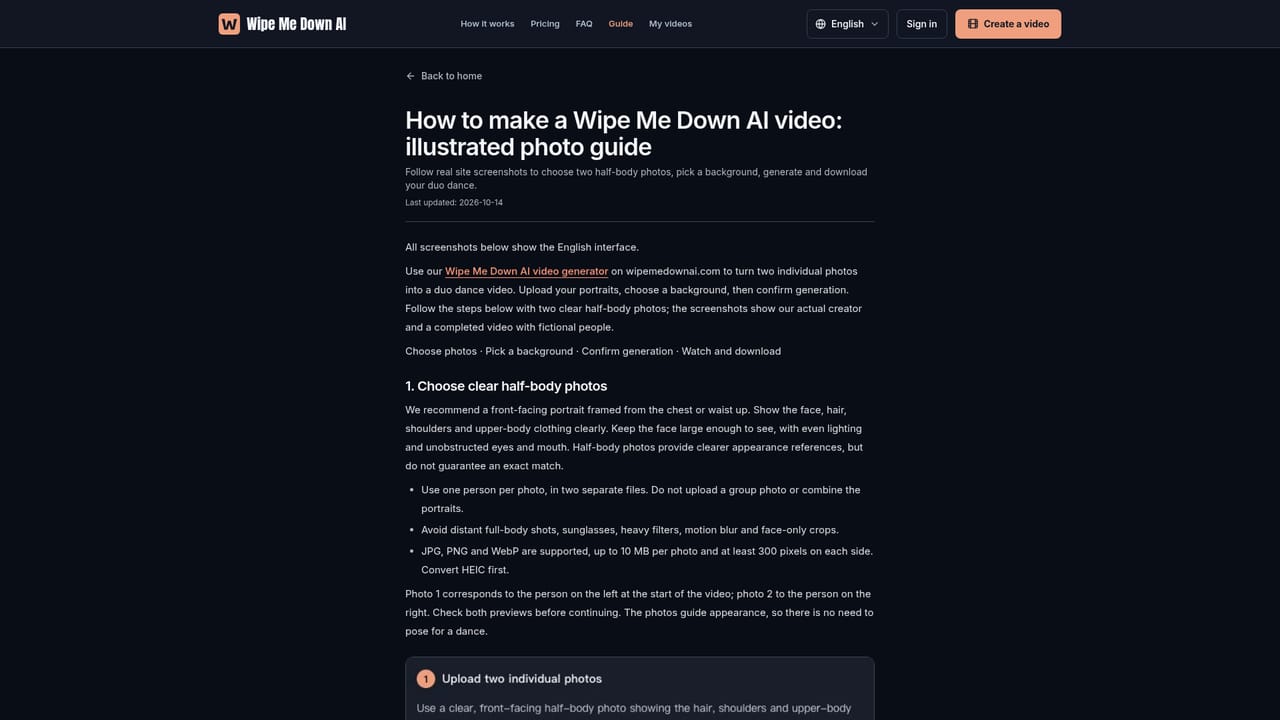
    Choose one clear, evenly lit, front-facing half-body photo per person, showing the face, hair, shoulders and upper-body clothing without sunglasses or heavy crops.
    Wipe Me Down AI — Prepare two individual photos
  2. 2Upload the photos in the correct order
    Upload photo 1 for the person who appears on the left and photo 2 for the person on the right, then check both previews before continuing.
    Wipe Me Down AI — Upload the photos in the correct order
  3. 3Pick a background
    Select the original kitchen, cozy living room, garage party or city rooftop setting; the dance and music stay identical across all four.
  4. 4Buy credits and generate the video
    Choose a one-time pack of 1, 3 or 10 videos, confirm the generation, which uses one credit, and sign in if prompted.
    Wipe Me Down AI — Buy credits and generate the video
  5. 5Track progress and download
    Follow the render in My creations, then download the finished 1080p 9:16 MP4 within 30 days before it is removed.
    Wipe Me Down AI — Track progress and download

Pros and cons

Pros

  • No filming, choreography or audio editing required to produce the videoAI
  • Four selectable backgrounds while keeping the same dance and soundtrackAI
  • Credits never expire, so paid packs can be used whenever convenientAI
  • Output is a clean 1080p 9:16 MP4 without a site watermark, ready for TikTok or ReelsAI
  • Failed generations return the credit automaticallyAI

Cons

  • No free trial or free tier, every generation requires a paid creditAI
  • Dance moves, song and background choices beyond the four presets cannot be customizedAI
  • Downloads are only available for 30 days after generationAI
  • Only two individual photos are supported, group or combined photos are not acceptedAI
  • AI rendering of faces and outfits may vary from the source photosAI

How much does Wipe Me Down AI cost?

Free trial

No free trial, free plan or automatic renewal is offered; every generated video consumes a purchased credit.

Learn more

Pricing

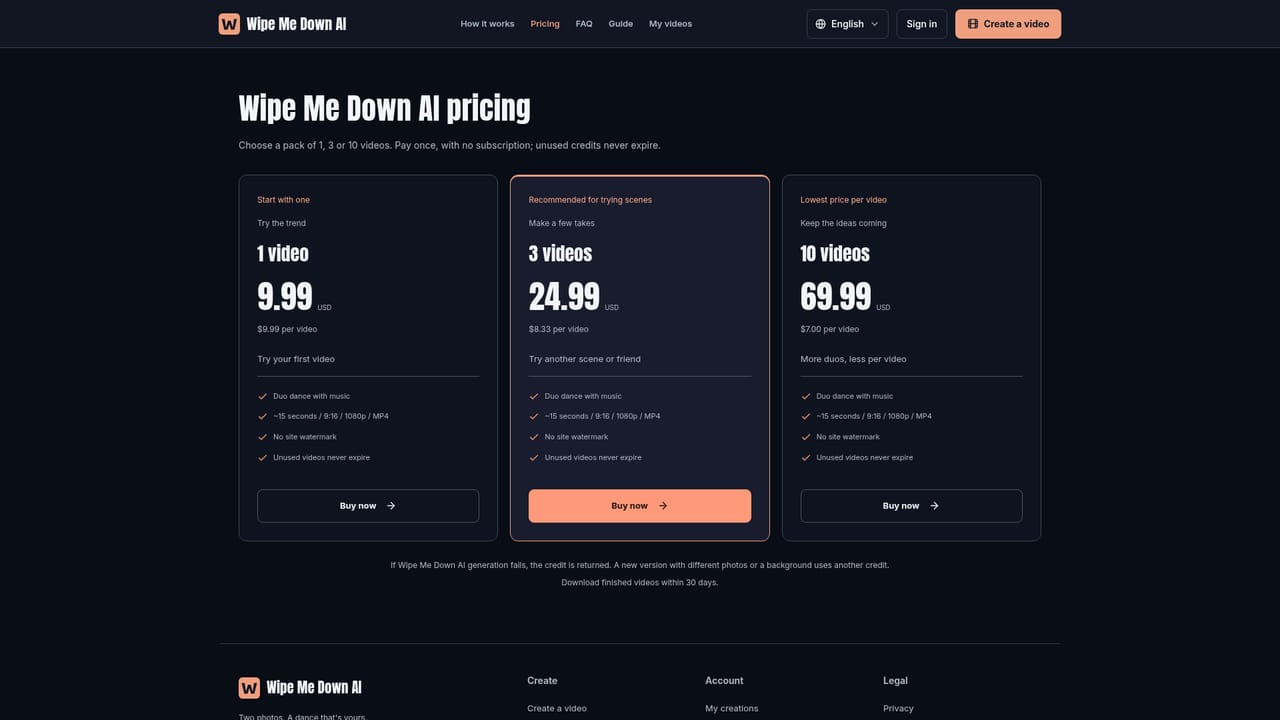
One-time packs only, no subscription: $9.99 for a single video, $24.99 for 3 videos ($8.33 each), $69.99 for 10 videos ($7.00 each). Unused credits never expire.

Learn more

Support

Support is reachable by email through the site's contact link; no live chat or phone support is mentioned on the homepage.

Learn more

Features

Generates a roughly 15 second, 9:16, 1080p MP4 Wipe Me Down duo dance video from two individual photos, with fixed choreography and music, choice of four backgrounds, no watermark, and 30-day download access via an account area.

Frequently asked questions about Wipe Me Down AI

  • How much does Wipe Me Down AI cost?
    One-time packs only, no subscription: $9.99 for a single video, $24.99 for 3 videos ($8.33 each), $69.99 for 10 videos ($7.00 each). Unused credits never expire.
  • Does Wipe Me Down AI offer a free trial?
    No free trial, free plan or automatic renewal is offered; every generated video consumes a purchased credit.
  • How do you use Wipe Me Down AI?
    The walkthrough on this page covers 5 steps: 1. Prepare two individual photos 2. Upload the photos in the correct order 3. Pick a background 4. Buy credits and generate the video 5. Track progress and download.
  • What platforms does Wipe Me Down AI support?
    Wipe Me Down AI is available on Web App.
  • What are the limitations of Wipe Me Down AI?
    No free trial or free tier, every generation requires a paid credit. Dance moves, song and background choices beyond the four presets cannot be customized. Downloads are only available for 30 days after generation.

Status

StatusActive
Views0
Outbound clicks1
Added10/14/2026

Platforms

Web App

Pricing

Paid