Yaami

Turn a paper menu photo into a multilingual digital menu

Beginner
Screenshot of Yaami, Turn a paper menu photo into a multilingual digital menu

What is Yaami?

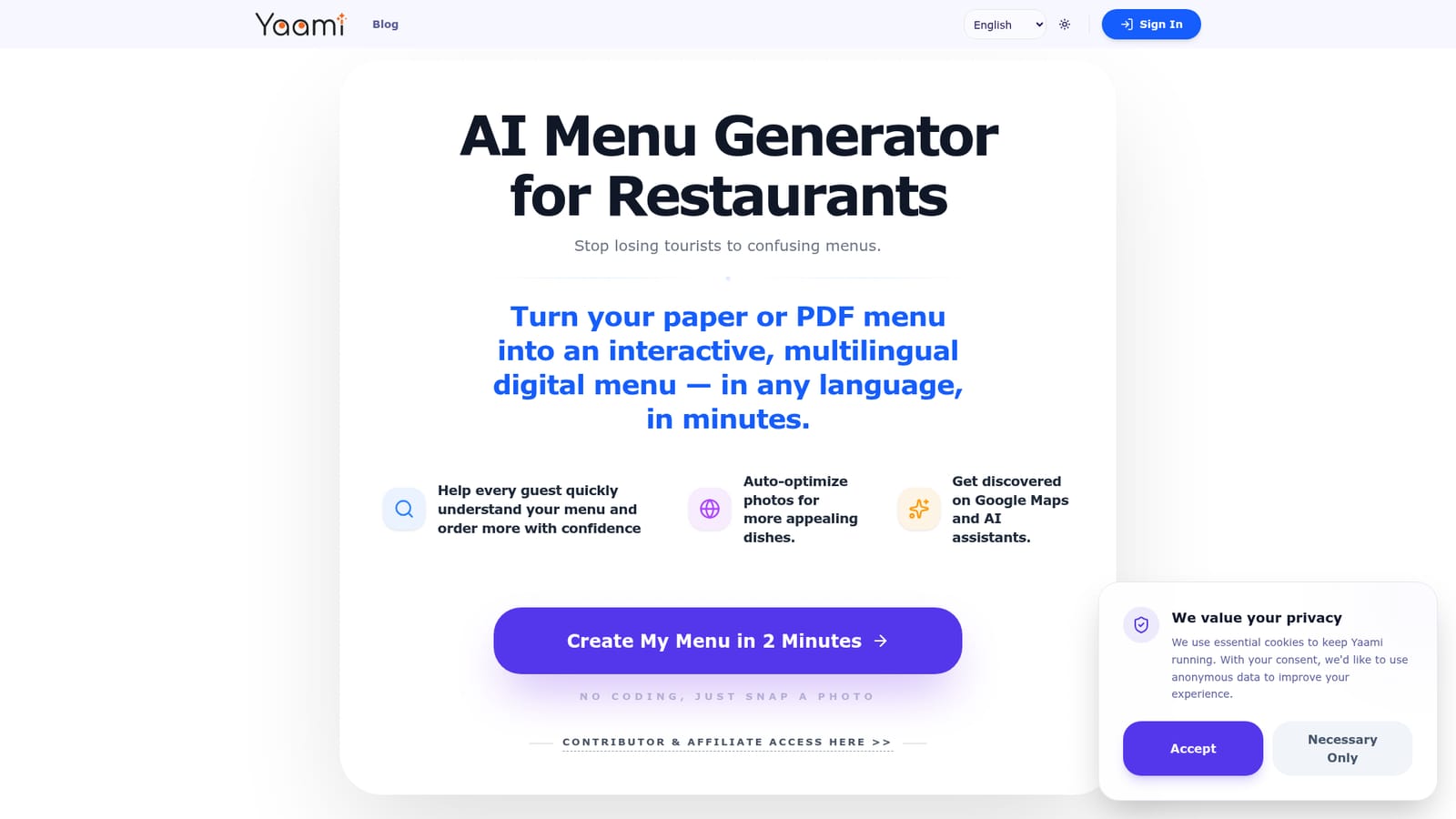
Yaami is a life assistance tool that turns a paper menu photo into a multilingual digital menu. Yaami converts a photo or PDF of a restaurant menu into a mobile-friendly, multilingual digital menu in minutes, with dish photo optimization and visibility on Google Maps and AI assistants.

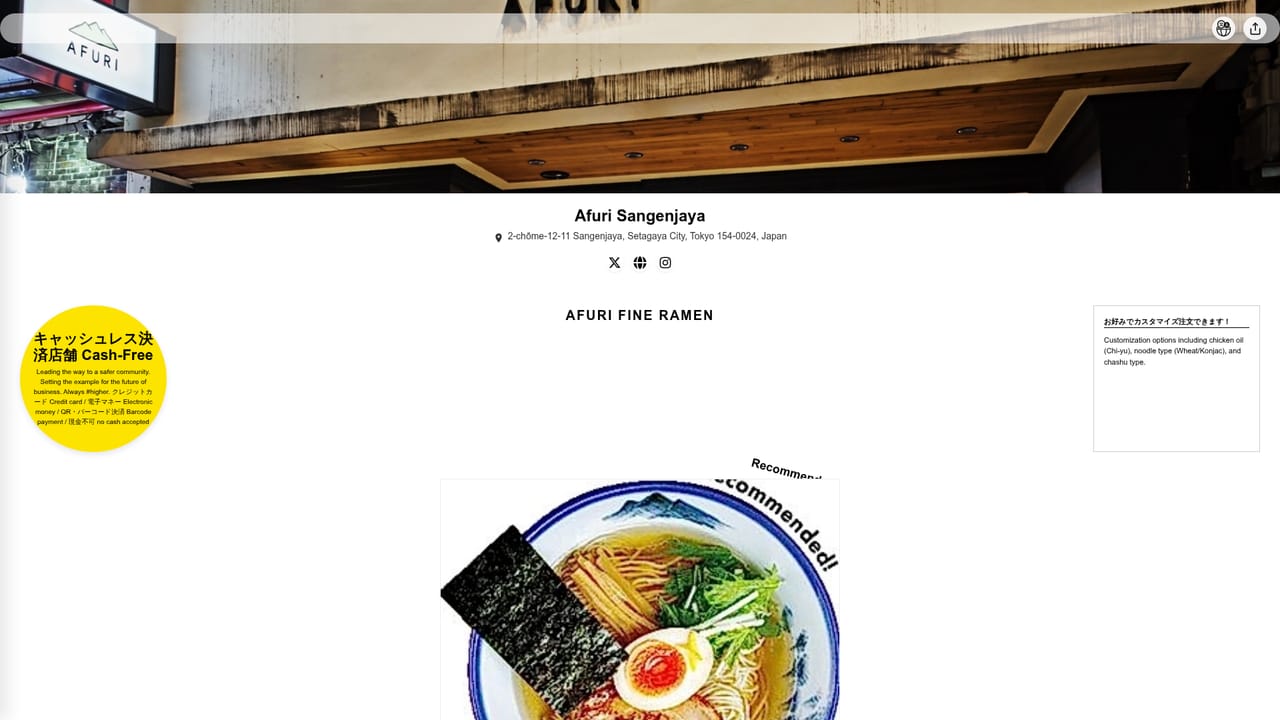
Yaami is a web-based menu generator for restaurants that converts a paper, hang-up or PDF menu into a mobile-friendly digital menu available in multiple languages. The pitch is aimed at a specific problem: tourists who cannot read a menu, worry about ordering the wrong dish, and cannot tell what is in a plate or what the restaurant actually serves. Yaami addresses that gap by translating and presenting the menu so guests can understand each item before they order. The workflow is built around a photo. An owner or manager snaps a picture of the existing menu, or uploads a PDF, and the service produces an interactive version without any coding. The site describes the process as taking about two minutes. Beyond translation, the tool says it automatically optimizes dish photos so items look more appealing, and it positions the finished menu as something that can be found through Google Maps and through AI assistants such as ChatGPT, which matters for restaurants that rely on travelers searching in their own language. Yaami shows its output through four live demo menus: Afuri Sangenjaya, Trattoria re di roma, Good Egg Family and Trattoria Etruria 39. Each pairs the original printed menu with the generated mobile version, which makes it easy to judge the before and after. The audience is clearly small and independent restaurants, especially those in tourist areas, that have no web developer and no time to maintain a custom site. Among alternatives, Yaami sits between generic QR menu builders, which usually require manual data entry, and general translation tools, which do not format a menu for ordering decisions. Its narrower focus on photo-to-menu conversion, multilingual output and discoverability is the distinguishing feature. The homepage does not publish pricing, integrations with point-of-sale systems or support details, so buyers should confirm those points before committing a restaurant's menu to the platform.
How do you use Yaami?

  1. 1Photograph or export your menu
    Take a clear photo of the paper or hang-up menu, or have the PDF ready. Good lighting and full coverage of every item help the conversion.
    Yaami — Photograph or export your menu
  2. 2Open the menu creator
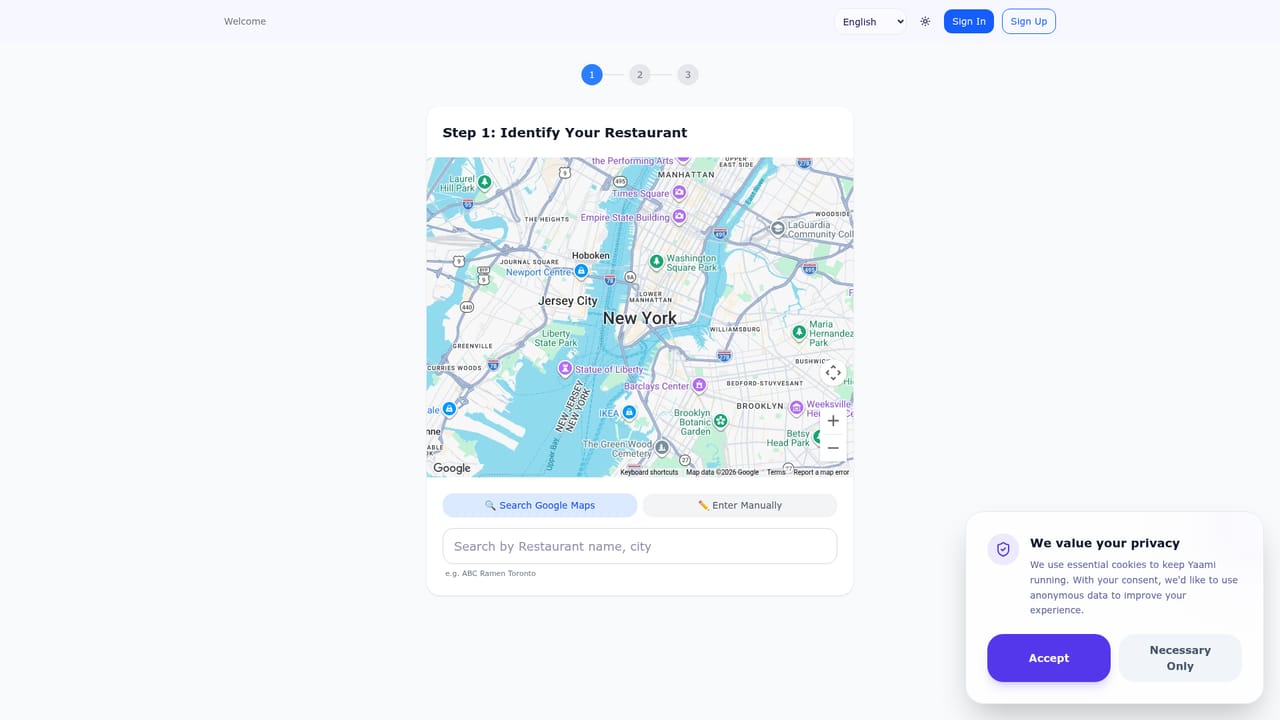
    Go to the create page from the main call to action. The site says no coding is needed and the process takes about two minutes.
    Yaami — Open the menu creator
  3. 3Upload the menu and choose languages
    Submit the photo or PDF so the menu can be digitized and translated into the languages your guests use.
  4. 4Review dishes and photos
    Check item names, descriptions and optimized dish images for accuracy before the menu goes live to guests.
  5. 5Compare with a demo menu
    Open one of the sample menus, such as Afuri Sangenjaya, to see what a finished mobile menu looks like next to the original.
    Yaami — Compare with a demo menu

Pros and cons

Pros

  • Starts from a simple photo or PDF of the existing menu, so no manual data entry or coding is neededAI
  • Multilingual output directly addresses tourists who cannot read the original menuAI
  • Automatic dish photo optimization aims to make items look more appealingAI
  • Four live demo menus let owners compare the original menu with the generated result before signing upAI
  • Targets discoverability on Google Maps and AI assistants, not just the menu itselfAI

Cons

  • The homepage publishes no pricing, so the cost of running a menu is unclear before account creationAI
  • No integrations with ordering, payment or point-of-sale systems are mentionedAI
  • Translation accuracy for dish names and ingredients cannot be judged from the homepage claims aloneAI
  • Visibility gains on Google and AI assistants are stated as goals, with no evidence or measurements shownAI
  • Narrowly focused on restaurant menus, so it offers little beyond that use caseAI

How much does Yaami cost?

Integrations

Mentions Google Maps and AI assistants such as ChatGPT as discovery channels, but no formal integrations are listed.

Features

Converts paper or PDF menus into interactive mobile menus, translates them into multiple languages, auto-optimizes dish photos, and aims to improve discovery on Google Maps and AI assistants like ChatGPT. Works from a photo with no coding.

Frequently asked questions about Yaami

  • How do you use Yaami?
    The walkthrough on this page covers 5 steps: 1. Photograph or export your menu 2. Open the menu creator 3. Upload the menu and choose languages 4. Review dishes and photos 5. Compare with a demo menu.
  • What platforms does Yaami support?
    Yaami is available on Web App.
  • What does Yaami integrate with?
    Mentions Google Maps and AI assistants such as ChatGPT as discovery channels, but no formal integrations are listed.
  • What are the limitations of Yaami?
    The homepage publishes no pricing, so the cost of running a menu is unclear before account creation. No integrations with ordering, payment or point-of-sale systems are mentioned. Translation accuracy for dish names and ingredients cannot be judged from the homepage claims alone.

Status

StatusActive
Views0
Outbound clicks0
Added10/18/2026

Platforms

Web App

Pricing

Paid