Integrations
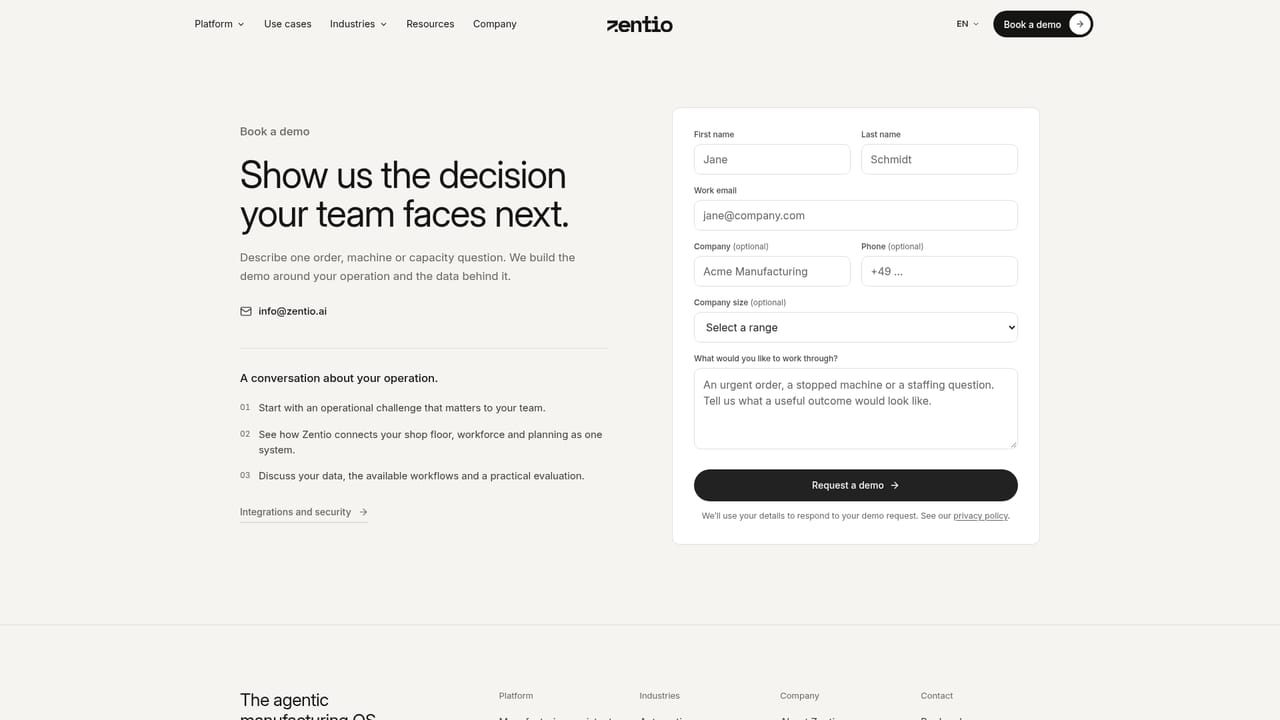
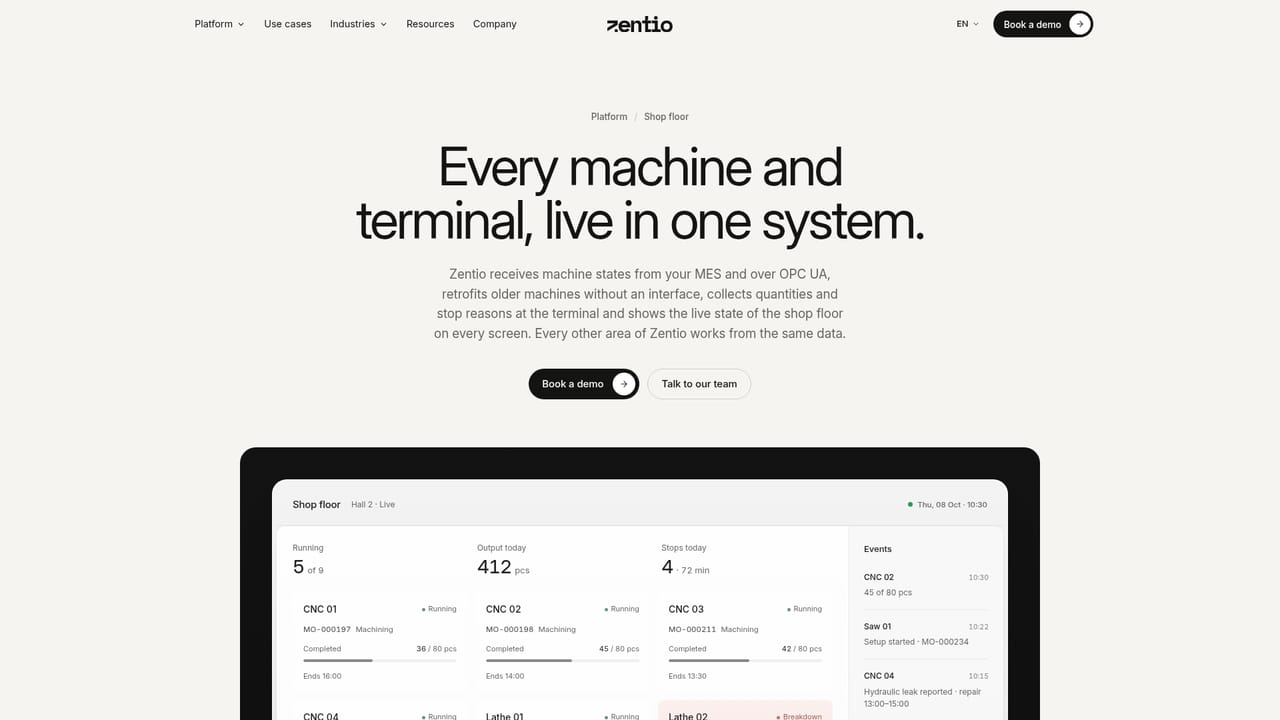
Zentio works alongside existing ERP, MES, machine signals and Excel files, which stay in place and feed the Agentic Twin with orders, routings and machine states. Specific source systems are agreed with each customer during evaluation.
Operational assistant for manufacturing planning and shop floor decisions

Zentio is an AI simulation generator tool. Zentio pairs a natural language manufacturing assistant with a live model of machines, orders and materials. It answers operational questions, compares scheduling options by cost and delivery impact, automates routine responses, generates shift and weekly reports, and keeps master data accurate through continuous drift detection.
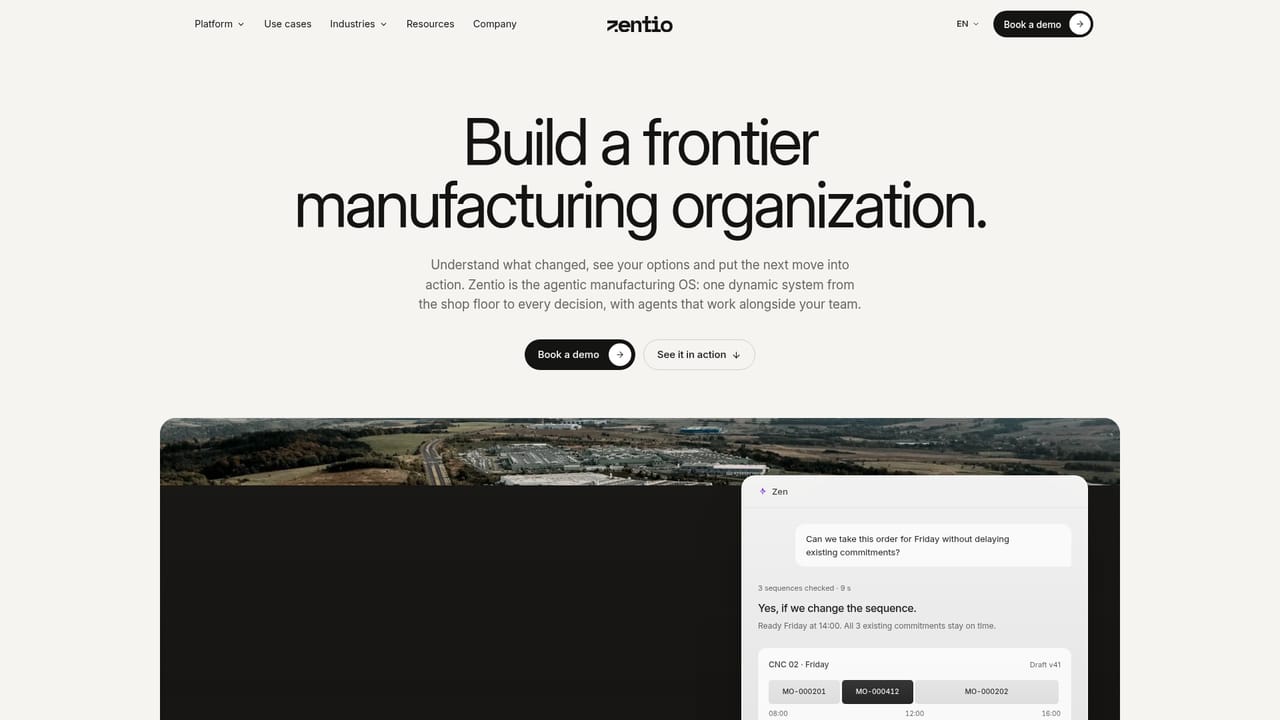
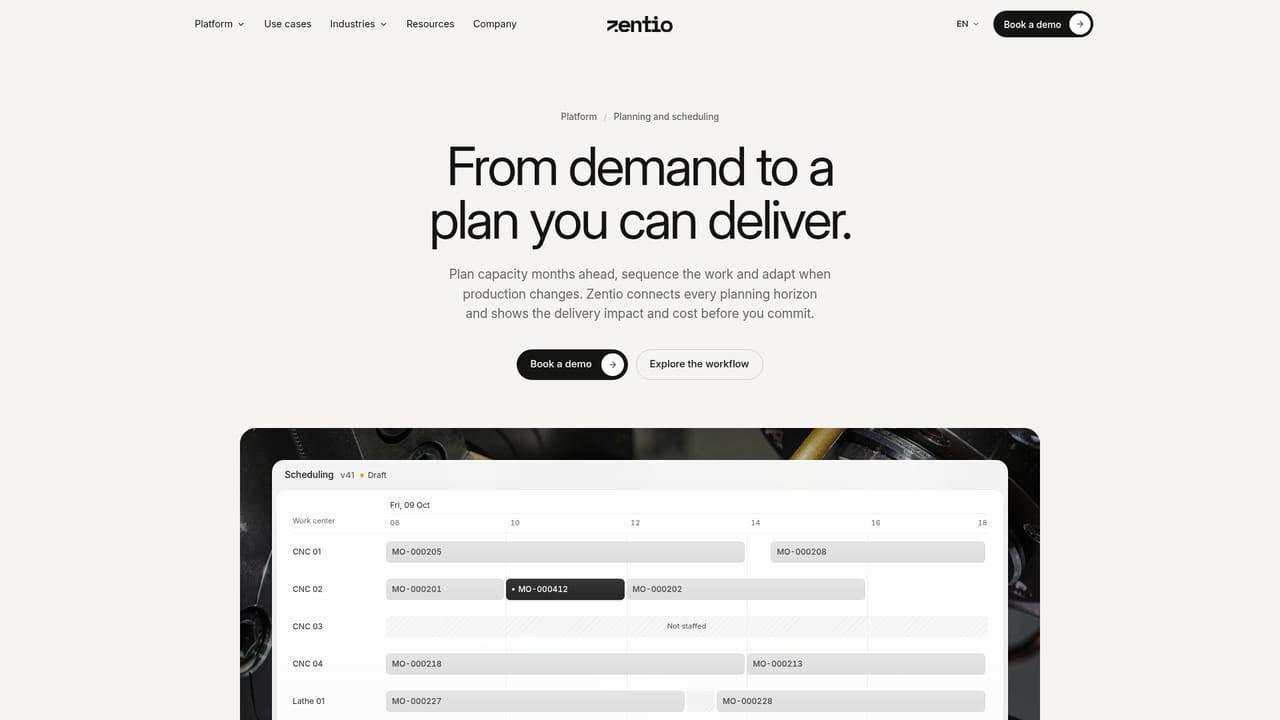
Zentio is a manufacturing assistant built around a conversational agent called Zen and a dynamic model the company calls the Agentic Twin. The Twin holds machines, people, materials, orders, routings and accumulated knowledge, and every specialist agent works from that same picture. Planners and shift leads ask operational questions in plain language: whether a rush order fits before Friday, what a machine stop does to committed delivery dates, or where an extra shift actually helps. Each answer names the orders, machines and resources it used and keeps recorded facts separate from assumptions. The tool goes further than answering questions. Scenario comparison puts a new sequence or added capacity against the same demand and shows the effect on existing delivery dates, along with extra labor cost and staffed hours per option. Automations respond to triggers from machines, orders, materials and the calendar, running either automatically or with human approval, and every run is logged with what it changed. Reports such as a shift brief or weekly operations review are assembled from live data and export to PowerPoint and Excel. A master data agent watches setup, cycle and lead times against actual run data, flags drift and proposes corrections that are written back to the system of record once approved. It is aimed at production planners, shift supervisors and operations managers in discrete manufacturing who already run an ERP or MES and want a decision layer on top rather than a rip and replace. Existing systems stay in place and feed the Twin with orders, routings and machine states. Autonomy is dialed in function by function, and schedule changes become new versions that planners choose to publish. Zentio competes less with generic chatbots and more with traditional APS suites. Its differentiator is the combination of a live shop floor picture with an assistant that explains its reasoning and prices every alternative. Evaluation is handled through a booked demo rather than self-serve signup, so buyers should expect a guided onboarding around a single area first.
Zentio works alongside existing ERP, MES, machine signals and Excel files, which stay in place and feed the Agentic Twin with orders, routings and machine states. Specific source systems are agreed with each customer during evaluation.
Ask Zen answers operational questions about orders, machines, people and materials. Scenario comparison shows the delivery and cost effect of alternative sequences or extra capacity. Automations handle machine stops, moved delivery dates and rush orders with configurable autonomy. Reporting covers shift briefs and weekly reviews with PowerPoint and Excel export. Live order tracking and a master data agent for drift correction round out the set.
 AI Angels400+ customizable AI girlfriends for NSFW chat, voice calls, and roleplay
 Candy AIExperience the future of companionship with AI friends who chat, role-play, and connect with you on a human level.
 ourdream.aiA vast AI roleplay platform with millions of characters for chat, images, video and voiceAI Angels400+ customizable AI girlfriends for NSFW chat, voice calls, and roleplayCandy AIExperience the future of companionship with AI friends who chat, role-play, and connect with you on a human level.ourdream.aiA vast AI roleplay platform with millions of characters for chat, images, video and voice


