Free trial
A Start free link to the signup page appears on the homepage, indicating a free entry route, though the length and limits of any free access are not described.
Learn moreRevenue billing and recognition that start at the signature

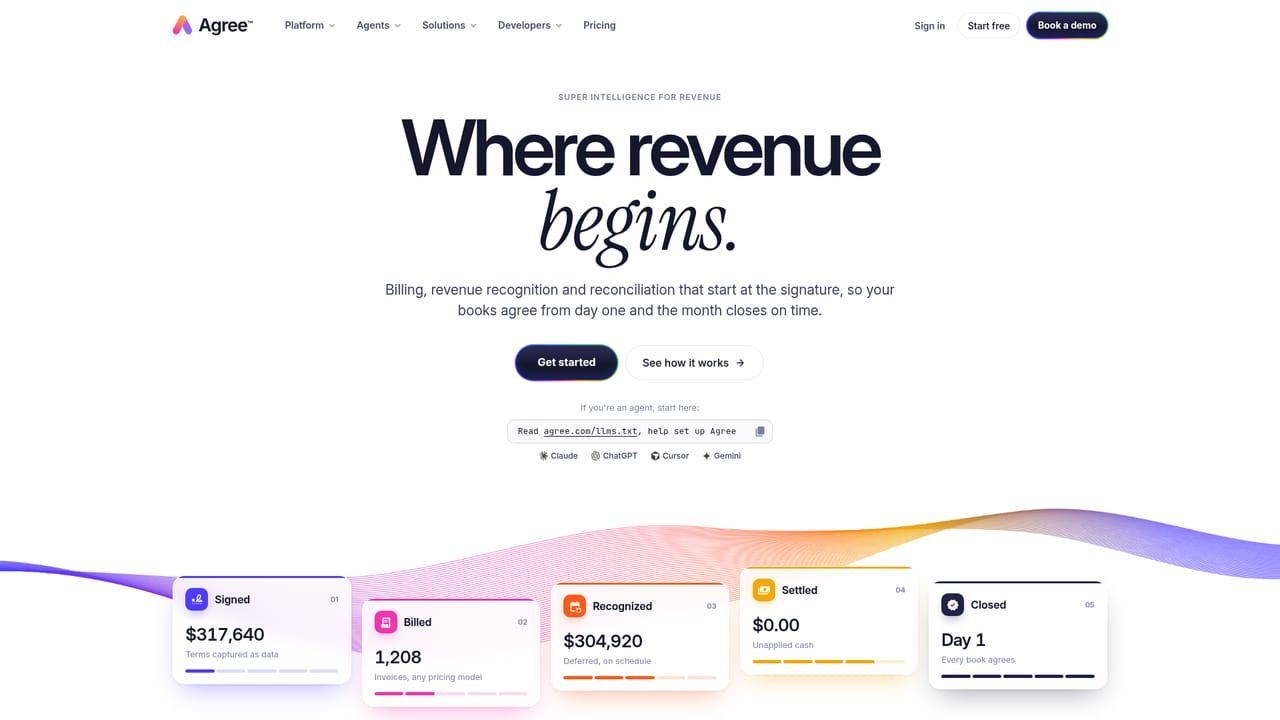
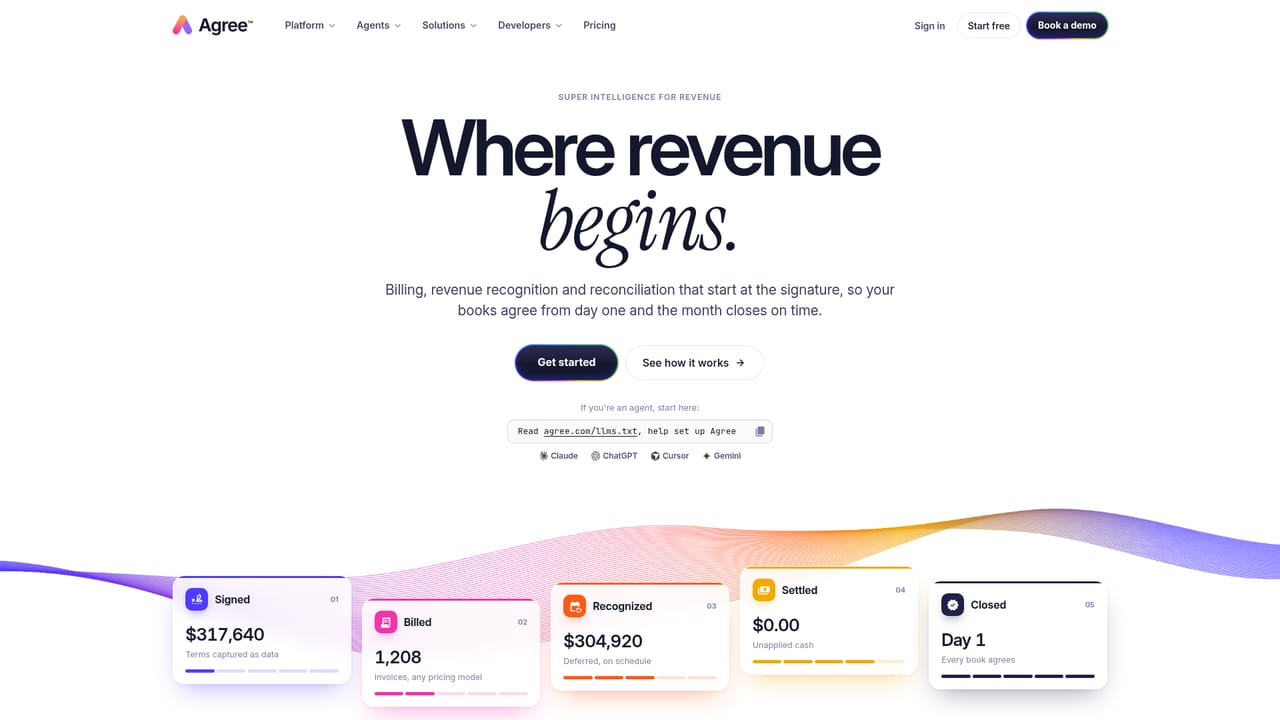
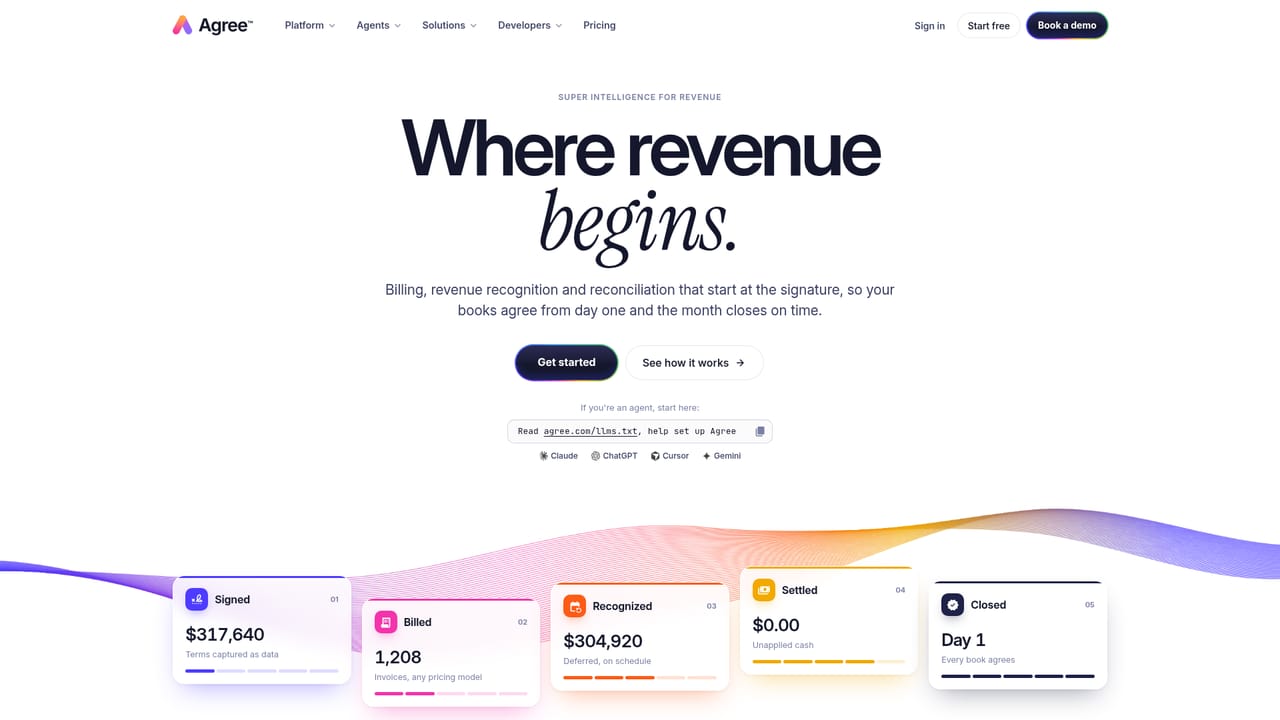
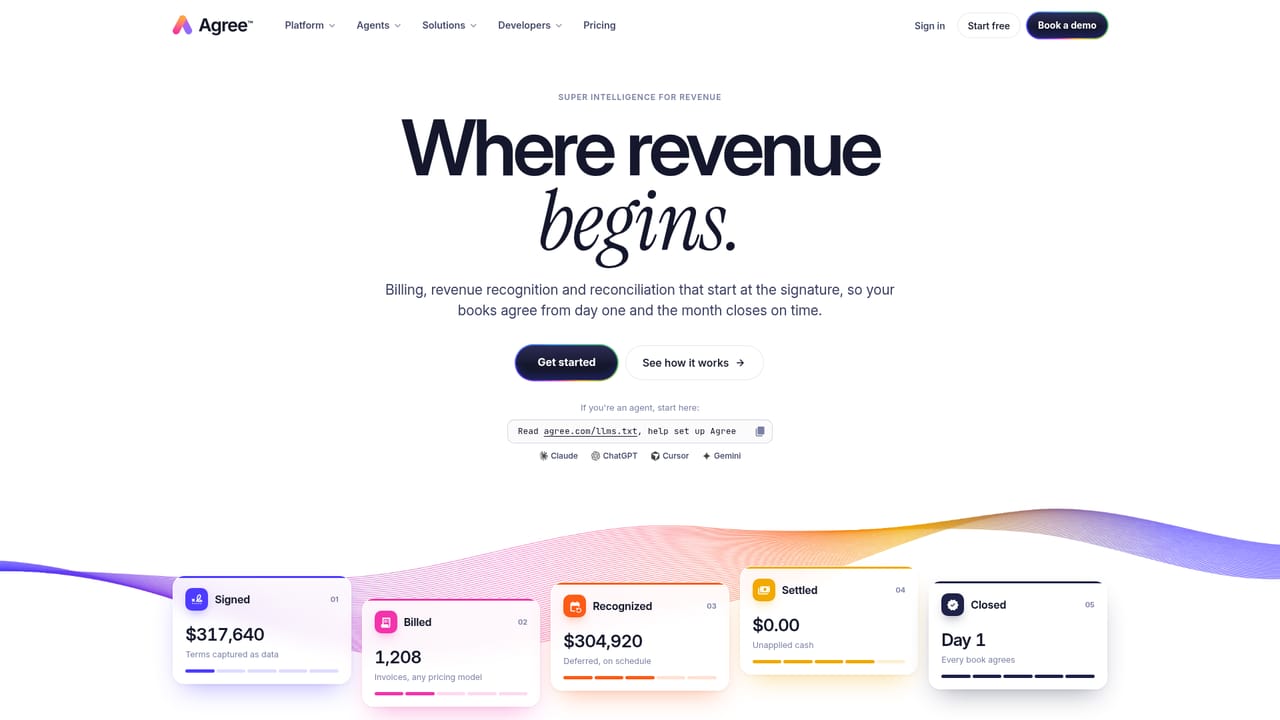
Agree.com is an accounting journal entries tool. Agree turns signed contracts into structured billing, ASC 606 revenue schedules, matched payments and GL journal entries, so contracts, billing, revenue and cash tie out to the ledger continuously instead of being rebuilt each month.
Agree is a revenue operations platform built around a single premise: the signed contract, not a re-typed invoice, should be the origin of every number in the finance stack. When a deal closes, Agree captures price, term, uplift clauses, usage rates and payment terms as structured data rather than a PDF that someone copies into a billing system later. Those terms then drive invoicing, revenue schedules and cash application without a human translating between systems. From that record, Agree generates invoices for recurring, usage-based, milestone and one-time models, including proration and co-terming when a deal changes mid-term. On the revenue side it builds ASC 606 and IFRS 15 schedules from performance obligations and keeps the deferred revenue waterfall current as amendments land. Built-in ACH and card payments mean incoming cash arrives already tied to the right invoice, and failed payments trigger retries and dunning sequences rather than manual chasing. Journal entries then post to the general ledger, and a continuous subledger tie-out shows whether contracts, billing, revenue and GL balances match before close week begins. The product is aimed at finance teams at subscription and usage-billing companies, particularly controllers and revenue accountants who currently reconcile a contract repository, a billing tool, a rev rec spreadsheet and an ERP by hand. Its competitive angle is the starting point: most billing and recognition tools ingest an invoice and work forward, while Agree reads the agreement and inherits the terms. Deal approvals and role-based sign-off for credits, write-offs and term changes are included, along with an audit trail that runs from signature to journal entry. Agree is a narrower tool than a full ERP and expects to sit alongside one, with the ERP remaining the ledger and the CRM remaining the pipeline. It is web-based, exposes a REST API and MCP server for agent-driven setup, and fits teams that already run NetSuite, QuickBooks, Xero or Sage rather than those looking to replace them.
A Start free link to the signup page appears on the homepage, indicating a free entry route, though the length and limits of any free access are not described.
Learn moreThe homepage points to a dedicated pricing page and offers both a Get started path and a Start free signup link, but it does not state plan names, tiers or dollar amounts.
Learn moreNetSuite, QuickBooks, Xero and Sage for the GL, Salesforce and HubSpot for CRM, Slack for close notifications, plus webhooks, a REST API and an MCP server for custom connections.
Learn moreStructured contract capture with approvals, invoice generation across recurring, usage, milestone and one-time models, proration and co-terming on amendments, ASC 606 and IFRS 15 revenue schedules, deferred revenue waterfalls, built-in ACH and card payments with retries and dunning, cash matching to invoices, two-way GL sync, continuous subledger tie-out, close checklist, role-based approvals and a signature-to-journal-entry audit trail.
Learn more AI Angels400+ customizable AI girlfriends for NSFW chat, voice calls, and roleplay
 Candy AIExperience the future of companionship with AI friends who chat, role-play, and connect with you on a human level.
 ourdream.aiA vast AI roleplay platform with millions of characters for chat, images, video and voiceAI Angels400+ customizable AI girlfriends for NSFW chat, voice calls, and roleplayCandy AIExperience the future of companionship with AI friends who chat, role-play, and connect with you on a human level.ourdream.aiA vast AI roleplay platform with millions of characters for chat, images, video and voice


