Free trial
A free plan provides 65 credits per month (up to 6 assets) with no credit card required, basic AI features, and limited downloads. It is a functional trial rather than a time-limited free trial.
Learn moreTurn text or images into 3D models in seconds
Own AI 3D Model Generator? Verify ownership to get a dofollow link

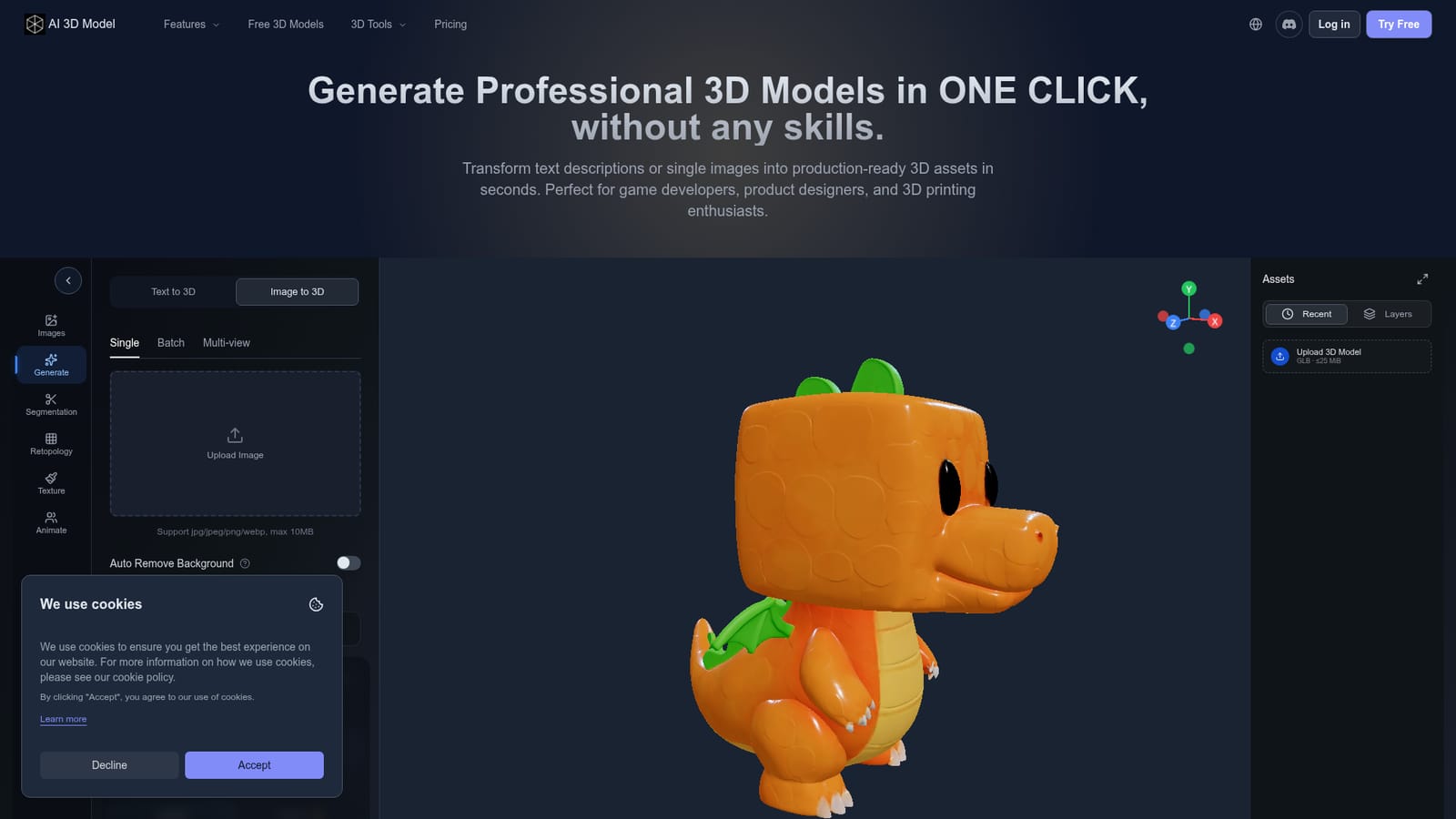
AI 3D Model Generator is a convert image to 2D tool that turns text or images into 3D models in seconds. AI 3D Model Generator converts text prompts or images into downloadable 3D assets. It offers multi-view reconstruction, low-poly optimization, and export to common formats.
AI 3D Model Generator is a browser-based tool that turns written descriptions or 2D images into 3D assets. The core workflow is simple: type a prompt or upload a photo, sketch, or concept art, then let the AI build a textured or untextured mesh ready for export. A multi-view mode accepts several angles of the same subject to improve reconstruction accuracy, which is useful for character work and product scans. The tool is aimed at game developers, product designers, 3D printing hobbyists, and creators who need assets without a modeling background. It also supports white model generation (clean, untextured base meshes) for 3D printing or manual texturing, and smart low-poly optimization that reduces polygon count for real-time engines such as Unity and Unreal. After generation, models can be downloaded in USDZ, FBX, OBJ, STL, GLB, 3MF, or PLY; FBX and USDZ files with skins or animation require sign-in because they use a private conversion server. In practice, the service works on a credit system. The free tier provides 65 credits per month (roughly 6 assets) with low queue priority and one concurrent task. Paid plans start at $15.90 per month on annual billing (Pro, 1000 credits) and go up to $39.90 per month for Pro+ with 4000 credits and higher queue priority. One-time credit packs are also available. Compared with manual modeling or photogrammetry, this tool trades precision for speed: it is best for props, background assets, and early-stage concepts where exact topology matters less than quick iteration. It competes with other AI 3D generators but stands out for its broad format support and explicit low-poly and white-model options.
A free plan provides 65 credits per month (up to 6 assets) with no credit card required, basic AI features, and limited downloads. It is a functional trial rather than a time-limited free trial.
Learn moreFree tier: 65 credits/month (about 6 assets), low priority. Pro: $15.90/mo annually ($190/yr), 1000 credits, 5 concurrent tasks. Pro+: $39.90/mo annually ($478/yr), 4000 credits, 10 concurrent tasks. One-time credit packs from $24 for 300 credits, valid 2 years.
Learn moreThe homepage mentions export compatibility with Unity, Unreal Engine, CAD software, and 3D printers, but does not list direct integrations with third-party platforms or an API.
Text to 3D, single and multi-view image to 3D, smart low-poly optimization, white model generation, and export to USDZ, FBX, OBJ, STL, GLB, 3MF, or PLY. Paid plans add HD textures, private models, commercial use rights, higher concurrency, and unlimited downloads.
Learn more AI Angels400+ customizable AI girlfriends for NSFW chat, voice calls, and roleplay
 Candy AIExperience the future of companionship with AI friends who chat, role-play, and connect with you on a human level.
 ourdream.aiA vast AI roleplay platform with millions of characters for chat, images, video and voiceAI Angels400+ customizable AI girlfriends for NSFW chat, voice calls, and roleplayCandy AIExperience the future of companionship with AI friends who chat, role-play, and connect with you on a human level.ourdream.aiA vast AI roleplay platform with millions of characters for chat, images, video and voice